

 IbrahimTabba
on tap of marker
https://user-images.githubusercontent.com/64520575/165264795-69272738-904d-4847-a009-9b61e4520e9b.mov
hello when I use a custom marker and. when I clicked on that particular market at that time my all markers a rebuilt. so how to solve this issue

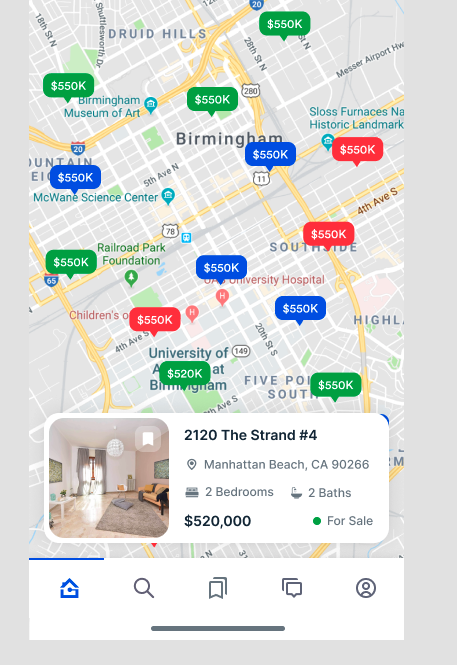 Use one boolean make it false initially and while you tap on marker change that boolean to true.
Use that same boolean and show visibility of the result accordingly.
Use one boolean make it false initially and while you tap on marker change that boolean to true.
Use that same boolean and show visibility of the result accordingly.
Eg. RxBool showData = false.obs; onTap: () { showData.value = true; // onTap of marker } showData.value == false ? const SizedBox() : Positioned( bottom: 10, left: 15, right: 15, child: //show your result here )
You can refer above image.


You can add onTap functionality by adding the below lines
MarkerData(
                      marker: Marker(

                          markerId: MarkerId(markerId),
                          position: position,
                          onTap: (){

                          **// Here you can implement on marker tap**

                          }
                      ),
                      child: Container() // Your Custom Widget Here,
                  )

