

 IQSS
IQSS
Question about ViewExpiredException
What steps does it take to reproduce the issue? Case 1: When a user opened a tab in a browser and go to the loginpage.xhtml, and then the user opened other tabs (for example, the user opened 8 more tabs and visited xxxxx/dataverse/root in each tab) and finally returned to the login tab and click the button Username/Email in Other options, the page has no response the there is ViewExpiredException in server.log In this case, com.sun.faces.numberOfViewsInSession and com.sun.faces.numberOfLogicalViews are 15 (the default value), and there are ViewExpiredException when the user opened 8 more tabs.
Case 2: When a user logined to account A in a tab (tab1), and then the user opened a new tab (tab2) and login into account B. After that, the user click the logout button in tab 2, and then return to tab 1 and click the logout button in tab 1, it shows Internal Server Error - An unexpected error was encountered, no more information is available. in tab 1 and ViewExpiredException can be found the following in server.log
-
When does this issue occur? Case 1: When user visited the loginpage in a tab, and then visited other page in Dataverse in other tabs, and then return to the tab with the loginpage Case 2: When user logined in different account in different tab without refreshing after a new login, and then clicked the logout button in different tab
-
Which page(s) does it occurs on? Case 1: Login page Case 2: In the page for viewing Dataverse
-
What happens? Case 1: There is no response when user clicked the button Username/Email in Other options in loginpage.xhtml. There are ViewExpiredException in server.log Case 2: There are ViewExpiredException in server.log
-
To whom does it occur (all users, curators, superusers)?
-
What did you expect to happen?
Which version of Dataverse are you using? 5.5
Any related open or closed issues to this bug report? https://groups.google.com/g/dataverse-community/c/HfNq1lLIm74

Hi @joe00z
We have the same error in our dataverse instance, but in our case the error ocurrs when a user try to check an especific dataset.
https://data.cimmyt.org/dataset.xhtml?persistentId=hdl:11529/10246
The logs file has the next content
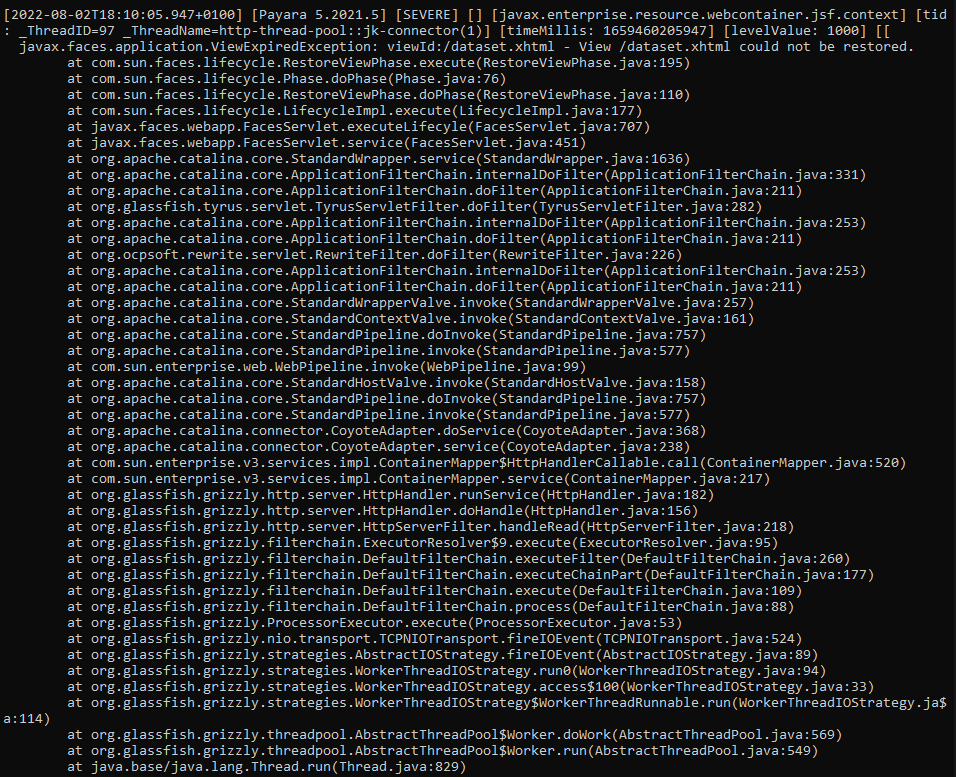
The content is similar to your description. Do you find any fix for this problem?
We have the Dataverse release 5.10.1.
Regards

FWIW: AFAIK ViewExpiredException is ~normal in Dataverse as it is today - it indicates that the user has waited too long (or logged out in another window) and Dataverse has freed the memory being used to keep track of what the user had been doing on that page. Refreshing or coming back to the page will allow the page to be used again.
For logged in users, it should be relatively rare, occurring when a session times out (default is 8 hours for logged in users, configurable via the LoginSessionTimeout setting), or when a user has logged out in one window but still has another Dataverse page open.
If you're seeing it for people who aren't logged in (as in the originally reported issue) - the default session time for anonymous users is much shorter (10 minutes). That is configurable in the web.xml file (/usr/local/payara5/glassfish/domains/domain1/applications/dataverse-5.11/WEB-INF/web.xml) as the
That said, things could be improved in the software as well:
- it is problematic that this results in buttons on the page not working without explanation. Doing some quick searching, it should be possible to detect that and, for example, redirect to a page that tells you to log in again/refresh the page.
- in the log, it probably isn't useful to see the stack trace and perhaps the entry should not be flagged as SEVERE given that it doesn't indicate a code/configuration issue/isn't fatal
- #6035 (linked above) also suggests we could try to eliminate the need for session state at all on main pages.
Unless/until updates like these are made, the best work-arounds are to consider a longer session timeout (slightly longer for anonymous users, or longer for logged in users, particularly if you have decreased LoginSessionTimeout from the default) and/or to inform users that they should close Dataverse windows when done/refresh if/when a page they've had open for a while stops working, etc.
