
quality-time
 quality-time copied to clipboard
Published
20 hours ago •
 ICTU
ICTU
ICTU
Unclear error message when issue tracker issue type does not exist
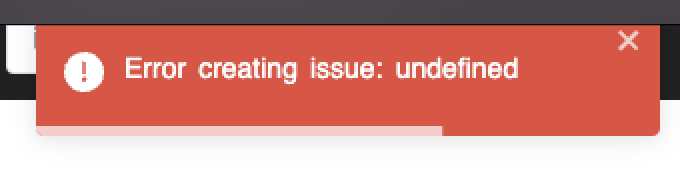
Describe the bug When the issue configures a non-existing issue type in the issue tracker config, the error message is unclear.
To Reproduce Steps to reproduce the behaviour:
- Go to issue tracker config
- Enter issue tracker config with a non-existing issue type
- Try to create an issue for a metric
- See error: "Error creating issue: undefined"
Expected behaviour A error message indicating that the issue type does not exist.
Your environment (please complete the following information):
- Quality-time v4.4.0
Additional context Reported by @Sebastiaan127001

This is a test comment to see whether Sebastiaan gets a notification without mentioning him.

Won't fix this issue because:
- It's much harder to trigger with recent versions of Quality-time: the user would need to select a Jira project that supports issue type A and then switch to another project that doesn't support issue type A. On top of that, the issue tracker config tab will show that no issue type is selected, using a red background, so it's clear the config is not valid.
- The error message no longer says "undefined", but correctly says there was a client error (400).