
label-studio
 label-studio copied to clipboard
 HumanSignal
Display source filename for S3 objects
Is your feature request related to a problem? Please describe.
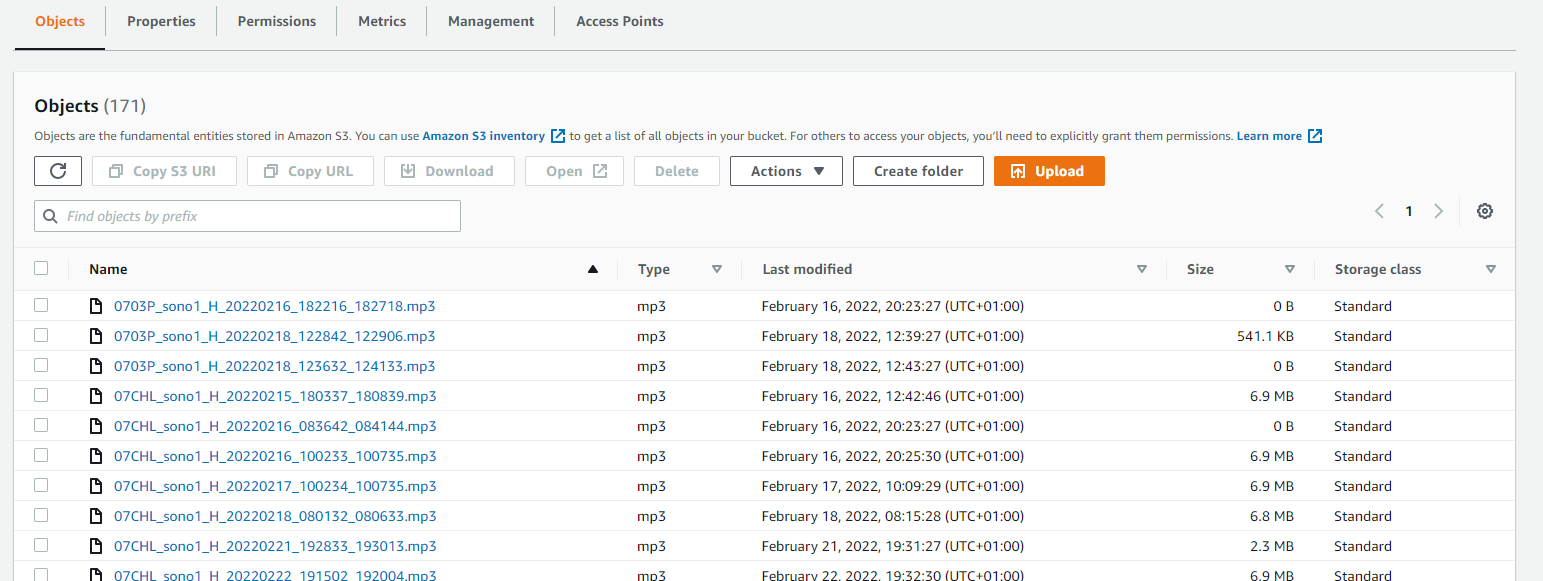
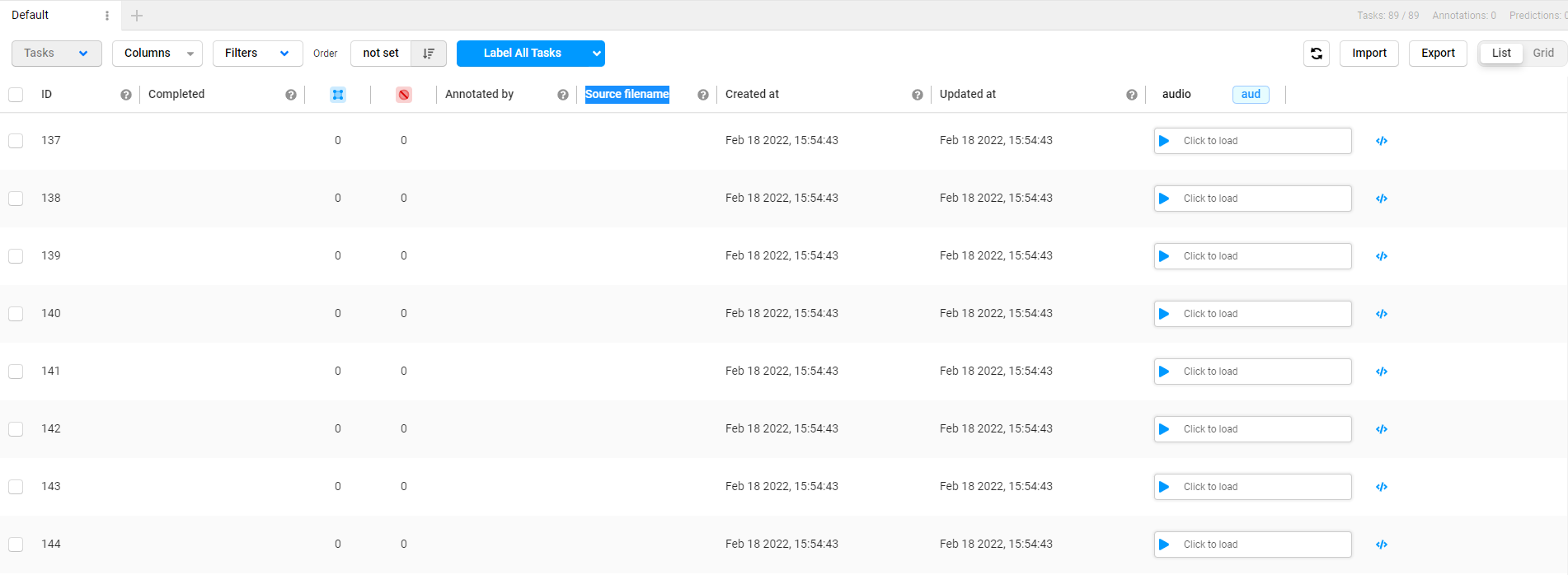
I sync audio files from an S3 bucket in label-studio. I want to label events in these audios. Unfortunately, there doesn't seem to be any way to display the source filenames and to see the names as they are displayed in the bucket.
Describe the solution you'd like
As a user, I would like to be able to see the name of my S3 synced files as they are displayed in my S3 bucket so that i can better know which files I am annotating.
Describe alternatives you've considered Clicking on "Show task source" doesn't help.
Additional context
My bucket files:
In label-studio:
When clicking on show task source:



Hi @makseq ,
Thanks for your swift reply! I tried as you suggest and it works, in a sense.
Going from "aud" to "str" made label-studio crash at first. And loading the interface with the "aud" selected by default takes some time and crashes every now and then as well.
Maybe the "str" mode should be set by default on the main interface (with possibility to switch to "aud" once the main interface is loaded)?
Also, when accessing each audio, I end up with the following error (that I didn't have when in "aud" mode, not sure if it's related):

Also, the name displayed in "str" mode is the full URL. Could it be changed to the following? bucket_name+object_name (including any prefix) OR object_name (including any prefix)
And finally, could it be possible to have the columns positions re-arranged? I would like to have my filenames on the left but I can only see them in the "audio" data column on the far right.
Sorry, it's a lot. Please let me know if there are useful suggestions here and if you want me to break them down in separate posts.
Cheers
Antoine
I end up with the following error
No, it's not related to aud/str. Looks like you used incorrect option in the storage settings - try to play with toggle "Treat files as ... " (something like this) in the Cloud Storage Settings dialog.
I agree with the OP, binary file imports are not adequate in LS. I also think there is definitely room for improvement around data import workflows, in general.
Treat every bucket object as a source file
As I understand this feature as currently implemented for S3 imports, when switched on, it is bleeding in several places:
- There is no way to link an imported source (binary) file to its original location. When binary files are imported, LS seems to shove their encoded representation under an arbitrary field with no path/link to its original location in the cloud. From usability perspective this is terrible because I can't correlate the file with any extra metadata I may want to enrich my tasks with.
- The documentation for S3 is incorrect regarding "This setting creates a URL for each bucket object to use for labeling.". This statement is not true. LS does not create any URLs, but simply returns an encoded form of the binary file. I have wasted over an hour trying to figure out the local URL of binary files sync'ed over from S3.
Since a task import from S3 with the above feature switched on seems to be a mere file encoding process, why not document it as such? We are pushing binary files to S3 for no reason, only to be base64 encoded by LS from there; I could simply serialise my binary files into a JSON file locally and import into LS directly.
Document this. Even better, please create recipes! Integrate recipes as running code into your CI so that they break when software and recipes are no longer in agreement.

@tilusnet @Antoine101
I tried to fix this bug about missing Source filename property, you can check this branch or wait until we release it. https://github.com/heartexlabs/label-studio/pull/2555
