
zhenxun_bot
 zhenxun_bot copied to clipboard
 HibiKier
基于 Nonebot2 和 go-cqhttp 开发,以 postgresql 作为数据库,非常可爱的绪山真寻bot
### 系统版本:WindowsServer2016 ### 真寻版本:0.1.5.3 ### 错误截图 [img] ### 日志截图 [img] ### 错误说明 发生了xx错误...

前言: Ubuntu20.04的默认python是3.8, 所以就用Ubuntu20.04了 (22.04默认python 3.10也可以用但有个依赖要更换版本) ; 另外, 之前在Ubuntu里尝试过安装PostgreSQL不能用, 所以就直接在Termux装PostgreSQL了 关于签名服务器 HuggingFace的QQSign集体暴毙, 所以还是用其他方法吧 有个Koyeb具体流程不便公开并且试了两三次没跑起来 这里有本地(或服务器)搭建的相关文件和简单的使用方法 https://gitee.com/KudouShinnyan/qsign (之前试了Termux+CentOS⑨最高貌似只有1.1.0正常用, 后续版本比如有些水土不服, 1.1.9是被尝试连接之后它就卡了, 1.2.1版好像直接不兼容arm, 你试下Termux改用其它Linux容器装jre跑1.1.9, 或直接在Termux装jdk不通过容器跑1.1.9, 莪现在是在一个熟人服务器跑1.1.9了) 签名服务器地址本地运行的是`http://127.0.0.1:8081` 在服务器运行则是`http://服务器IP地址:8081` (比如服务器用宝塔面板需要在安全那里放行8081端口) 准备工作: 下载并安装[Termux](https://github.com/termux/termux-app/releases) (现在的爪机一般下载[arm64](https://hub.gitmirror.com/https://github.com/termux/termux-app/releases/download/v0.118.0/termux-app_v0.118.0+github-debug_arm64-v8a.apk)版即可, 其它Android设备自己判断, [universal](https://hub.gitmirror.com/https://github.com/termux/termux-app/releases/download/v0.118.0/termux-app_v0.118.0+github-debug_universal.apk)是通用的但安装包会大很多)...

### 系统版本:Windows 10 ### 真寻版本:0.1.5.3 ### 错误截图 [img] ### 日志截图 [img] ### 错误说明 No connection could be made because the target machine actively refused it.

b站订阅获取失败

### 系统版本:Ubuntu 20.04 ### 真寻版本:0.1.6.2 ### 错误截图  ### 错误说明 无法获取b站订阅的动态消息 ``` 08-01 10:56:46 [WARNING] apscheduler | Execution of job "_ (trigger: interval[0:00:30], next run at: 2022-08-01 10:56:46 CST)" skipped:...

### 系统版本:Ubuntu 20.04 ### 真寻版本:0.1.6.1 ### 错误截图  ### 日志截图 bot日志无错误  go-cq日志也无错误  ### 错误说明 B站的转发解析无反应,没有报错,求救!

帮助指令异常
### 系统版本:Ubuntu 20.04 ### 真寻版本:0.1.6.1 ### 错误截图 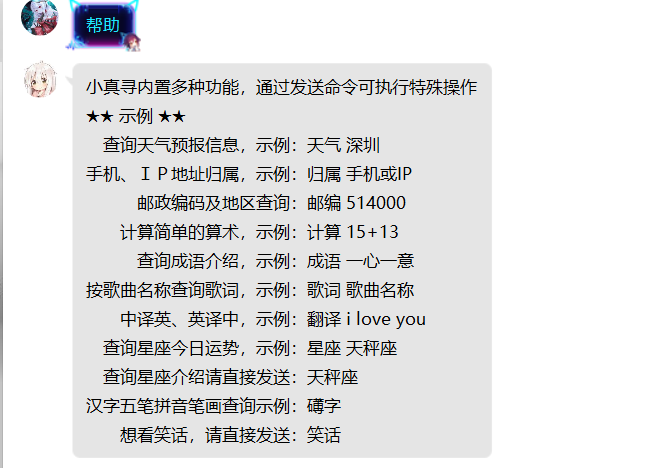 ### 日志截图 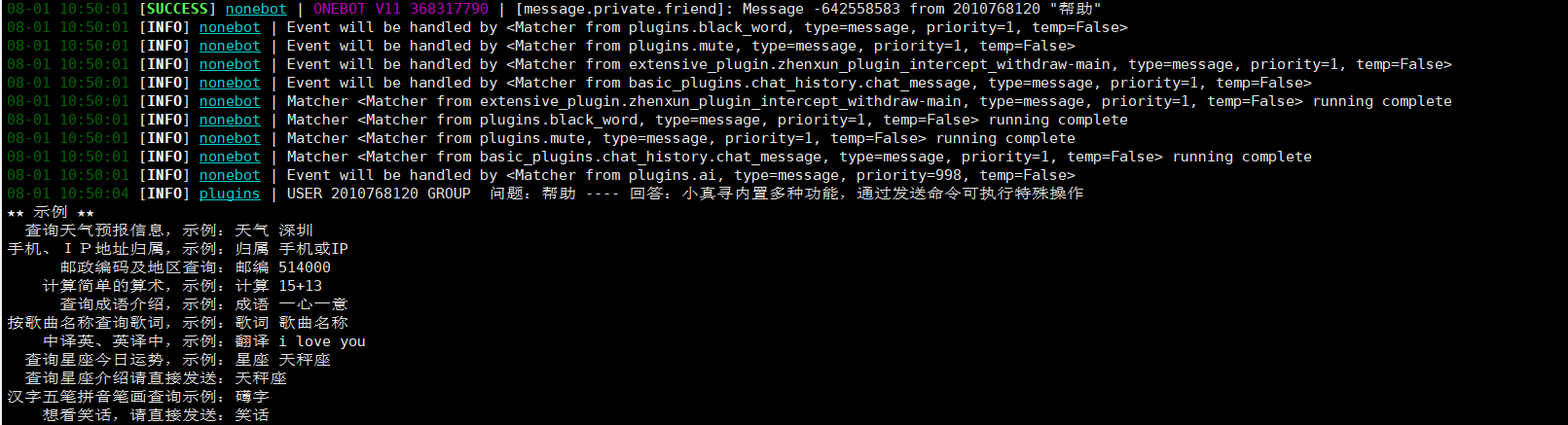 ### 错误说明 发送帮助指令返回的是青云客的帮助
米游社无法签到
### 系统版本:Ubuntu 20.04 ### 真寻版本:0.1.6.2 ### 错误截图 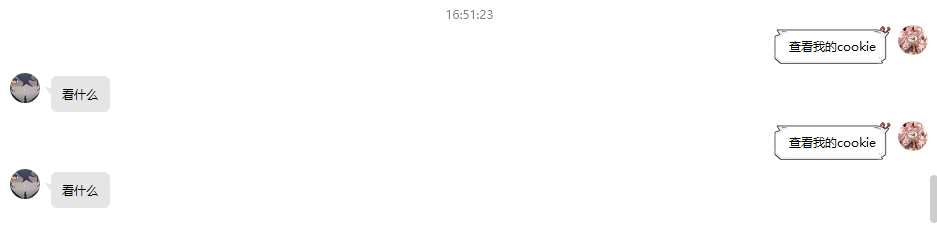 ### 日志截图  ### 错误说明 更新了0.1.6.2版本之后,米游社签到还是 invalid request 尝试重新绑定米游社之后也还是不行,无法查看已绑定的cookie,请教一下大佬该如何解决

### 系统版本: Windows Server 2012 R2 DataCenter 64bit CN ### 真寻版本:0.1.6.1 ### 错误截图 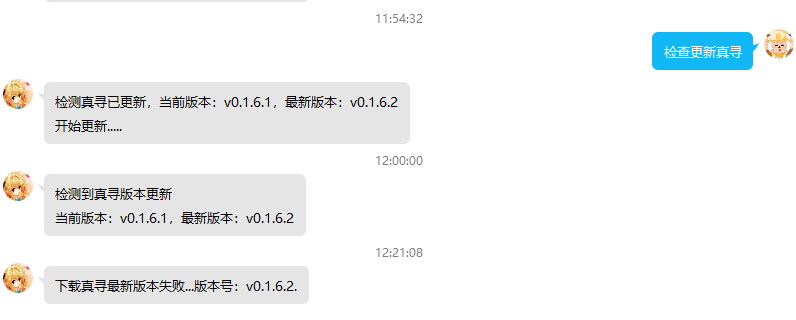 ### 日志截图  ### 错误说明 梯子挂了,下载速度平均1M/s,但是就是更新失败,两处verify也改为了false,特来求助   有无真寻最新安装包的镜像站,想试试修改这个后不挂梯子能否更新

原来用的酷播云,可以在线看,但是免费用户12个G用完就没了,300M的教学视频也就够40个人看,所以视频传到微云了 视频:https://share.weiyun.com/zcpZsqyu 参考文档:https://hibikier.github.io/zhenxun_bot/docs/installation_doc/ 所需文件:https://share.weiyun.com/8Bl5uqSr 微云下载限速的话,自己存自己号上一份,然后QQ发送文件,选择微云,找到这个文件并发送,在QQ下载就行了。
