
HeroicGamesLauncher

HeroicGamesLauncher copied to clipboard
 Heroic-Games-Launcher
Slovak translation doesn't work in 2.4.3
Describe the bug
Selecting the slovak translation (slovenčina) results in:
- blanks instead of Slovak terms
- English terms
File: Heroic-2.4.3.AppImage
Add logs
(17:55:12) INFO:    [Backend]:         Changing Language to: en
(17:55:19) INFO:    [Backend]:         Changing Language to: cs
(17:55:26) INFO:    [Backend]:         Changing Language to: sk
(17:55:31) INFO:    [Backend]:         Changing Language to: en
(17:55:36) INFO:    [Backend]:         Changing Language to: sk
(17:56:15) INFO:    [Backend]:         Changing Language to: en
Steps to reproduce
- Settings -> General -> Choose App Language: slovenčina
Expected behavior
Slovak terms are being displayed (if a Slovak translation of the English term is available).
Screenshots
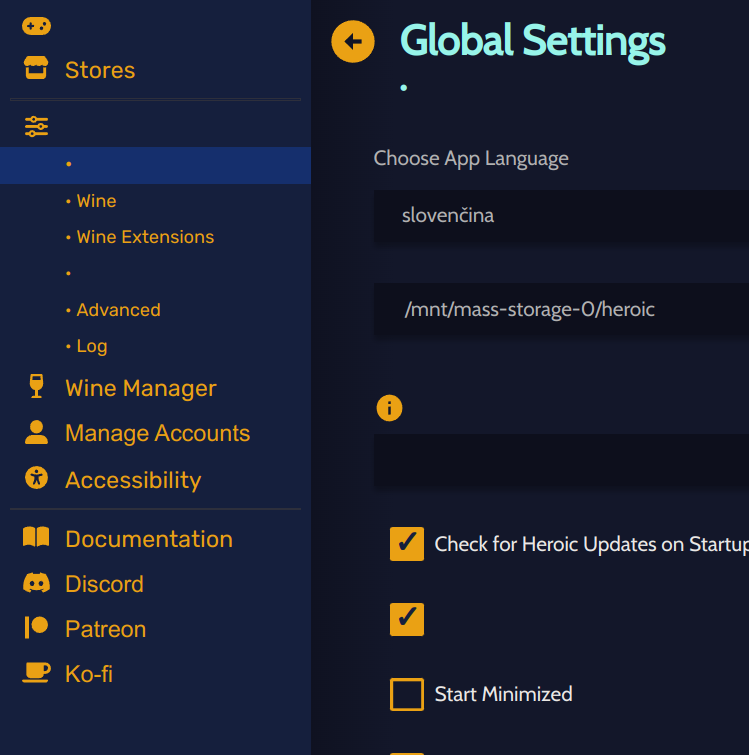
System Information
- OS: Linux
- Heroic Version: 2.4.3
Additional information
No response

Yes, can confirm that. I think Weblate tricked me. It showed that 100% of the files were translated but looking at it now, it is 100% translated but not all files were created. When we create a new translation in Weblate 3 new files needs to be created, because our translations are split into three to make it easier. Anyway, you can go there and fix the rest of the translations so from next release they will appear.
