

 HarvestProfit
Camera and preview size
Hi @humphreyja please consider modifying the getOptimalResolution method to find the correct preview size in all devices as follow:
//if (resolutionPixels > ratioMaxPixels && ratioDifference < bestRatioDifference) {
if (ratioDifference < bestRatioDifference) {
	ratioMaxPixels = resolutionPixels;
	ratioCurrentMaxRes = r;
        bestRatioDifference = ratioDifference;
}
This way the preview size would have the best ratio difference and the biggest resolution possible because the resolution list is sorted in descending order.


I'm checking the code again.
      Display display = mActivity.getWindowManager().getDefaultDisplay();
      android.graphics.Point size = new android.graphics.Point();
      if (Build.VERSION.SDK_INT >= Build.VERSION_CODES.JELLY_BEAN_MR1) {
          display.getRealSize(size);
      }

      int displayWidth = Math.min(size.y, size.x);
      int displayHeight = Math.max(size.y, size.x);
      float displayRatio = (float) displayHeight / displayWidth;

      Camera.Size pSize = getOptimalResolution(displayRatio, getResolutionList());
      param.setPreviewSize(pSize.width, pSize.height);
      param.setWhiteBalance(Camera.Parameters.WHITE_BALANCE_AUTO);
      float previewRatio = (float) pSize.width / pSize.height;
      setDevicePreviewSize(previewRatio);

      Camera.Size maxRes = getOptimalResolution(previewRatio, getPictureResolutionList());
      if (maxRes != null) {
          param.setPictureSize(maxRes.width, maxRes.height);
          Log.d(TAG, "max supported picture resolution: " + maxRes.width + "x" + maxRes.height);
      }
This is the original code. What I understand is we get the biggest resolution for the preview based on the displayRatio variable and then we get the best camera resolution that fits this ratio as well (in the getOptimalResolution method).
Now, this can lead to choosing the best preview but no the best camera resolution. As you can see in the following images.
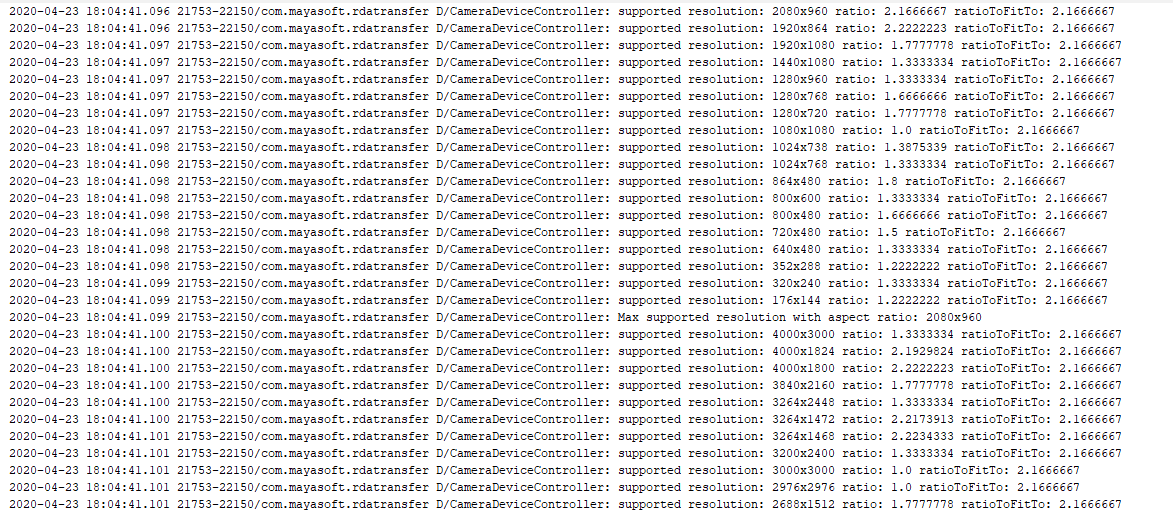
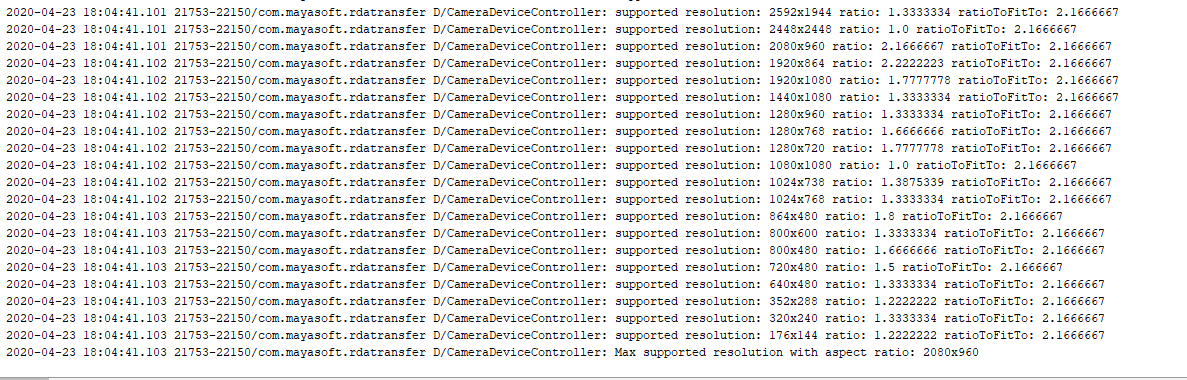
Shouldn't we change the order to get the best camera resolution and then get the best preview size based on the camera ratio?
Note: Also I realized in another phone that the resolution lists are not sorted in descending order.
So a thought would be that we just select the largest camera resolution and completely disregard the preview ratio. These functions are responsible for cropping the captured image to the preview ratio before applying the rectangle crop (the second function scales the rectangle coordinates to the same resolution). https://github.com/HarvestProfit/react-native-rectangle-scanner/blob/master/android/src/main/java/com/rectanglescanner/helpers/Quadrilateral.java#L29-L70.
I wrote these to fix issues where there was not matching preview and camera sizes, so it should work for what ever ratio we want.
I get it, however, for some reason the cropped image on a Samsung Galaxy S8, for instance, is not accurate. The temporal solution I found is to match both ratios, but the camera resolution gets affected because of the algorithm order.