

 HMS-Core
backgroundMessageHandler not registered and crash my app when i receive notification in background
Description I'm using version 2 of flutterEmbedding, I've done the necessary configuration to receive the notification in foreground and it works, I've implemented the logic to receive the message in background but it still doesn't work. and when I receive a notification while my application is in background, the application crashes and disconnects from the simulation. I use : huawei_push: ^6.5.0+300 Flutter (Channel stable, 3.3.1)
Expected behavior I would like to receive notifications when my application is in the background
Current behavior if the application is in the background, it crashes as soon as I receive a notification.
Screenshots
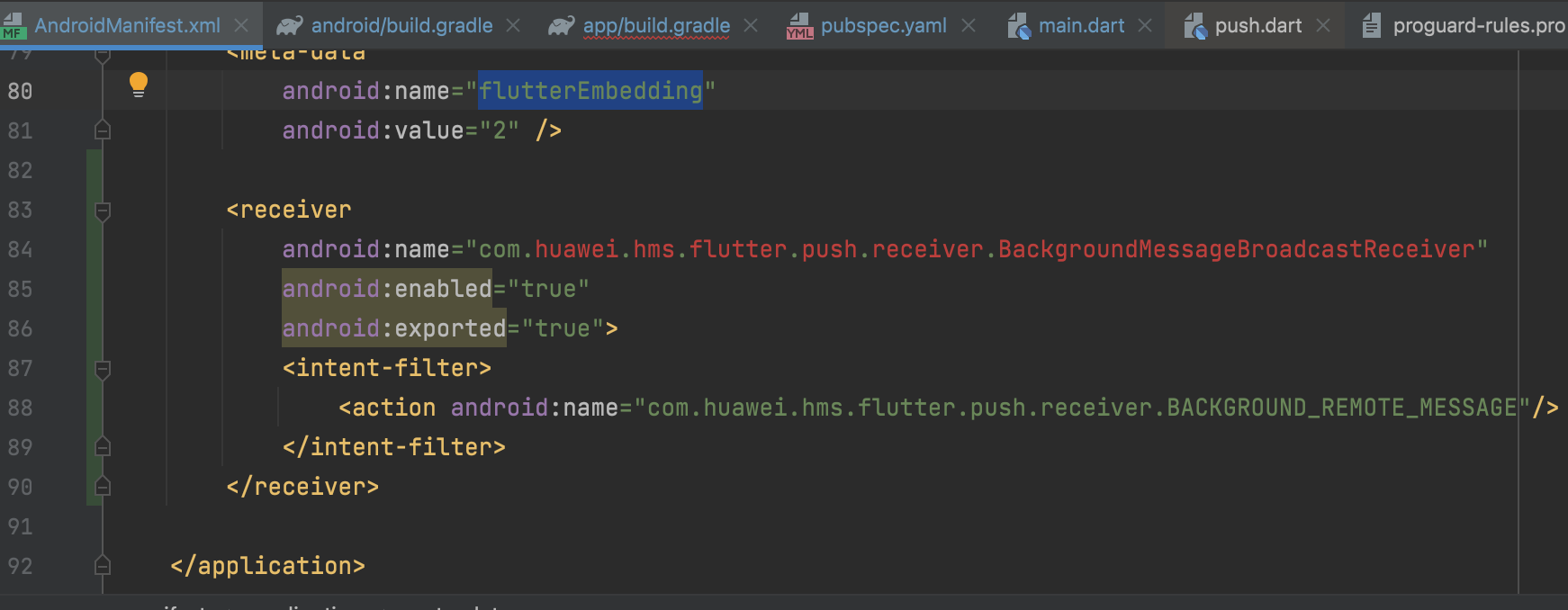

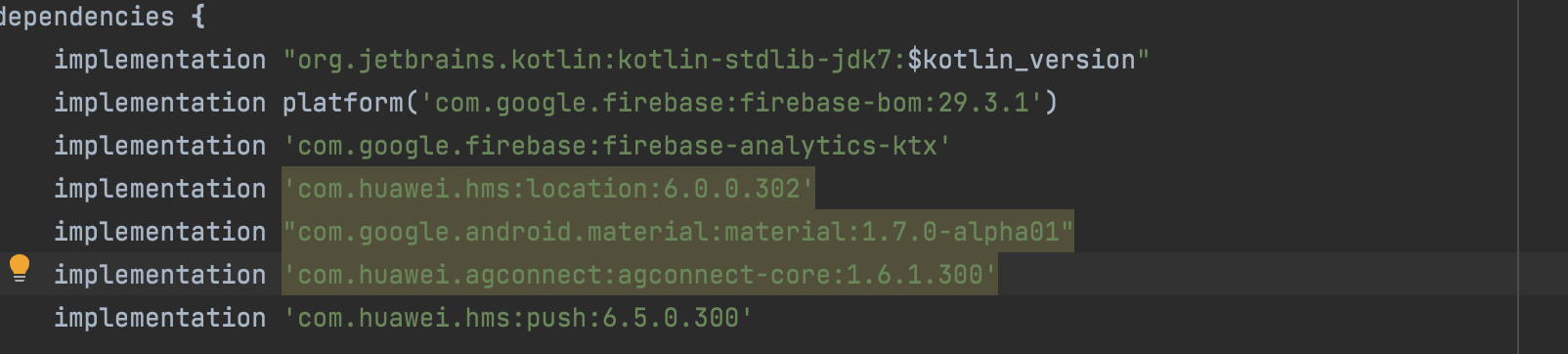

in my logic code Main.dart `huawei.Push.onMessageReceivedStream.listen(_onHmsMessageReceived, onError: _onHmsMessageReceiveError);
        bool backgroundMessageHandler = await huawei.Push.registerBackgroundMessageHandler(_onHmsMessageReceived);
        print("backgroundMessageHandler registered: $backgroundMessageHandler");`
void _onHmsMessageReceived(huawei.RemoteMessage remoteMessage) async { // Called when a data message is received final data = remoteMessage.data ?? ""; print("data"); print("notification"); print(jsonDecode(data)); }
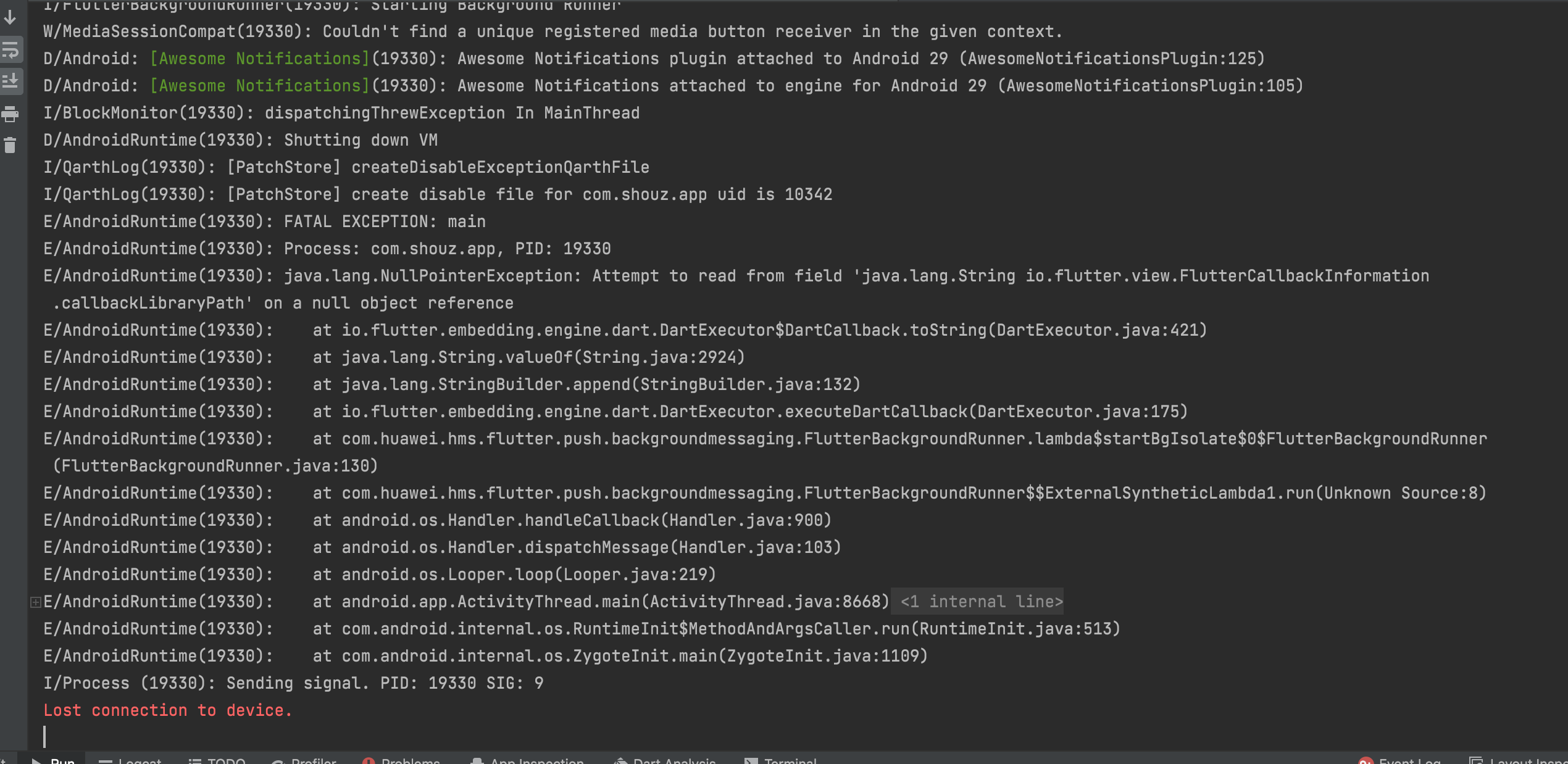
Logs I/FlutterBackgroundRunner(19330): #startBgIsolate I/BackgroundMessagingService(19330): Background Service has not started yet, datas will be queued. W/FlutterJNI(19330): FlutterJNI.loadLibrary called more than once W/FlutterJNI(19330): FlutterJNI.prefetchDefaultFontManager called more than once I/ResourceExtractor(19330): Found extracted resources res_timestamp-5-1664807735886 W/FlutterJNI(19330): FlutterJNI.init called more than once I/FlutterBackgroundRunner(19330): Starting Background Runner W/MediaSessionCompat(19330): Couldn't find a unique registered media button receiver in the given context. D/Android: Awesome Notifications: Awesome Notifications plugin attached to Android 29 (AwesomeNotificationsPlugin:125) D/Android: Awesome Notifications: Awesome Notifications attached to engine for Android 29 (AwesomeNotificationsPlugin:105) I/BlockMonitor(19330): dispatchingThrewException In MainThread D/AndroidRuntime(19330): Shutting down VM I/QarthLog(19330): [PatchStore] createDisableExceptionQarthFile I/QarthLog(19330): [PatchStore] create disable file for com.shouz.app uid is 10342 E/AndroidRuntime(19330): FATAL EXCEPTION: main E/AndroidRuntime(19330): Process: com.shouz.app, PID: 19330 E/AndroidRuntime(19330): java.lang.NullPointerException: Attempt to read from field 'java.lang.String io.flutter.view.FlutterCallbackInformation.callbackLibraryPath' on a null object reference E/AndroidRuntime(19330): at io.flutter.embedding.engine.dart.DartExecutor$DartCallback.toString(DartExecutor.java:421) E/AndroidRuntime(19330): at java.lang.String.valueOf(String.java:2924) E/AndroidRuntime(19330): at java.lang.StringBuilder.append(StringBuilder.java:132) E/AndroidRuntime(19330): at io.flutter.embedding.engine.dart.DartExecutor.executeDartCallback(DartExecutor.java:175) E/AndroidRuntime(19330): at com.huawei.hms.flutter.push.backgroundmessaging.FlutterBackgroundRunner.lambda$startBgIsolate$0$FlutterBackgroundRunner(FlutterBackgroundRunner.java:130) E/AndroidRuntime(19330): at com.huawei.hms.flutter.push.backgroundmessaging.FlutterBackgroundRunner$$ExternalSyntheticLambda1.run(Unknown Source:8) E/AndroidRuntime(19330): at android.os.Handler.handleCallback(Handler.java:900) E/AndroidRuntime(19330): at android.os.Handler.dispatchMessage(Handler.java:103) E/AndroidRuntime(19330): at android.os.Looper.loop(Looper.java:219) E/AndroidRuntime(19330): at android.app.ActivityThread.main(ActivityThread.java:8668) E/AndroidRuntime(19330): at java.lang.reflect.Method.invoke(Native Method) E/AndroidRuntime(19330): at com.android.internal.os.RuntimeInit$MethodAndArgsCaller.run(RuntimeInit.java:513) E/AndroidRuntime(19330): at com.android.internal.os.ZygoteInit.main(ZygoteInit.java:1109) I/Process (19330): Sending signal. PID: 19330 SIG: 9 Lost connection to device.
Environment
- huawei_push: ^6.5.0+300
- Flutter (Channel stable, 3.3.1)
- macOS 12.6

 From the log, it is a null pointer exception. Please refer to the link for background message processing solutions.

I finally settled, the listening of the background must be done only after the token is made available in the application. So you have to be careful to initialize the background listening after receiving the token.
I am also seeing this issue. I have tried to register for background messages only after the token is received, but this doesn't seem to have made any difference. I don't see this issue when testing on Cloud Debugging, only in production.
After receiving the token I do the following:
@rochelryu Is this what you did to get it to work?
