Graylog2
Implement Elasticsearch Scroll API for search execution
While working on the message list pagination the following behaviour occurred:
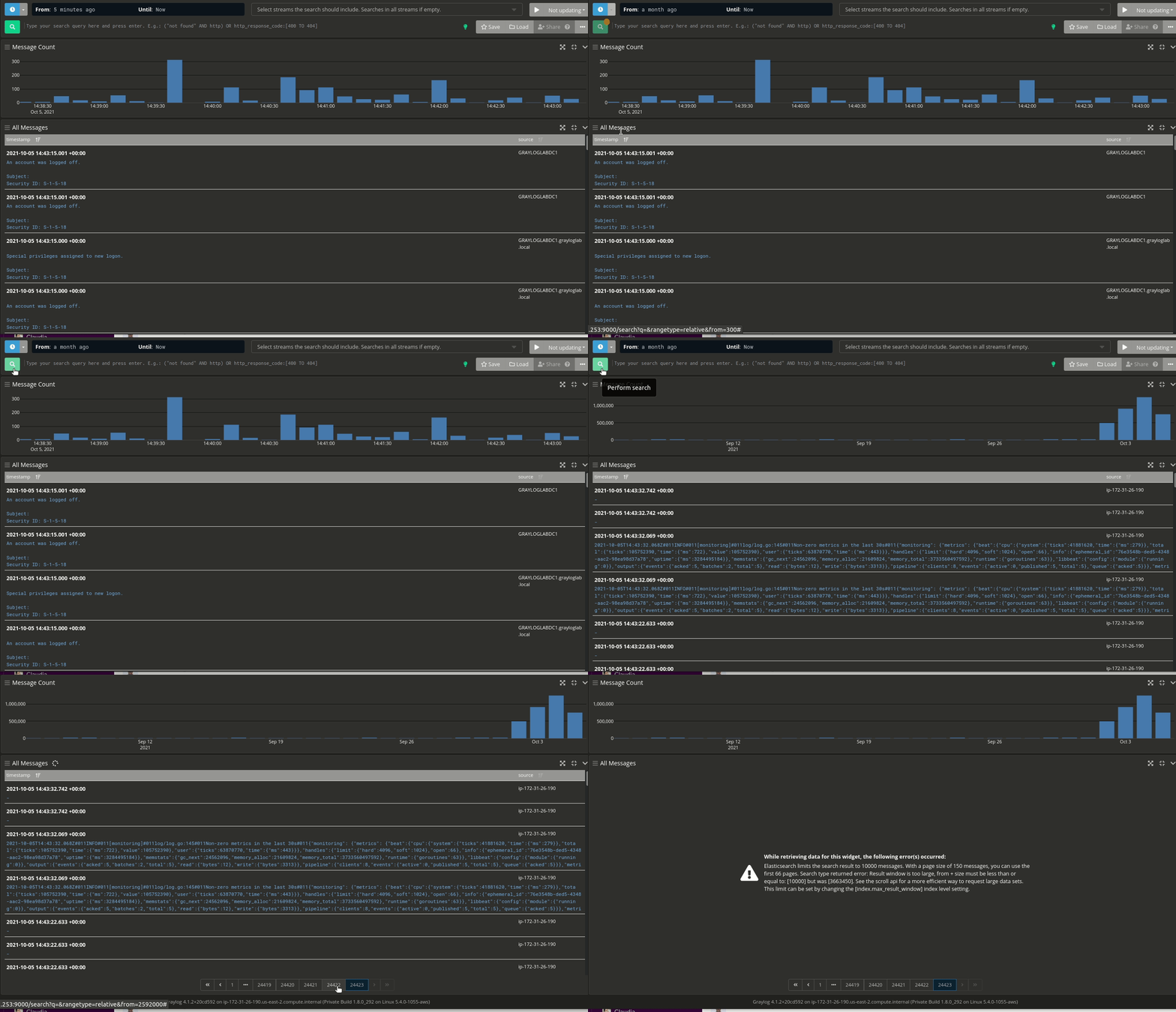
Due to the Elasticsearch result window limit, we can only use the pagination for the first 10000 messages (our current default result window limit). Implementing the Search Scroll API would allow the user, to access, in theory every possible page.

FYI: https://github.com/Graylog2/graylog2-server/blob/master/graylog2-server/src/main/java/org/graylog/events/search/MoreSearch.java#L213

@linuspahl Using the scroll API for pagination can be problematic and is not recommended for real time user requests. Elasticsearch needs to maintain an active scroll context, which is expensive and will be automatically removed after a short amount of time. Elasticsearch also allows only a limited amount of concurrent scroll requests.
An alternative is to use the Search After Feature. The problem with that is, that it's only supported in newer Elasticsearch versions and that you need a good tie-breaker field. The tie-breaker field we implemented in 3.1 by adding the gl2_message_id field. That leaves the problem with the Elasticsearch version. We are currently still supporting version 5 which doesn't support search-after.
So until we remove support for ES 5, we cannot use search-after, unfortunately.
We also have an open bug for the pagination problem: https://github.com/Graylog2/graylog2-server/issues/3571

Graylog has been on version 4 for some time now, which requires ES7 or higher. But the issue still exists. Will anyone ever address it or is it recommended to abandon graylog because it is unusable in this state?

Hey @akamensky,
thanks for your valuable feedback. What is the actual issue you are seeing?

Graylog 4 requires Elasticsearch 6.8 and up to 7.10.
We will make improvements as we go along but not everything can be done at the same time. Specifically Graylog 4.0 has been out only since late November, and not everyone has a short data retention setting. Search after features require a tie breaker field in all of the data to work, so incompatible changes can sometimes take a longer time than a cursory glance might suggest is possible.

@dennisoelkers the issue I am seeing is that we can only see about 1 hour of logs into the past, from Dashboards, while more advanced users can go and pick a specific time range, less advanced users have issues with this. Also sometimes you don't know the time range of the log, you just want to scroll through all until you find the one, that is not doable in current setup even after increasing limit in ES from 10k to 100k.
@akamensky: So your workflow consists of going through 66 (for a 10k limit) or 666 (for a 100k limit) pages of messages, searching for single messages?
@dennisoelkers not my workflow, users (devs, testers, and many non-technical staff). I am the one who maintains this and receives feedback on it from the users.
@akamensky: I see. Out of curiosity: Do you consider this to be a sustainable approach of log management or do you think this process could need some improvement?
@dennisoelkers Speaking from the experience -- under certain conditions it is the only way. You guys can talk about using proper search queries and time ranges all you want. Real life use cases can be different from what you think they are.
I was doing some testing today and came across this - I was just trying to find some messages that were indexed with a timestamp that was in the past.