

 GradienceTeam
feat: A high-contrast dark theme
Feature description
Dark theme is common these days, but one problem of dark themes is that they often lack contrast. That is, they use light grey text on dark grey background. Or, when they use pure-black background, they lack borders, so UI elements are not discernable. For some users, this lack of contrast is not just a matter of aesthetics, but of accessibility.
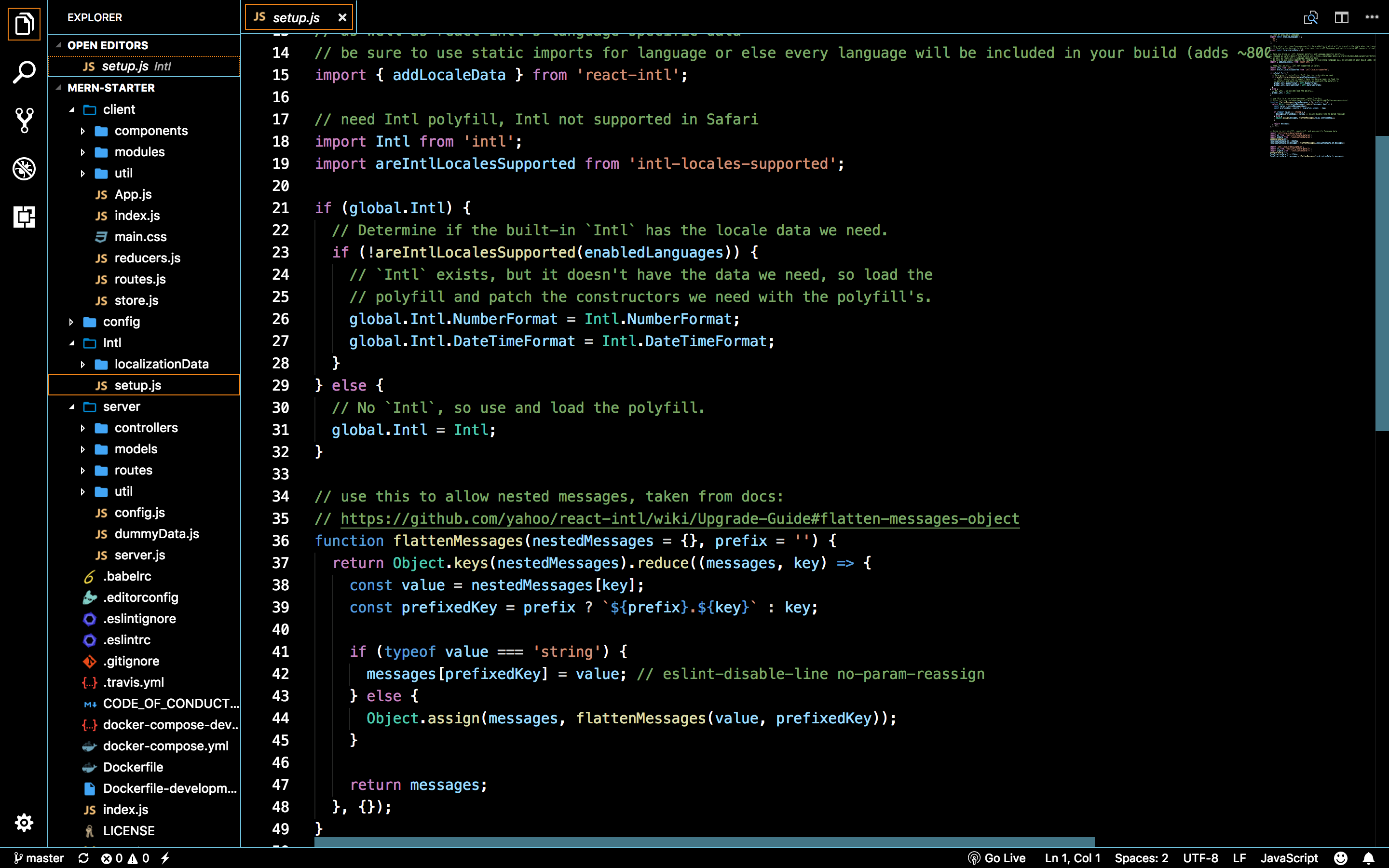
Some applications, like JetBrain's IDE or VS Code, have high-contrast dark theme like below. The background is black and the text is white, so they are easy to read, and the UI elements have white borderlines, so they don't look all mingled together.
It seems there is no high-contrast dark theme in the presets, and I failed to make such a theme myself. How about adding a high-contrast dark theme in the presets?
Additional Context
JetBrains' IDE

VS Code
MS Windows 10

Did you read the Code of Conduct?
- [X] I have read the Code of Conduct.

Welcome on Gradience. 🥳 We really appreciate your contribution. The core team will review your issue as soon as possible. You can also join the matrix room https://matrix.to/#/#Gradience-space:envs.net or the discord server https://discord.com/invite/4njFDtfGEZ

Libadwaita (and normal Gtk) applications already have high contrast versions, which you can enable in Accessibility page in GNOME Control Center.


Well, it could work for some people, but that is not exactly what I wanted. I am not visually-impaired, I just want black background + white general text, darker background + brighter-coloured text for special elements like buttons, and white borders. If I enable that accessibility feature, it would look like below. The icons look ugly, the background is still grey, not black, and the text is still dim, not white. It also, for some reason, makes some applications use light theme, not dark.

Well, if you want it ASAP, you can always create it with Gradience and make a PR here with your theme file, so it could be added to our repository for others to download. You can also tell us how this theme should look exactly, and wait until someone from our team or some other interested contributor will create a PR for it.
@tfuxu No, I do not need it urgently. I had tried to create one, but there were so many entries, so I did not know what exactly each of them were for and could not make a good-looking one. If I changed one thing and then another thing looked bad, and if I fixed that thing, then the previous one looked bad, etc.
No, I do not need it urgently.
Alright then, we will create it at some point and notify you when PR will be available, so you could review it.
I had tried to create one, but there were so many entries, so I did not know what exactly each of them were for and could not make a good-looking one.
Hmm, we should look into that. Maybe a visual representation (more than just Gradience window changing appearance) could help to understand some color sections.

What about something like this?
How can I test it? I don't know how to import a ZIP file.
Unzip it and import .json
I figured it out, so I was trying to post delete that comment but you have already seen it.
Any way, the high-contrast theme looks good, but I have one question. Does Gnome theme allow customising window borders? I am not sure if it does, but if it does, I think a white window border would be helpful, because currently, when two windows are overlapping, I cannot easily distinguish them.


But how? Are those border lines part of the preset in Gradience, or does it need a third-party tool?
Daudix needed to override some CSS rules using Custom CSS editor in Advanced tab to customize window borders, because GTK doesn't expose them directly as @define-color variables. You don't need a third-party tool to do this, but you'll need some knowledge of CSS to customize those more hidden from customization elements in GTK.