

 GoogleCloudPlatform
Import errors in Wildlife Insights -- image-classification
In which file did you encounter the issue?
python-docs-samples/tree/main/people-and-planet-ai/image-classification/train_model.py
Did you change the file? If so, how?
Describe the issue
I am executing the sample notebook README.ipynb and running into errors. The errors suggest the mapper function doesn't have access to the external modules.
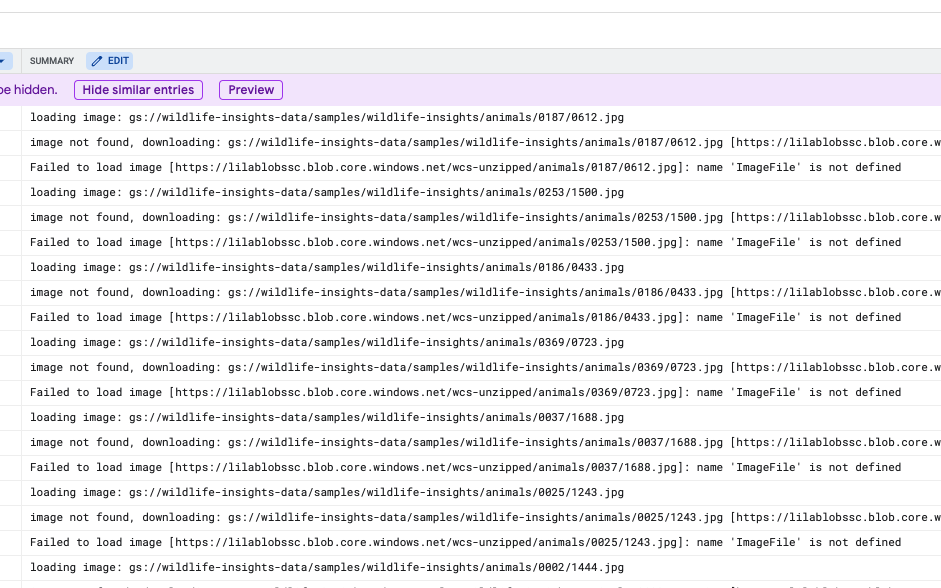
So I started adding explicit imports inside each of the mapper functions as shown in my forked version. But in the latest error, the mapper function isn't able to locate a function (url_get) which is defined in the same script train_model.py.

A few questions here:
- Is this the right way of doing it? Do we need to add explicit imports inside the mapper function for every external module? If so, what should I do about the function defined in the same script
url_get? - And if so, how are there no import errors for
logginghere?

What command are you using to run the pipeline? If you run the sample without any modifications, do you still get that error?
We're using save_main_session=True explicitly when creating the pipeline options so that shouldn't be an issue. I've had problems like these before, and they usually are because something in the global environment failed to pickle during the staging and somehow the workers still run but without loading the environment instead of the pipeline failing. Some libraries have some unpickleable global state and that causes the environment save to fail, usually it's best to import those locally in the function using it. However, most libraries, especially the ones in the standard library, should be safe to import globally.
I would check the workers logs in the Logs Explorer in the Cloud Console and see if there were any issues with the workers while they were starting.

Yes, I get the errors if I run the sample without any modifications:
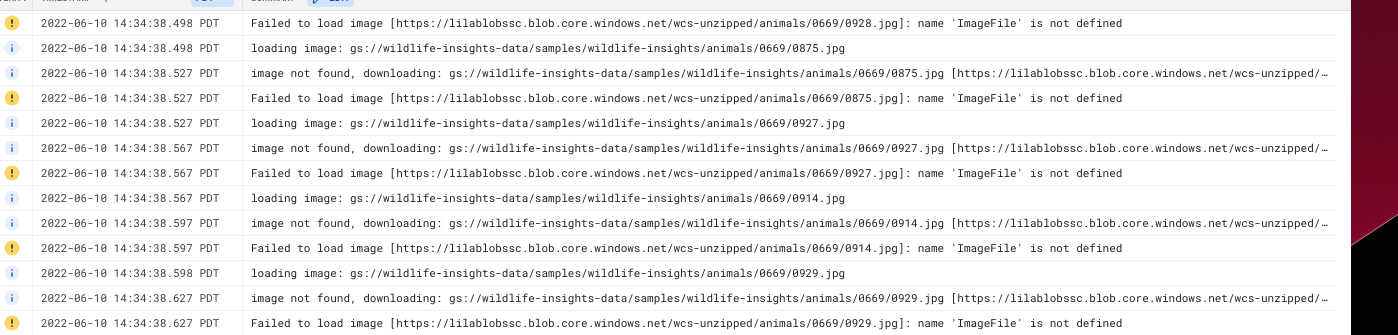
I checked the train_model.py: The arg save_main_session=True is being explicitliy set here
However, I do notice some error in loading the main session in my worker logs:
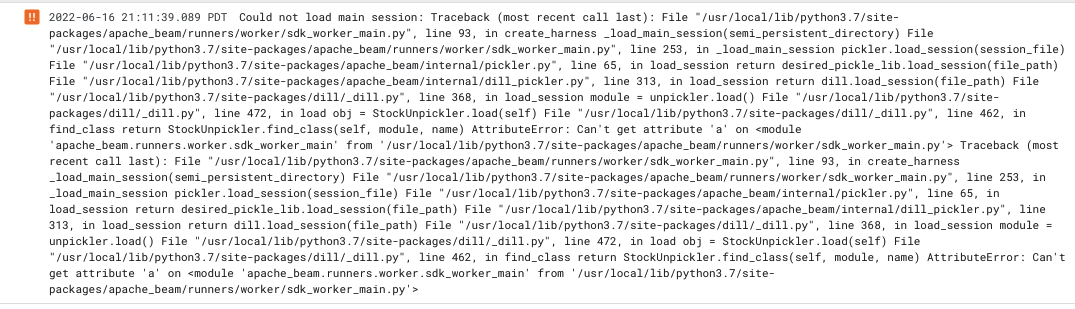
It looks like there is some error in reading the attribute a defined here
Any suggestions on what should be done here?
It looks like pickling the session failed. Try importing the aiplatform modules locally in the functions that are used instead of importing it globally. I suspect maybe some update made them fail to pickle. The rest of the imported modules seem safe to pickle.
Right. I had explicitly imported aiplotform as well as PIL modules in my fork, because Image and ImageFile modules were having some issues. Now I am stuck at url_get function, which is defined within the same script (as pointed in my first post).
Can you try removing the global imports for aiplatform? I suspect having those modules loaded as part of the main session is causing issues when pickling it.
https://github.com/GoogleCloudPlatform/python-docs-samples/blob/d58ee70c1c6afee0c07a1c4002aaf8e9a7ec99ba/people-and-planet-ai/image-classification/train_model.py#L26-L27
Another thing to try is using --pickle_library=cloudpickle, it might help pickling things that the normal Python pickle cannot handle.
Hey @pravarmahajan, please take a look at David's suggestion and let us know if you're still running into this issue.

I'll close this issue for now, but feel free to re-open with comments or open a new issue if needed!