

 GoogleCloudPlatform
Deploy to App Engine Flexible Environment grayed out after first deploy
Before reporting a possible bug:
- Please ensure you are running the latest version of CT4E with Help > Check for Updates
- If the problem occurs when you deploy or after the application has been deployed, try deploying from the command line using gcloud or Maven. If the problem does not go away, then the issue is likely not with Cloud Tools for Eclipse.
- Cloud Tools for Eclipse version: 1.6.1.201804031530
- Google Cloud SDK version: 196.0.0
- Eclipse version: 4.7.3.v20180330-0640
- OS: Mac OS X 10.13.4
- Java version: 1.8.0_162
What did you do? Followed these instructions: https://cloud.google.com/eclipse/docs/deploy-flex-jetty Downloaded Eclipse, latest Java EE version First run for hello world, worked perfectly. Second run, tried GCP -> Deploy to App Engine Flexible Environment
What did you expect to see? Option ( Deploy to App Engine Flexible Environment) not grayed out
What did you actually to see? Option ( Deploy to App Engine Flexible Environment) grayed out
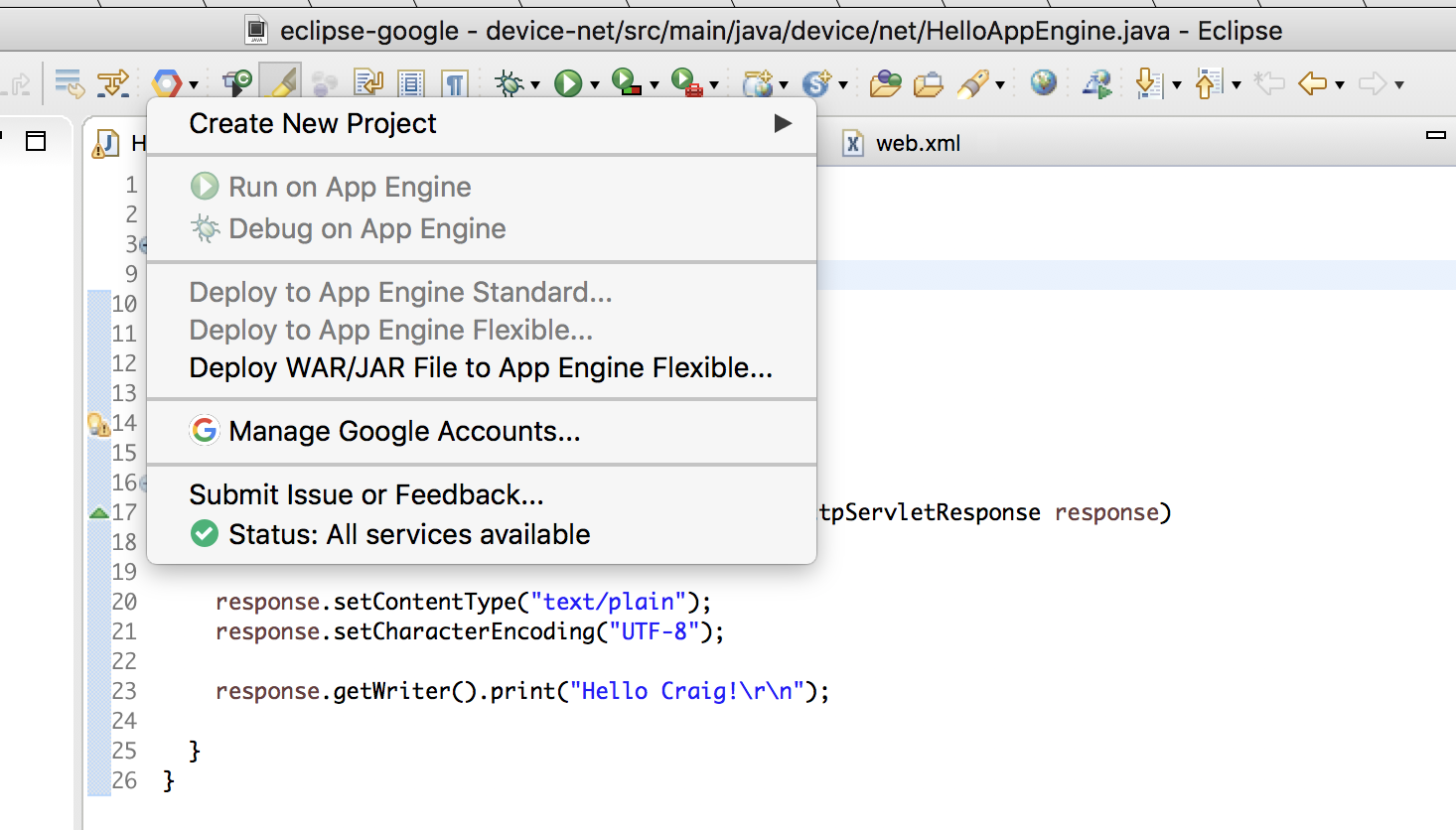

It is enabled when you select a flexible env project in the Project Explorer/Package Explorer, or open a file from the project in the editor.

Alternatively, you can right-click on your project and select Deploy to App Engine Flexible....