
perftools-runner
 perftools-runner copied to clipboard
 GoogleChromeLabs
Google Performance Tools runner using Puppeteer
Google Performance Tools Runner
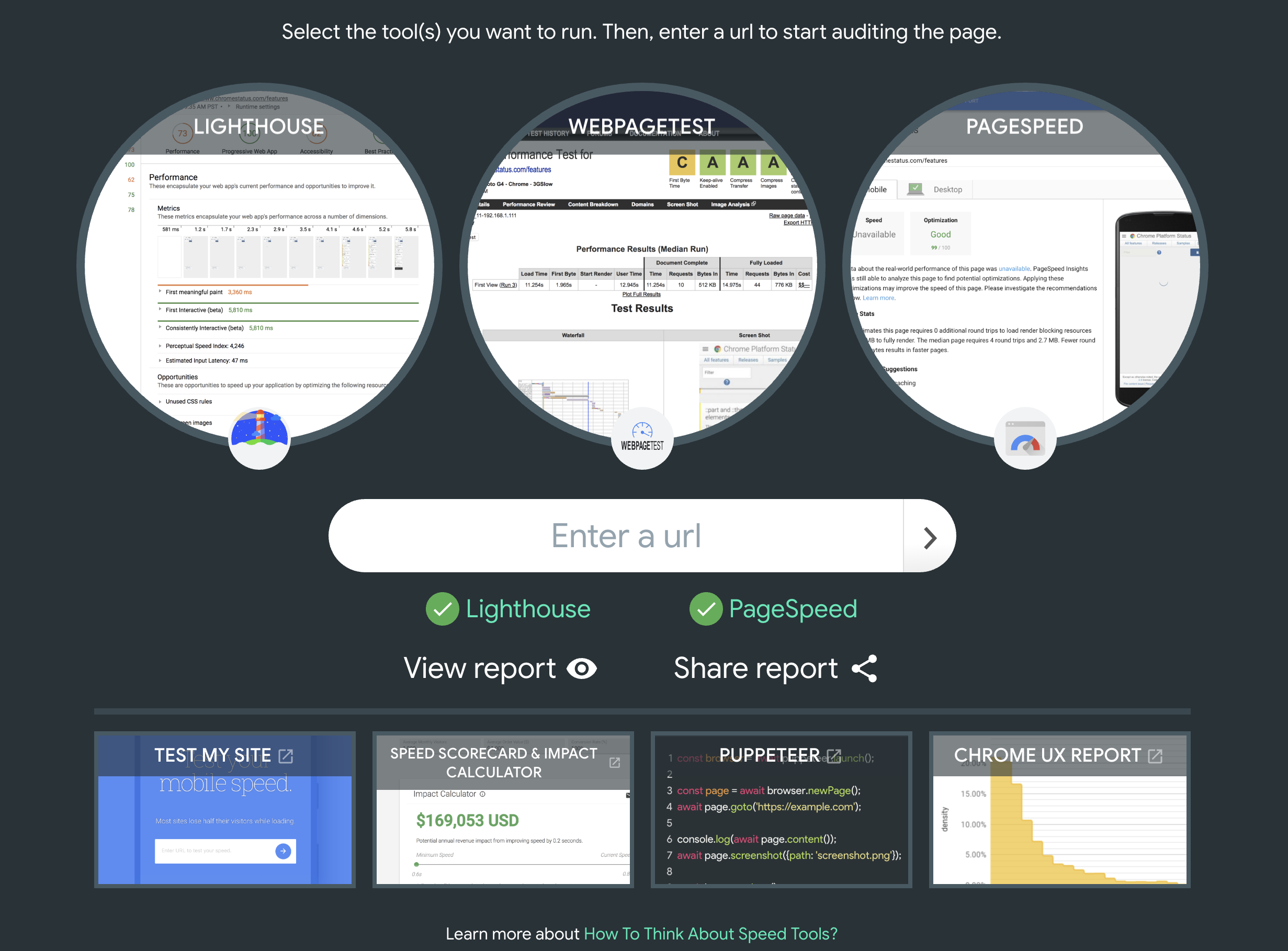
Web frontend which allows users to simultaneously run several of Google's performance tools (Lighthouse, PageSpeed Insights, Webpage Test) against a URL, all at once. Puppeteer is used to take screenshots of the results from each tool and create an aggregated PDF of all results.
Explainer
Start the server with
npm start.
The frontend (http://localhost:8080) UI displays a list of tools for the user to select.
When "Enter" is hit, this fires off a request o the /run handler. That handler takes a url and
tools param. The latter is a "," separated list of tools to run. One of LH, PSI, WPT.
The response is a JSON array of the tools that were run (e.g. ["LH", "PSI"]).
Note: every run of the tool logs the URL that was audited and tools to that were run to runs.txt.
Examples
Run Lighthouse and PSI against https://example.com:
http://localhost:8080/run?url=https://example.com/&tools=LH,PSI
Run Lighthouse against https://example.com using full chrome:
http://localhost:8080/run?url=https://example.com/&tools=LH&headless=false
Installation & Setup
Check the repo and run npm i. You'll need Node 8+ support for ES modules to work.
Development
Start the server in the project root:
npm start
Lint:
npm run lint
For development, both serviceAccount.json and bitlyAccount.json are required.
- Follow instructions from https://cloud.google.com/compute/docs/access/create-enable-service-accounts-for-instances#createanewserviceaccount to get serviceAccount.json.
- Create an Bitly account from https://dev.bitly.com/my_apps.html and get access token for
bitlyAccount.json.
Metadata
Owner
 GoogleChromeLabs
Metadata
Google Performance Tools runner using Puppeteer