
web.dev
 web.dev copied to clipboard
 GoogleChrome
Focus styles do not show in Glitch for Keyboard Access article
Describe the bug A clear and concise description of what the bug is.
To Reproduce Steps to reproduce the behavior:
- Go to https://web.dev/keyboard-access/
- Scroll down to Logical tab order
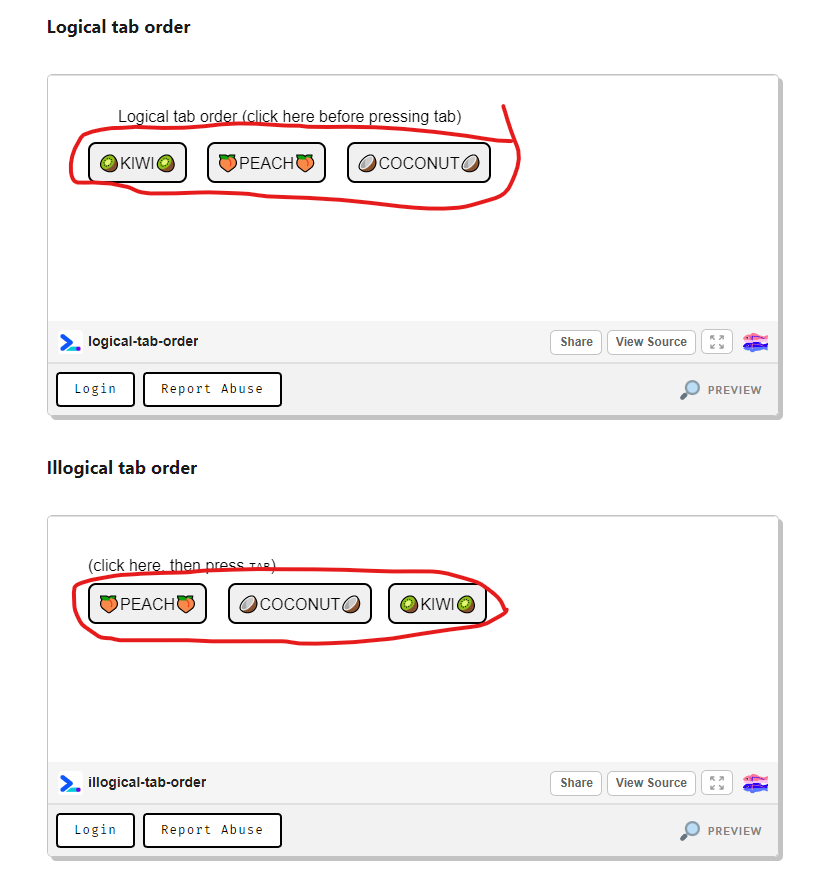
- See error in the example. which is the border color for the kiwi, peach and coconut buttons in both examples are in black which make the tab focus does not appear because the focus is in black too.
- I tried to open the same link in firefox, google chrome, google chrome incognito mode, edge, internet explorer and all show the same border style, which is black border and pressing tab button to switch between buttons does not appear because the foucs is in black color too.
- I am using:
- Windows 10 Pro Version 21H2.
- Google Chrome browser Version 105.0.5195.102 (Official Build) (64-bit).
Expected behavior A clear and concise description of what you expected to happen. I expexted to see where the focus should appear when pressing tab button to switch between the buttons.
Screenshots If applicable, add screenshots to help explain your problem.

Did you click into the Glitch iframe before pressing tab? Otherwise this might be a Windows platform related problem, as the correct focus styles appear for me on macOS:
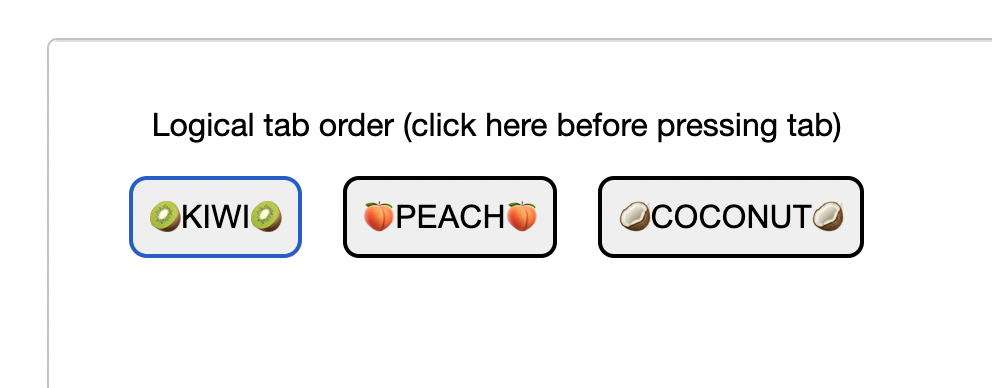

Yes, I clicked into the iframe before pressing the tab. I opened the link in my macOS andit shows exactly like your screenshot. look like the page is using the default outline color which is black on windows and blue on macOS.
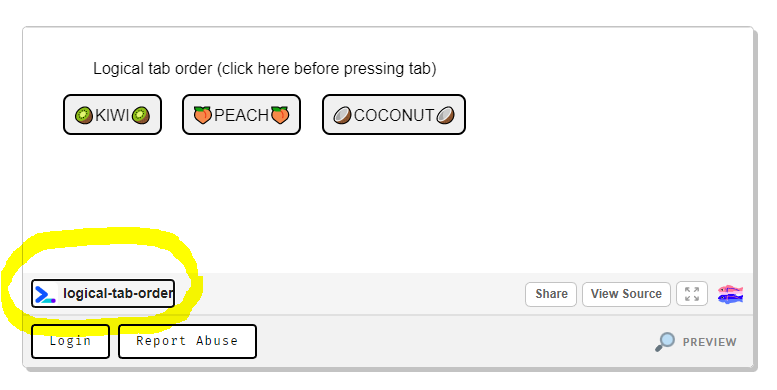
Hah, that makes sense... We'll add an explicit focus color to accommodate Windows, thanks for reporting!
Closing this issue since we are moving to a new platform and content on this site is now frozen. As this is about the site, then it shouldn’t be an issue after the move.
