

 Genymobile
Resize or Rescale of Initial Texture Size
Hello Dear Developpers,
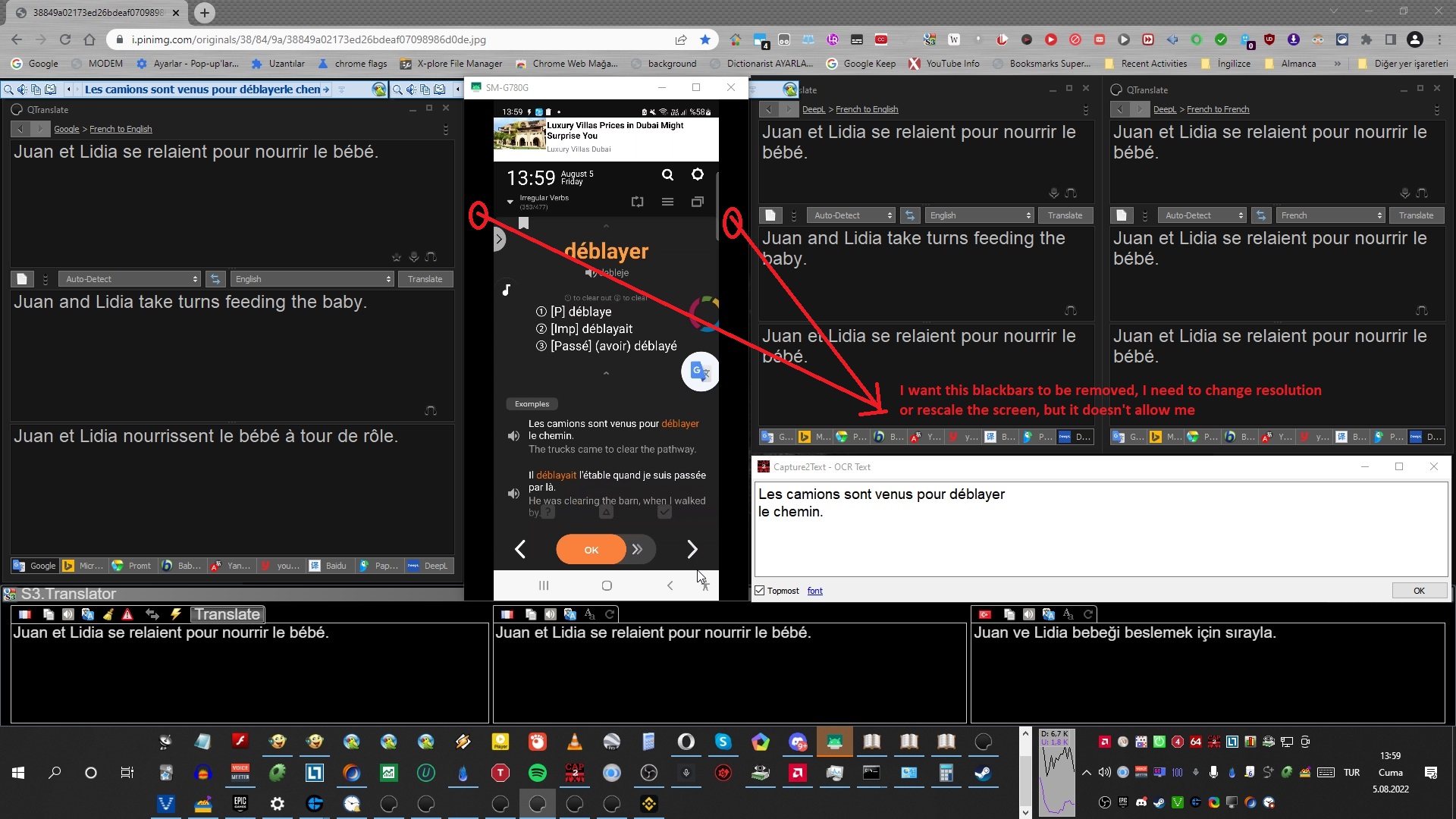
For some reason, I want to change the aspect ratio of the phone screen when it's been reflected when I change it from scrcpy window, it creates black bars in the left and right side of the screen,i want the screen to be rescaled without blackbars, in other words, I want the image to fit to the screen completely, I checked all codes in the help menu, but I think this feature is not available yet, please, may u add this feature in the next update, it would be very nice, for some reason, i must use the screen rescaled when i attach my phone to my PC, it might sound unnecessary, but i really need it, if possible and if it's not tiresome for you, adding this feature would be amazing...
Thx

If you resize the client window, you can auto-resize with either:
- Alt+w, or
- double click on the black borders.
See shortcuts

scrcpy always preserve the aspect ratio. The rendering is done on the device, so if you want to change the size, you must resize your device (cf https://stackoverflow.com/questions/18500611/android-how-to-use-adb-shell-wm-to-simulate-other-devices).
Well, i don't want to remove black bars, i want the horizontal width to incresase, i mean i want to change the aspect ratio, but now of the scrcpy window, i want to change the aspect ratio of the image inside the window, so i want the image to fit to the window, but if i do as u say, with double click, then width does not increase, it doesn't change the aspect ratio, i mean i wanna rescale the image, this feature cannot be added??? and if i resize my device then, there will be problem with my phone screen this time right? So, each time, i should keep setting when connecting phone and disconnecting??
so i want the image to fit to the window, but if i do as u say, with double click, then width does not increase, it doesn't change the aspect ratio,
It would stretch the image, which would be "incorrect". Scrcpy always preserves the aspect ratio, it never stretches the image.
I ran across this and would like to up vote it .. I lot of the emulators do this as a matter of course (change aspect for diff games) .. in my situation my desktop is 1920x1080 16:9 and my emulators run at that also and all my tablets are 1920x1200 or 1280x800 8:5 . the problem for me is re-scaling apps for the difference between the two to get screen coordinates , mouse clicks or object locations. It would be very convenient if you could override aspect ratio of the device OR if the actual height and width options would actually commit to the sizes entered i. e . 860 x600@8:5 would be entered 860x338 @16:9 and when entered would force those sizes and maintain the relative aspect on resizing . it should just be a matter re-scaling the pixel layout to whatever the difference in ratios is on each axis x,y ( i think ) I know it would look a bit smashed/stretched and mouse screen coords. would have to be translated back and forth. the perfect command --forced-aspect-ratio = 16:9,8:5,4:3 for example with width or height one or other being the sizer for initial window
with so many phone/tablets using all kinds of different screen sizes this could really come in handy i think for a few souls out there. Not to mention being able to scale for actual monitor sizes as in my case
.....and it might be fun for someone to play with just to see if it could be done .....

scrcpy always preserve the aspect ratio. The rendering is done on the device, so if you want to change the size, you must resize your device (cf https://stackoverflow.com/questions/18500611/android-how-to-use-adb-shell-wm-to-simulate-other-devices).
Thank you for this suggestion. I added adb shell wm size and density commands before and after I run scrcpy and they allowed me to change the aspect ratio on the controlled device to match the one on the controlling device so as to no longer have black bars on the right and left...works fine.
