

 Genymobile
Could not find any USB device
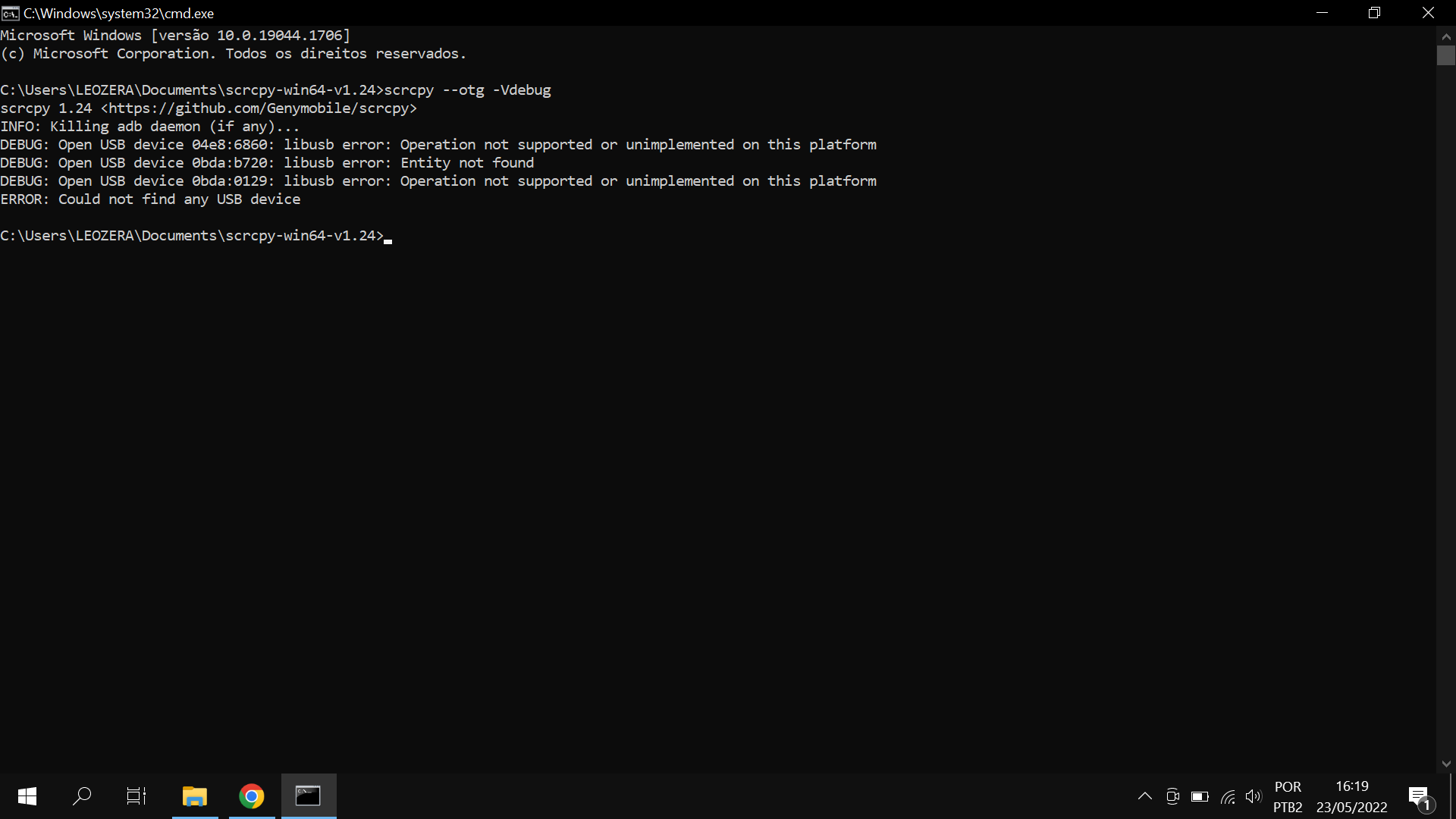
When using the --otg parameter, I get this error:
scrcpy 1.24 https://github.com/Genymobile/scrcpy INFO: Killing adb daemon (if any)... ERROR: Could not find any USB device


Does scrcpy work for mirroring (without the otg option)?
What is the result of:
scrcpy --otg -Vdebug
Also see #3052 comments.
Windows USB drivers mess. :/
You probably have another program using the USB device. Cf https://github.com/Genymobile/scrcpy/issues/3050#issuecomment-1048600774
i have the same error, i searched on issues and FAQ for a while but i didnt found any solutions :(

THIS WILL REALLY HELP YOU (almost 90% of the time this might be the problem)
-
Download the latest version of ADB from the official Android developer website:
[https://developer.android.com/studio/releases/platform-tools]
-
Extract the contents of the ADB ZIP file to a directory on your system, such as ~/Tools.
-
Add the directory containing the ADB binary to your PATH environment variable by adding the following line to your .bashrc file:
`export PATH=$PATH:/path/to/adb-file-just-downloaded-and-extracted/` -
Reload the .bashrc file by running the following command:
. ~/.bashrc -
Try running
scrcpyagain and see if the error message goes away.

THIS WILL REALLY HELP YOU (almost 90% of the time this might be the problem)
- Download the latest version of ADB from the official Android developer website: [https://developer.android.com/studio/releases/platform-tools]
- Extract the contents of the ADB ZIP file to a directory on your system, such as ~/Tools.
- Add the directory containing the ADB binary to your PATH environment variable by adding the following line to your .bashrc file:
`export PATH=$PATH:/path/to/adb-file-just-downloaded-and-extracted/`- Reload the .bashrc file by running the following command:
. ~/.bashrc- Try running
scrcpyagain and see if the error message goes away.
How to do this in Windows? As i searched this is for Linux not for the Windows is there any solution for Windows? Thanks

Okay i think that i have a work around for this issue Just change usb mode on ur phone into charge mode and not MTP mode and it will work perfectly (as i tested lol)
Please also read https://github.com/Genymobile/scrcpy/blob/master/FAQ.md#hidotg-issues-on-windows
I tried to reinstall the driver but no luck, the phone i use is LG V60(Android 12) and it has auto mode when you connect to usb it change to mode MTP(file transfer) and when i tried to change it into charge only mode it work as it should I don't think that this method is 90% sure will fix the problem but it is worth a try!
Did you installed adb and connect it through adb as u should?, you should try to change usb mode on your phone to charging and try again, if not install your phone driver