

 GenieFramework
https for localhost
Is your feature request related to a problem? Please describe. A lot of OAuth2 providers require https redirects - afaict, Genie only uses HTTP when serving files locally, which makes development a little bit more difficult
Describe the solution you'd like A way to start the server using https

Yes, there is a way which I haven't used/checked in a long time :) Let me see how it's done, I can't remember in detail. Let me get back to you.

Oh that's awesome - if you let me know, I can work on a PR to add this to the doc.
@tpoisot Re docs, that'd be most appreciated.
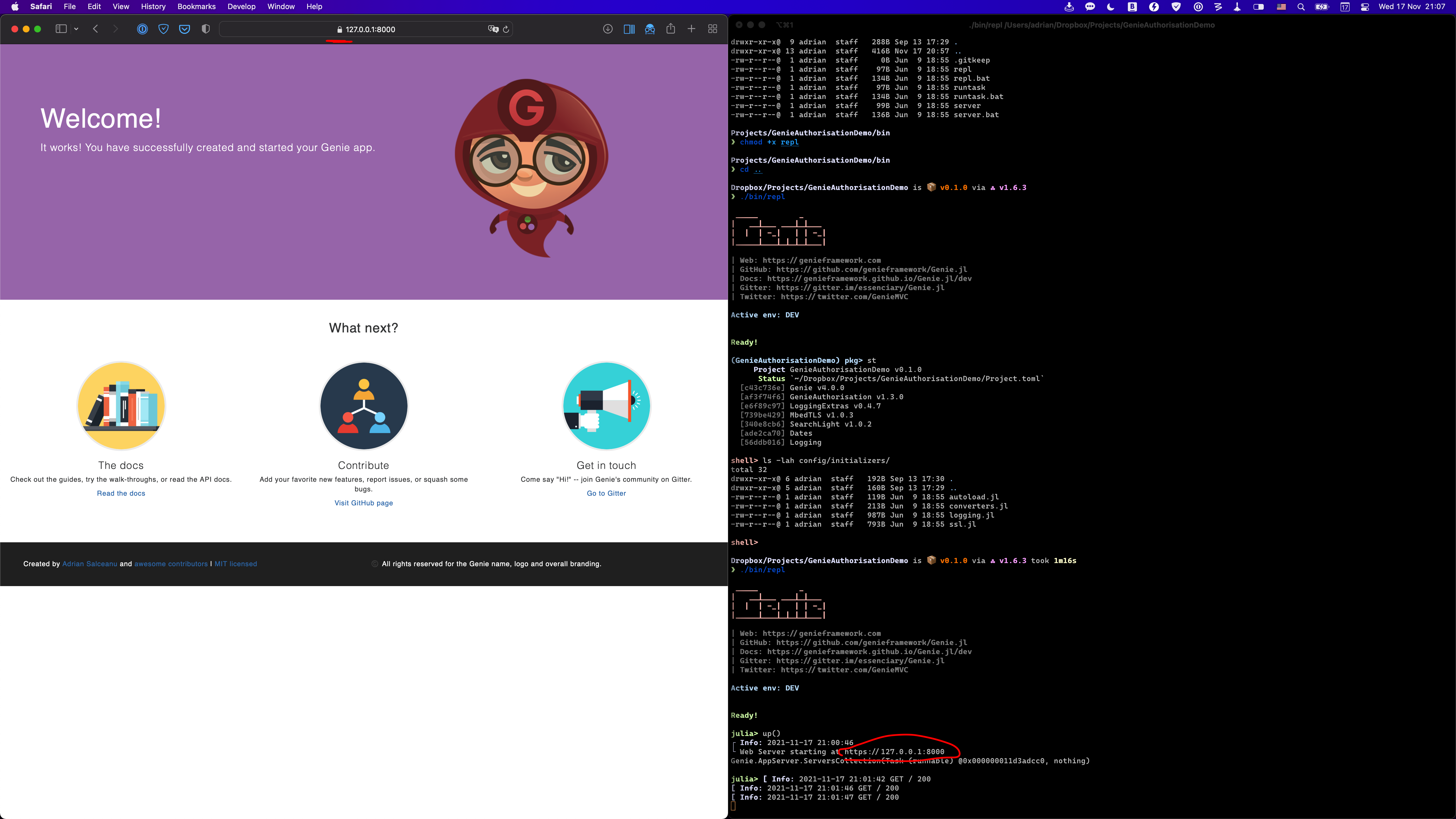
So basically it just works. You should have a ssl.jl file in your app in config/initializers. And then in config/env/dev.jl add ssl_enabled = true. Now if you load the app and start the server, the server will start over https. I see that the self-signed dev SSL certificate embedded with Genie has expired in 2020. But it still works if you accept the cert in the browser.
If it's not accepted by your OAuth provider you can replace the SSL cert in the ssl.jl initialializer. Lmk how that goes
I'll try and submit a PR to the doc. Where do you think the best way to mention this is?
A new short guide would probably work best - easy to find by other users.
PS - let's also leave this open so we remember to renew the dev SSL certificates