
GenshinImpact_AutoTrack_DLL

GenshinImpact_AutoTrack_DLL copied to clipboard
 GengGode
请问能够适配秘境的方向获取吗


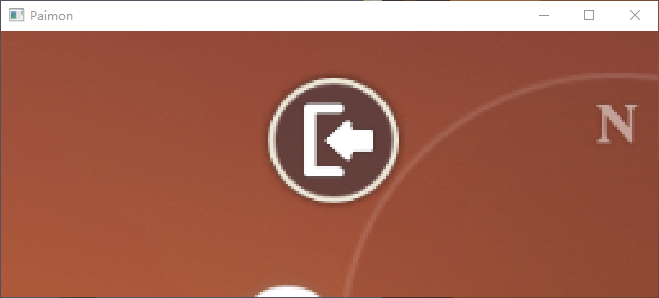
因为现在是检测到派蒙才会去做视角识别,不然视角识别可能会在别的视图中获取到意料外的结果
所以这个的话,需要修改识别派蒙为或者检测到离开的图标
 这个的修复估计要过一段时间
emm 如果我删掉这行代码 if (!check_paimon(paimon_rect)) 能不能强行启动角度检测?
还有一个问题想请教一下,我在编译dll的时候遇到 错误 LNK2001 无法解析的外部符号 WINRT_GetRestrictedErrorInfo cvAutoTrack D:\ProgramData\VisualStudio2022\cvautotrack\cvAutoTrack\Dxgi.obj 应该怎么解决,我没查到资料:(
透明度应该不影响,视角是直接从小地图取的,可以在402中断的时候看一下Alpha变量的画面
Dxgi是我昨天写新的截图搞得,编译不过的话暂时从工程中移除就可以 昨天有调通的应该
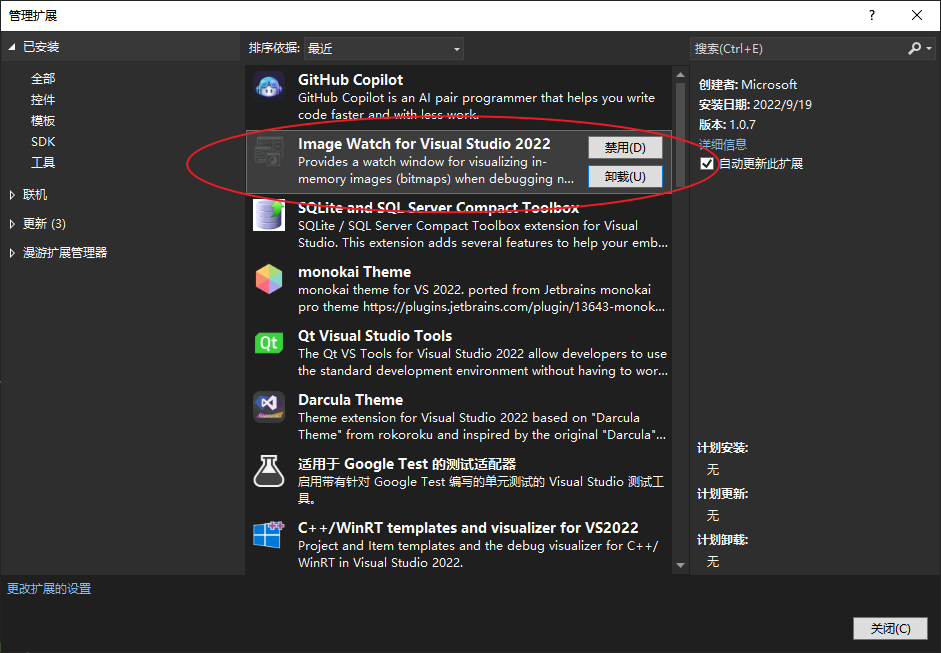 cv::Mat类型可以直接查看变量
我参考c++的代码在python改了一些 这是改了之后的代码 ` def func1(imsrc):
Alpha=imsrc[: , : , 3:]
Alpha = 255.0 - Alpha
Alpha = Alpha * 2

_,Alpha=cv2.threshold(Alpha, 503, 0, cv2.THRESH_TOZERO_INV)
_,Alpha=cv2.threshold(Alpha, 50, 0, cv2.THRESH_TOZERO)
_,Alpha=cv2.threshold(Alpha, 50, 255, cv2.THRESH_BINARY)

cv2.circle(Alpha,
           (int(Alpha.shape[0] / 2), int(Alpha.shape[1] / 2)), int((min(int(Alpha.shape[0] / 2), int(Alpha.shape[1] / 2)) * 1.15)),# 1.21
            (0, 0, 0), int((min(int(Alpha.shape[0] / 2), int(Alpha.shape[1] / 2)) * 0.6)))# 0.42

cv2.circle(Alpha,
           (int(Alpha.shape[0] / 2), int(Alpha.shape[1] / 2)), int((min(int(Alpha.shape[0] / 2), int(Alpha.shape[1] / 2)) * 0.6)), (0, 0, 0), -1)

dilate_element = cv2.getStructuringElement(cv2.MORPH_RECT, (4, 4))
Alpha=cv2.dilate(Alpha, dilate_element)
erode_element = cv2.getStructuringElement(cv2.MORPH_RECT, (4, 4))
Alpha=cv2.erode(Alpha, erode_element)

erode_element = cv2.getStructuringElement(cv2.MORPH_RECT, (4, 4))
Alpha=cv2.erode(Alpha, erode_element)
dilate_element = cv2.getStructuringElement(cv2.MORPH_RECT, (4, 4))
Alpha=cv2.dilate(Alpha, dilate_element)
Alpha=Alpha.astype('uint8')

contours, hierarcy=cv2.findContours(Alpha, 0, 1)
maxBlack=0
maxId=0
boundRect=[]
for i in range(len(contours)):
    boundRect.append([])
    if (len(contours[i]) > maxBlack):
        maxBlack = len(contours[i])
        maxId = i
    boundRect[i] = cv2.boundingRect(cv2.Mat(contours[i]))

if len(boundRect)==0:
    logger.warning('找不到小地图')
    return -1
x,y,w,h=boundRect[maxId]

p = [x+w/2, y+h/2]

origin_point=[int(Alpha.shape[0]/2)+1,int(Alpha.shape[1]/2)+1]
point=[p[0]-origin_point[0],-p[1]+origin_point[1]]

if point[0] == 0:
    point[0]+=0.1
if point[1] == 0:
    point[1]+=0.1

degree = math.degrees(math.atan((point[1])/(point[0])))

if point[0]>0 and point[1]>0:
    quadrant=1
    degree=degree
elif point[0]<0 and point[1]>0:
    quadrant=2
    degree+=180
elif point[0]<0 and point[1]<0:
    quadrant=3
    degree+=180
elif point[0]>0 and point[1]<0:
    quadrant=4
    degree+=360

degree -= 90

if (degree > 180):
    degree -= 360

return degree
`
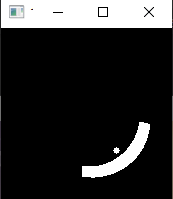
主要改的有透明度和扇形截图方面的参数,就可以在秘境使用了。 角度转换写的比较烂,没想出来啥好方法TAT