

 GameParrot
Minecraft won't open after setting custom java path
Describe the bug I have installed the current release using the installer. After that I have checked in a terminal, which java version is used in the original app, in my case the "beta" version.
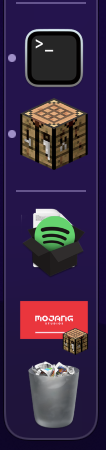
Running the 1.18.1 from the Minecraft Launcher leads to small versions of Mojang and Application screens appearing in the dock. When I click on them they disappear, there does not seem to be a way to open them properly. The log file shows the following error:
[16:13:19] [Render thread/INFO]: Setting user: <userNameRemoved>
[16:13:19] [Render thread/INFO]: Backend library: LWJGL version 3.2.1 build 12
[16:13:19] [Render thread/INFO]: [STDERR]: [LWJGL] [ERROR] Incompatible Java and native library versions detected.
Possible reasons:
	a) -Djava.library.path is set to a folder containing shared libraries of an older LWJGL version.
	b) The classpath contains jar files of an older LWJGL version.
Possible solutions:
	a) Make sure to not set -Djava.library.path (it is not needed for developing with LWJGL 3) or make
	   sure the folder it points to contains the shared libraries of the correct LWJGL version.
	b) Check the classpath and make sure to only have jar files of the same LWJGL version in it.
[16:13:21] [Render thread/INFO]: Reloading ResourceManager: Default
[16:13:29] [Render thread/INFO]: OpenAL initialized on device CoreAudio Default
[16:13:29] [Render thread/INFO]: Sound engine started
[16:13:29] [Render thread/INFO]: Created: 1024x1024x4 minecraft:textures/atlas/blocks.png-atlas
[16:13:29] [Render thread/INFO]: Created: 256x128x4 minecraft:textures/atlas/signs.png-atlas
[16:13:29] [Render thread/INFO]: Created: 1024x512x4 minecraft:textures/atlas/banner_patterns.png-atlas
[16:13:29] [Render thread/INFO]: Created: 1024x512x4 minecraft:textures/atlas/shield_patterns.png-atlas
[16:13:29] [Render thread/INFO]: Created: 256x256x4 minecraft:textures/atlas/chest.png-atlas
[16:13:29] [Render thread/INFO]: Created: 512x256x4 minecraft:textures/atlas/beds.png-atlas
[16:13:29] [Render thread/INFO]: Created: 512x256x4 minecraft:textures/atlas/shulker_boxes.png-atlas
[16:13:30] [Render thread/INFO]: Created: 256x256x0 minecraft:textures/atlas/particles.png-atlas
[16:13:30] [Render thread/INFO]: Created: 256x256x0 minecraft:textures/atlas/paintings.png-atlas
[16:13:30] [Render thread/INFO]: Created: 256x128x0 minecraft:textures/atlas/mob_effects.png-atlas
[16:15:52] [Render thread/INFO]: Stopping!
To Reproduce
- Install the mac-window-fix
- Set up custom java path
- Run Minecraft
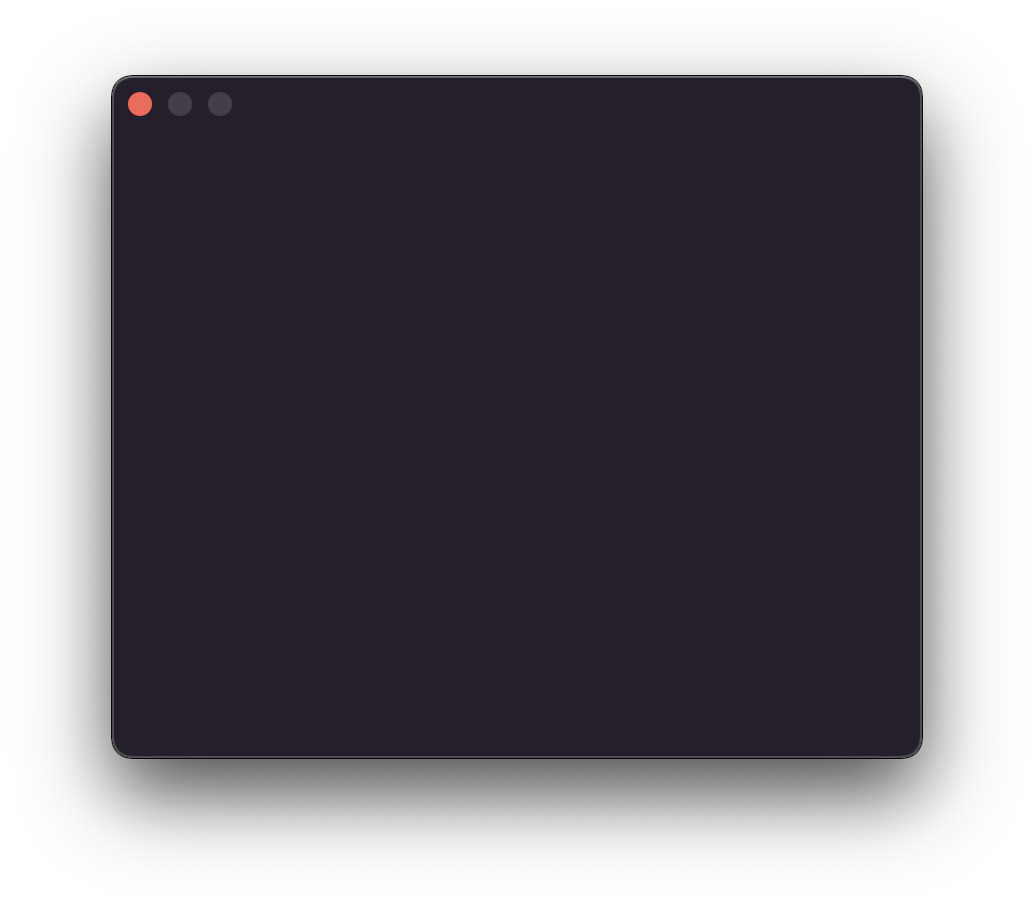
Expected behavior Minecraft should open. Instead there is only an empty black window.
Screenshots
Environment (please complete the following information):
- macOS Version: 12.0.1
- Minecraft Version 1.18.1
Additional context Add any other context about the problem here.

I want to see if I can reproduce this. How exactly are you setting your custom Java path? Are you using Java 17?

I use the bundled Java version or at least that is what I thought I did. The shell script that is set up as java executable does not set a JAVA_HOME, would it help if I pointed it to a Java 8 installation?
You can use rm ~'/Library/Application Support/minecraft/mac-runtime-patch/java-runtime-beta/Minecraft.app/Contents/MacOS/Minecraft' ; ln -s /path/to/custom/java/executable ~'/Library/Application Support/minecraft/mac-runtime-patch/java-runtime-beta/Minecraft.app/Contents/MacOS/Minecraft'

I’m in the same boat as you — trying to figure this out. I don’t get the same behavior as you at all. I’m still seeing the terminal-style icon with “exec” as the name when I run.
What exactly did you do for your step 2? “Set up custom java path”
Justin
On Jan 2, 2022, at 12:37 PM, Sebastian Westemeyer @.***> wrote:
I use the bundled Java version or at least that is what I thought I did. The shell script that is set up as java executable does not set a JAVA_HOME, would it help if I pointed it to a Java 8 installation?
— Reply to this email directly, view it on GitHub, or unsubscribe. Triage notifications on the go with GitHub Mobile for iOS or Android. You are receiving this because you commented.
Just a note, Minecraft 1.18 requires Java 17 or newer. Java 8 will not work with 1.18.
I can confirm. With java 17 the client runs flawlessly on my M1 Mac, finally I can scroll again while sneaking. Awesome work! ❤️

I have changed the custom java path to the beta launcher. Now it starts, but still the application is not locked when screen time limit is exceeded.
I’ve also changed the custom java path, per your instructions, but I’m seeing the same behavior as Sebastian, I believe. I noticed that openjdk is still running when I launch Minecraft even though I’ve replaced the launcher with a symlink to /usr/bin/java (which is Oracle Java 17.)
This is the path of the java executable that I see running after running from the launcher:
~/Library/Application Support/minecraft/runtime/java-runtime-beta/mac-os/java-runtime-beta/jre.bundle/Contents/Home/bin/java
Justin
On Jan 16, 2022, at 10:19 AM, Sebastian Westemeyer @.***> wrote:
I have changed the custom java path to the beta launcher. Now it starts, but still the application is not locked when screen time limit is exceeded.
— Reply to this email directly, view it on GitHub https://github.com/GameParrot/minecraft-mac-window-fix/issues/6#issuecomment-1013894847, or unsubscribe https://github.com/notifications/unsubscribe-auth/AA7SUZQC4GJMSDRQJ4X3I43UWLOXRANCNFSM5K4LGLYA. Triage notifications on the go with GitHub Mobile for iOS https://apps.apple.com/app/apple-store/id1477376905?ct=notification-email&mt=8&pt=524675 or Android https://play.google.com/store/apps/details?id=com.github.android&referrer=utm_campaign%3Dnotification-email%26utm_medium%3Demail%26utm_source%3Dgithub. You are receiving this because you commented.
You cannot use /usr/bin/java; you must use /Library/Java/JavaVirtualMachines/jdk-version.jdk/Contents/Home/bin/java
That seems to have worked, but I’m still seeing the “exec” java dock icon, and am unable to control the app with Screen Time.
Justin
On Jan 16, 2022, at 10:54 AM, GameParrot @.***> wrote:
You cannot use /usr/bin/java; you must use /Library/Java/JavaVirtualMachines/jdk-version.jdk/Contents/Home/bin/java
— Reply to this email directly, view it on GitHub https://github.com/GameParrot/minecraft-mac-window-fix/issues/6#issuecomment-1013901113, or unsubscribe https://github.com/notifications/unsubscribe-auth/AA7SUZW2RXM663YL3NAMAJTUWLS2ZANCNFSM5K4LGLYA. Triage notifications on the go with GitHub Mobile for iOS https://apps.apple.com/app/apple-store/id1477376905?ct=notification-email&mt=8&pt=524675 or Android https://play.google.com/store/apps/details?id=com.github.android&referrer=utm_campaign%3Dnotification-email%26utm_medium%3Demail%26utm_source%3Dgithub. You are receiving this because you commented.
I used rm ~/Library/Application\ Support/minecraft/mac-runtime-patch/java-runtime-beta/Minecraft.app/Contents/MacOS/Minecraft ; ln -s /Library/Java/JavaVirtualMachines/jdk-17.0.1.jdk/Contents/Home/bin/java ~/Library/Application\ Support/minecraft/mac-runtime-patch/java-runtime-beta/Minecraft.app/Contents/MacOS/Minecraft and it worked as expected.
I used that identical command but am still seeing the “exec” icon. Shall I stop hijacking this issue and open a new one?
Justin
On Jan 17, 2022, at 8:47 AM, GameParrot @.***> wrote:
I used rm ~/Library/Application\ Support/minecraft/mac-runtime-patch/java-runtime-beta/Minecraft.app/Contents/MacOS/Minecraft ; ln -s /Library/Java/JavaVirtualMachines/jdk-17.0.1.jdk/Contents/Home/bin/java ~/Library/Application\ Support/minecraft/mac-runtime-patch/java-runtime-beta/Minecraft.app/Contents/MacOS/Minecraft and it worked as expected.
— Reply to this email directly, view it on GitHub https://github.com/GameParrot/minecraft-mac-window-fix/issues/6#issuecomment-1014565682, or unsubscribe https://github.com/notifications/unsubscribe-auth/AA7SUZSQ74RQ65XMSECXHPTUWQMVVANCNFSM5K4LGLYA. Triage notifications on the go with GitHub Mobile for iOS https://apps.apple.com/app/apple-store/id1477376905?ct=notification-email&mt=8&pt=524675 or Android https://play.google.com/store/apps/details?id=com.github.android&referrer=utm_campaign%3Dnotification-email%26utm_medium%3Demail%26utm_source%3Dgithub. You are receiving this because you commented.
I used
rm ~/Library/Application\ Support/minecraft/mac-runtime-patch/java-runtime-beta/Minecraft.app/Contents/MacOS/Minecraft ; ln -s /Library/Java/JavaVirtualMachines/jdk-17.0.1.jdk/Contents/Home/bin/java ~/Library/Application\ Support/minecraft/mac-runtime-patch/java-runtime-beta/Minecraft.app/Contents/MacOS/Minecraftand it worked as expected.
Is there a reason that the installer doesn't do this automatically? It appears that the installer tells you to set the executable in the Minecraft launcher GUI, but my child can go and change it. And he's constantly downloading different versions of Minecraft which I assume would require setting each one manually. It appears this command works around this by redirecting the shortcut that the Minecraft launcher uses to this modified version, which should persist across all installations, correct?
