RadeonProRenderBlenderAddon
 RadeonProRenderBlenderAddon copied to clipboard
Published
20 hours ago •
 GPUOpen-LibrariesAndSDKs
GPUOpen-LibrariesAndSDKs
ProRender v3.3.24 Windows Displacement and Bump Map issue when Reflection Roughness is used
- System setup RTX3090; Ryzen 3960x, Windows, Blender V3.0.1, ProRender V3.3.24 Windows
- Link to file: https://drive.google.com/file/d/1V9KpuROYTrwkgIwk0njYLPkE-11dCd8l/view?usp=sharing
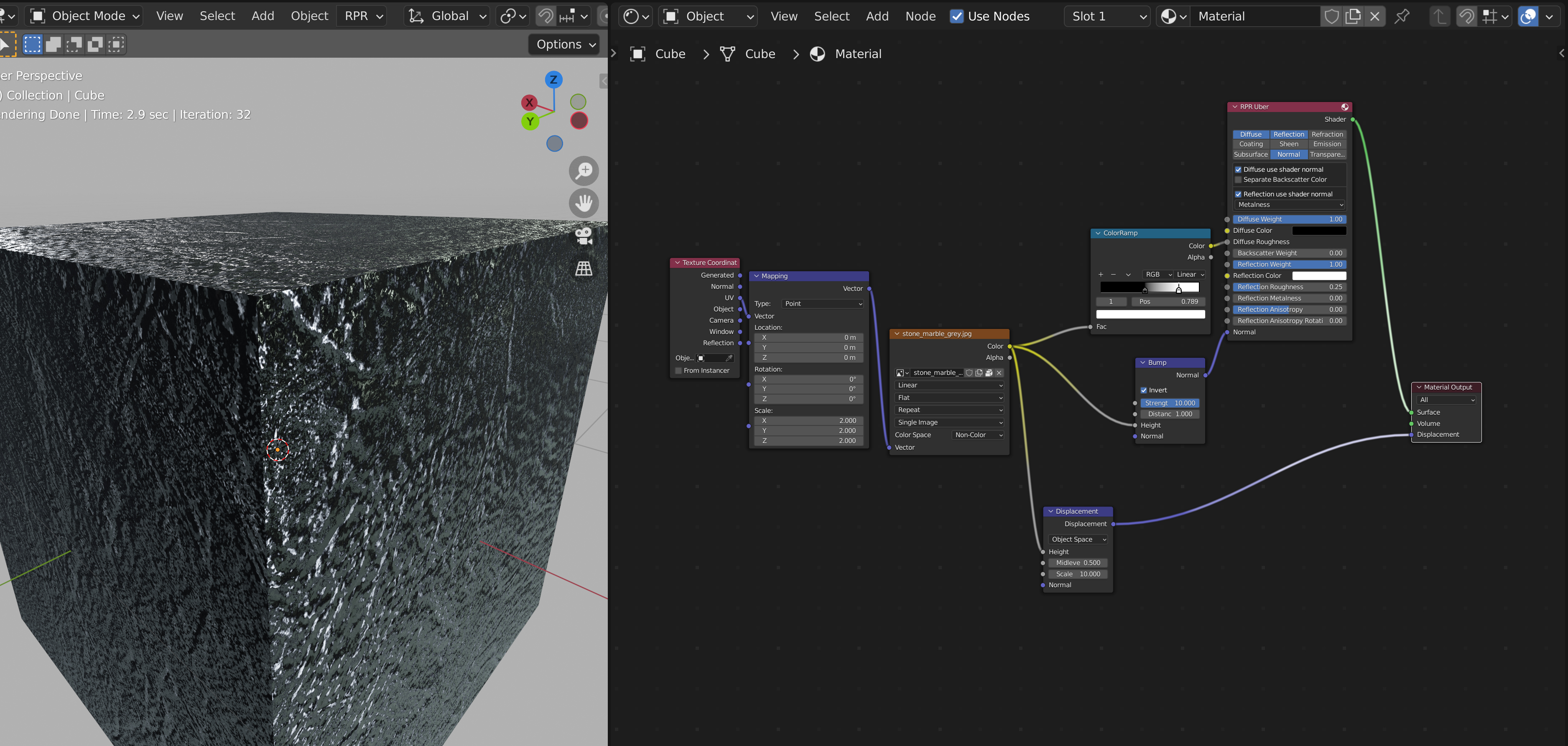
- When an image map is put into the reflection roughness input, it disables the Bump Map and Displacement Map inputs. When roughness map is disconnected, Bump Map and Displacement Map works again.
Issue
Bump Map and Displacement map should be working if an image map is placed into the reflection roughness input. currently it doesn't.
Steps to Reproduce
File: https://drive.google.com/file/d/1V9KpuROYTrwkgIwk0njYLPkE-11dCd8l/view?usp=sharing
Detailed Description
Please resolve by allowing both a roughness map in the reflection input and bump map/displacement map.