
RadeonProRenderBlenderAddon
 RadeonProRenderBlenderAddon copied to clipboard
 GPUOpen-LibrariesAndSDKs
Box mapping / Triplanar setups do not provide usable results
Issue
Triplanar or Box mapping should project the same texture from six directions (always readable, along with ensuring reliable normal map application), blending between them based on the surface normal of the object with controllable blend width. Unless otherwise transformed (though that node isn't supported in RPR), it should be in object space, not world space.
As of the latest dev builds, the texture projection option Box is supposed to be supported (https://github.com/GPUOpen-LibrariesAndSDKs/RadeonProRenderBlenderAddon/pull/176). However, the actual output is unusable. It appears to be mixing three projection directions in pretty much all areas, and ignores the Blend setting entirely. It doesn't match Blender's Blend 1.0 setting either, which still results in a single texture being shown at the exact poles.
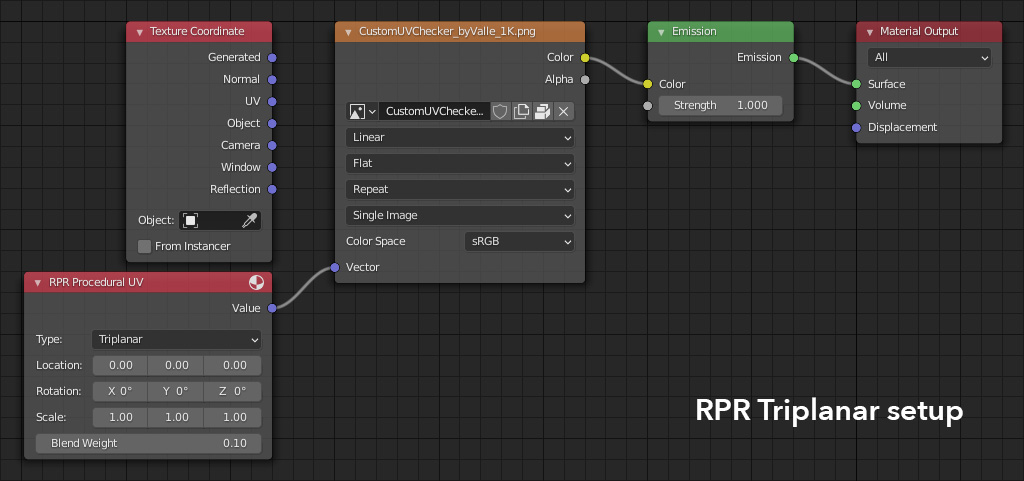
Using the Triplanar option in the RPR Procedural UV node (paired with a texture sampler set to Flat) is even worse. It doesn't seem to be projecting in object space at all, and appears to be using vertex location, not vertex normal, to blend between texture directions (though the Blend control does change rendered output, it's not usable without the correct projection).
Steps to Reproduce
- Switch the render engine to Radeon ProRender
- Create a torus and rotate it 45° on the X and Z axis
- Add a UV checker texture in the material (I used a 1k map from http://uvchecker.byvalle.com)
- Set the projection mode to Box
- Plug the output into an emission node
- Render
Cycles works as expected. The texture is projected correctly and blends reliably from 0.0 (sharp edges) to 1.0 (full-width blending). The RPR results are not usable. Textures are projected similarly to Cycles, but are not blended correctly, resulting in nothing but overlapping textures.
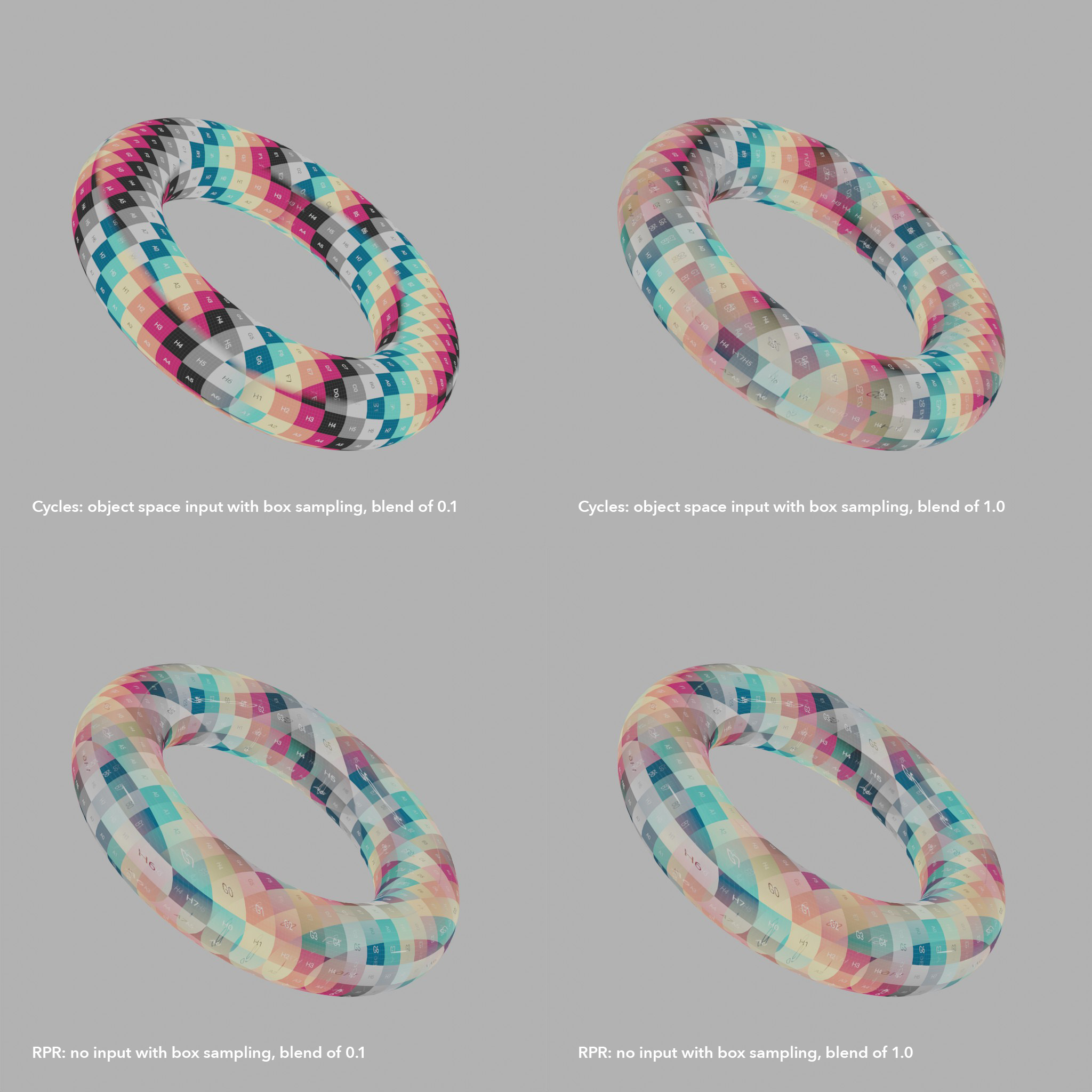
Alternative:
- Follow the same steps as above, but instead of setting the texture node's projection mode to Box, add an RPR Procedural UV map and set it to Triplanar, then plug the output into the texture's Vector input
- Render
Triplanar is much, much worse. Textures are not projected correctly, and though the Blend control at least works, it's not blending based on surface normal.
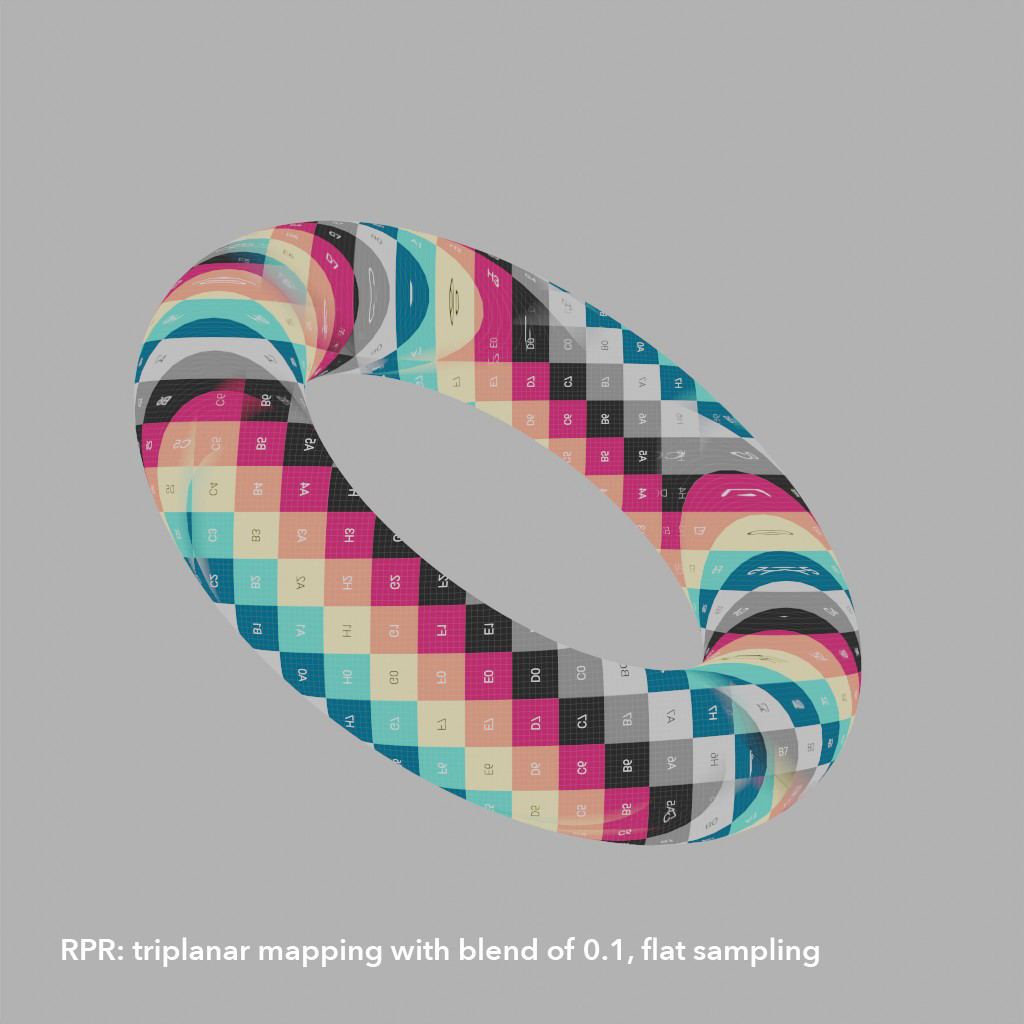
Note:
It's very possible I've misunderstood how to properly set up Box or Triplanar texturing in Blender/RPR. This could just be user error! But after setting things up successfully in Cycles, I couldn't find a single combination or setting in RPR that rendered usable results. For example, using the "Generated" Texture Coordinate as input with Box selected resulted in imagery just as broken as before...but squished (because the Generated coordinates are normalised to the bounding box of the object, it's unusable for non-distorted triplanar/box style projection)
Sample File
Blender file (includes UV checker image packed inside): Triplanar.blend.zip
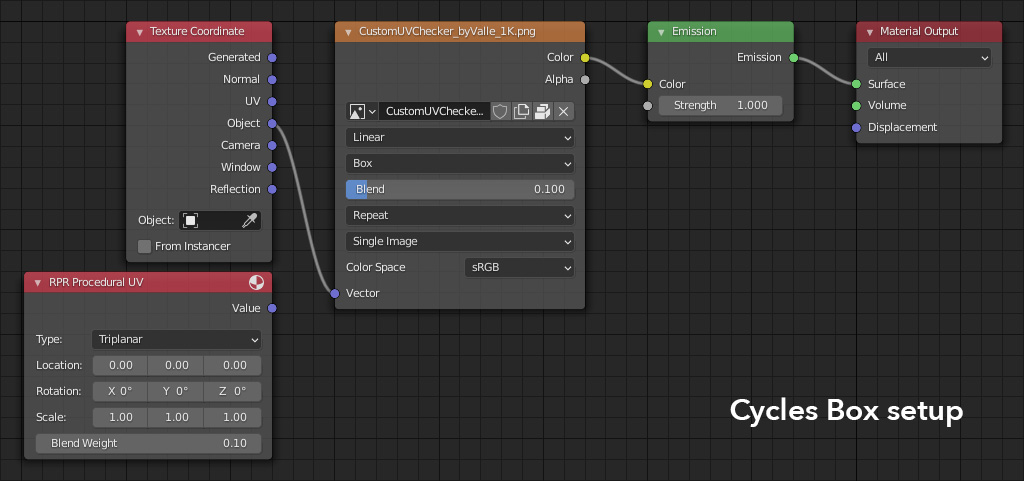
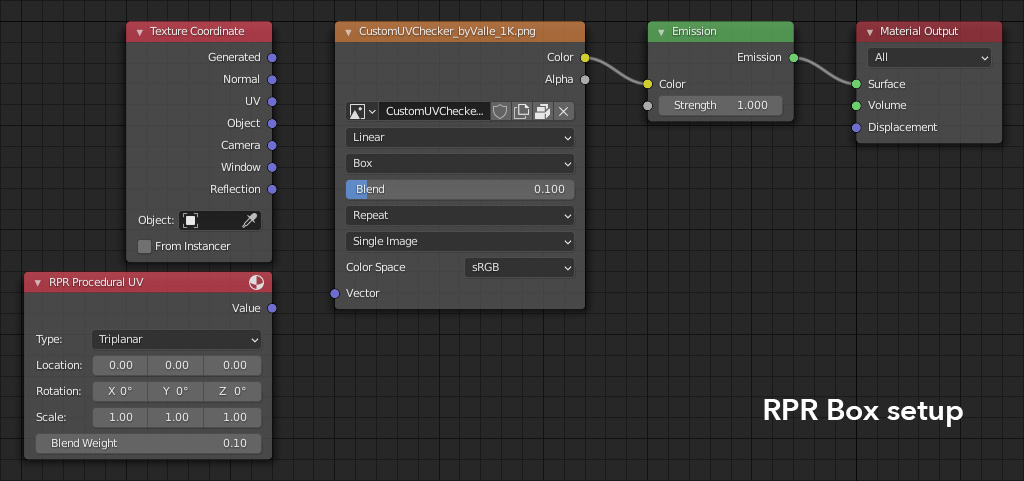
System Setup (Environment)
macOS Big Sur version 11.4 2.4 GHz 8-Core Intel Core i9 64 GB DDR4 RAM AMD Radeon Pro 5600M 8 GB Blender 2.93.0 Using default settings in RPR (Render Quality Full) Rendering on the GPU (CPU confirmed to render identically in at least one case)
Detailed Description
Ideally, both box project and Triplanar mapping would be fixed, but if there's only time for one, Box mapping is the one to go with. RPR has worked hard to be Cycles compatible, making it easier for artists to port over existing projects. Making sure the Box texture projection mode works is a great addition to that feature set!
Box projection: Blend slider needs to be enabled, and normalised so that even at 1.0, polar caps are 100% a single texture, not three.
Procedural Triplanar UV map: projection needs to be based on object space coordinates, and blending needs to be based on object space normals. Neither appear to be implemented right now.
