

 GPUOpen-LibrariesAndSDKs
[Bug]: Stuttery playback of DVB-T stream
Describe the bug Playback of pretty standard DVB-T full hd stream is not smooth.
To Reproduce Steps to reproduce the behavior:
- Open st.zip in PlaybackHW
- Playback is not smooth
Setup (please complete the following information):
- OS: Windows 10 22H2
- Driver Version 23.2.1
- GPU RX 5700 XT
- Decoder
Expected behavior Smooth playback
Additional context The same happens on 7950X iGPU with ffmpeg based decoder. PlaybackHW sample defaults to dedicated GPU, so not tested in this application.
The issue is not limited to this sample file.
People are reporting similar issues here https://github.com/Nevcairiel/LAVFilters/issues/496 with reports that working drivers are as far back as 19.9.2 and 20.12.1.

According to Vega analyzer the video stream in the file is seriously corrupted.
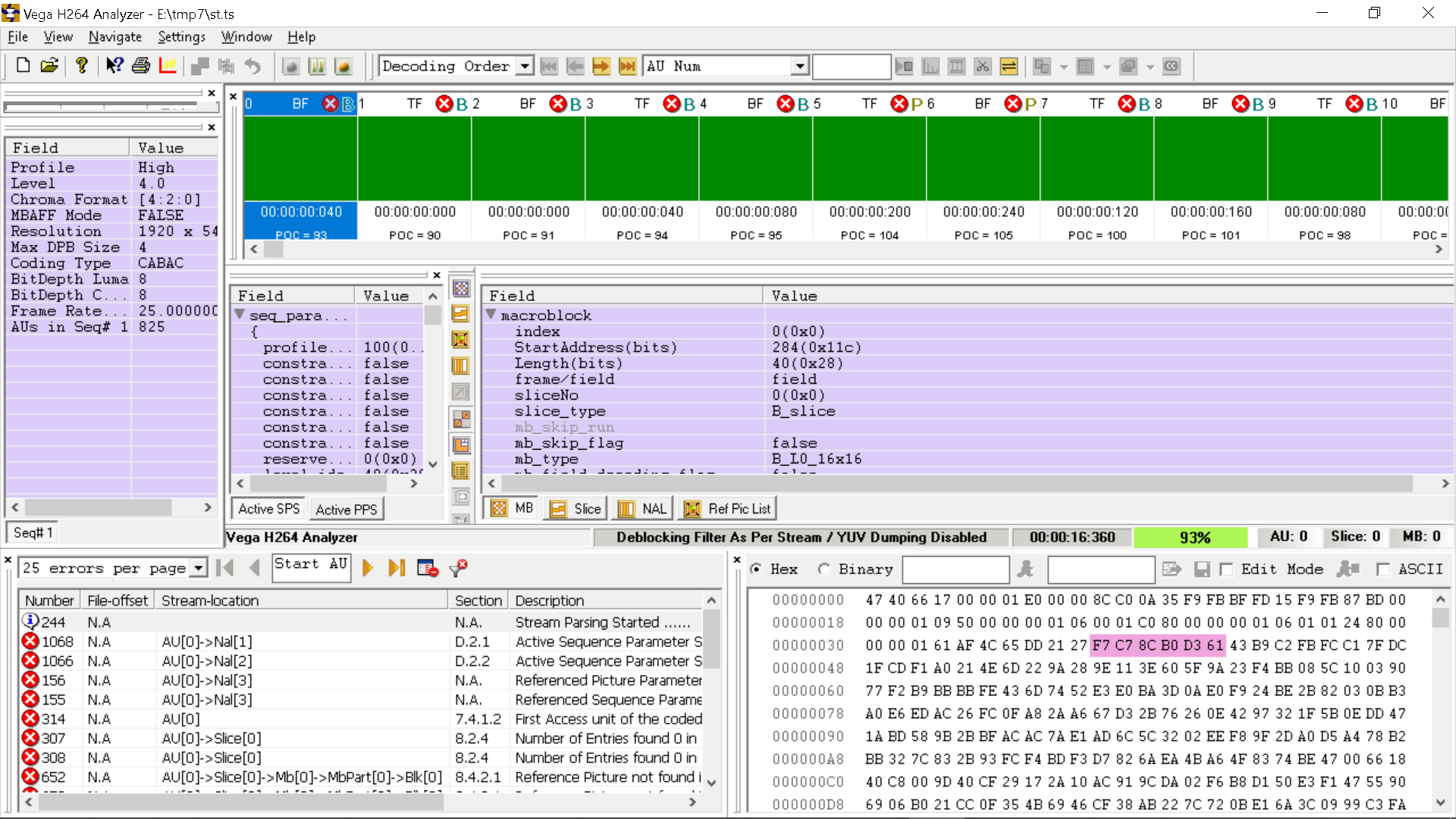

According to Vega analyzer the video stream in the file is seriously corrupted.
Yes, this is expected. This is raw transport dump from the air. It doesn't start nicely, there is no sync point. I explicitly didn't process the file to avoid any modifications. Just skip to the part where there is all data available (+29 frames) I can record longer sample or different channels (or whole mux), if that helps. Also the parameters of those streams didn't change for like over 10 years, and I have recordings from back then which also doesn't work, while working on literally any other hardware (and software) decoder that supports h264.
Another stuttering sample: 01-07_16-33-14_VTM 4_Top Gear - S30 E03. Freddie Flintoff, Chris Harris en Paddy M.zip
One more problematic sample, with timing issues. Playbacks at 12.5 fps and has severe audio issue in PlaybackHW in ffmpeg it is hitching, because it syncing to audio. (don't worry about the name, the files is from elsewhere)
Sample2_#2750.zip
In these streams timestamps on video and audio streams are far away from each other. You can add the tracing line below at the end of AMFFileDemuxerFFMPEGImpl::AMFOutputDemuxerImpl::QueryOutput() method in FileDemuxerFFMPEGImpl.cpp:
AMFTraceInfo(AMF_FACILITY, L"Stream# %d, packets read %d pts=%lld", m_iIndexFFmpeg, (int)m_iPacketCount, buf->GetPts());
If one disables AV sync in presenters, the audio playback is OK. You can comment these lines in PlaybackPipelineBase.cpp
    m_pVideoPresenter->SetAVSyncObject(&m_AVSync);
    m_pAudioPresenter->SetAVSyncObject(&m_AVSync);
Note, that I am testing with the newer FFmpeg for demuxing, the update will be public with AMF SDK update. As you stated you see the same issue with FFmpeg. Note, that PlaybackHW is a sample app, it shows mostly how to use AMF components, it is not a full player.
In these streams timestamps on video and audio streams are far away from each other. You can add the tracing line below at the end of AMFFileDemuxerFFMPEGImpl::AMFOutputDemuxerImpl::QueryOutput() method in FileDemuxerFFMPEGImpl.cpp:
Indeed, but it shouldn't be a problem, no? Anyway, I don't care about the audio.
Note, that PlaybackHW is a sample app, it shows mostly how to use AMF components, it is not a full player.
To be perfectly transparent with you, I'm using PlaybackHW as an excuse to report the issue here, reach you guys, and have better chance to shed some light on the issue.
As you stated you see the same issue with FFmpeg.
Yes, indeed. It is easier to test with ffmpeg itself. With simple reencode with d3d11va (upstream ffmpeg doesn't implement AMF decoder https://github.com/GPUOpen-LibrariesAndSDKs/AMF/issues/199 hence I'm using d3d11va api)
ffmpeg -hwaccel d3d11va -i "01-07_16-33-14_VTM 4_Top Gear - S30 E03. Freddie Flintoff, Chris Harris en Paddy M.ts" -an out.mkv
You can see that the out.mkv is corrupted. I also removed audio, as we don't need it.
How would you suggest we proceed on fixing this issue?
P.S. It seems to work ok on Linux with same hardware, so it makes me fell it is driver issue on Windows only.
I extracted elementary streams from the TS files with this CMD: ffmpeg.exe -i %1 -vcodec copy -bsf h264_mp4toannexb -an %1.h264 FFmeg complained about corruption and I believe skipped some frames. After that elementary stream 01-07_16-33-14_VTM 4_Top Gear - S30 E03. Freddie Flintoff, Chris Harris en Paddy M.ts.h264 is played without corruption and st.ts.h264 has one corruption in the middle, looking like a dropped frame. I tried PlaybackHW with "-swdecoder true" option. It forces to use FFmpeg SW decoder. The results are the same as with AMF decoder. At this point I don't see problem with AMF or VCN decoder, rather then file issues.