
gns3-gui
 gns3-gui copied to clipboard
 GNS3
GNS3
Add an option to tag links and to hide or show them as needed
I work with complex topologies and I manage the devices by using their management interfaces, all of them connected to a switch that is connected to a cloud that facilitates the connection to the network where my orchestrator is. The image on the screen looks messy with all the connections and I would like to be able to hide the management links when needed and show them again when needed like with the interface labels
Can you please add that feature ? There is no way around this currently

hi, if it's really "urgent" you can hide layers via css for now my dirty fix is: add custom css file in the static folder and import it from index.html underneath css code hides layer -1 (temp unhide via browser development mode and just temporarily remove the css snippet)
.layer[data-index="-1"]{
  display: none
}
if i can find the time i well hack in something more elegant with a menu and some buttons and send in a pull request. i have not looked into the fat-client

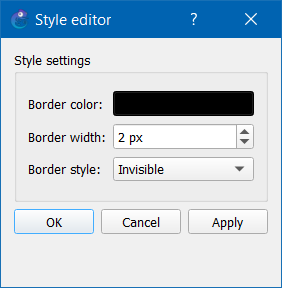
This can be done in the GNS3 gui by changing the link style to invisible which will hide the unwanted links.
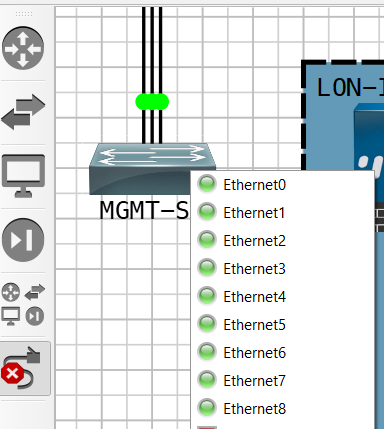 As you can see in the image above I have 9 links connected to the switch only 3 visible the other 6 are hidden.

Tags will be added in a separate issue: https://github.com/GNS3/gns3-server/issues/2175
