

 GM-Alex
Categories and page parents still visible in Gutenberg
The new Gutenberg editor still shows categories and parents pages/posts, if a user doesn't have access to them. In the classic editor those are hidden like expected, in Gutenberg not.
The reason: Gutenberg uses the REST API of WordPress to load the categories and pages/posts for these select blocks.
I'm not sure if this is a UAM bug or a Gutenberg bug, that's why I opened a bug there as well: https://github.com/WordPress/gutenberg/issues/11596

Hey,
I tested it with Wordpress 4.9.8 and the categories are hidden for me. Which version of Wordpress are you using?

I'm using Wordpress 4.9.8 and Gutenberg 4.2.0 (meanwhile there is a version 4.3.0) You need to install the Gutenberg plugin for testing it.
The problem only appears there.
Here two examples (first Gutenberg, second Classic Editor):
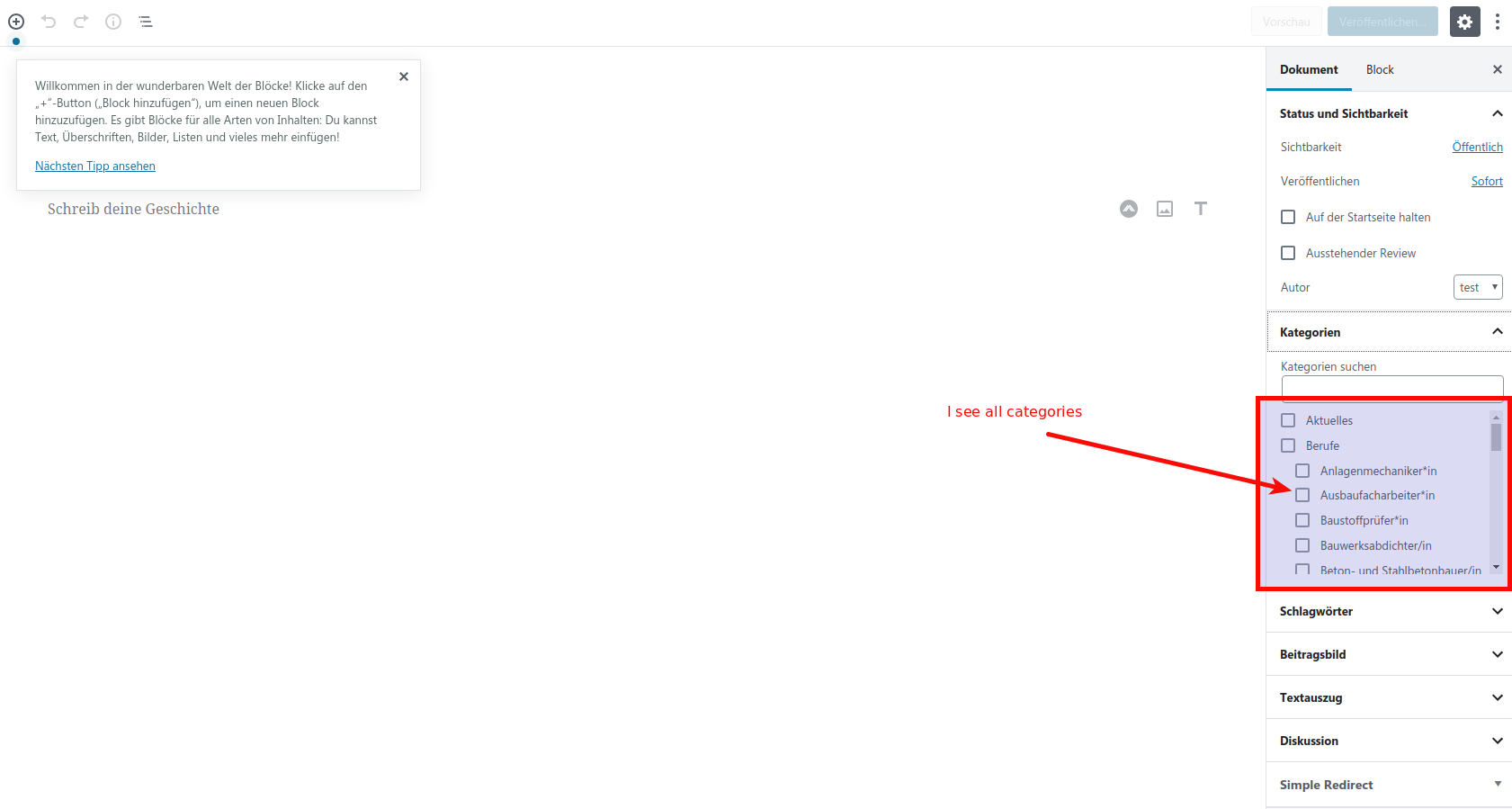
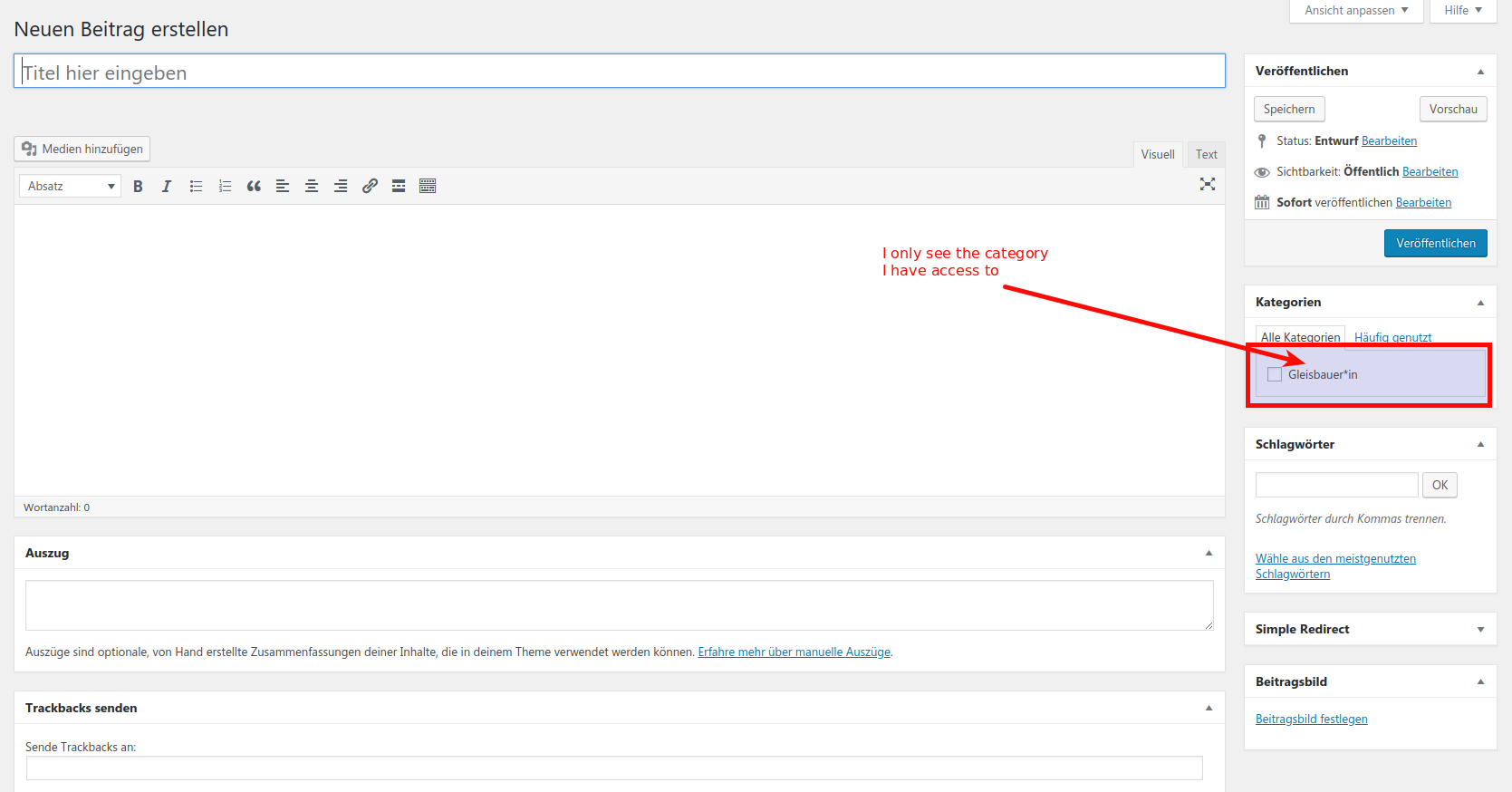
The Gutenberg editor shows all categories, also the categories I shouldn't have access to. The class editor only shows the categories I have access to (which is good).
I did exactly the same. Restricted some categories, logged in as different user (not admin) and the restricted categories are hidden.
Another strange issue, also on a blank WordPress. For testing I created several new categories (as admin). But (also as admin) creating a new post using the Gutenberg Editor, I can't see the new categories. After disabling the UAM, there are visible. Re-enabling the UAM causes them to disappear again. Is there some kind of cache?