
P4wnp1-ALOA-Menu-Reworked
 P4wnp1-ALOA-Menu-Reworked copied to clipboard
 FuocomanSap
Turn your Rasp Zero W in a multitool for pentesting
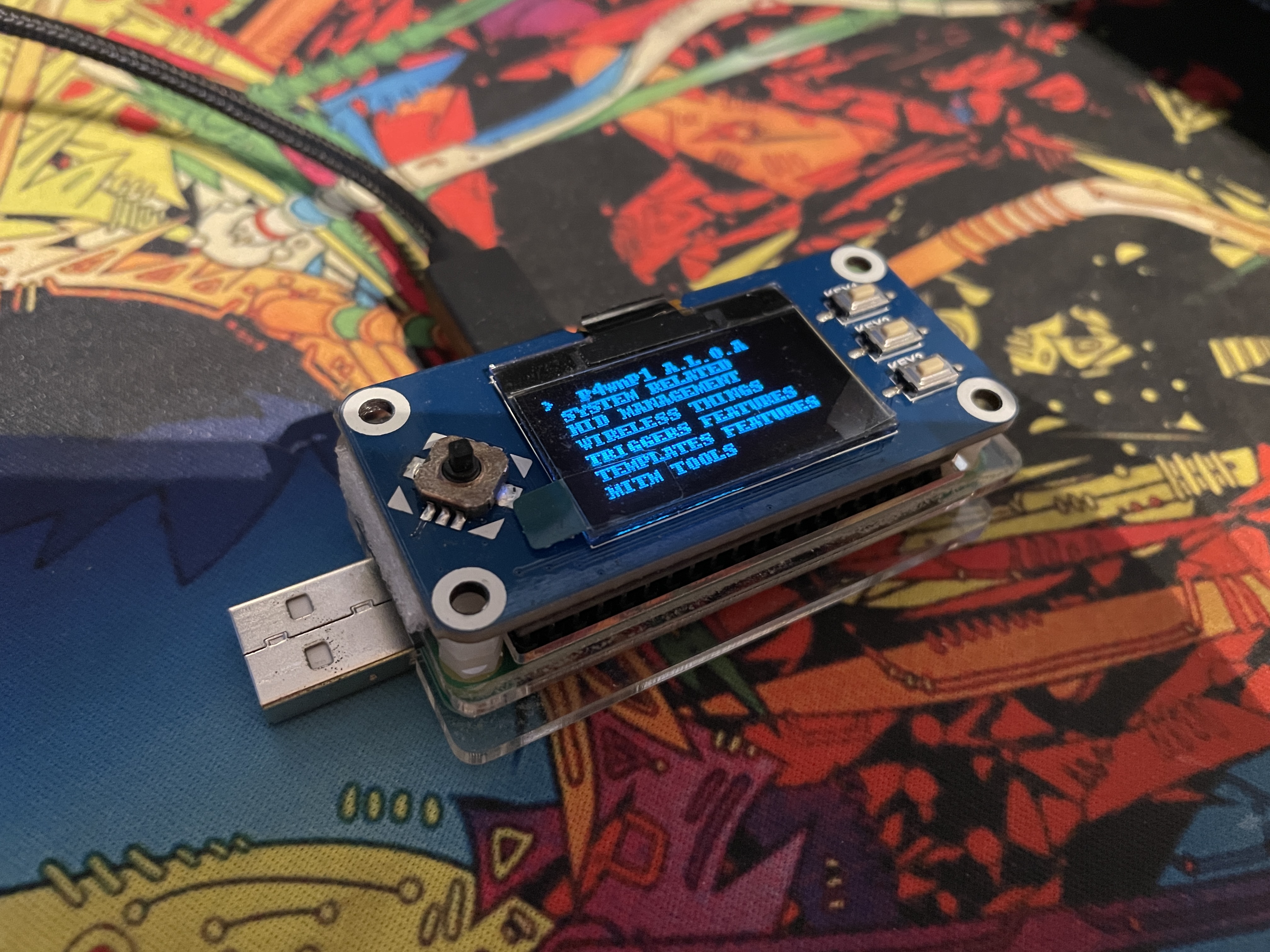
INFOS
This project was born from: https://github.com/beboxos/P4wnP1_ALOA_OLED_MENU_V2, since python2.7 is deprecated and therefore no longer compatible with the libraries in use, I opened a Fork, updated the code to Python3.7 and made a PullRequest.
Since the original repo seems to be no longer maintained, I decided to open a new one with the updates made, so that everyone can take advantage of this fantastic project of https://github.com/beboxos again.
If BeboXos returns to his repo this will be closed, and i hope so.
All rights to the original code are owned by BeboXos.
what's new
- I updated the code to work with python3.7, fixed some bugs and added new features.
- new functions to make easier improving the code,see MANUAL.md
- update the gui-code via gui-option
- hosts discovery
- nmap on a specific host and save the report
- vulnerability scan (experimental...help me)
- Deauther(Jammer-like) on Wifi AP (60s, for continuous mode delete "timeout 60s" in the gui.py/deauther() function"
- Deauther(Jammer-like) on a specific client
- ArpPoisoning, saving HttpUrls, HttpUserPass,HttpsUrls, Mails. Output in the current directory (working on)
- TODO others
known bugs
- using DEauther breaks WIFI and BLT connections, so you need to restart your Rasp
- some templates need to be executed 2 times, due to a P4wnp1 bug
Installation:
- On boot partition edit config.txt to set I2C and SPI to active (in termnial you can type: nano /boot/config.txt)
edit:
     dtparam=i2c_arm=on
     dtparam=i2c1=on
and find and set spi section:
dtparam=spi=on
- Download the current repo: wget https://github.com/FuocomanSap/P4wnp1-ALOA-Menu-Reworked.git
Note for i2c: (on gui.py)
 uncomment the "bus = smbus.SMBus(0)  # 0 = /dev/i2c-0 (port I2C0), 1 = /dev/i2c-1 (port I2C1)" line
 set USER_I2C=1
 (if ups) set UPS=1
Note for SPI: (on gui.py) (currently set like this)
comment the "bus = smbus.SMBus(0)  # 0 = /dev/i2c-0 (port I2C0), 1 = /dev/i2c-1 (port I2C1)" line
set USER_I2C=0
(if you have a ups) set UPS=1
- chmod +x install.sh update.sh
- run: "bash install.sh", the script will automatically install all the files needed
GPIO 8 keys are default waveshare hat
you can edit to set to your hat if different
- GPIO
- KEY_UP_PIN : 6,
- KEY_DOWN_PIN : 19,
- KEY_LEFT_PIN : 5,
- KEY_RIGHT_PIN : 26,
- KEY_PRESS_PIN : 13,
- KEY1_PIN : 21,
- KEY2_PIN : 20,
- KEY3_PIN : 16
Start at boot
in P4wnP1 web interface , create a trigger action that runs the script runmenu.sh in you default template (by default startup) select the script runmenu.sh.
- open the web interface
- select Tigger action
- add one
- select runmenu.sh
- select store and type startup
Improve the code
- see MANUAL.md
enjoy
i'm not responsible on usage you do with this repo, it's for educational purpose only
usefull links
- guide: https://gideonwolfe.com/posts/security/p4wnp1/
- video guide: https://www.youtube.com/watch?v=s0K-YIL_G5c
- rasp that I use : https://www.amazon.it/Melopero-Raspberry-Zero-Starter-Kit/dp/B072LWBL37/ref=sr_1_1?__mk_it_IT=%C3%85M%C3%85%C5%BD%C3%95%C3%91&dchild=1&keywords=melopero+raspberry+pi+zero+w+starter+kit&qid=1594075917&s=electronics&sr=1-1
- oled that I use : https://www.amazon.it/gp/product/B078D6NXFM/ref=ppx_yo_dt_b_asin_title_o01_s00?ie=UTF8&psc=1
- usb addon that I use : https://www.amazon.it/gp/product/B07BPTPDM5/ref=ppx_yo_dt_b_asin_title_o00_s00?ie=UTF8&psc=1
credits
- P4wnp1 ALOA repo: https://github.com/RoganDawes/P4wnP1_aloa
- beboxos/P4wnP1_ALOA_OLED_MENU_V2 repo: https://github.com/beboxos/P4wnP1_ALOA_OLED_MENU_V2
Metadata
Owner
 FuocomanSap
Metadata
Turn your Rasp Zero W in a multitool for pentesting