FreeTubeApp
Disable http disk cache and implempent in-memory image cache
Disable http disk cache and implempent in-memory image cache
Important note We may remove your pull request if you do not use this provided PR template correctly.
Pull Request Type
- [x] Bugfix
- [x] Feature Implementation
Related issue #1837 could be related but I'm not sure
Description Thank you to the Matrix user for bringing this issue to our attention.
To reduce RAM usage electron stores the http cache on disk. While that might be alright for other applications, in FreeTube that means that while you are watching a video, all of the buffered video data is actually being constantly streamed to and from your disk. In the long term this will likely have an inpact on disk health.
This pull request is made up of two parts:
- Disabling the http cache, unfortunately there doesn't seem to be a way to get rid of the disk one without also getting rid of the in-memory one
- To compensate for the now missing in-memory http cache, this pull request also implements an in-memory image cache.
How the cache works:
When FreeTube tries to load an image over HTTP(S), the request gets redirected to the imagecache:// custom protocol handler. The protocol handler checks the cache for the image, if it finds it, the image data is returned. Otherwise it fetches the image, stores it to the cache and then returns the image data.
The amount of time an image stays in the cache is based on the Cache-Control: max-age=<seconds> and Age: <seconds> headers that are returned by the server when the image is fetched. The cache checks for and removes expired images every 5 minutes, this interval can altered in the future if needed.
Performance: In my testing disabling the http cache reduced the disk usage while playing a 1080p DASH video from 1.4 - 2.2MB/s to 0MB/s, when you first start the video it will sit at about 0.1MB/s as the DASH manifest and storyboards are written to the disk and subsequently used.
I tried profiling the memory usage of the image cache using the --inspect-brk flag and connecting to the main process using the devtools in an external chromium browser. Unfortunately I'm not quite sure what the actual memory usage is, as the heap snapshot said it was using about 28.4MB for 1053 images, however the entire heap was only 19.1MB at the time of the snapshot, so something isn't adding up.
Screenshots (if appropriate) Please add before and after screenshots if there is a visible change.
Testing (for code that is not small enough to be easily understandable) Please test this PR with production/release builds as dev and debug builds use extra RAM because of the devtools.
To check the disk usage I used the Task Manager in Windows to monitor the disk usage during video playback (e.g. https://youtu.be/bafzQBSktwk)
RAM usage can be monitored using the Task Manager or by hooking up the devtools in an external chromium installation up to the main process:
- Start FreeTube with the
--inspect-brk(allows remote debugging of the main process and wait until you are ready before executing any javascript code). - Open an external chromium installation and open
chrome://inspect - Depending on your browser their might be a link to open the dedicated node devtools
- Connect to FreeTube using the connection details that FreeTube spat out in your terminal
- In the Sources tab in the devtools, start code execution by pressing the play button in the top right corner
- You can take heap snapshots in the Memory tab
- As we are using a production build the
ImageCachewon't be calledImageCache, instead it will have a single letter name, in my case it wasq. You can find the name by searching forNo image cache entry forin the Sources tab, going back a bit until you find theconstructorand then looking at the class name.
Desktop (please complete the following information):
- OS: Windows
- OS Version: 10
- FreeTube version: 0.17.1
Additional context If the uptick in RAM usage is too significant we can always consider caching the images on disk instead of in-memory. This will be slower but will have the advantage of lower RAM usage. It will also allow us to use the cached images, that haven't expired yet, the next time you open FreeTube.

I confirmed on MacOS 12.5.1 with Activity Monitor that the disk usage (bytes written) has not increased during video playback after switching to this branch


Using it locally (MacOS) Will use it in Windows after 1 week of testing if no issue found
I've added fallback so for the expiry timestamp so that it should never fail, if none of the headers are available it defaults to a hardcoded 2 hour expiry time (can be changed with the const at the top of the ImageClass file).
As discussed I've also moved these changes behind a CLI argument so that this behaviour is opt in for now. (If you want to enable it while using yarn dev, you can uncomment the flag in the _scripts/dev-runner.js file.)
On Windows you can either run the .exe from the CLI e.g. C:\path\to\FreeTube.exe --experiments-disable-disk-cache or just add the arg to the target field in your shortcut to FreeTube.
On Linux you can either run FreeTube from the CLI or add it to the .desktop file.
macOS is annoying though, you can only pass the flag when you launch FreeTube from the terminal: open -a /Applications/FreeTube.app --args '--experiments-disable-disk-cache'.
Really need a new settings to enable/disable this... (and be effective on restart)
Finally figured out a way to add a GUI setting for this. Also removed the CLI flag.
copy of @PikachuEXE's comment here https://github.com/FreeTubeApp/FreeTube/pull/2511#issuecomment-1232319410
Style suggestion on settings UI

Code changes:


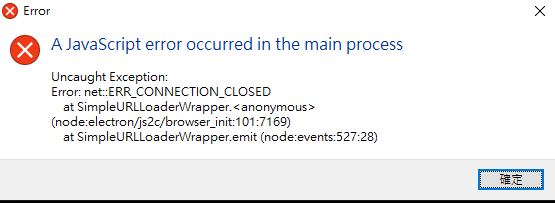
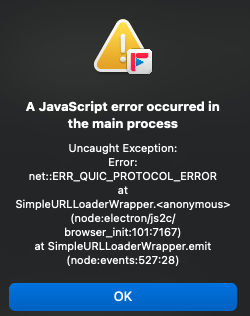
An error encountered on Windows 10 Disabling via settings to see if it happens again
Edit: encountered when opening a video

I still see error popups on windows, disabled on windows for now No issue on MacOS though But I am having VPN enabled all the time on Windows while no VPN on Mac I can try to turn on VPN on Mac later to see if the error would be reproduced
Working for me on arch linux 5.19.10 playing 1080p dash.
Disk writes went from 1.0MB/s to 0MB/s.


This can almost be merged except those random JS errors Is there anything can be done?
Also just found out the code is outdated due to settings panel update I got a fix https://github.com/PikachuEXE/FreeTube/commit/ae9fad898aa35e227953ba2411077a49d0497147 for my custom build Use it ~
This pull request has conflicts, please resolve those before we can evaluate the pull request.
![github-actions[bot] avatar](https://avatars.githubusercontent.com/in/15368?v=4 "Published by a pub.dev verified publisher")
Conflicts have been resolved. A maintainer will review the pull request shortly.
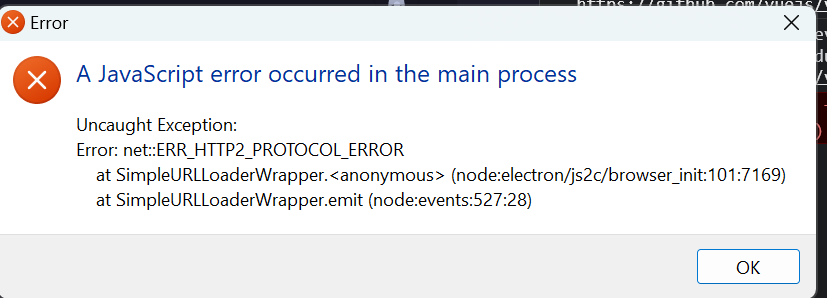

Hmm let me build another custom build and see if I can reproduce any issue...