
opcua-client-gui
 opcua-client-gui copied to clipboard
 FreeOpcUa
How to reset all windows
Hi, first of all, great job! I use the mac client. Close the windows on the right: Attributes, Events, References, Subscriptions. How can i back to the default settings? I tryed right click in many places but no menu to show. Thank you in advance.

Hey @wengcunzhong,
This question has already been answered: https://github.com/FreeOpcUa/opcua-client-gui/issues/28
You have to click on the grey line.
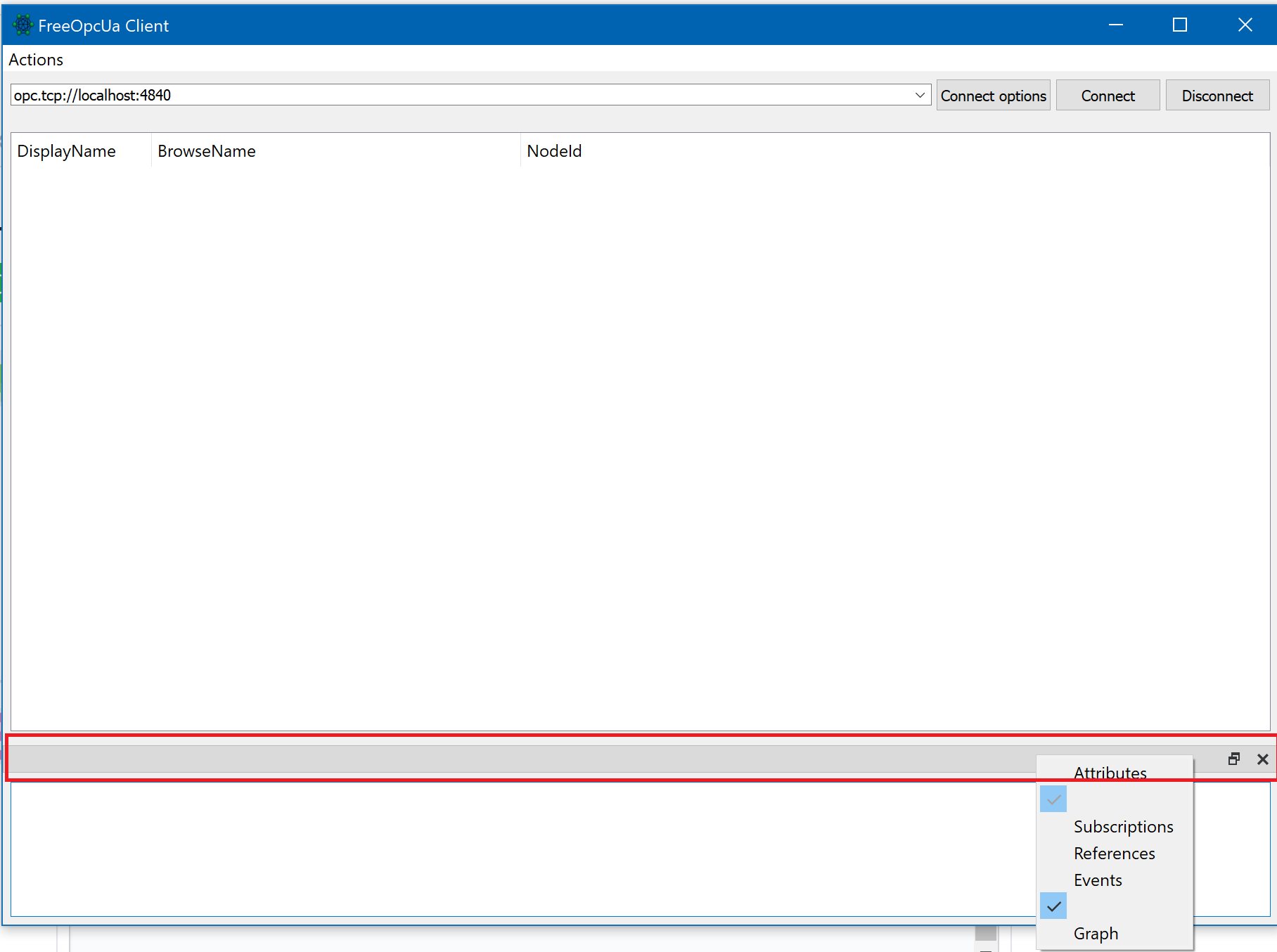
I hope I was able to help you.

there's no obvious UI element to allow for resetting the windows. I had to edit the installation source code that controls this auto-save functionality by going to /Library/Frameworks/Python.framework/Versions/3.8/lib/python3.8/site-packages/uaclient/mainwindow.py and adding self.settings.clear() on line 238 to clear the auto-saved window settings right after the QSettings() class is instantiated. Load up the client again and all the windows should be reset. Don't forget to remove self.settings.clear() afterwards.
