

 FreeLanguageTools
Lemmatization improvements
Adds some dependencies to requirements.txt. Do these need be included in other files such as setup.cfg or cx_freeze/setup.py?
Cheers

Thanks for the work Yeah, they need to be included in all three files. Note that in setup.cfg you use the package names (on PyPI), but in cx_freeze/setup.py you need to use the package import names.

Can you confirm that the NLTK thing works under cx_freeze'd environment? Some packages have hardcoded paths or whatever which make them not work properly, in which case we need a workaround or a fallback for when they cannot be used.
I spent some time looking through the code.
- On the NLTK thing. It seems to load a data file. I haven't yet tested whether or not this works on cx_freeze. It seems to use the English data file though -- is there really a need for its tokenize function rather than just splitting on space and removing punctuation? I'd much prefer not having another dependency for this.
- About the bold -- I used
__bold__instead of HTML tags because Qt's TextEdit widget treats the whole thing as HTML whenever the text contains HTML. This is undesirable because when you read the content from it it creates a full HTML document with a lot of unnecessary styling, which invariably looks bad on Anki. Also, TextEdit is just a poor document editor -- you cannot control the styling at all when editing text. To circumvent this I use__bold__on the text so the TextEdit operates on plaintext mode, and convert it to tags when exporting to Anki. This has the added benefit of allowing users to edit it and bold whatever else that is worth bolding. As you can see the word is currently not bolded after being exported to Anki
Greedy lemmatization seems like a great addition, and bolding all matching words seems like a good idea too.
I think the last commit needs to be removed, and the functions in text_manipulation.py needs to be reimplemented without nltk. Also, I I think the version number should still be shown somewhere on the interface, even if not on the window itself. How about leaving the window title with version?
Thanks for the explanation and feedback! I'll take a look at this in the coming days.
Use of nltk
-
Here is the thread that convinced me
nltk.tokenize()was the way to go. In any case, its use has been replaced with regex logic. This won't handle languages in which words are not space seperated, such as Japanese. Perhapsnltk's language option could provide a solution if one were needed in the future, although the wiki does state "Note that the tool is primarily intended for languages with spaces."
Package dependencies
-
packaginghas been added to/requirements.txt,/setup.cfgand/cx_freeze/setup.py.packagingis imported by/vocabsieve/main.py. -
.has been added to/requirements.txtandpip install .has removed from/appveyor.yml. This is needed in a new development environment so that/vocabsieve/init.pydoes not throwimportlib.metadata.PackageNotFoundError: vocabsievewhen callingimportlib.metadata.version('vocabsieve'). - After removing
nltk,cx_freeze setup.py buildbuilds a working linux executable. Your guess regardingnltkbreakingcx_freezewas correct - it wasn't working before.
Show version number
- Version number has been added to the window title, that's a good suggestion suggestion.
Bolding with <b/>
The following behaviour has been defined:
- Double clicking a word will bold it using either
<b/>or__{word}__, depending on a setting. - The user can bold additional words using
__{word}__, regardless of the how the user is bolding words. - Double clicking a word resets all words that were previously bolded, then bolds the clicked word.
Here are some gifs demonstrating that functionality:
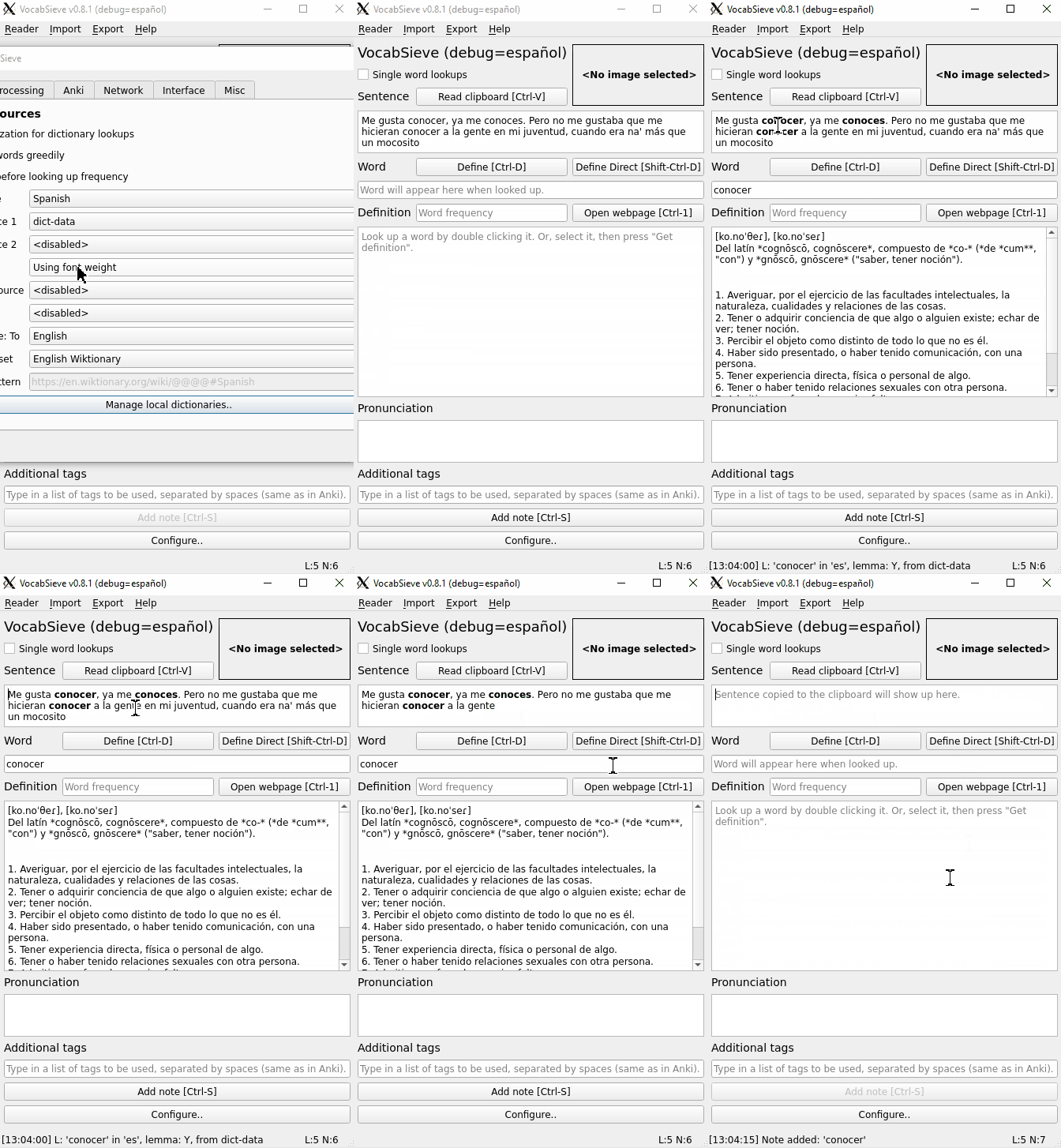
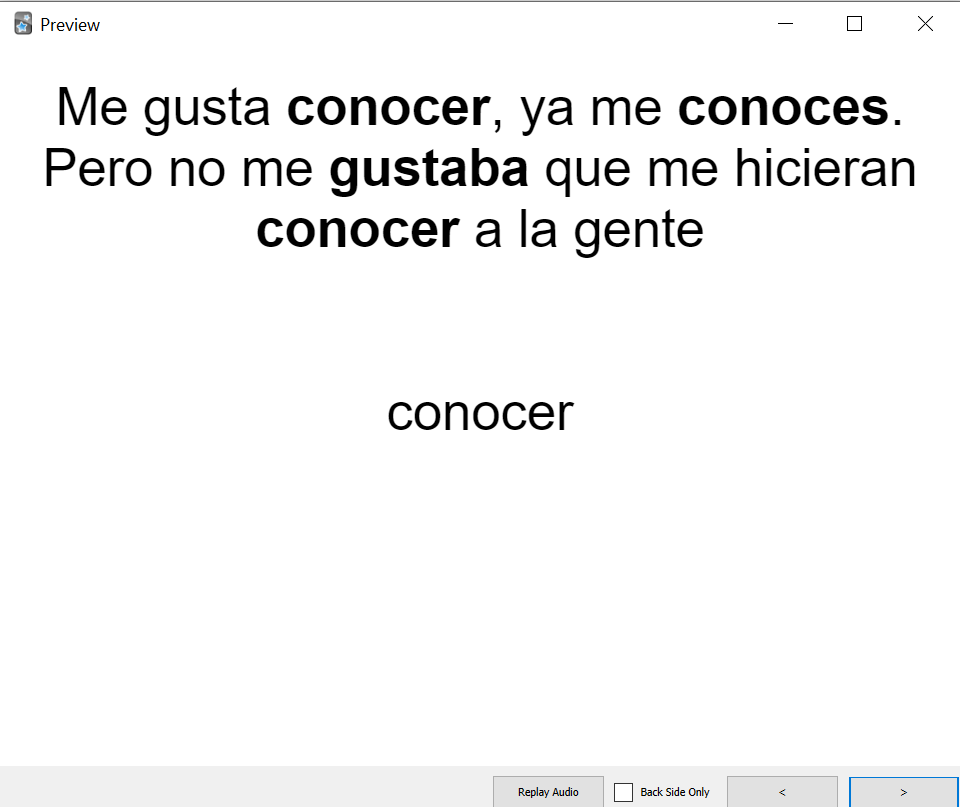
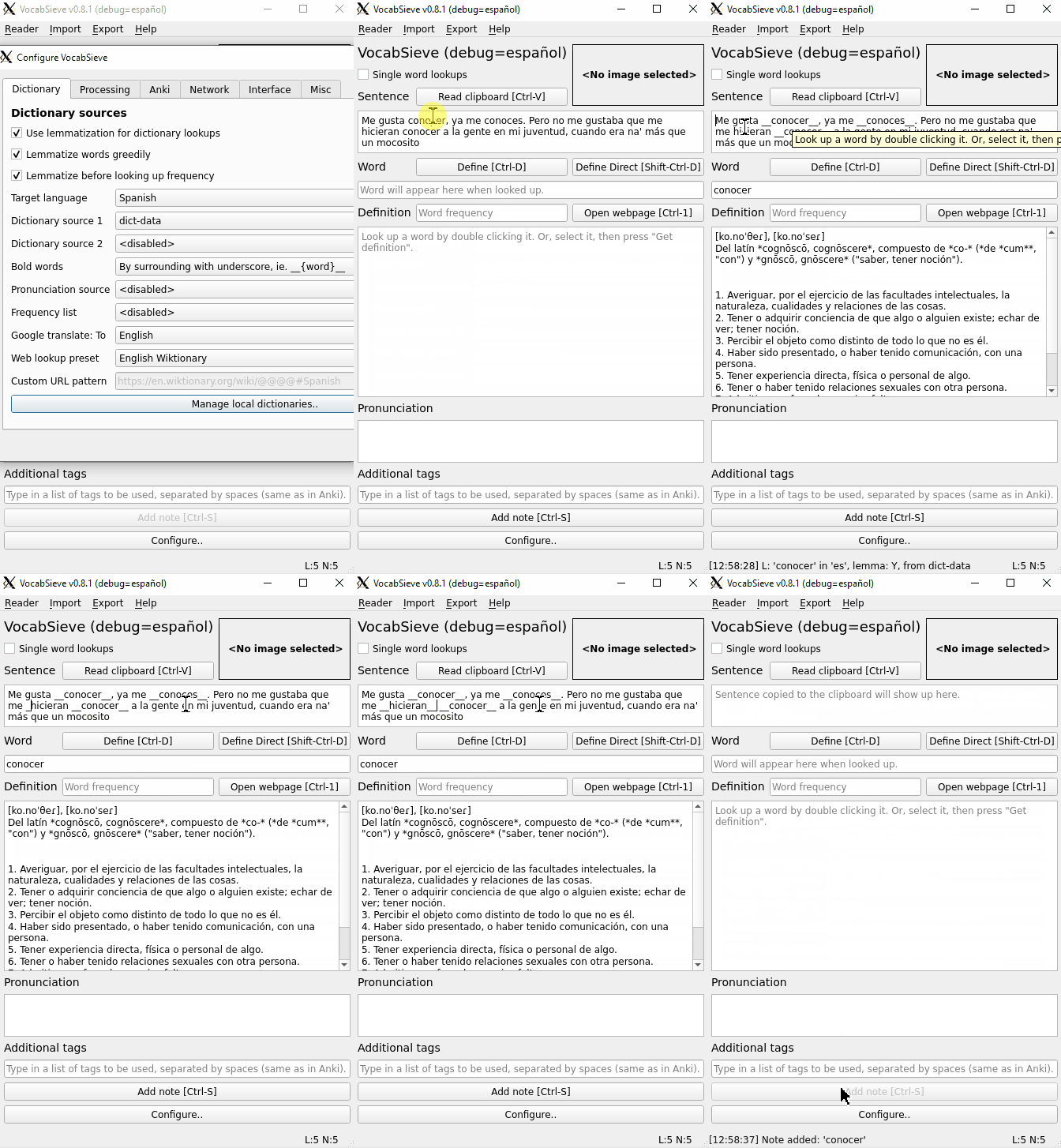
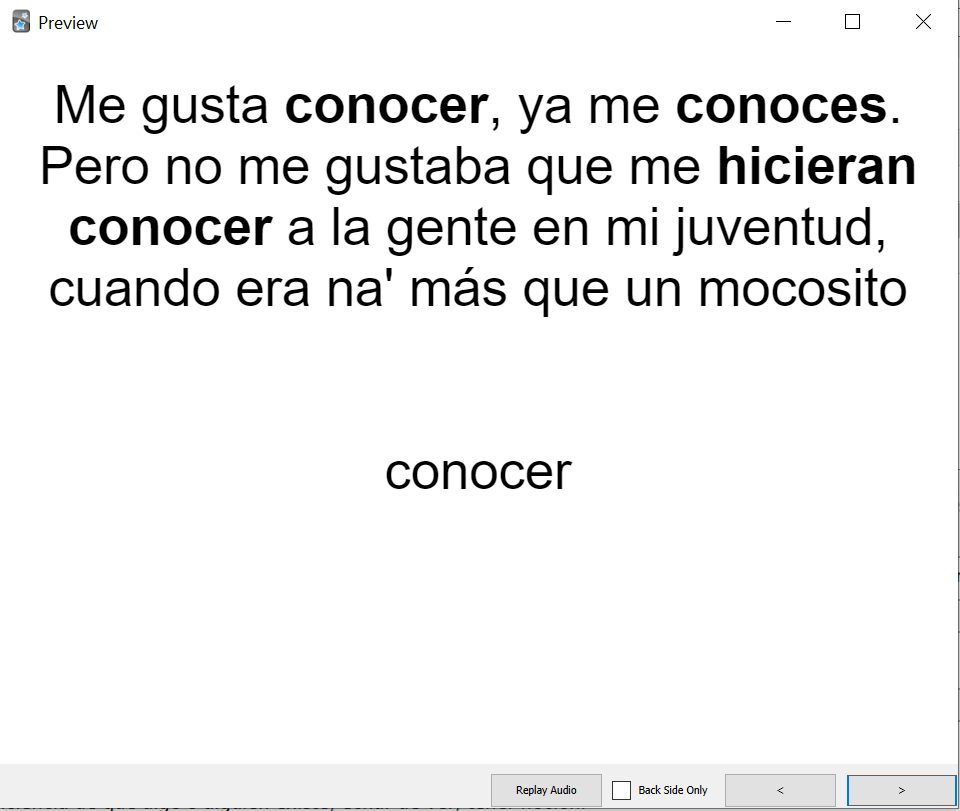
Hmm, from a basic glance, I have difficulty understanding how the bolding actually works. Also, there seems to be many changes with regards to how display_mode works. I'll need some time to test it and read it in detail.
Also, a few issues with settings.py
settings = QSettings(app_title(True), app_organization)
The organization needs to come first. Also, it should be app_title(False), otherwise, users will just lose their settings when version number changes. Also, this changes original behavior:
With DEBUG=49, originally it would create a profile named VocabSieve49, but now it would create VocabSieve (debug=49). This may be a problem since IIRC Windows have trouble with equal signs in filenames.
Thanks for pointing out the issues with settings.py, it's been modified to (hopefully) retain the original behaviour. Let me know if there any more issues there.
Thank you, it'd be great if you could take a look at the bolding and check it doesn't break display_mode. The main machinery for the bolding is:
-
MyTextEdit.textBoldedByTagsalways grabs the words that are bolded in form<b>{word}</b>. This can be sent directly to Anki. Ifhellois doubled clicked and then we callMyTextEdit.setText("__hello__"), it will come out as<b>hello</b>inMyTextEdit.textBoldedByTags. Ifhellois doubled clicked and then we callMyTextEdit.setText("<b>hello</b>"), it will create the HTML problem you mentioned, so we pull it out as markdown and then convert that back to<b>hello</b> -
MyTextEdit.unboldedTextalways grabs the text without any bolding, whether that bolding is of form__{word}__or<b>{word}</b>. This is used inlookupSet(), so that all previously bolded words are no longer bolded. -
MyTextEdit.keyPressEventchecks if the user typed_and performs any substitutions__{word}__=><b>{word}</b>
Let me know if I can provide any additional explanation here or in the code base.
The functions settings.py still seems to cause errors when VOCABSIEVE_DEBUG is not set (it would be None). Also, you can determine debug mode just by using the truthiness of VOCABSIEVE_DEBUG.
More importantly, something seems to break when you try double clicking from the definition fields. (Not sure if you tested this -- you are supposed to be able to look up words from the definition fields too). When I do that, it writes b>word</b> in the sentence field.
Also, typing double underscores in the definition field simply inserts tags into the field, irrespective of display_mode (default display mode is now Markdown, after realizing the issues with Markdown-HTML.
Maybe it would be simpler to have separate classes for the two fields, since editing the definition is more complicated then just bolding, and it is handled by markdown mode anyways.
- Constant
DEBUGGINGhas been removed in 1ba2e24. - Sorry about that! I renamed a variable to make things a bit more understandable and got my wires crossed. That's fixed now.
- Created separate classes for the two fields. Do you mind explaining to me what the
display_modestuff does? Or referencing somewhere it is explained.
Thanks for working with me on all this 🤓 If there's more feedback / things that aren't working please let me know.
Don't worry. I'm pleased that someone cares enough about this project to try to improve it in a significant way :)
display_mode is a setting specific to each dictionary. It governs how the content from each dictionary is displayed and sent to Anki. In general all dictionary definitions are assumed to be html tagged strings with a lot of variations as to the complexity.
It controls how the definition is rendered on the QTextEdit
Plaintext - strips all tags, display result, TextEdit widget content is read directly for exporting to Anki.
Markdown - converts HTML to markdown, displays markdown as plaintext. Converted to HTML when exported to Anki.
Markdown-HTML - converts original HTML to markdown, then converts it to the HTML subset that is supported by markdown and then set as HTML to the TextEdit. This is then to be read to Anki via the QTextEdit.toMarkdown() function, but that turned out to be problematic with all the extra newlines, among other issues.
HTML - simply renders the definition content as full HTML4. Due to how QTextEdit works, it is basically impossible to edit because Qt creates a full HTML4 document with a lot of forced tags that would look very bad to Anki (QTextEdit is also not meant to be a rich text editor). As a result the definition is always sent verbatim to Anki. (It is mostly meant for MDX dictionaries, commonly used by Goldendict users)
Raw - displays content as plaintext, without regard to any markup. Sends to Anki directly without processing.
Markdown-HTML is meant to be the default, but I realized that it had a lot of problems. For now, Markdown is the default. Also, in general, this feature didn't turn out as well as I would have liked. If you have any suggestions about how to improve this, don't hesitate to write it down and let me know.
Don't worry. I'm pleased that someone cares enough about this project to try to improve it in a significant way :)
display_modeis a setting specific to each dictionary. It governs how the content from each dictionary is displayed and sent to Anki. In general all dictionary definitions are assumed to be html tagged strings with a lot of variations as to the complexity. It controls how the definition is rendered on the QTextEdit
Plaintext- strips all tags, display result, TextEdit widget content is read directly for exporting to Anki.Markdown- converts HTML to markdown, displays markdown as plaintext. Converted to HTML when exported to Anki.Markdown-HTML- converts original HTML to markdown, then converts it to the HTML subset that is supported by markdown and then set as HTML to the TextEdit. This is then to be read to Anki via theQTextEdit.toMarkdown()function, but that turned out to be problematic with all the extra newlines, among other issues.HTML- simply renders the definition content as full HTML4. Due to how QTextEdit works, it is basically impossible to edit because Qt creates a full HTML4 document with a lot of forced tags that would look very bad to Anki (QTextEdit is also not meant to be a rich text editor). As a result the definition is always sent verbatim to Anki. (It is mostly meant for MDX dictionaries, commonly used by Goldendict users)Raw- displays content as plaintext, without regard to any markup. Sends to Anki directly without processing.
Markdown-HTMLis meant to be the default, but I realized that it had a lot of problems. For now,Markdownis the default. Also, in general, this feature didn't turn out as well as I would have liked. If you have any suggestions about how to improve this, don't hesitate to write it down and let me know.
Thanks for this explanation, this is really helpful as before I wasn't sure of the purpose of the logic in setState() and its calls to process_definition(). Now its making more sense. I won't make any suggestions without having played with it first (like you have), but I will say that it seems challenging to deal with all the different formats provided by dictionaries, and that as you said, QTextEdit is certainly a pain.
I'm getting an error ModuleNotFoundError: No module named 'vocabsieve.global_events'.
Did you forget to commit a file?
I'm getting an error
ModuleNotFoundError: No module named 'vocabsieve.global_events'. Did you forget to commit a file?

QCoreApplication.setApplicationName(app_title(True)) in vocabsieve/main.py:10 needs to be changed to app_title(False)
User data is stored in a location which is based on this setting (via QStandardPaths). Currently users will just lose all the data (dictionary db, records, etc) every time there is an update, which is obviously not ideal.
The calls actually have to be made before importing .db, because a call to QCoreApplication is made in that file. I'll do this myself.