

 FreeLanguageTools
[Feature Request] Add option to disable all dictionaries
Problem: VocabSieve does not offer an option to disable dictionary 1. Only dictionary 2 can be disabled.
One reason for disabling all dictionaries is that users might want to write manually something in the “Definition” Field. For example, in German nouns I just want to add in the Definition 1 the following letters: f, m or n (feminine, masculine or neuter)
Currently, users need to query a dictionary, then delete it manually and then type whatever they want. It is time-consuming.
Solution: Add an option to disable dictionary source 1 to allow users to write by themselves if they wish in the definition field.

Interesting. Maybe I'll do this later. Why not just add a line on your main definition though?

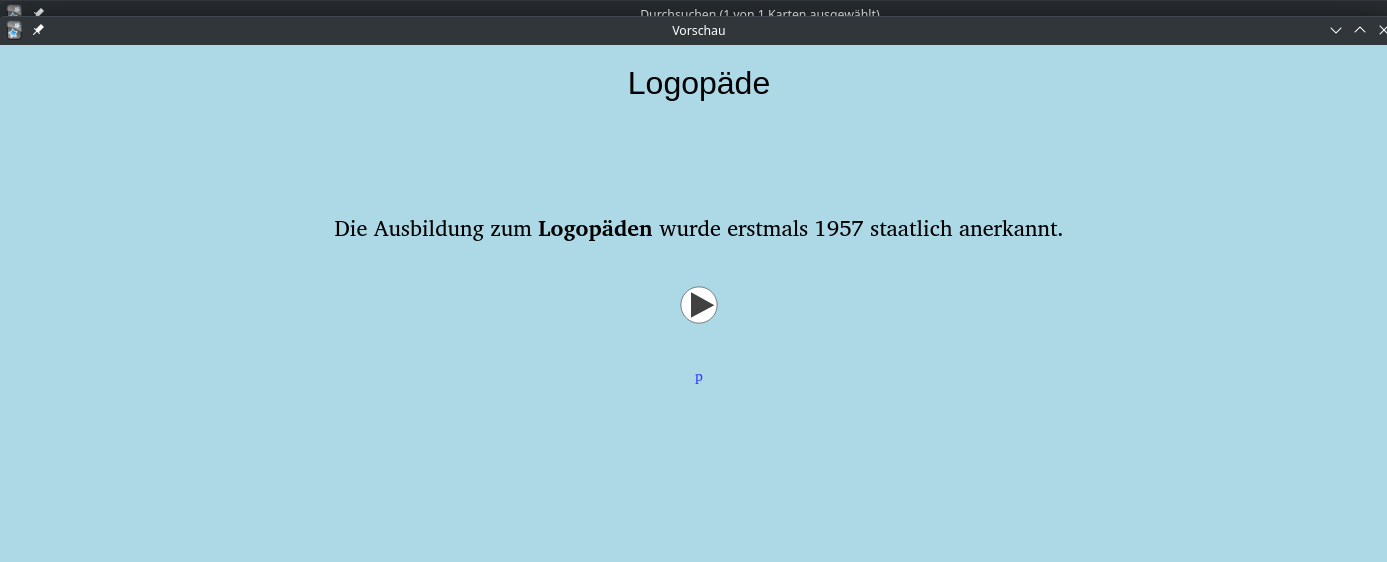
Some languages are characterized by each noun having a Gender. So, a good technique to learn the gender is to change the background color depending on the gender (masculine, feminine or neuter):
To change the background color it is necessary to have a field with only 1 letter and then apply a global style as follows:
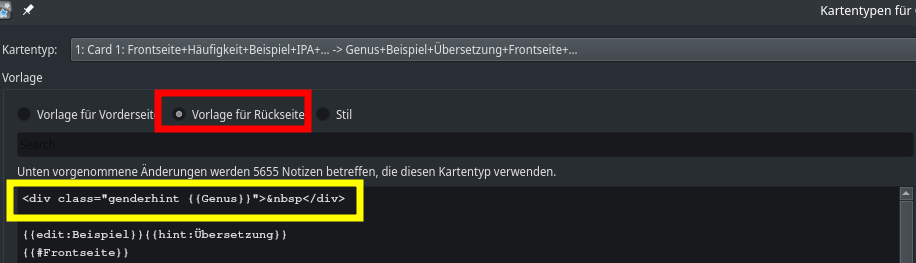
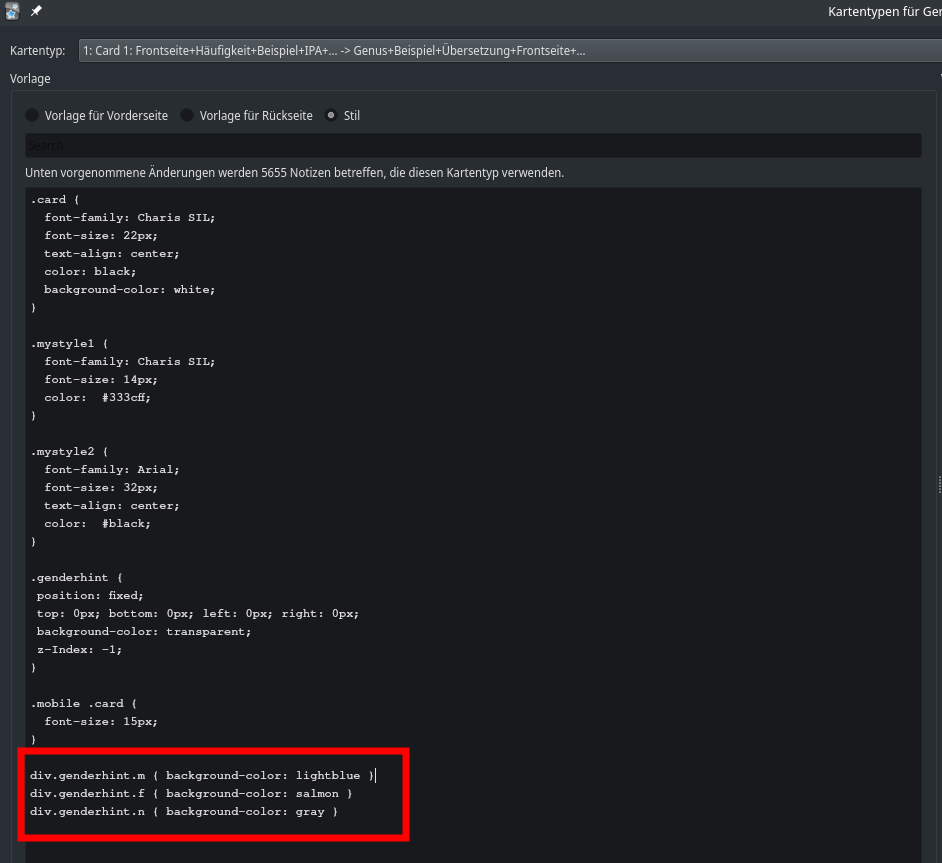
Such a method allows to change the background color by simply adding "m", "f" or "n".
Writing the gender in the main definition field AFTER a dictionary definition does not allow to change the background color via the formula:
div.genderhint.m { background-color: lightblue }
div.genderhint.f { background-color: salmon }
div.genderhint.n { background-color: gray }
Anki has so many possibilities that is always a good idea to allow users to "Disable" Automatic Definition 1 to provide more flexibility.
Another choice would be:
Adding in the GUI the "Definition 2" field which can be disabled and users can write their own notes there.