

 Flutterando
monom repo coverage is not working properly
OS : win 10`
vs code version : 1.71.2
Flutter Coverage version  : 0.0.4
settings.json
"flutter-coverage.coverageFilePaths": ["coverage", "packages/**/coverage"]
related to #5 code to re produce https://github.com/maxzod/queen it should group each package coverage by the package

instead it group them all in single group named after the root directory file name
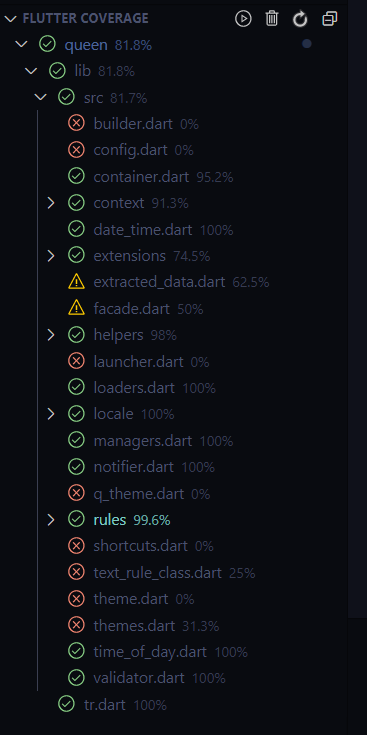
- by clicking on any one of them it cant open the source of the selected file and show this message


I'm fairly certain this is due to the fact that in the coverage files generated by 'flutter test --coverage' use relative file paths. If you look in the lcov files, each file record starts with 'lib/<rest_of_file_name>'.
I'm currently using a customized version of a dart package called 'combine_coverage' to generate an lcov file for my entire monorepo and have it working with this extension. In the lcov files generated there, it includes the '/packages/<package_name>/' in the relative file path which fixes both the issues of all tests being grouped into lib in the extension display and the editor not being able to find the file.
I would definitely prefer monorepo support in this extension though so I don't have to run extra commands to get my coverage, but it works for now. Hope this helps!

Although this issue is rather old, I wanted to add that for me, it works!
I have the same extension version and my coverageFilePath setting is identical.
