

 FakeFishGames
Unstable Ui oversights
Disclaimers
- [X] I have searched the issue tracker to check if the issue has already been reported.
- [ ] My issue happened while using mods.
What happened?
Moving specific ui elements that can be moved under ones that can't, makes them permanently unusable
Reproduction steps
1.Go to a Navigation terminal with wired buttons 2.Move the Ui for triggering Buttons below the velocity counter (Or any other non-moveable ui for that matter) 3.When the moveable ui is fully covered by a non-moveable one, it cant be used or moved back, making it useless
Bug prevalence
Happens every time I play
Version
Other
-
Unstable Current
Which operating system did you encounter this bug on?
Windows
Relevant error messages and crash reports
No response

Fixed in https://github.com/Regalis11/Barotrauma-development/commit/3fafbf047554f6b649ef621d6534d319115db8c7

Tested against dev commit https://github.com/Regalis11/Barotrauma-development/commit/3391dc7033d5d12b9167b38a6269ffd1096e546d
If you have a number of containers linked to a single fabricator (or in general 3 or more GUI's) although they can be all made to fit neatly, this makes it very difficult to actually do so in my tests.
Additionally, if you are multi-linking one container to multiple fabricators/deconstructor's (but not the fab/deconstructor to each other) you can move them over each other by changing each ones location individually, then using the container itself causing overlap. (Though not a huge issue as that is honestly not that hard to undo in game too).
To give a prime example however:
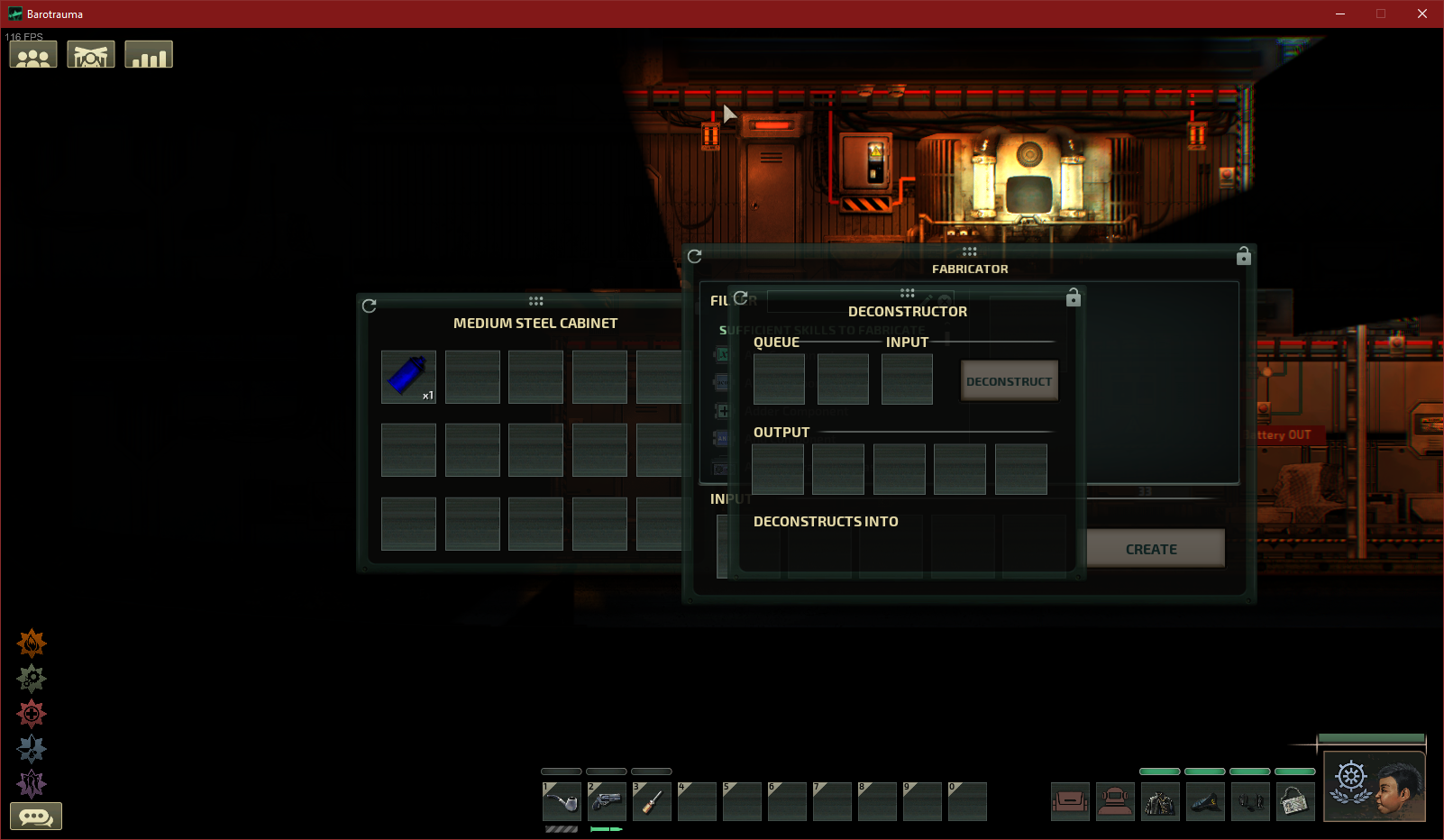
In the above image, there is not one place on the screen I can actually move the deconstructor window. nor is there anywhere I can move the fabricator window. to move this around I had to move the cabinet to one corner, then the deconstructor and finally the fabricator then try to arrange it - but when you get 4 windows (or even 5) despite it would fit fine, its basically near impossible to move windows at that point, example image below of how it would fit 4 or 5 windows easily but these changes (understandably) now make this very difficult:


Addressed in https://github.com/Regalis11/Barotrauma-development/commit/4028a18b7e9fe5836380f60658c6bfac9f57e42e
Made the item UI overlap prevention a little less strict: you're allowed to drag UIs on top of each other as long as the top of the panel (the drag icon area) doesn't overlap.
Tested the latest change, didn't spot any issues. Working correctly, closing.
