

 FakeFishGames
Mouse4 and Mouse5 do not work on Linux
- [x] I have searched the issue tracker to check if the issue has already been reported.
Description Attempting to bind Mouse4 and Mouse5 on Linux doesn't seem to work.
Steps To Reproduce In the settings in either the Controls of Voice Chat menus selecting an input field and attempting to press Mouse4 or Mouse5 does not detect any input (inputs work fine in other games/applications) and leaves the field waiting for input.
Version v0.14.6.0 Linux.
Additional information This is possibly related to closed issue #915. I checked there, but didn't see any discussion.

The problem's with SDL here - SDL_GetGlobalMouseState doesn't check for the extra buttons on X11. As a workaround, you can patch MonoGame to get button state from GetMouseState instead (Input/Mouse.SDL.cs, line 28 - add state = Sdl.Mouse.GetState(out _, out _);)

Tested, I was unable to bind my mouse 4th and 5th buttons on Linux but I was able to bind them just fine on Windows, moving to Review.

@Rokvach Works fine at my end. Tested on Ubuntu 18.04.2, with a Logitech M720.
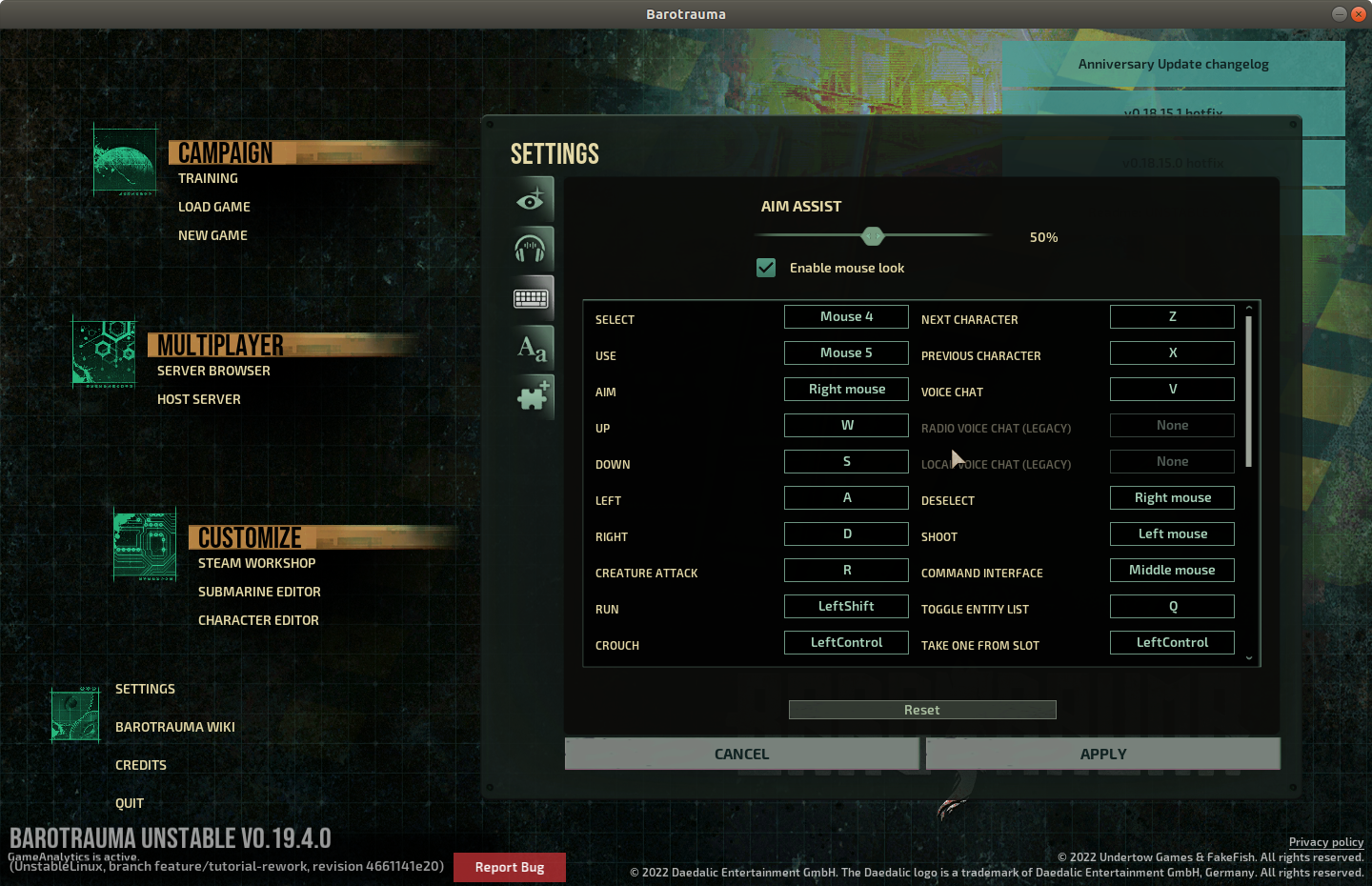
Which Linux distro/version and mouse are you using? Are you sure the 4th and 5th mouse buttons work elsewhere on your system, and it's not for example a driver issue of some sort?

I was using Ubuntu 20.04 with Logitech G Pro wireless mouse. I was able to assign Mouse 4 and Mouse 4 just fine in Windows but I wasn't able to do the same in Linux
I was using a VM however so there is a possibility that the VM just doesn't support those mouse buttons
But do the buttons work outside the game? If not, I would suspect it's a driver issue.
I had to configure my VM to support those buttons, tested now again and they are working correctly. Closing.