

 Facepunch
Allow overrides to windows scaling for dev tools.
What can't you do? I can't change the scaling in the dev tools without changing my scaling in windows.
Everything is too big/scrunched up at 125%, but fine if I set it to 100%.
How would you like it to work? Add an option to override the scaling that windows does.
What have you tried? Looking for workarounds and ways to override the scaling without setting my windows scaling to 100%.
Additional context The HLA tools don't have this issue.

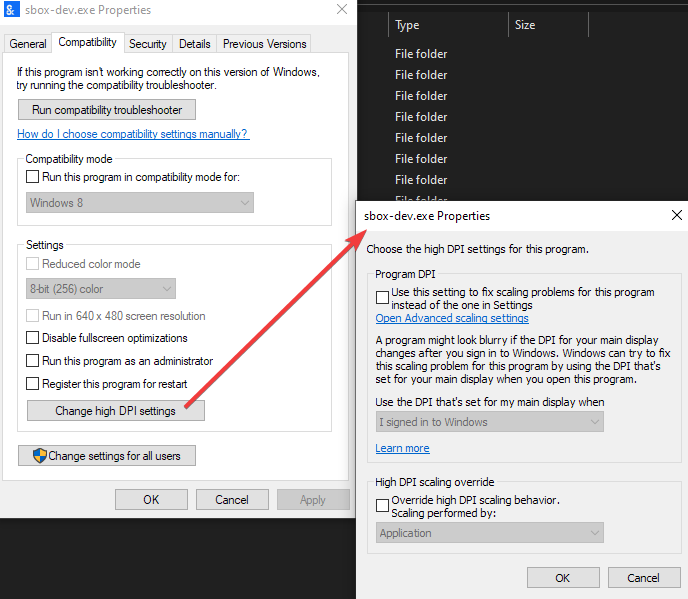

Have you tried the Windows compatibility settings to override DPI scaling?
I have yes, sadly it didn't make any difference.
Doing that really only made it worse by making it more fuzzy-looking.
I've used these settings before on other programs and it usually works for them, so I'm not sure why it doesn't for the sbox tools.
My only guess is that the DPI settings are being applied to the game window that launches right before the tools do. (Although upon some extra testing it doesn't seem like anything changed in the game window, at least on the surface.)