
FTB-Modpack-Issues
 FTB-Modpack-Issues copied to clipboard
 FTBTeam
[Suggestion]: Molten Obsidian Causes Lag Spikes in Aurellia
Modpack
FTB Interactions
Is your suggestion related to a problem? Please describe.
The game causes lag spikes when sea of molten obsidian comes into my view. In other places, this does not happen. Is Ryzen 9 5900X and RTX3080 not enough for that? Or does the storage lacks of I/O read and write for the pack?
Mod suggestion
No response

How much RAM do you have assigned to the pack, and is that RAM fully free in your computer?

I have 16GB of memory installed on my computer and gave 9GB as "INSTANCE MEMORY" from "Settings" in FTB App. Also a JVM argument was given like below:
-Xms6G -Xmx6G -XX:+UseG1GC -XX:+UnlockExperimentalVMOptions -XX:G1NewSizePercent=20 -XX:G1ReservePercent=20 -XX:MaxGCPauseMillis=51 -XX:G1HeapRegionSize=128M -XX:-UseCodeCacheFlushing -XX:ReservedCodeCacheSize=256m
With these settings, my computer has about 3-4 GB memory remaining while playing the game and I don't think the memory runs out.
Ok, sorry for the delay, managed to work on it a bit after your comment. It does look like Molten Obsidian is causing an issue of chunk updates, where the game basically keeps redrawing itself. I'm not sure why or how to solve that, but I'll add some info and potentially my collegue Saereth knows if this is "fixable" in some way.
The flashy blocks in red means that chunk updated (and drew itself again). Normally this would happen when a block is updated, like some machinery finished cooking ores for example. It would redraw itself only once. Each mass of red blocks triggers a redraw everytime:
https://user-images.githubusercontent.com/17010632/203729215-2d9b0d97-f45f-47bb-b846-ee63578f782b.mp4
Forge threaded chunk rendering seems on by default... which is the only thing I think could help in this case:

I've checked the CPU time with Visual VM, and I'm unsure if that part is relevant but here it is:
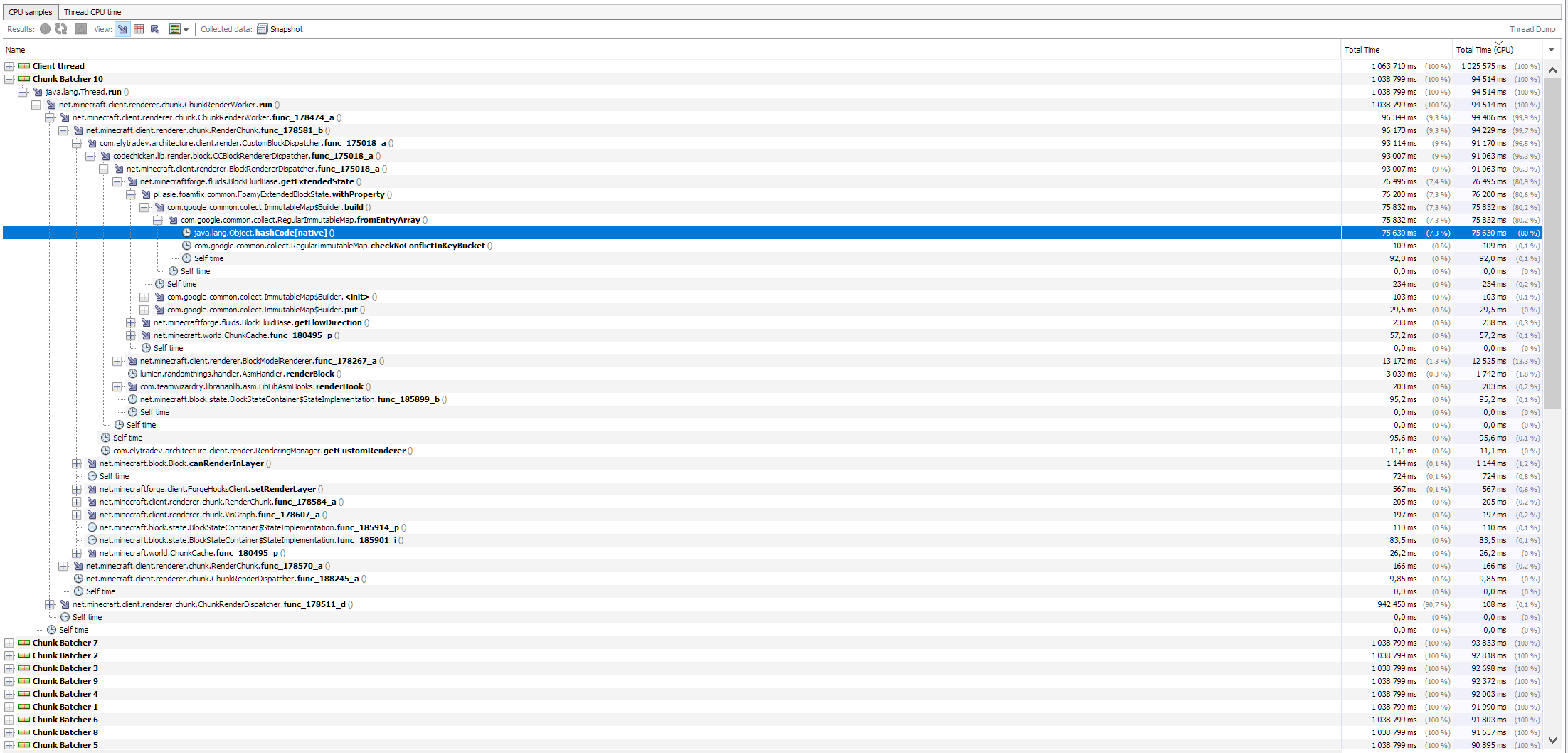
There's a bunch of packages there for what seems to be drawing fluids... ArchitectureCraft > CCL > Forge > FoamFix
Ultimately the fluid is from Tinker's Construct
As additional info if you replace the top layer of the molten obsidian with a solid like stone, no more render updates for that section (maybe due to occlusion culling).
https://user-images.githubusercontent.com/17010632/203733358-5ce8ffc4-b0bc-4eb0-b3bb-4a3d203e0aba.mp4
If I remove the layer of stone, updates start happening again:
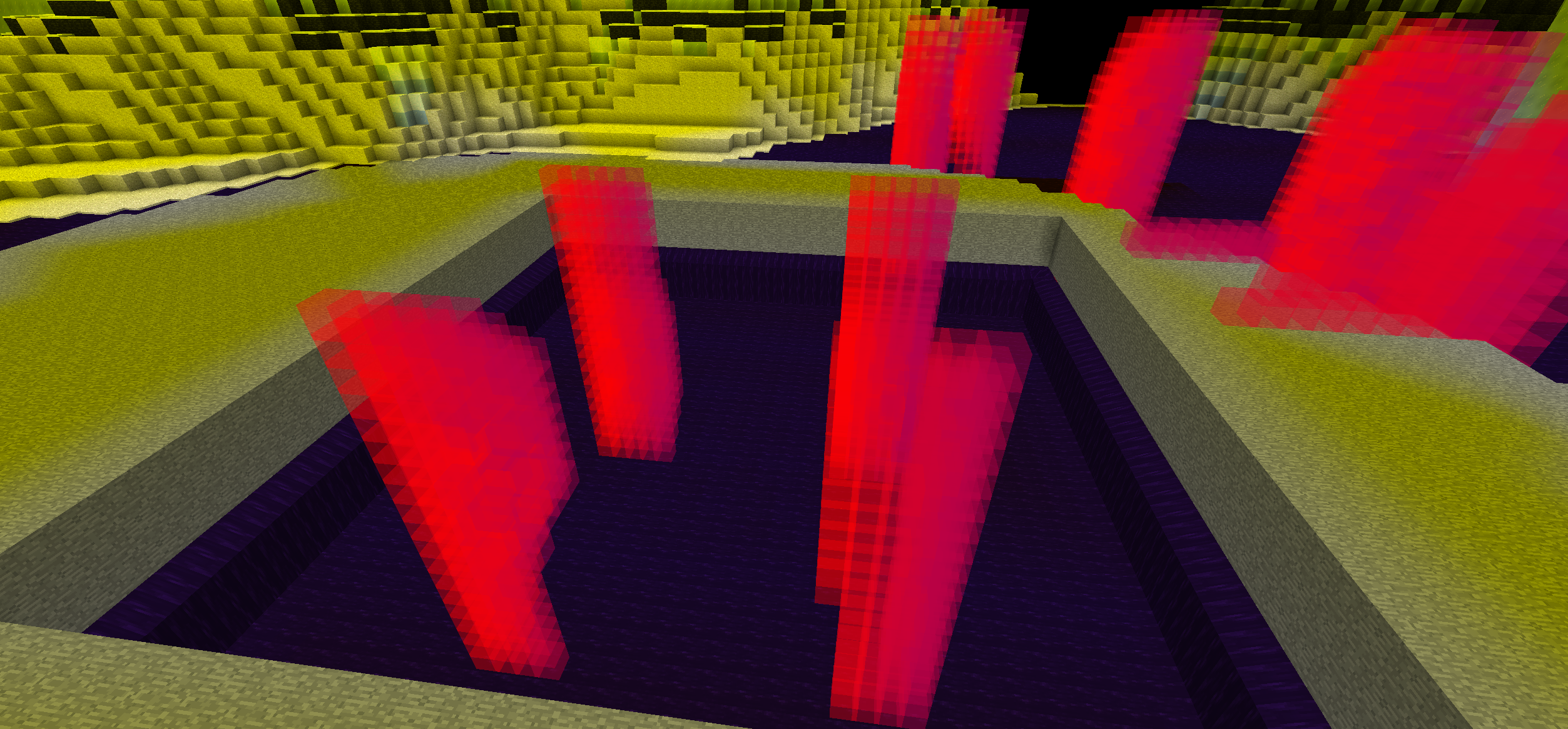
That's all the info I could gather on it for now, will have to dig again later unfortunately since I don't possess the knowledge to debug this further at the moment
Thanks for all your troubleshooting and comments! I was sure occlusion culling tries not to draw polygons if they can't be seen by player's camera..... Anyway I understand that further researches can be required on this problem and appreciate your workings.
Additionally disabling Forge's lighting pipeline from an ingame MOD configuration editor, greatly seems to improve the gameplay with Aurellia! When enabled my computer's CPU usage increases to nearly 100%, but doesn't when disabled. (It can be only on my computer though) I hope if this helps you.
Interesting findings, if that configuration can solve it in the future for other modpack players then we'll go with it (after testing more of it!). Thanks a bunch for the feedback, that's helpful! :)