
react-native-share-menu
 react-native-share-menu copied to clipboard
 Expensify
how to get "hello" value in main app after ShareMenuReactView.continueInApp({hello: 'from the other side'}) in IOS??
my index.share.js file
import { AppRegistry } from 'react-native';
import Share from './App/Components/ShareInApp/ShareIos';

AppRegistry.registerComponent('ShareMenuModuleComponent', () => Share);
my Share.js file
const Share = () => {

  useEffect(() => {
    ShareMenuReactView.data().then(item => {
       ShareMenuReactView.continueInApp({
         hello: 'from the other side',
         data: item
       });
    });
  }, []);

  return null;
};

export default Share;
how to get these values (hello and data) in my main app??? please help

@asadd-irfan Im also facing the same issue, please let me know when you find something

@jdmunro @edbice @caiosba We are trying to get Data but getting undefined when app gets opened by continueInApp method

We found the issue, check you scheme URL, that's invalid
On Wed, Oct 26, 2022, 11:38 AM feriarvis @.***> wrote:
same issue
— Reply to this email directly, view it on GitHub https://github.com/meedan/react-native-share-menu/issues/207#issuecomment-1291569126, or unsubscribe https://github.com/notifications/unsubscribe-auth/ABXNPUNFANXRJVTTDV222WDWFDGWHANCNFSM6AAAAAAQDOG62A . You are receiving this because you commented.Message ID: @.***>
@feriarvis everything will work you just have to make sure you are providing correct URL scheme in your info.plist. We found the fix, our URL scheme was not matching thats why we were not getting extra data. once correct URL scheme provided everything started working.
@AsadAlihp redirect to app work, but after open the app throwing error Invariant Violation: Native module cannot be null.
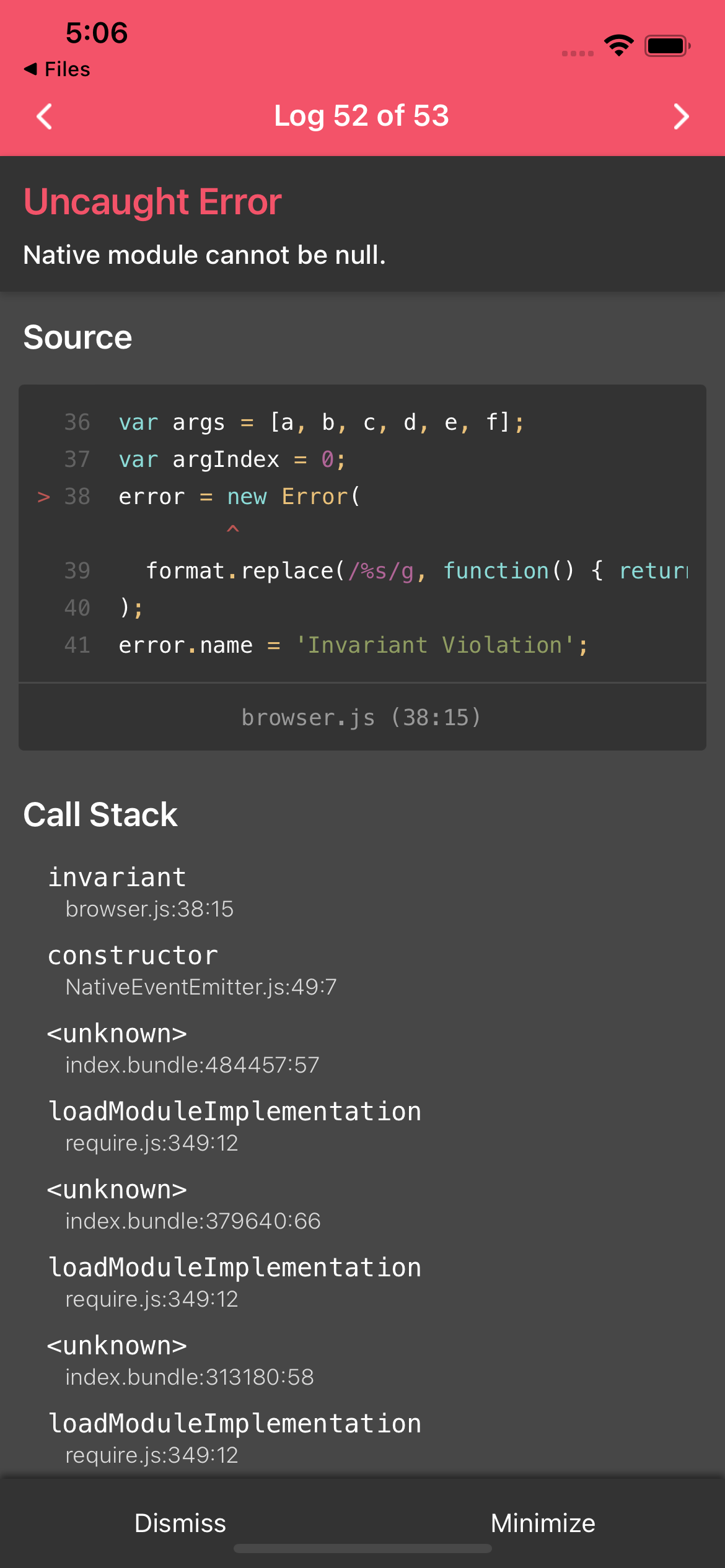
@feriarvis did you this step: "Repeat this process for the Share Extension target, with the exact same group name." ? because i forgot this, and that caused the same error

first make sure that you create group as documented in ( https://github.com/meedan/react-native-share-menu/blob/master/IOS_INSTRUCTIONS.md#create-app-group-and-url-scheme ) .
and make sure your HostAppURLScheme is match with your app CFBundleURLSchemes : form app you should add custom url in top of your prev urlScheme:
before your app info:
       ......
       <key>CFBundleURLSchemes</key>
       <array>
           // this is your app default URLSchemes
           <string>com.googleusercontent.xxxxxxxx</string>
       </array>
       .....
after your app info :
       .....
       <key>CFBundleURLSchemes</key>
       <array>
           // Add the following line
           <string>mycustomscheme</string>
           // this is your app default URLSchemes
           <string>com.googleusercontent.xxxxxxxx</string>
       </array>
       .....
and add new added url to your extension info ( note that we add :// to end of our url ) :
        .....
        <key>HostAppURLScheme</key>
	<string>mycustomscheme://</string>
        .....
after this steps your app will get data in ContinueInApp in array
