

 Expensify
[HOLD] [$250] IOS - LHN - The Global create menu is not automatically displayed after you log in for the first time
If you haven’t already, check out our contributing guidelines for onboarding and email [email protected] to request to join our Slack channel!
Action Performed:
- Launch the app
- Create a new applause.expensifail account/gmail
- Verify that after you log in for the first time, the Global create menu is automatically displayed and open (showing the Request Money, New Chat, ect options)
Expected Result:
The Global create menu is automatically displayed after you log in for the first time
Actual Result:
The Global create menu is not automatically displayed after you log in for the first time
Workaround:
Unknown
Platform:
Where is this issue occurring?
- iOS
Version Number: 1.2.21.4
Reproducible in staging?: Yes
Reproducible in production?: No
Email or phone of affected tester (no customers):
Logs: https://stackoverflow.com/c/expensify/questions/4856
Notes/Photos/Videos: Any additional supporting documentation
https://user-images.githubusercontent.com/93399543/198835111-7b60bc8a-3219-4738-8f88-ed958bf3dcb0.mp4
Expensify/Expensify Issue URL:
Issue reported by: Applause - Internal Team
Slack conversation:

:wave: Friendly reminder that deploy blockers are time-sensitive ⏱ issues! Check out the open StagingDeployCash deploy checklist to see the list of PRs included in this release, then work quickly to do one of the following:
- Identify the pull request that introduced this issue and revert it.
- Find someone who can quickly fix the issue.
- Fix the issue yourself.

Triggered auto assignment to @tylerkaraszewski (Engineering), see https://stackoverflow.com/c/expensify/questions/4319 for more details.
![melvin-bot[bot] avatar](https://avatars.githubusercontent.com/in/179547?v=4 "Published by a pub.dev verified publisher")
@Julesssss Hmm I can see the FAB in the screenshare, what is the issue here @kbecciv ?
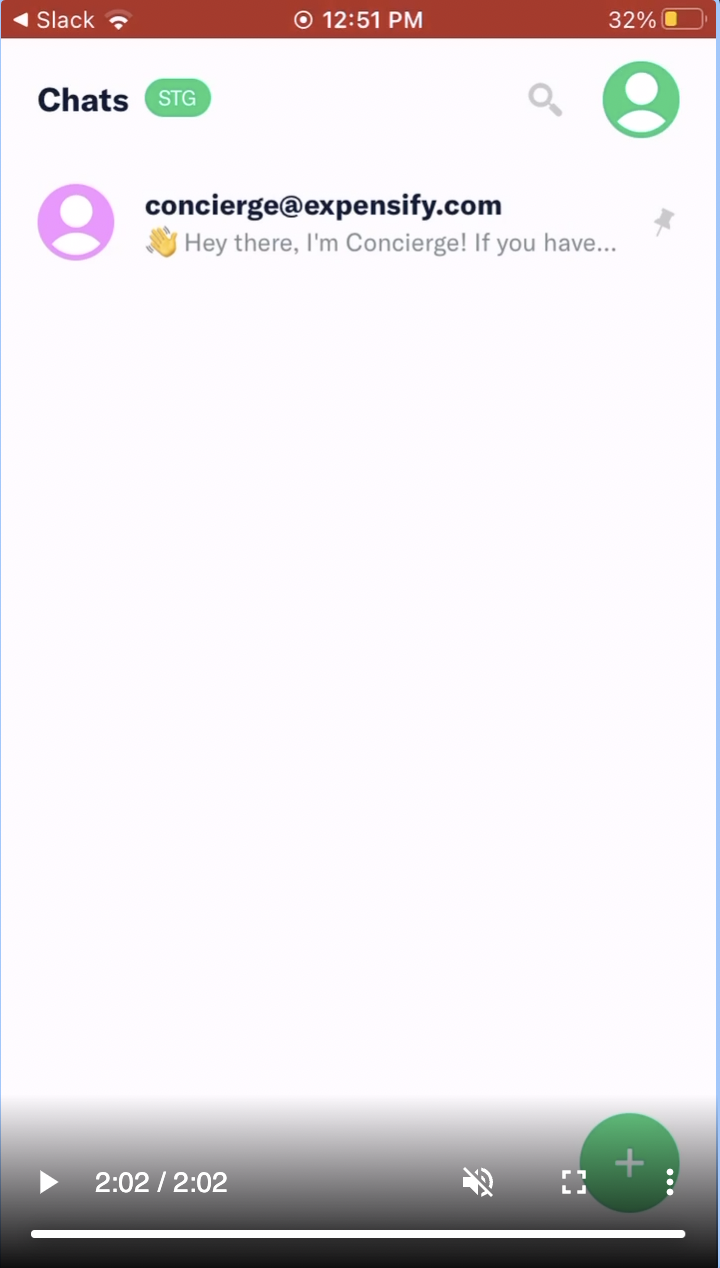

@mountiny on first-open the Fab should show in the open state, so you should see the list of options, like Send Money, Request Money, ect

@Julesssss can you repro locally? there is this refactor of the Popover which brings some performance gains hopefully and maybe this would be fixed there.
I was able to reproduce it, but not consistently. It seems to work as expected for me at the moment:
Web - staging https://user-images.githubusercontent.com/10736861/199047426-c1e1f833-f136-45c7-8848-3197607e35b5.mov
Web - prod https://user-images.githubusercontent.com/10736861/199046704-50a8e4b2-29d2-49ac-bff6-c98fe17f2883.mov
I could not see any PR which would directly influence this flow, I think this does not necessarily has to be deploy blocker, also the refactoring mentioned above can change these things.
I just tested iOS and it worked as expected 😕
Perhaps it is a performance issue like @mountiny suggested. Anyway, I'm going to remove the blocker label and close as a one-off.
https://user-images.githubusercontent.com/10736861/199050265-1b0a875a-fb6d-4fc1-9cd3-7ba2c0a477d0.MP4
Issue is reproduced in Web with build 1.2.22.1
https://user-images.githubusercontent.com/93399543/199125778-e40feb4e-21fe-4ac3-92b7-0d796d9bbc34.mp4
@tylerkaraszewski we removed this as a deploy blocker as it wasn't always reproducible. Personally, I think we should ask Applause to retest.
@tylerkaraszewski Whoops! This issue is 2 days overdue. Let's get this updated quick!

@applausebot Whoops! This issue is 2 days overdue. Let's get this updated quick!

@mountiny Issue is reproduced with build 1.2.24.4
https://user-images.githubusercontent.com/93399543/200597680-522db4e7-d83f-470a-a4af-1fc8e735fbd9.mp4
Triggered auto assignment to @MitchExpensify (Bug), see https://stackoverflow.com/c/expensify/questions/14418 for more details.
Current assignee @MitchExpensify is eligible for the External assigner, not assigning anyone new.
Triggered auto assignment to Contributor-plus team member for initial proposal review - @mananjadhav (External)
Triggered auto assignment to @pecanoro (External), see https://stackoverflow.com/c/expensify/questions/7972 for more details.
cc @hannojg since you might have some idea about this as you have refactored the button.

Actually, lets put this on hold for https://github.com/Expensify/App/issues/12281 that Pr might be fixing it
@kbecciv @kavimuru Could you please retest this in staging Android? Seems like a C+ tried this and wasnt able to repro anymore https://github.com/Expensify/App/pull/12369#issuecomment-1311795606
@mountiny This was reproducible in iOS. Will retest in both Android and iOS and update here.

Issue is not reproduced for both Android and iOS apps.
https://user-images.githubusercontent.com/93399543/201687397-be43c8c1-70b1-4b9b-8330-be62048c1aad.mp4
https://user-images.githubusercontent.com/93399543/201687403-a7a69e5b-ecaa-4045-a21e-50a047d043f6.MP4
Ok, I think given this is so unreliably reproducible we can disregard this and potentially come back to this issue if it becomes reliably reproducible issue.
Thank you @kbecciv
Hah, sorry, not a CME here, I suggest closing this issue @pecanoro