

 Excel-DNA
Stuck on "Registering library" when workbook is opened before add-in
This is a weird one. We've been using ExcelDna for 5+ years, more or less keeping up to date with the latest version, also more or less keeping up with the latest office 365 has to offer (currently Excel Version 2002)
Lately, we're building workbooks that are using features of Excel we've never used in combination with the add-in before (Format-as-Table tables, new spilling Array Formulas, etc) We've managed to build a workbook that works fine if we open the add-in first, then open the workbook - but if we open the workbook first, opening the add-in hangs on "Registering library" and never completes.

With some experimenting, we've determined that the issue "goes away" if we remove all "lookups" (index/match) into a "Format-as-table" table containing a ton of UDFs from the Excel add-in. The more we have, the longer it hangs. At a few thousand rows / few dozen columns of index-lookups into this table full of UDF calls, it hangs indefinitely (hours+).
If the hung thread/process gets 'killed' (by letting windows Restart Excel) the following add-in diagnostic dialog pops up before Excel is restarted:
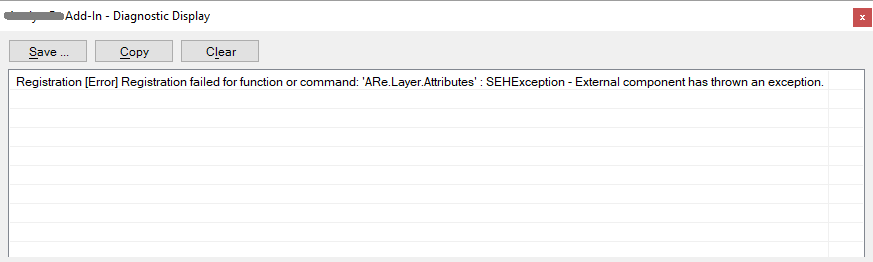 Not sure if it's helpful or points to the point in the registration workflow that things have gotten hung.
I think we've stumbled into a scenario where the cost/time to register the library scales with the number of UDF calls in the currently open workbook, and was wondering where we can go from here to investigate the root cause and eliminate it.
Let me know what you think.

Hi @alainbryden !
Can you confirm the Excel-DNA version you're looking at here? Approximately how many functions are you registering or does it happen even with few functions?
Since the last release the whole registration part has ben refactored, in particular to make the add-in load faster for cases where there are lots of functions. So if you try the current preview v1.2.5-preview version that might be better, or might be the cause of trouble. There was definitely also a potential problem with the startup in an earlier preview, but things should be fine with the current version.
I'm not sure how Excel operates in the scenario where
- you have a large number of UDF calls, but the add-in is not loaded
- then the add-in loads and registers the functions Does Excel start to recalculate immediately after the add-in is loaded? Could this be a cause of trouble? I know nothing about "Format-as-table" tables.
It would also be useful to know whether the problem presents itself in the same way between the last release v1.1.1 and the current preview v1.2.5-preview.
It might of course be that the problem would be there for any Excel .xll add-in, which one could confirm with a native add-in in a similar setting.
Also if we can get to a simple sheet layout and a few simple functions that causes the same behaviour, it would help take a closer look.

Hey Govert,
Looks like we were seeing this on both v1.1.1 and formerly v0.35.3-beta3. We'll give 1.25-preview a shot and see if that improves things!
We've had~30 functions to register, give or take a few, and I think the workbook in question only uses two or three of them, but contains about 60,000 usages.
I think we went out of our way in the ribbon load handler to schedule a Recalculate (since the default behaviour of Excel in this has flip-flopped in the past). Not sure it's the cause though, as Excel hangs before our ribbon appears, and so presumably before that handler gets called.
I'm only just becoming familiar with these Tables, looks like they've been around a while though.
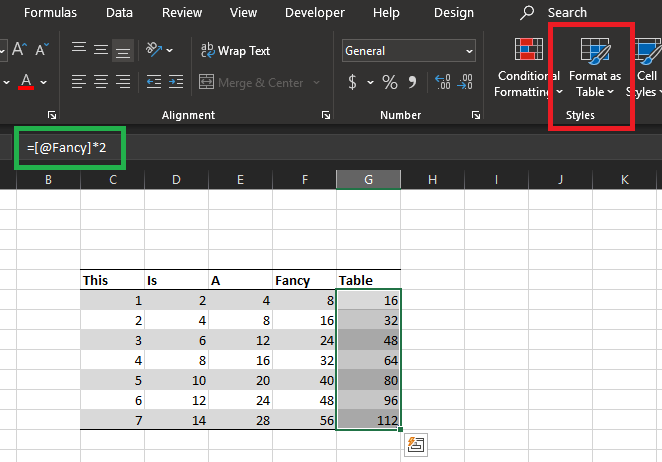 Essentially, Excel auto-enhances the table with various features, including filtering, auto-generated names for all columns and the table itself / table headers... All formulas typed automatically take on a new tabular reference style (similar to when working in pivot tables) and by default, all rows in a column share a single formula. Presumably there are some optimizations behind the scenes, so when such a table is 10000 rows long each formula is only stored once instead of 10000 times - but who knows. I suspect something about the special way Excel handles formulas in these tables was tripping on the UDFs.
I'll let you know how use of the pre-release version goes and we'll take it from there if needed.
OK - I'm not expecting a big change with the new version if you're only registering 30 functions. It was for cases where a few thousand different functions are registered that I did the optimization.
There's nothing about with interaction with .xll UDFs that differs between normal cells and calls from inside a table. In particular the special table references are not visible to the UDFs - they're just called as normal with the actual values.
As you say, Excel's recalculation behaviour when an add-in is loaded and registers new functions is not so predictable (or perhaps stable across scenarios and versions).
What is interesting about your story is the place where the problem happens - I'm guessing this is right after the AutoOpen and register has happened but before Excel repaints, since the "Registering..." is still showing. I'd be surprised, but it is possible, if Excel is actually starting the recalculate from within the registration call (which happens inside AutoOpen). It would be worth debugging and tracing exactly where that happens.
As you suspected, the issue is still there in the latest (although with the latest, the status "registering library..." is no longer on-screen when it hangs,
Creating a minimum-reproducible version of the issue is going to be tricky, as I am no longer the "owner" of the add-in in question (or its source code), but I'll see how far I get attaching a the debugger and breaking while the problem is happening. I'm not sure if you currently publish debug symbols for your nuget packages anywhere (I know that's been a very difficult thing to keep up with historically), but I might be able to produce a recognizable call stack regardless.
I suspect this is not related to Excel-DNA itself. You need to figure out whether it is something about the add-in (in which case it can be fixed there) or just inherent in how Excel, UDFs and the table structure interact (in which case you can report to Microsoft).
To confirm this, one could:
- Make a new, minimal Excel-DNA add-in with a simple function or two. Maybe one of the functions can be a bit slow, to make sure that recalculating it in some nested loop will cause a visible delay.
- Set up the kind of table that causes trouble, calling these UDFs.
- Check for the same trouble.
- If you don't get the same trouble, you know it is something to do with the add-in, and can bisect from there.
- If you do get the same trouble, next step is to get Excel-DNA and .NET out of the equation (no pun intended).
- For this one would use the native code sample .xll, and try to reproduce.
- At that point there is a story one can report to Microsoft.
Pardon me for going down my own rabbit hole for a bit, but I did have success getting a call stack when Excel is hung, and it might be useful - it's not all too complex:
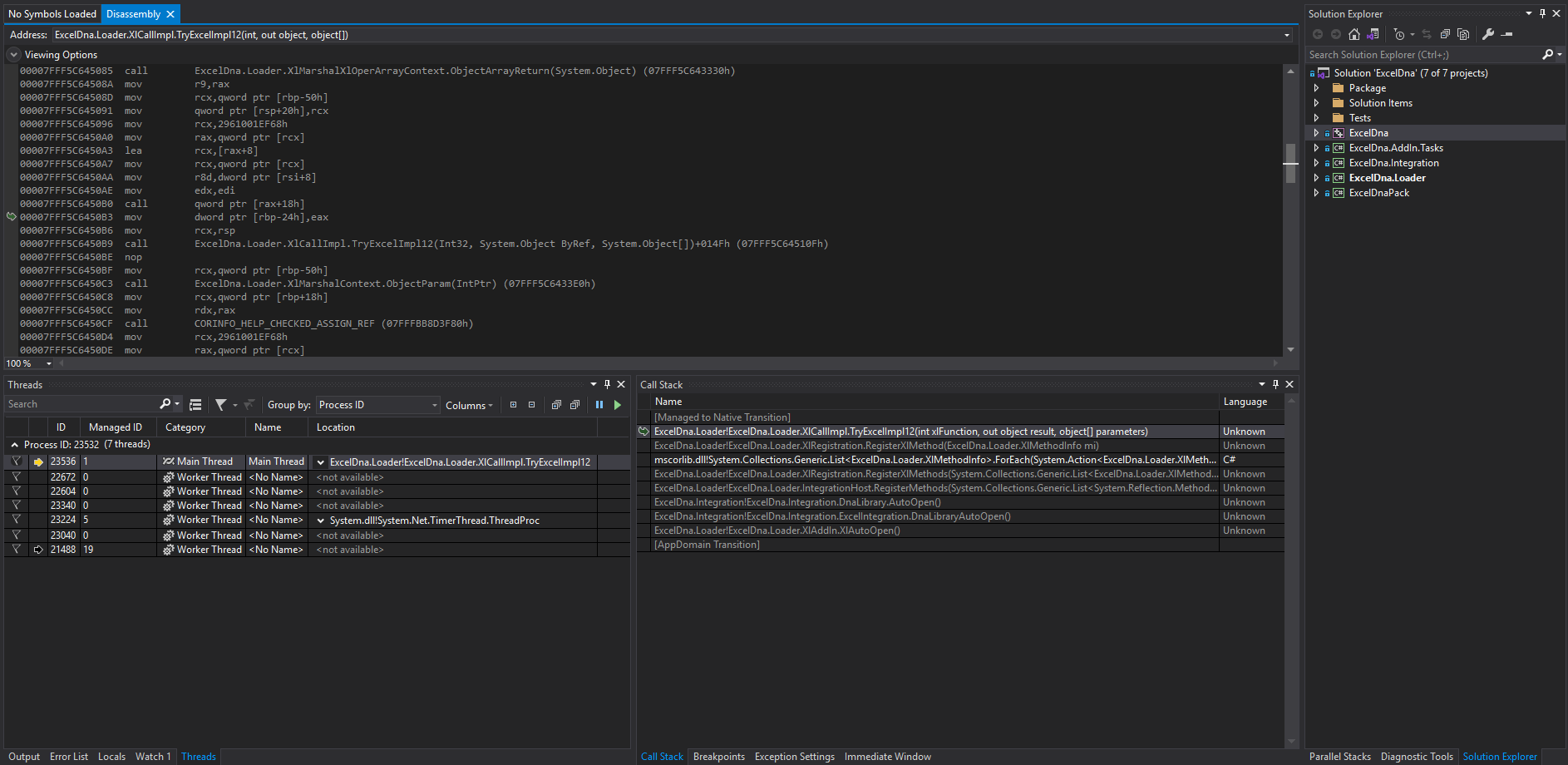 The hangup is happening on the main thread (also the only thread running non-framework code - which keeps things simple) The call stack is also still quite small, seemingly early in DnaLibrary.AutoOpen workflow.
While the attached code is an optimized release build, and I don't have access to symbols to view source code alongside it, I do still get the option to inspect locals that haven't been optimized away, and can see, for instance, that it is very slowly progressing through the registration of (what turns out to be) 74 functions.
Here it is working on the 46th function registration, after about an hour of debugging:
 So there isn't a deadlock, it does make very slow progress, and all the time seems to go to waiting on a very slow response from Excel to whatever native call is being made within
 XlCallImpl.TryExcelImpl12 (presumably Excel12v call of xlfRegister).
Certainly seems like a Microsoft issue, which I guess means we'd be lucky to have them acknowledge it, let alone solve it.
Well I can reproduce a problem when I make an add-in with 60 functions and a table with 100k rows x 6 formula cols.
So there's nothing special about your add-in or workbook.
The call stack is not very deep, so this is probably not the issue, but every call to Excel12 has a fairly hefty stack allocation:
int _cdecl Excel12(int xlfn, LPXLOPER12 operRes, int count, ...)
{

	LPXLOPER12 rgxloper12[cxloper12Max];
where cxloper12Max is 255.

Thanks for going the extra mile. I was going to take a stab at reproducing with a new add-in, but I've only made the one and built on top of it for 6 years, so the thought of starting a new one from scratch seemed more daunting than it probably is.