
ESSeparatorInset
 ESSeparatorInset copied to clipboard
 EnjoySR
Remove the UITableView separator on the left side of the spacing.
ESSeparatorInset
Remove the UITableView separator on the left side of the spacing.
一行代码移除 UITableView 分割线左边的默认的间距
###How to use:
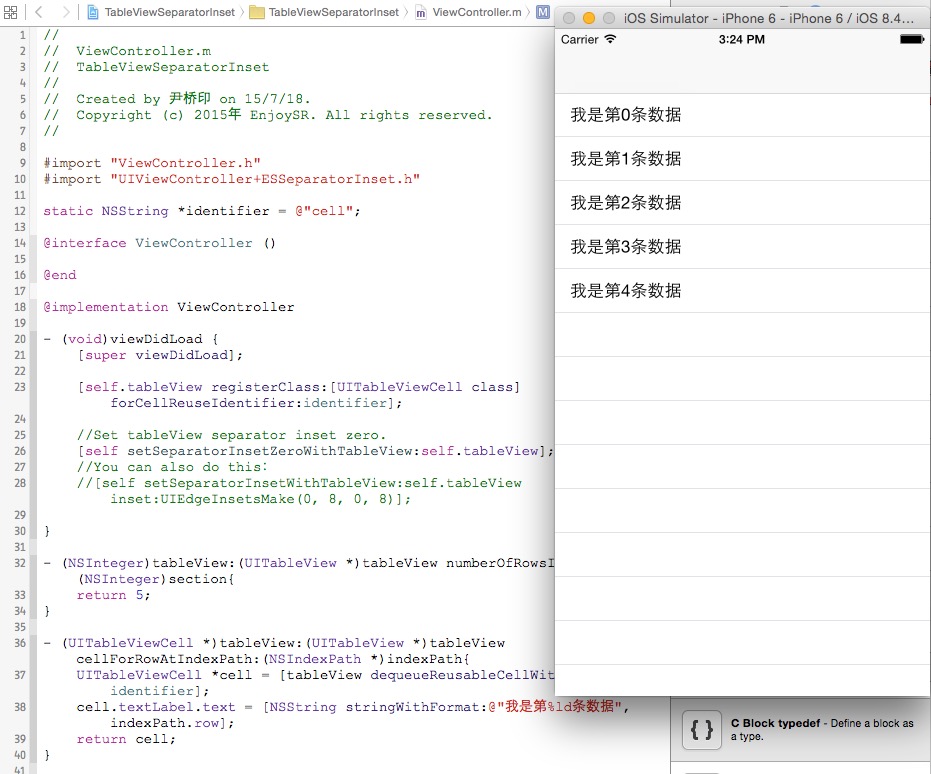
Drag the name as "ESSeparatorInset" folder to your project, and import the header files. Code:
    //Set tableView separator inset zero.
    [self setSeparatorInsetZeroWithTableView:self.tableView];
    //You can also do this:
    [self setSeparatorInsetWithTableView:self.tableView inset:UIEdgeInsetsMake(0, 8, 0, 8)];
 EnjoySR