

 ElrondNetwork
Maiar Login Issue
When I try to login using my Maiar App in the application I get this erro

It happens when I navigate to the unlock page, however logging in through the extension works correctly.
These are my dependecies
{ "@elrondnetwork/dapp-core": "2.0.0-alpha.10", "@elrondnetwork/erdjs": "10.2.5", "@elrondnetwork/erdjs-network-providers": "0.1.5", }
I've tried different combinations of the latest version, but nothing seems to be solving this issue.

I have another problem with Maiar App
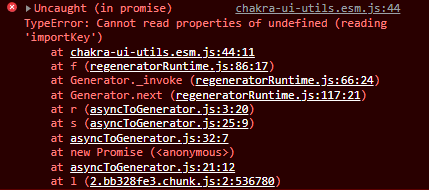
I think it's because I still use old version of dapp-core.
The fun fact here is that it's working on localhost but not on hosted server...

HI! This this:
- use
2.0.0-alpha.19version - remove your node_modules and package-lock.json / yarn.lock file
- clean install
- clear your sessionStorage and localStorage
- try again.

Right now I am experiencing a different issue when trying to login using the QR code and Maiar. I can approve the connection from my phone, but immediately after that I get the message "Couldn't establish connection" in Maiar.
@rarescioroga Please use the latest dapp-core beta version and let us know if is still reproducible. Also, please upgrade all the @elrondnetwork packages to the latest versions. Before testing, please clear your localStorage and sessionStorage.
This happens to me also using
"@elrondnetwork/dapp-core": "^2.1.2", "@elrondnetwork/erdjs": "^11.1.1",
If I use Maiar App connection, it forwards me to web-wallet. I assume that's the default if there is no provider.
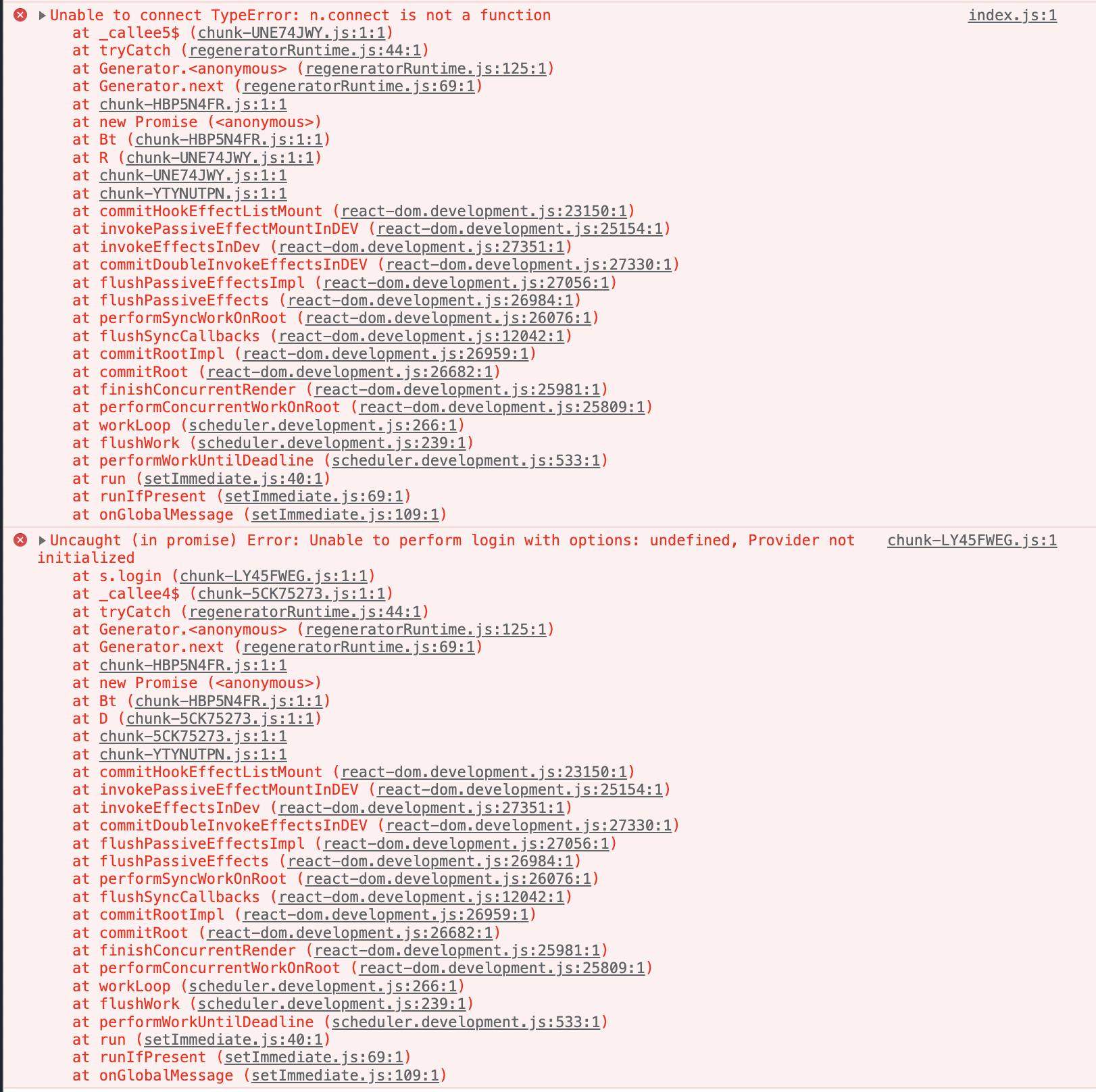

@dan-merlea Could you attach some code snippets or a link to a reproducible repo?
Sure!
index.tsx
<BrowserRouter>
	<DappProvider environment={network.id} customNetworkConfig={network}>
		<CoreContextProvider api={api}>
			<TransactionsToastList successfulToastLifetime={5000} className="" />
			<SignTransactionsModals />
			<RoomContextProvider>
				<App />
			</RoomContextProvider>
		</CoreContextProvider>
	</DappProvider>
</BrowserRouter>
Then I use the buttons ( eg: ExtensionLoginButton, WebWalletLoginButton ) and custom WalletConnectLoginContainer & LedgerLoginContainer for connection. These work fine.
Connection with Browser extension works ok even with this error.
Please check this repo: https://github.com/ElrondNetwork/dapp-template There is an example of dApp containing all login methods. If you still get this error after that, you should provide us a repo where the issue is reproducible.
I was aware of the repo. I will try to strip down the code into a small repo with a reproducible issue. Thank you for quick reply!
There you go @CiprianDraghici https://github.com/dan-merlea/dapp-issue
To ease the search, the places to look for are: index.tsx & ./core/components
I did not add any gitignore, so node_modules should already be there. You just need to run yarn start / npm run start
The strange thing is that I'm using the same code in another project and works ok. Same exact setup. Can't understand why I get the errors with this one.
We have checked your repo and It seems the issue is related to your project setup. We made the same steps in dapp-template, where the issue is not present. So please use dapp-template as a starting point for your project.

I will do that, but I don't think this should be the solution. The framework should be more flexible to the setup, especially since you can now debug the issue. Thank you for investigating!
Ok, after some more investigation, found the issue! Wrap the dapp-template in <React.StrictMode></React.StrictMode> to reproduce.
https://reactjs.org/docs/strict-mode.html
Please use the latest sdk-dapp version. If the issue persists, please create a new issue.