
MaterialBarcodeScanner
 MaterialBarcodeScanner copied to clipboard
 EdwardvanRaak
Easy to use barcode reader for your Android Project (Uses Google Mobile Vision API)
This project is not being maintained or updated, please don't use this library!
MaterialBarcodeScanner
Easy to use barcode reader for your Android Project (Uses Google Mobile Vision API)


###Overview
- Integrate in a few minutes
- Quick and simple api
- No external apps required
- Uses Google Mobile Vision API (fast, local and rotation free)
- Automatically parses QR Codes, Data Matrix, PDF-417, and Aztec values
- Supports 1D barcodes: EAN-13, EAN-8, UPC-A, UPC-E, Code-39, Code-93, Code-128, ITF, Codabar
- Supports 2D barcodes: QR Code, Data Matrix, PDF-417, Aztec
#Setup ##1. Provide gradle dependency
compile 'com.edwardvanraak:MaterialBarcodeScanner:0.0.6-ALPHA'
##2. Build a MaterialBarcodeScanner
    private void startScan() {
        /**
         * Build a new MaterialBarcodeScanner
         */
        final MaterialBarcodeScanner materialBarcodeScanner = new MaterialBarcodeScannerBuilder()
                .withActivity(MainActivity.this)
                .withEnableAutoFocus(true)
                .withBleepEnabled(true)
                .withBackfacingCamera()
                .withText("Scanning...")
                .withResultListener(new MaterialBarcodeScanner.OnResultListener() {
                    @Override
                    public void onResult(Barcode barcode) {
                        barcodeResult = barcode;
                        result.setText(barcode.rawValue);
                    }
                })
                .build();
        materialBarcodeScanner.startScan();
    }
Hook it up to a button
  fab.setOnClickListener(new View.OnClickListener() {
            @Override
            public void onClick(View view) {
                startScan();
            }
        });
##3. Start scanning!
Check out the full example project for code required for camera permissions on Android 6.0 Marshmallow
#Additional Setup
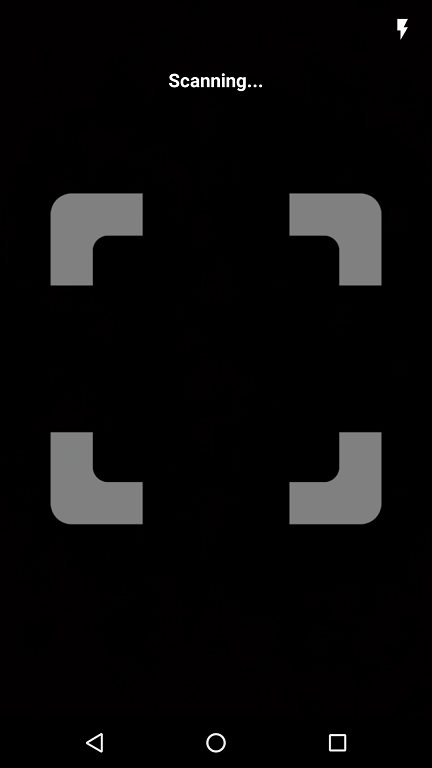
##Center tracking mode
By default a barcode is tracked/highlighted at the location at which it was found.
With center tracking mode a square image will be shown during scanning that will turn green when a barcode is found.
Please note that you can still scan a barcode outside the center tracker! This is purely a visual change.
To activate center tracking mode simply call the following builder method:
.withCenterTracker()
If you want to provide your own image for the tracker you can use:
.withCenterTracker(R.drawable.your_tracker_image, R.drawable.your_detected_state_tracker_image):
##Exclusive barcode scanning
In some situations you might want to scan for only a certain type of barcode like QR-Codes or 2D barcodes. You can do this with the following builder methods:
.withOnlyQRCodeScanning()
.withOnly3DScanning()
.withOnly2DScanning()
If you want to scan for a very specific combination of barcodes you can setup the builder like this:
.withBarcodeFormats(Barcode.AZTEC | Barcode.EAN_13 | Barcode.CODE_93)
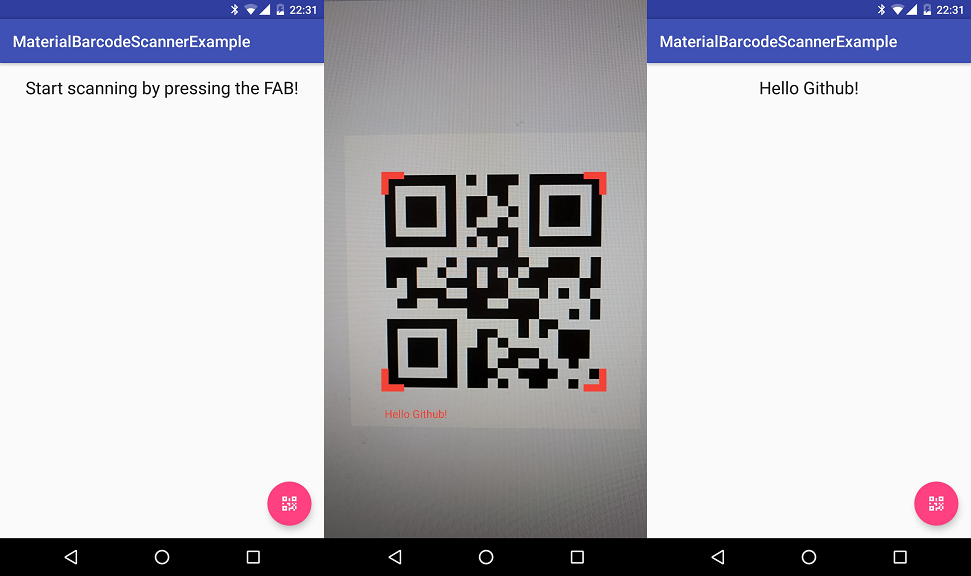
##Screenshots
#Developed By
- Edward van Raak
- [email protected]
- Donate with Paypal
Metadata
Owner
 EdwardvanRaak
Metadata
Easy to use barcode reader for your Android Project (Uses Google Mobile Vision API)