

 EdgeTX
Notes for EdgeTX v2.8 / main installed on the TX16S.
- [x] The symbol "@" is displayed in place of the "degree" symbol (heading, GPS coordinates).
- [x] Internal (TX) GPS connected to AUX2 does not work - no value presented even after fix.
- [ ] When editing some widgets, the system freezes (black screen) and goes into EMERGENCY mode (showall 0.9.9).
- [x] No possibility of activating and using a built-in Bluetooth interface.
- [ ] Changing the setting of the 6-position switch isn't displayed (no refresh of the screen).
AJM

@AJM-DSC Phil moved this here as you posted this in the github for the website ;)
The symbol "@" is displayed in place of the "degree" symbol (heading, GPS coordinates).
I can confirm this also.
No possibility of activating and using a built-in Bluetooth interface.
TX16S does not have built-in bluetooth as standard, and so it has always been a compile option that had to be specifically enabled. In the future, even this will not be necessary once bluetooth is integrated into the new serial port options.
Changing the setting of the 6-position switch isn't displayed (no refresh of the screen).
Have you ensured the 6POS buttons are calibrated - i.e. Radio Settings -> Hardware tab, go down to the Calibration button, and redo calibration - sticks, pots, sliders and 6POS - center all (or as near as possible) and move to their limits as instructed. It's working (updating) for me on a recent nightly.

Hi,
Thanks for your reply and explanations. I hope I helped.
In Companion for OpenTX, there were options for choosing a code compilation variant (Bluetooth, GPS, FAI, etc.). How it is resolved in EdgeTX?
I couldn't find such an option. I should be obliged for an explanation.
The problem with the 6-way switch I noticed was that switching positions did not change the displayed image, but when I e.g. moved the left or right stick, it caused the display to refresh and the correct position was shown on the screen for the 6-way switch. I have not checked if calibration fixes this problem.
I wish you success in creating more and more perfect code.
I consider the idea of magnifying symbols to facilitate tactile operations very successful.
Best Regards, Andrzej Majewski Poland
In Companion for OpenTX, there were options for choosing a code compilation variant (Bluetooth, GPS, FAI, etc.). How it is resolved in EdgeTX?
Either by asking someone to make a build for you or using the available manual to compile yourself via. Github. The infrastructure for custom builds is not in place yet.
With the 6 pos switch, a re-calibration would not help. There seems to be a trigger missing to refresh the screen

Hm, so it seems... it actually is updating for me without any issue, but I think something else is causing the screen to be refreshed. i.e. having a timer widget counting 😆
I checked - calibration does not remove the problem with displaying the status of the 6-position switch. Configuring Widgets for version 2.7.1 does not cause display problems. I have the same settings for EdgeTX 2.8, and I am seeing issues with displaying the status of the 6-position switch. Compiling code for EdgeTX on my own is too much of a challenge for me. Is it possible for someone from the more advanced community members to compile a version for me that has internal GPS and Bluetooth support? I want to use BT as an interface for the Wireless Head Tracker. I have the necessary hardware installed in the TX16S. I need software with the required functions. In return, I can offer beta-tests of this configuration and an appropriate report on the results.
Andrzej M.
Please keep in mind that 2.7.1 is the latest release - 2.8 has not been released yet - so by running this you are running an expected to still have bugs, work in progress development version, not even a beta version ;) With that in mind, any feedback and reproducible bug reports is appreciated! :)
Support for internal GPS is included as standard as of 2.7 - you just have to select GPS on the Radio Settings -> Hardware tab for the relevant serial port. So you only need Bluetooth enabled. Please note that it's not integrated with the new serial options yet, so I think it takes over AUX2, leaving the AUX1 available for selection (i.e. GPS) - rather than you being able to freely choose what each port does.
Thank you for preparing the software (v.2.8) for testing. After installing BT-enabled firmware on my TX16S, I noticed a GPS collision. The internal place to install the Bluetooth module shares the AUX2 (UART6) port with the connector from the bottom panel. That's where I had my GPS connected! Unfortunately, turning on GPS support on the AUX1 (UART3) port is impossible. Until this option is available, installing TxGPS and Bluetooth simultaneously does not make sense. Sorry for closing this topic, I did it unintentionally. The matter is still not fully resolved and is unfortunately beyond my remit.
Sorry for closing this topic, I did it unintentionally. The matter is still not fully resolved and is unfortunately beyond my remit.
Regarding
The symbol "@" is displayed in place of the "degree" symbol (heading, GPS coordinates).
#2199 fixed the heading @ part of the issue (as well as instead of the degree symbol for temperature units). I think I pinned down the GPS part of it to this line
https://github.com/EdgeTX/edgetx/blob/c9b817a7a375a3ac306f7f502ec8a2c59b42df69/radio/src/gui/colorlcd/draw_functions.cpp#L371
as previously @ was substituted for ° for display, which is not the case now (and we actually want the @ symbol!) I'm not sure how to make it draw the ° now (it's not just a matter of changing the character - I tried that! :grin:), any ideas @gagarinlg? #2199 wasn't an ideal fix either, as I think B&W should stop substituting the character and use the right one, but I'd be happy for a quickfix just to make it display properly again for colorlcd and then go back and sort them both out in 2.9.
Re Internal TxGPS. Communication with the internal GPS module is in the UBX protocol. Do you envisage NMEA communication (e.g. as an option)?
BR Andrzej
Do you envisage NMEA communication (e.g. as an option)?
Present code parses NMEA: https://github.com/EdgeTX/edgetx/blob/main/radio/src/gps.cpp

Regarding
The symbol "@" is displayed in place of the "degree" symbol (heading, GPS coordinates).
#2199 fixed the heading
@part of the issue (as well as instead of the degree symbol for temperature units). I think I pinned down the GPS part of it to this linehttps://github.com/EdgeTX/edgetx/blob/c9b817a7a375a3ac306f7f502ec8a2c59b42df69/radio/src/gui/colorlcd/draw_functions.cpp#L371
as previously
@was substituted for°for display, which is not the case now (and we actually want the@symbol!) I'm not sure how to make it draw the°now (it's not just a matter of changing the character - I tried that! 😁), any ideas @gagarinlg? #2199 wasn't an ideal fix either, as I think B&W should stop substituting the character and use the right one, but I'd be happy for a quickfix just to make it display properly again for colorlcd and then go back and sort them both out in 2.9.
I think replacing the "@" by a "°" should work. Is there a way to test te GPS stuff with simu? I do not have a setup with a GPS recevier.
Is there a way to test te GPS stuff with simu?
For (model side) GPS simulation, see: https://github.com/EdgeTX/edgetx/pull/2125
As risto, said, full simulator can do telemetry simulation also, inc. GPS. I tried on TX16S w/telem from betaflight and a straight character swap just resulted in it not showing anything, not even a space. I'll double check in the morning just incase I messed up ;)
as previously
@was substituted for°for display, which is not the case now (and we actually want the@symbol!) I'm not sure how to make it draw the°now (it's not just a matter of changing the character - I tried that! 😁), any ideas @gagarinlg? #2199 wasn't an ideal fix either, as I think B&W should stop substituting the character and use the right one, but I'd be happy for a quickfix just to make it display properly again for colorlcd and then go back and sort them both out in 2.9.
see PR #2347
You can download the firmware binary directly from GitHub:
Open: https://github.com/EdgeTX/edgetx/pull/2347/checks
Open: Run tests and package firmware on the left
Download the Zip under Artifacts: edgetx-firmware-merge
Unzip and flash the tx16s binary to your TX16S radio.
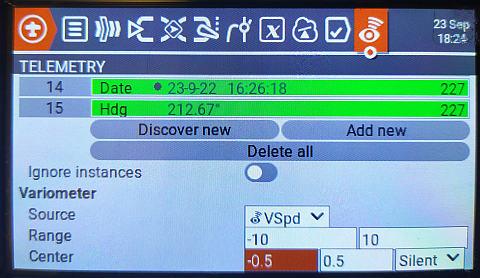
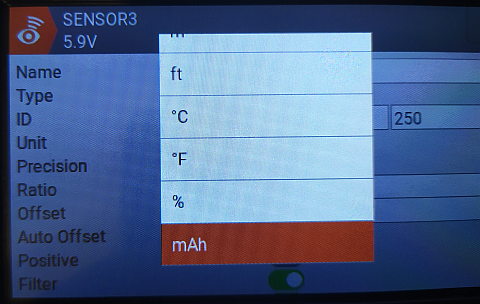
In the attached archives you will find pictures of the screens displayed on my TX16s with firmware versions 2.7.1 and 2.8. The configuration of the transmitter and the settings of the widgets are identical. Nevertheless, the view of the screens is significantly different, especially for the "showall 0.9" widget. You can also see @ substitutions in widgets. The display is correct in the telemetry setup screens. Pictures will tell more than my description.
I di not check how Lua widgets are handled regarding the characters that have a strange mapping. Did you forget to attach the files?
These files are large (+ 49MB). I do not know how to send/attach them - give me advice.
v2.7.1.zip v2.7.1-1.zip v2.8.zip v2.8-1.zip v2.8-2.zip I divided the archives into pieces - loaded them in fragments. ;-)
For easier viewing, here all the pictures from AJM-DSC last message inline (just Copy-Paste an image file into GitHub in the future):
v2.71:
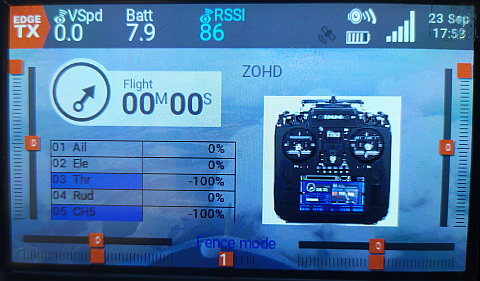
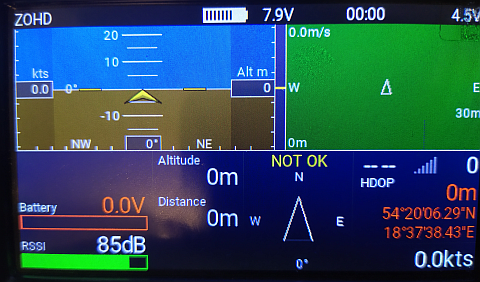

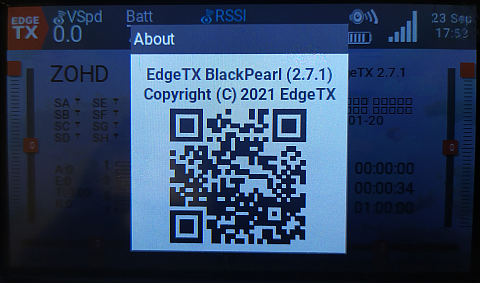
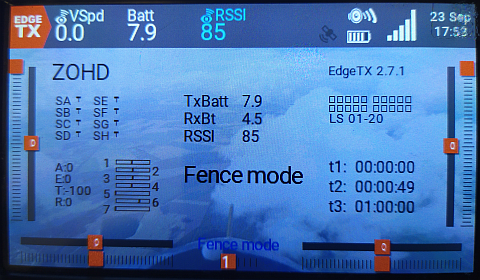
v2.8:
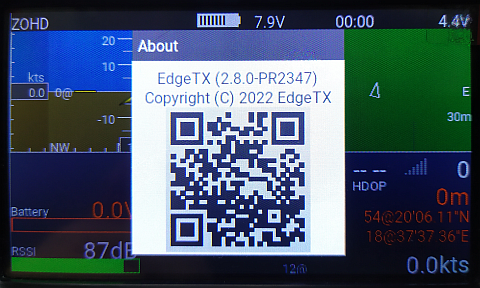
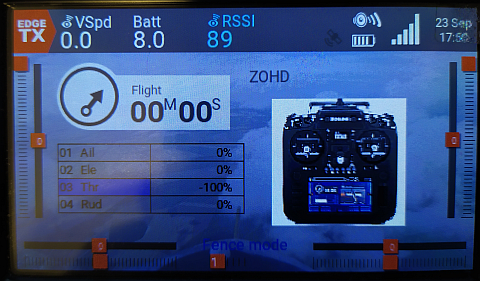
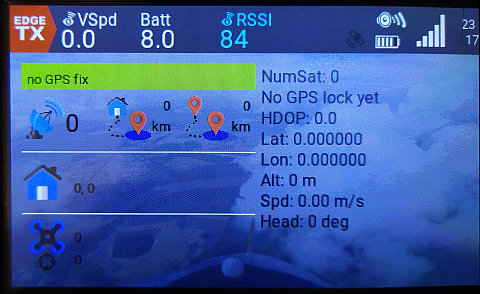

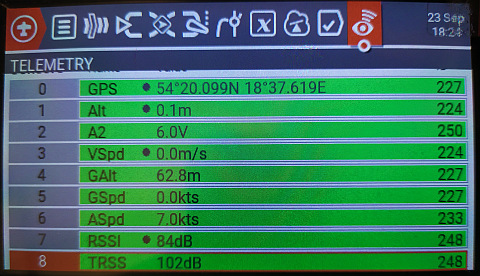

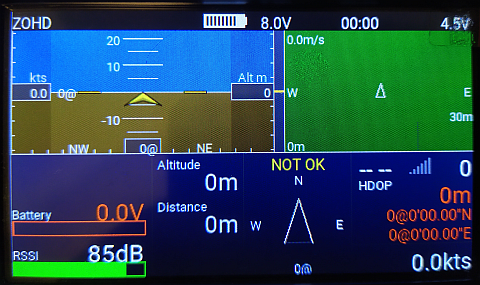
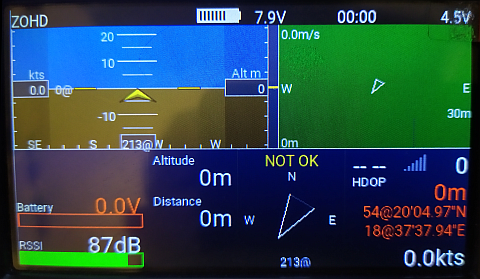
For the °-Sign thing is done, the Lua-Scipt-Devs have to adapt to the new behavior.
Hi,
Is there a way to define a custom symbol for the LCD color as a substitute for an existing character array? This is how I used to solve the problem of non-existent Polish characters in printers. This would require an appropriate macro to selectively replace the character for the appropriate display version.
Regards,
Andrzej
Can you prepare the EdgeTX 2.7.1 a55aff02c version with Bluetooth and internal GPS for testing? This version works fine, and I can use booth AUX ports. Attempts with version 2.8 on my Eachine TX16S could have given a better result. Some widgets (iNAV, ShowAll) are displayed incorrectly, and the degree symbol (°) is shown as @. I want to validate the concept of using BT (Headtracker) and internal GPS simultaneously. I couldn't build a working environment to compile this software myself.
I wish you a prosperous new year 2023 and best regards,
Andrzej (AJM_DSC)
The widgets need an update to be compatible with EdgeTX 2.8.The character set is nor UTF-8 and not some custom EdgeTX mapping. Maybe there are already updated script versions available.
Can you prepare the EdgeTX 2.7.1 [a55aff0](https://github.com/EdgeTX/edgetx/commit
Building EdgeTX firmware yourself is easy, as you can do it via GitPod in browser, w/o having to setup a build environment. See: https://github.com/EdgeTX/edgetx/wiki/Building-radio-firmware-in-a-webbrowser-with-Gitpod
For v2.7.1, open https://gitpod.io/#https://github.com/edgetx/edgetx/tree/v2.7.1 To build with Bluetooth (GPS is available by default thanks to new serial driver from v2.7.0 and newer) for TX16S, use following commands:
cmake -Wno-dev -DPCB=X10 -DPCBREV=TX16S -DDEFAULT_MODE=2 -DBLUETOOTH=YES -DCMAKE_BUILD_TYPE=Release ../
make -j`nproc` firmware
A few comments after testing EdgeTX 2.8 + Bluetooth on Eachine TX16S.
- A compilation of the required firmware version is problem-free - thank you for your suggestions and tips!
- After uploading the new version of the ShowItAll script (v0.9.11 from 2023-01-05), the display on the screen is correct.
- The new version of the LUA iNAV script still incorrectly displays the "°" symbol (64d ASCII code). I checked - these LUA (iNAV) scripts use ASCII code 64d as the "°" symbol. The "@" symbol is displayed on the screen as in the ASCII standard. In version 2.7.1, the display of "°" was correct! It seems that the character generator in version 2.8 and later does not have this substitution, or LUA uses a different font where this 64d symbol is not redefined. I can correct this script myself if I know the character's code that prints "°". Using extended ASCII character (code 176d) didn't work. I haven't found an option or configuration parameter to solve this problem.
- Bluetooth support needs to be fixed. The AUX2 port is not powered on. No such option is available on the screen, and the power is not on by default. The software support for the internal Bluetooth adapter (FrSky BT) is correct. I made a test by connecting power from the AUX1 port - it worked fine! There are problems with pairing when using telemetry. Some interfaces do not accept a six-digit PIN (000000).
Do you have any suggestions - maybe I missed something in my tests.
Andrzej
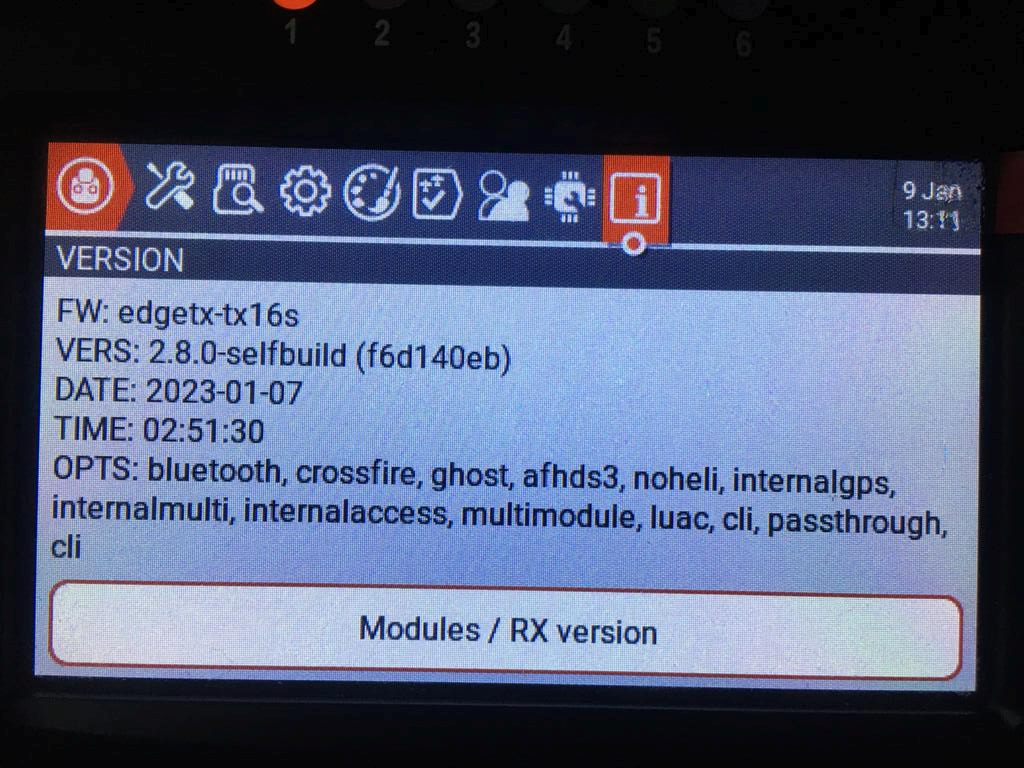


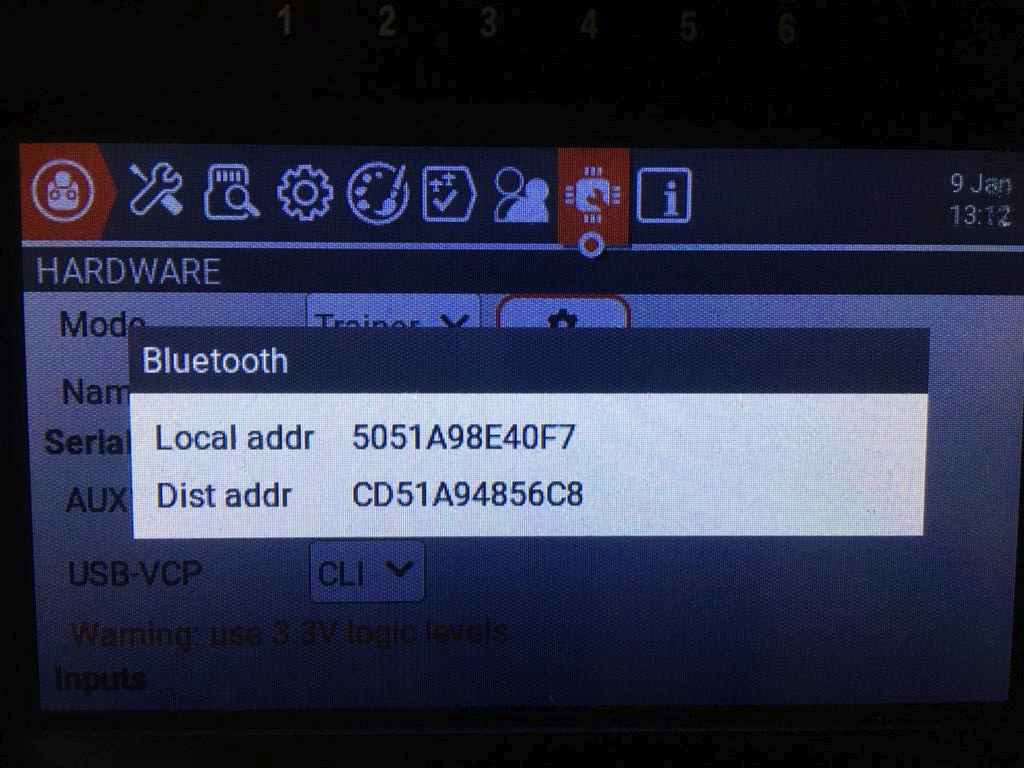
-DBLUETOOTH=YES on TX16S assumes on mkI either FrSky PARA or CC2540 Bluetooth module or on mkII using the internal header (e.g. with https://github.com/dlktdr/BTWifiModule), both which do not need to turn on the AUX2 power. AUX2 in that sense does not exist anymore, when the code was built with -DBLUETOOTH=YES for TX16S. Plans are afoot to change this, as Bluetooth will come as a selectable option in the serial port menus (similar to GPS in recent EdgeTX firmware versions): https://github.com/EdgeTX/edgetx/pull/2790 (WiP)
Regarding iNAV Lua script, possibly @stronnag can say more about this. Two related PRs: https://github.com/EdgeTX/edgetx/pull/2199 and https://github.com/EdgeTX/edgetx/pull/2359