EasyRPG
Translation/Encoding improvements
Invented a new field Code in the meta.ini to provide the locale/iso-code of the language.
Currently supported:
- ja_JP
- ko_KR
- zh_TW
- zh_CN
- ru_RU
Fixes problems with the font selection (full width cyrillic for CJK fonts, Japanese in Chinese etc.). Allows to pick the proper input scene.
When not specified it will use the current encoding.
When an unknown locale is specified result will be Not Russian and Not CJK (Western Europe?).
Fix #2731 Fix #2724

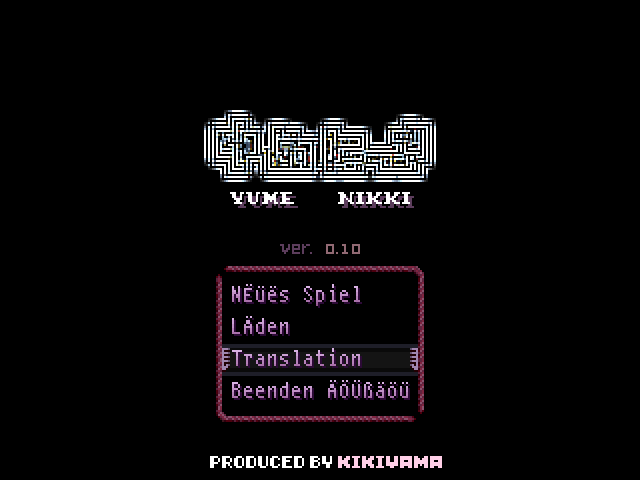
Showcase for a game that is Japanese by default (Had to restart the Player multiple times because the languages are sometimes not properly loaded, but otherwise it works) :D
Note: In the language box the text renderer used is always the current active locale, not the one of the language. So the rendering here is incorrect. Fixing this is lots of work so I'm ignoring this minor problem for now. Sorry :)
Default language: Japanese (Full width cyrillic and Japanese Kanji used instead of Chinese), this is unfixable without lots of work.
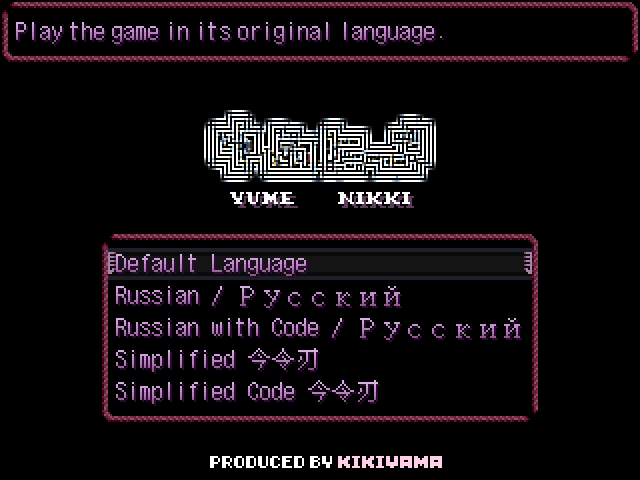
Before: Russian uses full-width everywhere
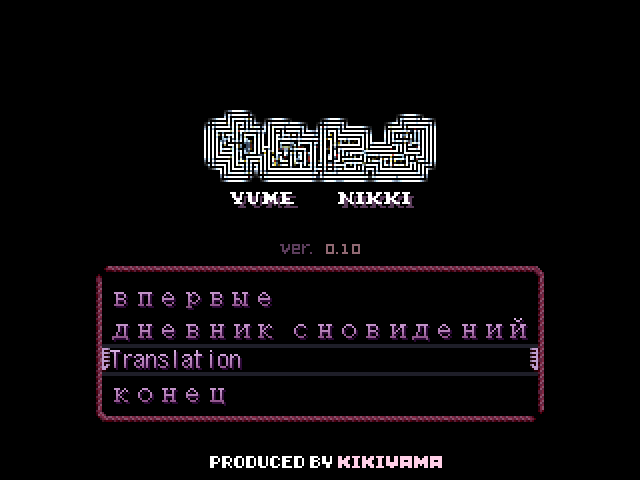
After: Russian with correct code

While Russian is active the language box is also rendered using Russian so no full-width (just a side-effect of the implementation)
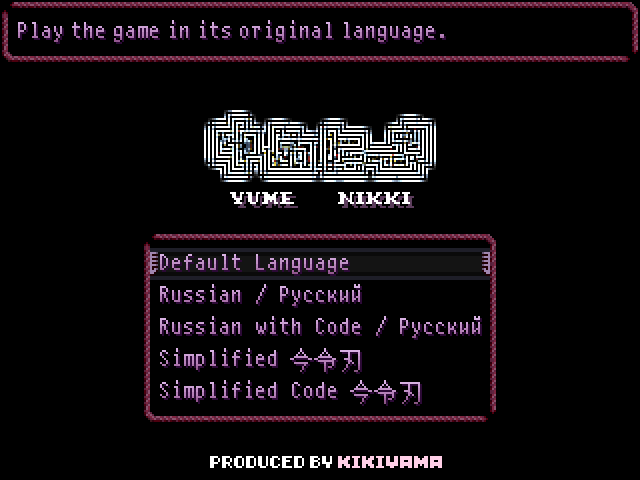
Before: Chinese using incorrect glyphs from Japan
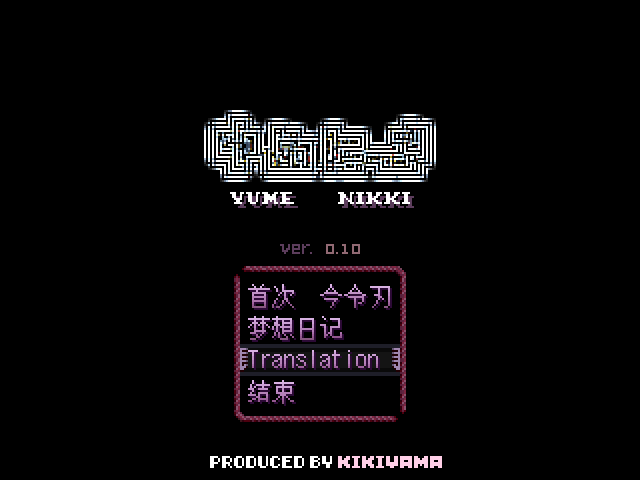
After: Chinese with proper glyphs
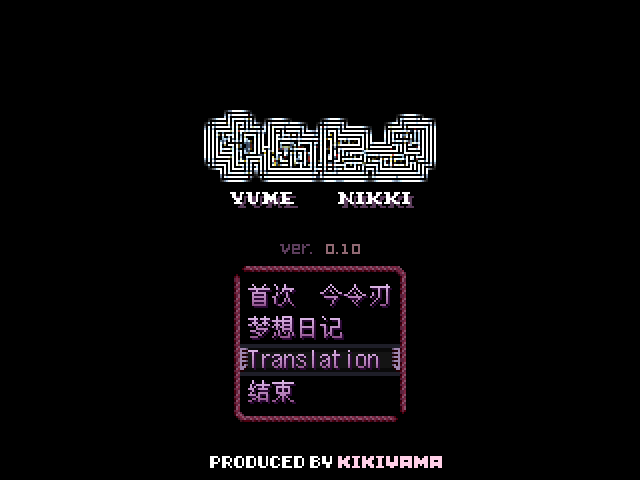
While Chinese is active the language box is also rendering using the correct chinese glyphs (just a side-effect of the implementation)
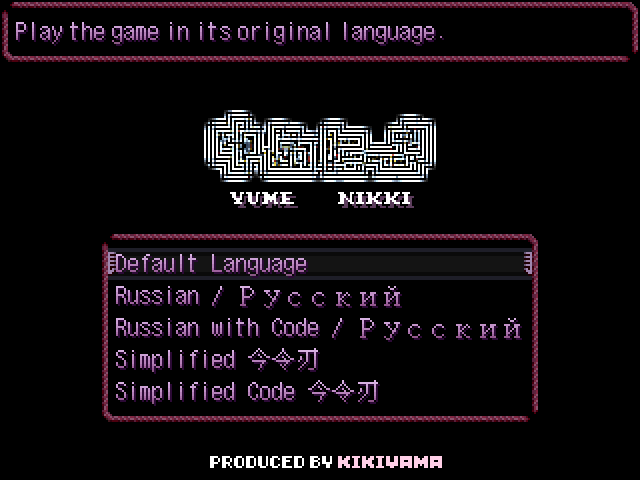
German before:
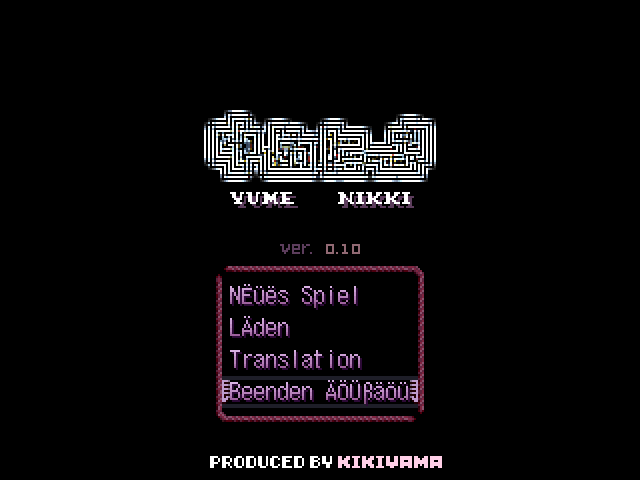
BROKEN: German after (very strange glyphs picked o_O)
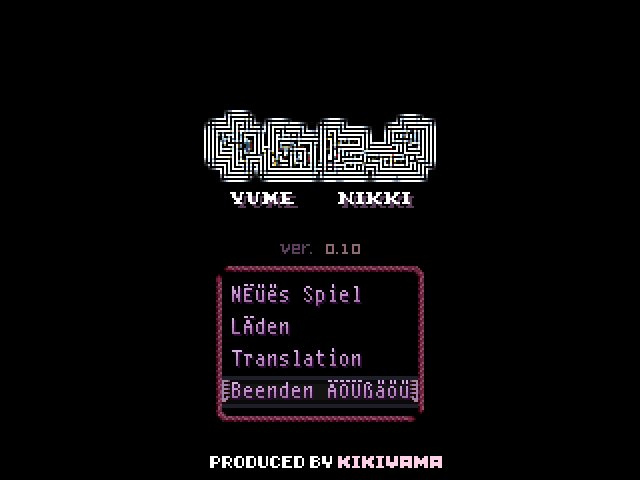
The ugly umlauts was a problem with ttyp0, modified them slightly to fix it. I tried various versions until Player 0.6 and the all have this problem. Somehow I never saw this issue before. Maybe most German games use the other font setting (which uses RMG2000).
The alignment is still not ideal but that is an issue with the font itself. Not enough pixel to solve it.