

 EFForg
Update social widget svg files.
@ghostwords Sorry for the loooong delay, it has been a few months since I last looked at this.
I've added SVG files for all of the items except StumbleUpon. That's been replaced by mix.com. When I have a bit more time, I'll create an issue for updating the social widget .json file and add some of the newer social sharing sites to that as well as add some more icons. I have a Sketch file that I use to generate these, so adding new ones will be pretty quick. I'm happy to share that file with you.
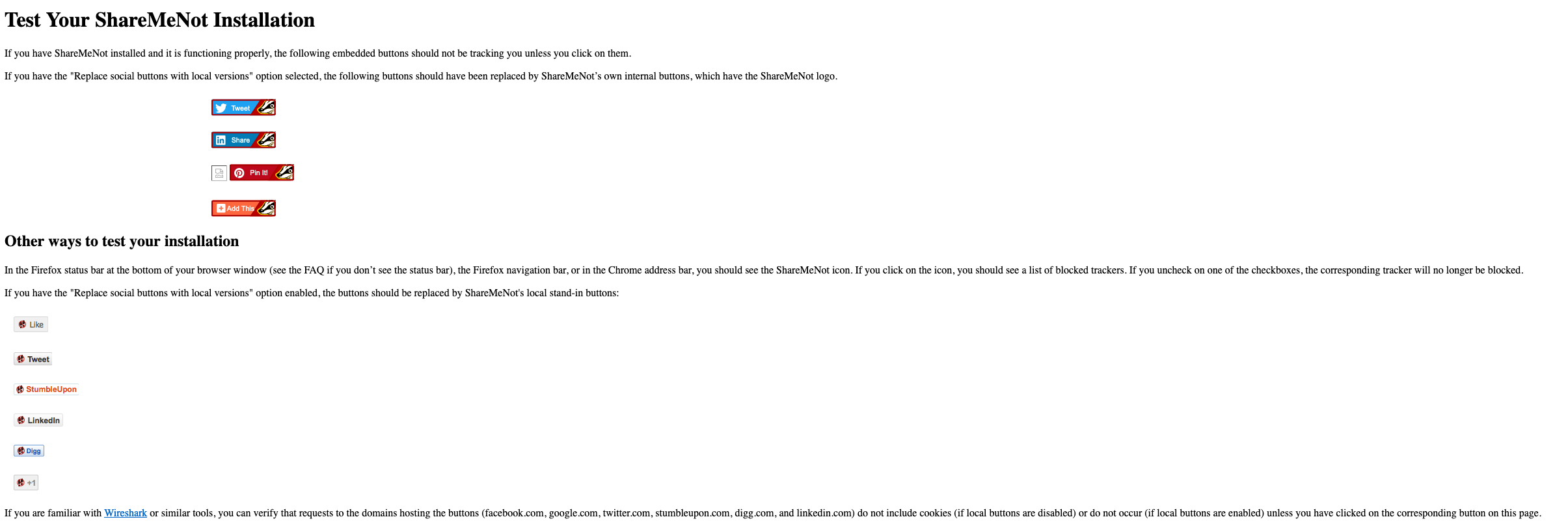
I used https://sharemenot.cs.washington.edu/Test%20Installation.shtml to test some of the changes, but it would be helpful if we had a test page we could hit that confirms that the other buttons work.
I've standardised the sizes on all of them and used the official corporate colors and logos as far as I could find them.
This also closes https://github.com/EFForg/privacybadger/pull/2287
I will also post a reference to this PR in https://github.com/EFForg/privacybadger/issues/1467 since it relates and it would be good for folks who'd like to add more widgets to know that we have a Sketch file for generating standardised buttons.


I quite like these new buttons compared to what we currently have -- it still catches the eye but not by expanding beyond the height/width of the social button in question.

BadgerBadgerBadgerBadgerMushroom.sketch.zip
@ghostwords Here we go...
A note on the Sketch file - I've created pages for each of the buttons, scaled to the right size and sliced to produce a file with the correct name. The symbols page contains the PB logo and the template for the button, with some styles that change the background color. This should be useful to anyone who knows Sketch, but I'll give a quick summary of how to create a new button (the bulk of the work was building out the Sketch file, it is very quick):
- Duplicate one of the other buttons and give it a name that matches the filename in the socialwidgets.json file, the Twitter button is a good start.
- Rename the slice to match the name of the file in socialwidgets.json as well. This will ensure that the exported file has the right name. 3.In the symbols page, select the "Outline" symbol and edit it to match the look you want for the new button. Then select "Create new layer style" from under the "Appearance" sidebar section and give the new style a name that matches the Page name for the new button.
- Go back to your new button, select the "Button" symbol from the left sidebar and change the rectangle's style to the new style you've created.
- Lastly, replace the logo and text on the button. Use white logos. They are generally available from royalty free / unlicensed social icon packs as SVG. Always use SVG for the social logos.
Once you're done with the above steps, select "Export" from the main file menu. This should produce all of the slices in the project, including your new button.
I hope that helps out @ghostwords. We could add the instructions above to a document somewhere perhaps?
Hi @sta55en, apologies for the delay.
I reached out to the EFF design team for their feedback. They sent a few suggestions to help better align these updates with the new EFF initiative for unifying design parameters. Here are their requests:
- Could we remove the diagonal line?
- Could we try a version without the red background? What about using a single color for all replacement social buttons?
- Could we try a version with the entire Badger head visible (not cut off)?
- Could we try a version that doesn’t have the social network icon visible at all? (e.g. no Twitter bird or blue color, but maybe just shows it as a single, unified button)
The design team also wanted to share the following:
As an aside, we are presently having an on-going discussion on how to unify our style and brand cohesion across EFF projects — this is on us for not having a more public-facing guideline, so we’re working on that documentation now (it’ll take some time for us as a small team to have that up, we’re very appreciative of your patience on that).
Once again, apologies for not replying earlier. I'll try to get the design team engaged much earlier in the process in similar situations going forward.