

 Drive4ik
Notes plugin: sidebar view empty
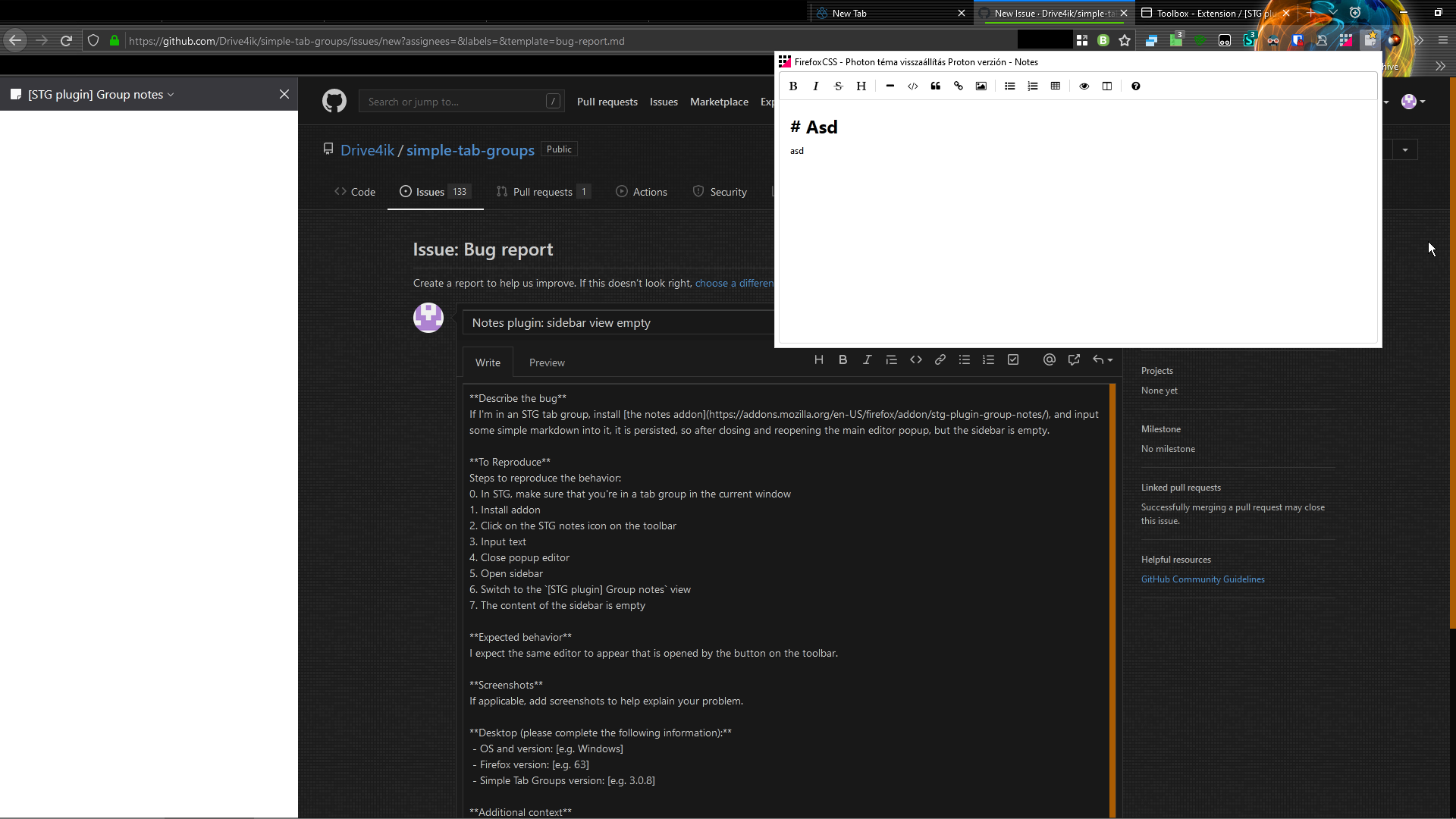
Describe the bug If I'm in an STG tab group, install the notes addon, and input some simple markdown into it, it is persisted, so after closing and reopening the main editor popup, but the sidebar is empty.
To Reproduce Steps to reproduce the behavior: 0. In STG, make sure that you're in a tab group in the current window
- Install addon
- Click on the STG notes icon on the toolbar
- Input text
- Close popup editor
- Open sidebar
- Switch to the
[STG plugin] Group notesview - The content of the sidebar is empty
Expected behavior I expect the same editor to appear that is opened by the button on the toolbar.
Screenshots
Popup view and sidebar open at the same time:
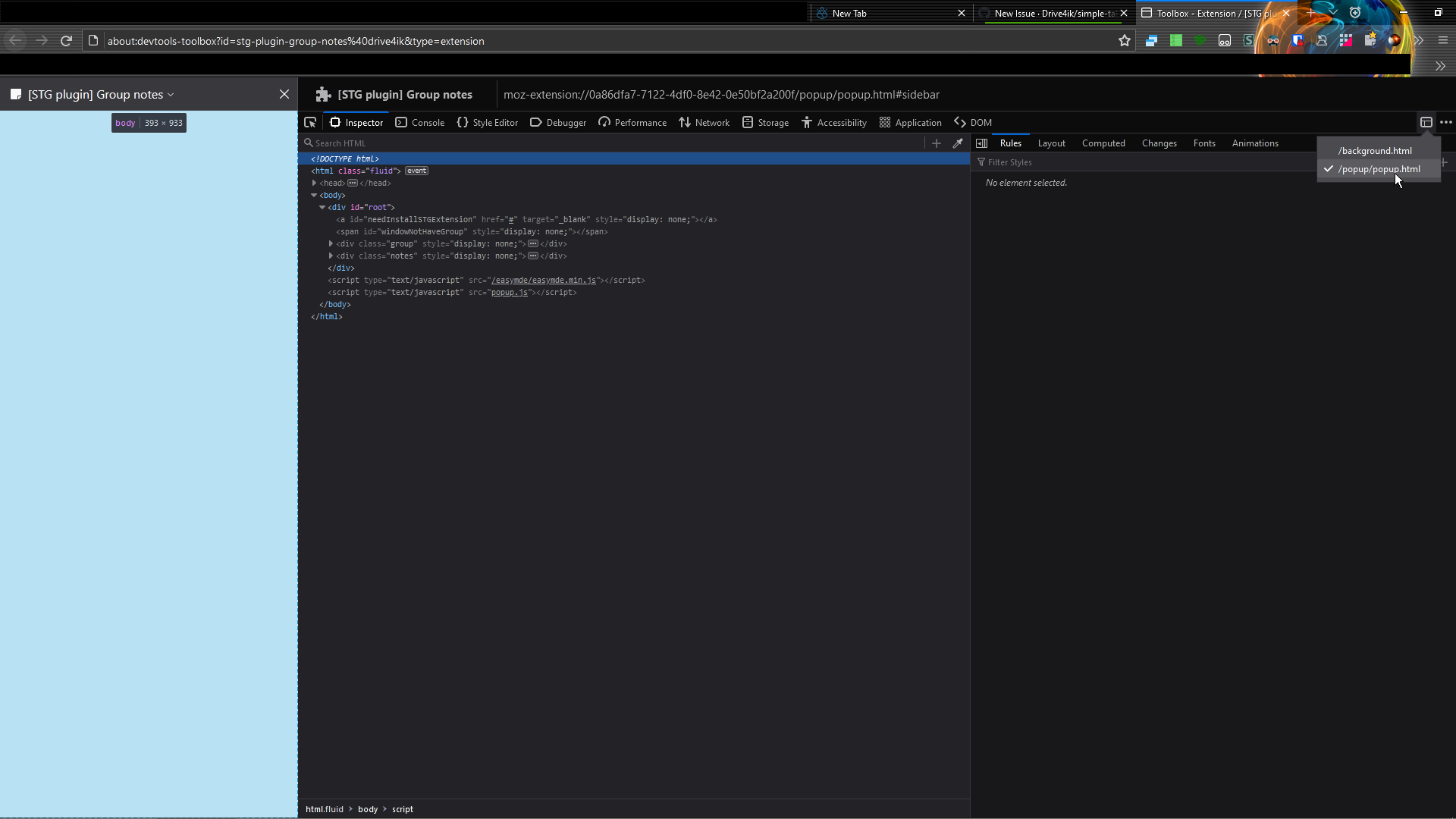
Extension toolbox inspector on the sidebar view:
Desktop (please complete the following information):
- OS and version: Windows 10
- Firefox version: 95 (yes, it looks like Photon, but that is because of userChrome.css)
- Simple Tab Groups version: 4.7.2.1
- [STG plugin] Group notes version: 1.2
Additional context
It seems to me that the problem is caused by display: none inline styles on the content elements. There is one such style on every element inside the #root div.
