

 Docile-Alligator
No storage permission
I cannot download files. The app says "no access to storage directory". However, it never asks permission nor can I grant storage permission from the system settings.
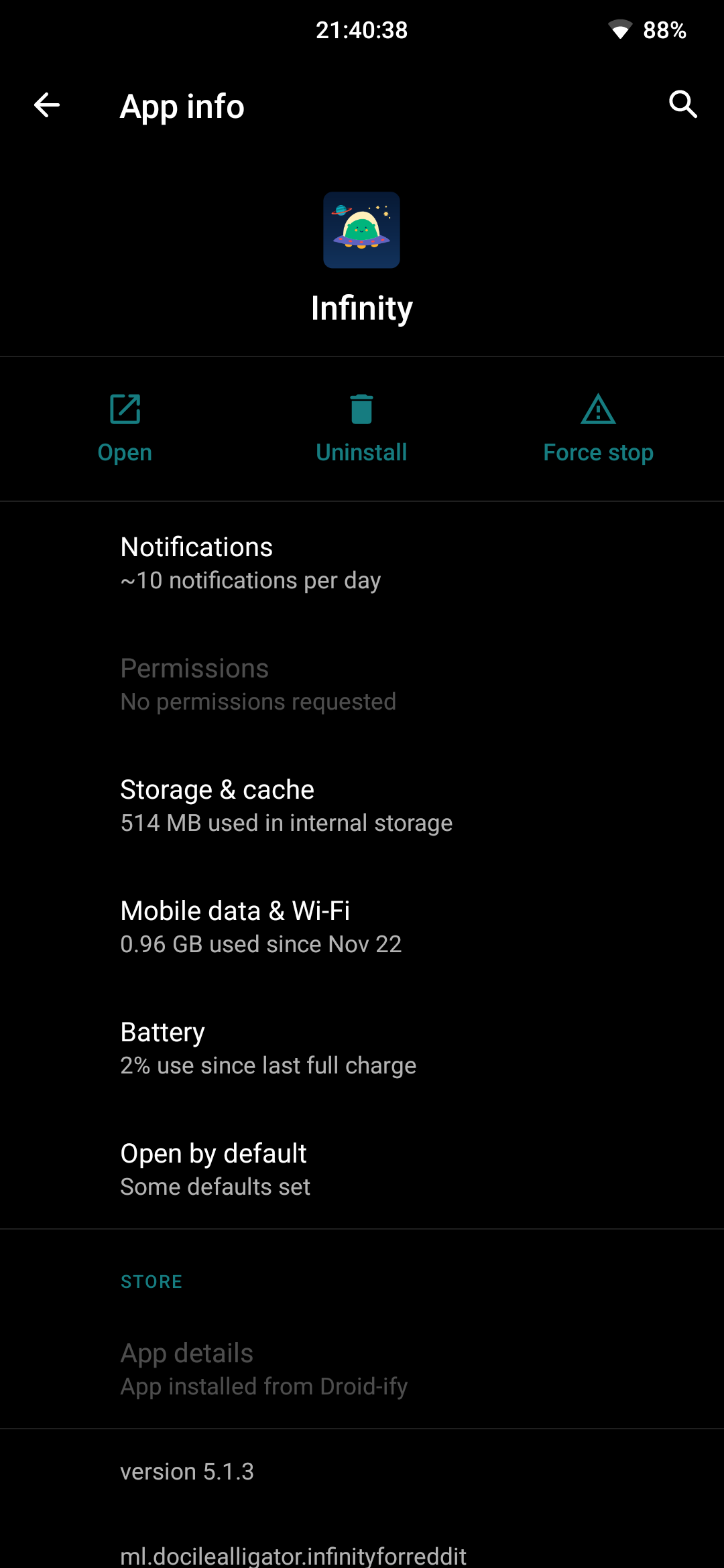

What is your android version? Maybe you can try setting a download location in settings->download location.

I have exactly the same issue on Android 12 with a Pixel 6.
Every time the app is updated to a new version (using F-Droid but is happening also with Play Store) I have to go to "Settings -> Download Location" and set a path for Image, Gif and Video location.
Only in this way - when I download an image, a gif or a video - such stuff is downloaded. If I install fresh the app or update without doing that and try for instance to download an image, the picture is never downloaded (and there is not even an error or a notification saying so).

Infinity does not request the permission. It simply fails when it has not been granted the permission.
For example, I backup my settings, delete infinity, download infinity again, restore settings from backup. Then under settings it remember storage location, but it does not work because this particular app was never granted the permission to access that location. Thus it known where I want to save it, but cant save it there. There is never a popup (like all other apps) that asks "allow infinity ro access storage?"
@Docile-Alligator
Infinity uses the storage access framework on Android 10+ devices. It doesn't require a permission.
We can call it “permission” or with another word, but the issue remains, unfortunately.