

 DisposaBoy
[feature request]: show function call tips in popup
By now, GoSublime is showing call tips in the status bar which makes it a little bit hard to use. I'm wondering if it's possible to show function call tips in the popups like:
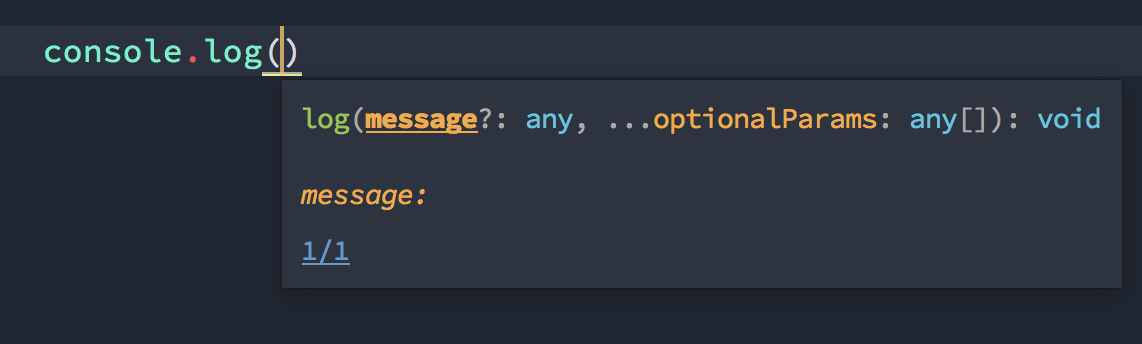 (TypeScript Sublime Plugin)
FYI:

I'm hoping to look into this again at some point in the future, but the problem isn't implementing it; it's implementing it well. I've yet to see a plugin that does it well (including the TypeScript plugin) and I'm almost certain it's a Sublime Text limitation.
The biggest issue for me is that it gets extremely frustrating when I'm try to type and the box shows up over the code, meaning I have to switch context to get rid of it. The TypeScript plugin even manages to trigger some kind of bug where clicking away doesn't work half the time so I have to press escape and hope I don't end up closing a panel something else.
I've even gone so far as to try some hacks using phantoms where it's positioned in a consistent place that doesn't obscure the code (i.e. top or bottom of the view), but keeping track of view changes to re-position it kills performance and it doesn't even align correctly sometimes.
When I get some time I will try using a panel like I do with 9o and see if that's any better.

when I'm try to type and the box shows up over the code
Did you mean the popup stays in a fixed position which obscures the code while typing? If so, I think you could simply remove the location parameter so that the editor will locate it automatically as cursor moving on.
Here is my attempt to deal with positioning.
Demo:

@idiotWu IIRC one of the cases is indeed that the popup doesn't move. I just checked again, and it definitely doesn't move like your demo does when typing 111, but I'll keep it in mind. Maybe I can make it work better by playing with where the popup appears.
I'm going to introduce the HUD as an alternative to popups in the next release and so far it seems to be working quite well.
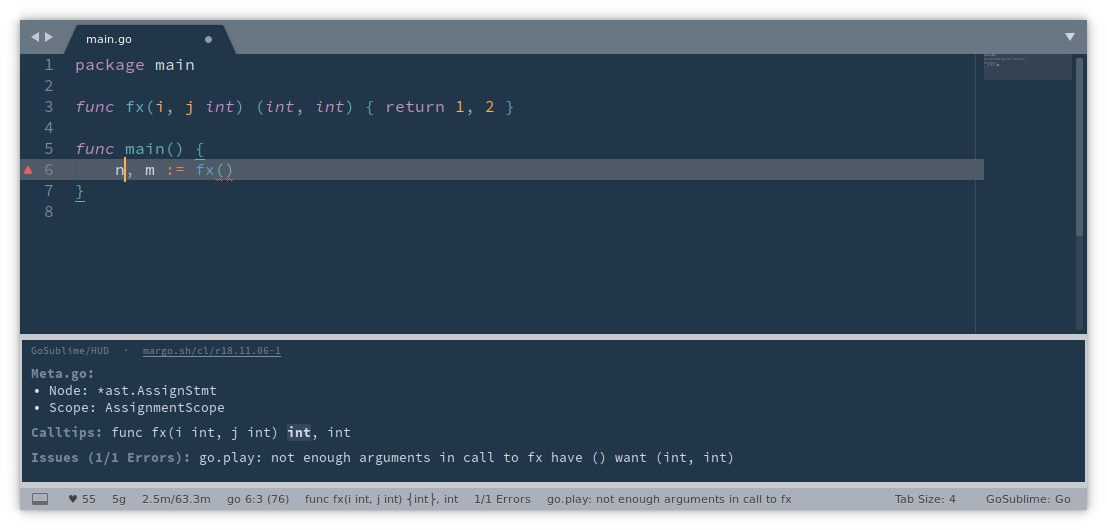
It's an output panel which has the following pros:
- It's statically positioned, so no random things popping up just because I moved the mouse
- It's not embedded in the view, so no interference when moving lines up and down or pushing contextual code out of the way
I can't think of any cons that's not also a limitation in the ST API.
You can try it out early on the next branch. It's bound to the keys ctrl+.,ctrl+0.
You can manually bind it to another key like Preferences > Key Bindings: {"keys": ["ctrl+0"], "command": "margo_show_hud"},
Currently, the following info will be displayed there:
- The
Issuesstatus. To reduce noise, I don't plan to show more than the first error for the current line there. For release I will also add a link to show the errors palette so you don't have to press ctrl+.,ctrl+e. - The
GocodeCalltipsstatus