
testcafe

testcafe copied to clipboard
 DevExpress
Hammerhead crashes when opening a web page because of web sockets
Original Message
https://stackoverflow.com/questions/71632158/how-can-i-debug-a-websocket-connection
What is your Scenario?
Just opening my web app via TestCafe (or Hammerhead Playground)
What is the Current behavior?
-
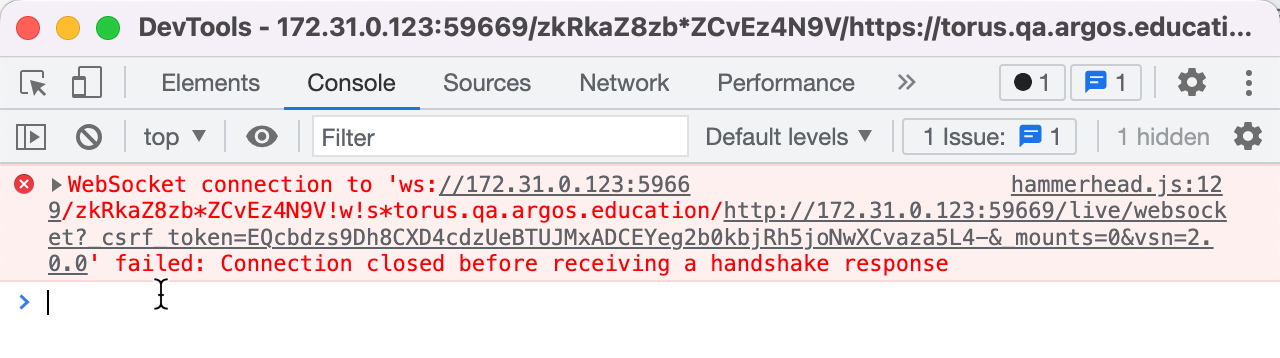
A WebSocket error in the console:
-
The web page is automatically refreshed
-
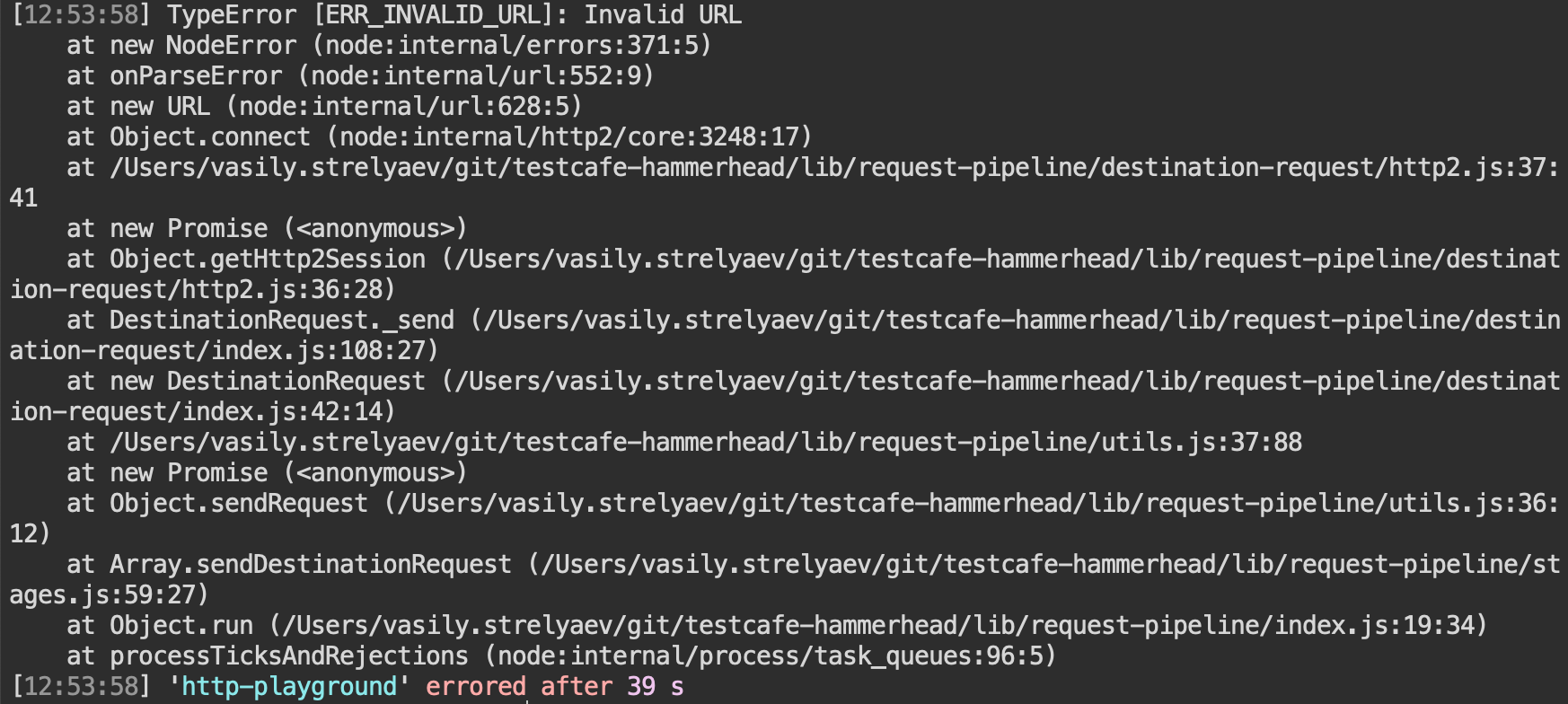
If I use Hammerhead Playground instead of TestCafe, it crashes after refresh:
-
If I use TestCafe, refreshes go on and on
What is the Expected behavior?
The web page is proxied correctly
What is your public website URL? (or attach your complete example)
https://torus.qa.argos.education/session/new
What is your TestCafe test code?
import { ClientFunction, Selector } from "testcafe";

fixture`Getting Started`.page("https://torus.qa.argos.education/session/new");

test("Example error", async (t) => {
  await t.debug();
});
Your complete configuration file
No response
Your complete test report
No response
Screenshots
No response
Steps to Reproduce
- Run the attached test or open the specified URL in hammerhead playground
TestCafe version
1.18.4, hammerhead-playground: master on 4a9cd8f
Node.js version
16.14.2
Command-line arguments
testcafe chrome test.js
Browser name(s) and version(s)
No response
Platform(s) and version(s)
No response
Other
No response
