

 Demigiant
DotweenPath: PathPoint is invisible in SceneView on MacOS
UnityVersion:2019.4.5(LTS)
OS:MacOS Catalina 10.15.6
I use DotweenPath component to draw path point,but oneday I opened UnityScene,i found path point in the sceneView is invisible, but the info of pathLength is still exist,this problem happened many times,i tried to translate my project to a new project, at the beginning it works well, but second day the same problem happened, the SceneGizmos is enable all the time.and I did not change any project settings. it really confuses me.
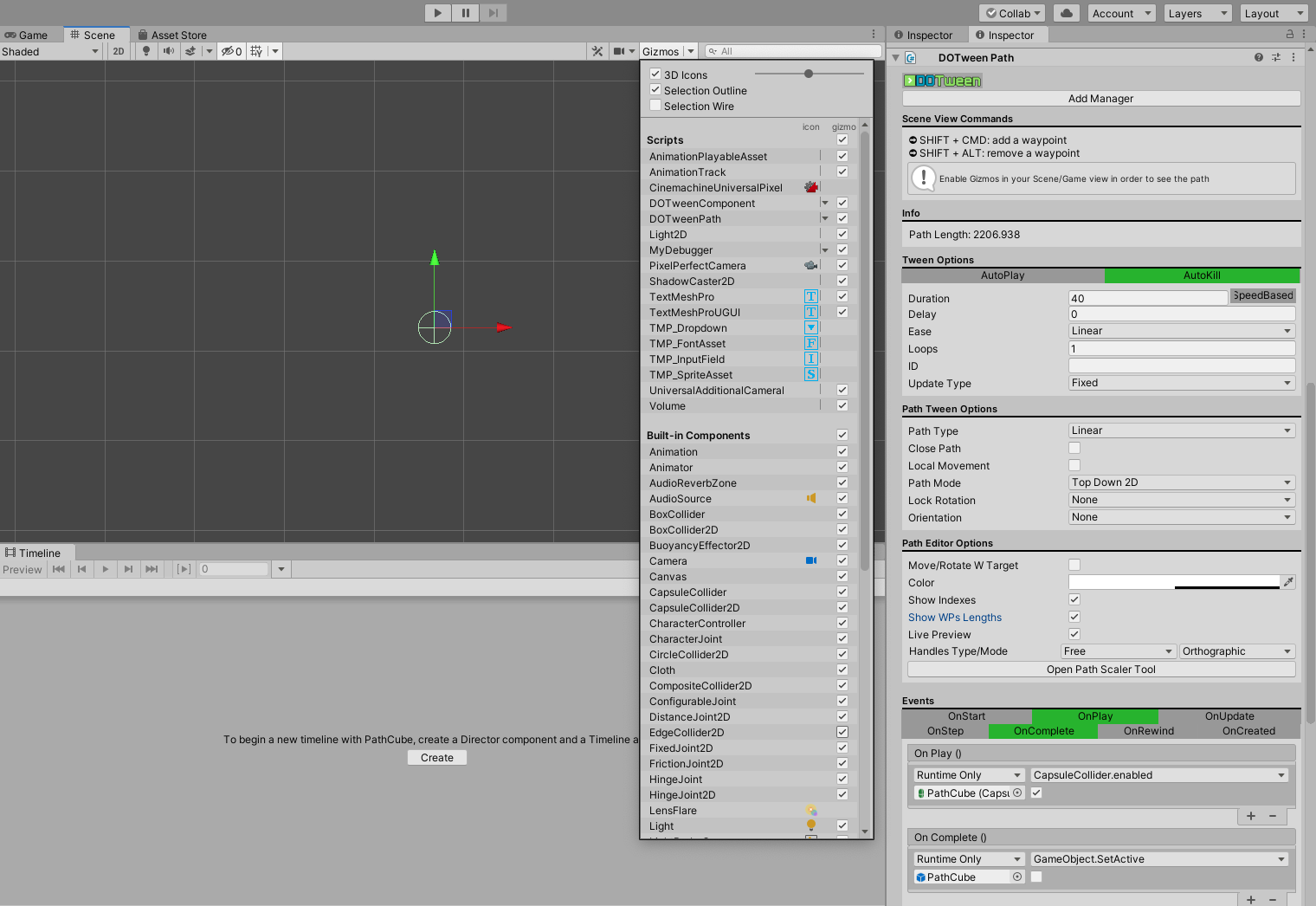

Woah this is very very weird, and I never had a report of random disappearances like this :O Some questions:
- So the path gizmos randomly disappear and reappear? Or only disappear? And does that happen even within the same Unity session or when you start Unity the path gizmos are either visible or invisible and then they stay like that until you restart it again?
- Do they reappear if you set your Scene panel to 3D instead of 2D?
- If you press Play with Gizmos activated in the Game view, are the paths visible there while the tween runs?

Thankyou for your reply. 1.When I open the project, all the waypoints are invisible. I mean it doesn’t disappear suddenly, but the starting waypoint when I open the project is invisible. It’s not that some waypoints disappear randomly, but all of them. The waypoints are all invisible. This happened in Unity2019.4 and Unity2019.4.5. Sometimes restarting Unity will fix this problem, sometimes not. Sometimes I delete Dotween and re-import it will fix this problem.
2.Switching between 2D and 3D views does not solve this problem.
3.When I click the Play button to run, the path I set before this problem occurs will work normally, but there are only path lines, no path points, and I can’t add and delete path points in the scene view through shortcut keys.
I'm trying to understand what could cause this and I'm very puzzled. One other reason why gizmos might not draw is if the Component is collapsed in the Inspector, but that's not your case. Another could be if you hid it in the Scene View (not deactivated it). I don't see a model for your Transform so maybe it's a possibility? I'm referring to the "hide in scene view" toggle to the far left of a Hierarchy's gameObject:

Mhmmm ok no, I see in your Scene view icons that you have no "scene view hidden" objects. Investigating this more...
Hi, I found an interesting rule about this problem. I think this problem is related to Unity's Layout. When I change the Layout to "Default", the PathPoint of DotweenPath can be displayed normally, but I switch the Layout to my own Set, PathPoint disappeared again, and this problem not only appeared in MacOS, my colleague also encountered the same problem, he was using a PC
Ah, that is very interesting! I asked around but no one else seems to have had this issue, so I'm still very puzzled. Could you post a screenshot of your whole Unity layout? Maybe there's something there that prevents gizmos? Does your custom layout also contain custom editors?
Hello! Hope its ok to add to an old thread like this. I've been encountering a similar issue in Unity 2021.3.2f1 with DOTween Pro v1.0.381 and this seemed to be the most related post I could find.
The main fix I've found is deleting all active and tabbed inspector panels and creating a new one. Fixes everything.
I can also swap to default layouts temporarily, as xiaoxiangmuyu said, and everything starts working perfectly. Though if I reload a previously saved Layout that had the issue, it does come back.
I'd be happy to share anything that might be useful.
