

 DefectDojo
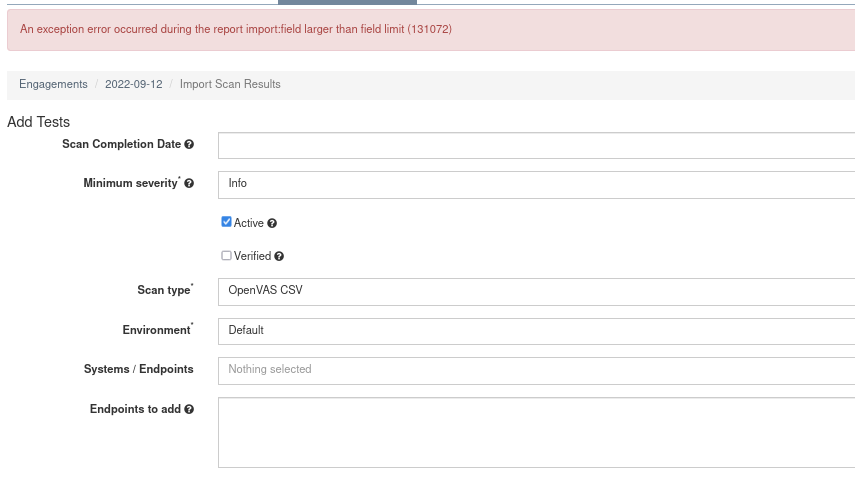
An exception error occurred during the report import:field larger than field limit (131072)
Description: Importing an OpenVas CSV report, I encountered the error:
An exception error occurred during the report import:field larger than field limit (131072)
Steps:
- Do an OpenVAS scan and export the report as a CSV
- In DefectDojo, create a new product
- In the navigation bar of the product page, select the engements tab
- Select add new interactive engagement
- Near the bottom of the new engament page, select "Import scan results"
- In the Scan type dropdown, select OpenVAS CSV
- At the Choose report file section, choose the CSV from the OpenVAS scan
- Click the import button
Expected result: CSV is imported
Actual result: Import fails with error
Environment: Greenbone Security Assistant Version 21.4.3 Debian 11/Kali hybrid kernel 5.18.0-kali7-amd64 Firefox 91.13.0esr (64-bit)
Notes: This has to do with one of the fields in the CSV being absurdly large, OpenVAS was doing some DoS testing and it logged out hundreds of lines.
My solution to get the file to import was to open the CSV in Visual Studio Code and trim out the offending wall of text.
Once I did this and saved the file, DefectDojo imported the CSV file perfectly.
Possible fix:
https://stackoverflow.com/questions/15063936/csv-error-field-larger-than-field-limit-131072
Screenshots:
Add a new engagement

Select import scan results
 Choose report file, then select import
 The error message


My solution to get the file to import was to open the CSV in Visual Studio Code and trim out some of the text from the CSV.
I actually forgot about this.
Might be worth looking into, replicating the results may be difficult though.

I guess this can be closed @mtesauro as there was no response for almost a month.